Sessions28
- Part IEditorial
- 01Tue Aug 25Course Introduction
- 02Thu Aug 27Reading an Editorial Brief
- 03Tue Sep 1The Pen Tool
- 04Thu Sep 3Thumbnail Review
- 05Tue Sep 8Shape Building and Pathfinder
- 06Thu Sep 10Color Systems
- 07Tue Sep 15Type and Image
- 08Thu Sep 17Project 1 Hand-In, Project 2 Opens
- 09Tue Sep 22Capturing a Drawing
- 10Thu Sep 24Starting the Drawing
- 11Tue Sep 29Brushes From Your Own Marks
- 12Thu Oct 1Capture and Check-in
- 13Tue Oct 6Color for Print
- 14Thu Oct 8Setting Up for Screenprint
- Oct 13No class
- 15Thu Oct 15Project 2 Critique
- Part IISurface and Motion
- 16Tue Oct 20Package Structure and the Dieline
- 17Thu Oct 22Illustration on a Dieline
- 18Tue Oct 27Pattern and Repeat
- 19Thu Oct 29Mockups
- 20Tue Nov 3Print Production
- 21Thu Nov 5Project 3 Critique
- 22Tue Nov 10Illustration in Motion
- 23Thu Nov 12Preparing Artwork to Move
- 24Tue Nov 17Timing and Easing
- 25Thu Nov 19Loops and Export
- 26Tue Nov 24Rough Loop Review
- Nov 26No class
- 27Tue Dec 1Final Work Session
- 28Thu Dec 3Final Work Session and Export Check
ART 220 · Charleston Southern University · Fall 2026
Assignments
16 due dates · 6 marked pieces · 100% of the grade
Everything the term collects, in the order it comes due. Each row links back to the class that takes it, where the brief and the rest of the day are. Grades of record live with the institution; this is the schedule of the work.
Due dates
Part I · Editorial
- August2 sessions
Course Introduction
Introductions, a walk through the syllabus, and an overview of the toolsets the course covers. Project 1 is assigned.
Assignments
Project
- Project 1. Editorial Illustration (3 weeks)A publication has assigned you the art for one feature article: a featured illustration that runs as the hero at the top of the story, and two spot illustrations that run through it. The article runs on the web, in the newsletter, and as a card in a feed. Read the article, then design a hero that carries what it argues and two spots that belong to the same family: one palette, one drawing logic, one voice. Hand in production-ready vector files. You will learn the pen tool and curve construction, shape building and boolean operations, color as a reusable system, and how design principles work at editorial scale.Due Sep 17
Readingsfor Thu Aug 27
- Ways of Seeingchapter 1Penguin, 1972Read now ↗
- Ways of Seeingepisode 1, watch from 26:05 to the endBBC, 1972Watch now ↗
- You are fluent in this language (and don't even know it)screened in classTED, 2018Watch now ↗
- Christoph Niemannthe artist's page, after the screeningthe library, 2026Read now ↗
- Abstract: The Art of Design — Christoph Niemann: Illustrationoptional, after class, about 35 minutesNetflix, 2017Watch now ↗
Reading an Editorial Brief
Where editorial illustration runs now: article pages, newsletters, apps, social cards. Developing a concept from a piece of writing, and making an image that reads at every size it will run. Thumbnailing on paper, in class. Also covered: using AI for research and concepting, and how to cite it. Christoph Niemann's TED talk on visual language is screened in class.
5 readings
Assignments
Project
- Concepts and thumbnailsBring the article you chose and at least twelve thumbnails across three different concepts, with the hero frame marked in each. We will pin them up and go through them as a group.Due Sep 3
- September9 sessions
The Pen Tool
First, editorial illustration: three kinds of it, how illustrators find the idea in an article and draw that, and where to find the best of it. Then the pen tool, demonstrated: anchor points, handles, and building a curve with as few points as possible. Exercise 1 in class.
1 reading · 2 decks · 1 handout · due: Pen tool trace
Due in class- Pen tool trace
Lecture- The slidesEditorial Illustration: the three types, the process, where to look, and the pen tool with Exercise 1. Arrow keys, or type a slide number and press Enter.Open ↗
- The slides as a PDFThe same deck to keep, with every image from the award carousels.Open ↗
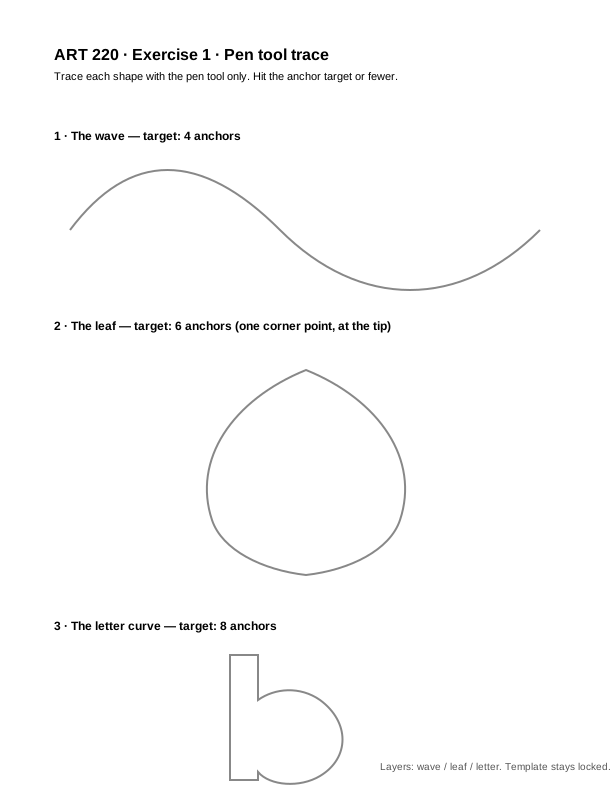
Handouts- Exercise 1, the trace sheetThree shapes with their anchor targets printed. File > Place it onto a locked template layer in a Letter portrait file, then trace each shape on its own named layer: wave, leaf, letter.Open →
Read before class- The Bézier Gameoptional practice, keep it open while you work2014Read now ↗
Thumbnail Review
We start in the L. Mendel Rivers Library: what it holds on design and illustration that you can use as reference, and how to use its flatbed scanner on the main level, which is free. Then back to the room. Thumbnails pinned up and read as a group. We are looking for three different concepts, not three versions of one, and for whether an idea still reads at stamp size. Leave with one direction chosen.
4 readings · 1 handout · due: Concepts and thumbnails
Due in class- Concepts and thumbnailsBring the article you chose and at least twelve thumbnails across three different concepts, with the hero frame marked in each. We will pin them up and go through them as a group.
Handouts- Thumbnail Sketches, Art ProfThe video shown in class. Watch it here or open it on YouTube.Open ↗
Read before class- Anatomy of a New Yorker cartoonabout 21 minutes, watch before class if you can, the first ten minutes are shown in the roomTED, 2013Watch now ↗
- Thumbnail Sketches: Tutorial for Self-Taught Artists and Beginnersshown in class, and under Materials belowArt Prof, 2020Watch now ↗
- Guide to Thumbnail Sketchesthe written guide behind the video, for anyone sent back to re-thumbnailArt Prof, 2020Watch now ↗
- How to do 50 Thumbnail Sketchesoptional, after classYouTube, 2020Watch now ↗
Assignments
Project
- Vector draftsThe hero and both spots roughed in Illustrator, in one file, with a working color palette.Due Sep 10
Shape Building and Pathfinder
Today you make pictures without the pen tool. Thirty circles on paper first: one shape, thirty meanings. Then the same idea in Illustrator with twelve given shapes you can move, turn, copy, and cut, but never resize and never redraw. Three pictures, then one pushed further. Work time on your vector drafts after.
due: Shape building
Due in class- Shape building
Color Systems
Global swatches, and why they exist: edit once, and everything painted with it changes. Value first: a picture that fails in gray fails in color. Then a tour of how illustrators use color, on the real pictures, from Malika Favre's three-color covers to Saul Bass, Whistler, Jon Klassen, Mary Blair, Tomer Hanuka and Hiroshige, with each picture's own count under it, so a palette reads as a choice among many and not the only one. Then the tools: Adobe Color, Coolors, oklch, Color Oracle, and Swatches, Color Guide and Recolor Artwork in Illustrator, with the same ideas in Photoshop. Exercise 3 runs in class on your own Project 1 set: every loose color down to three globals without losing the read. Vector drafts are desk-checked at the start. The target is one palette across the hero and both spots by the end of the day.
1 reading · 2 decks · 8 handouts · due: Vector drafts, Color systems
Due in class- Vector draftsThe hero and both spots roughed in Illustrator, in one file, with a working color palette.
- Color systems
Lecture- Color Systems, the slidesValue first, eight treatments on real pictures with their counts, the tools, then Illustrator and Photoshop step by step.Open ↗
- The slides as a PDFThe same deck to keep.Open ↗
Handouts- Color LabThe class demo as a page. Hue, saturation and brightness on one color, the square in gray, why brightness is not lightness, then a palette in OKLCH with ramps, a gray check and a contrast table. Copy the hex list or download the swatches as an SVG for Illustrator.Open ↗
- Adobe ColorThe wheel with harmony rules, palettes pulled from a photo, and a contrast checker. Saves straight into your Illustrator Libraries.Open ↗
- CoolorsPress space, get a palette. Lock the ones you like and keep going. Export as an .ase for Illustrator.Open ↗
- KhromaPick fifty colors you like, and it learns your taste and generates pairs.Open ↗
- Realtime ColorsSee a palette on a real page, not on squares.Open ↗
- oklch.comA color picker where equal steps look equal. Use it to build tints and shades that actually stay the same hue.Open ↗
- Color OracleFree. Shows your whole screen the way a colorblind viewer sees it. Run it on your set before you hand it in.Open ↗
- Sim DaltonismFree, Mac. A floating window that shows whatever is under it as a colorblind viewer sees it.Open ↗
Read before class- Malika Favreoptional, browse the covers before classRead now ↗
Type and Image
The last taught block of Project 1. Where the illustration meets the type: lockups, the clearance a headline needs, the share crop and the thumbnail, and what a designer needs in the file. Then a long work session: the family placed in a real article layout, proofed at run size and at one inch, and the file cleaned for Thursday.
2 decks · 3 handouts
Lecture- Type and Image, the slidesLockups and clearance, the share crop and the thumbnail, what ships to a designer, and the Thursday hand-in list.Open ↗
- The slides as a PDFThe same deck to keep.Open ↗
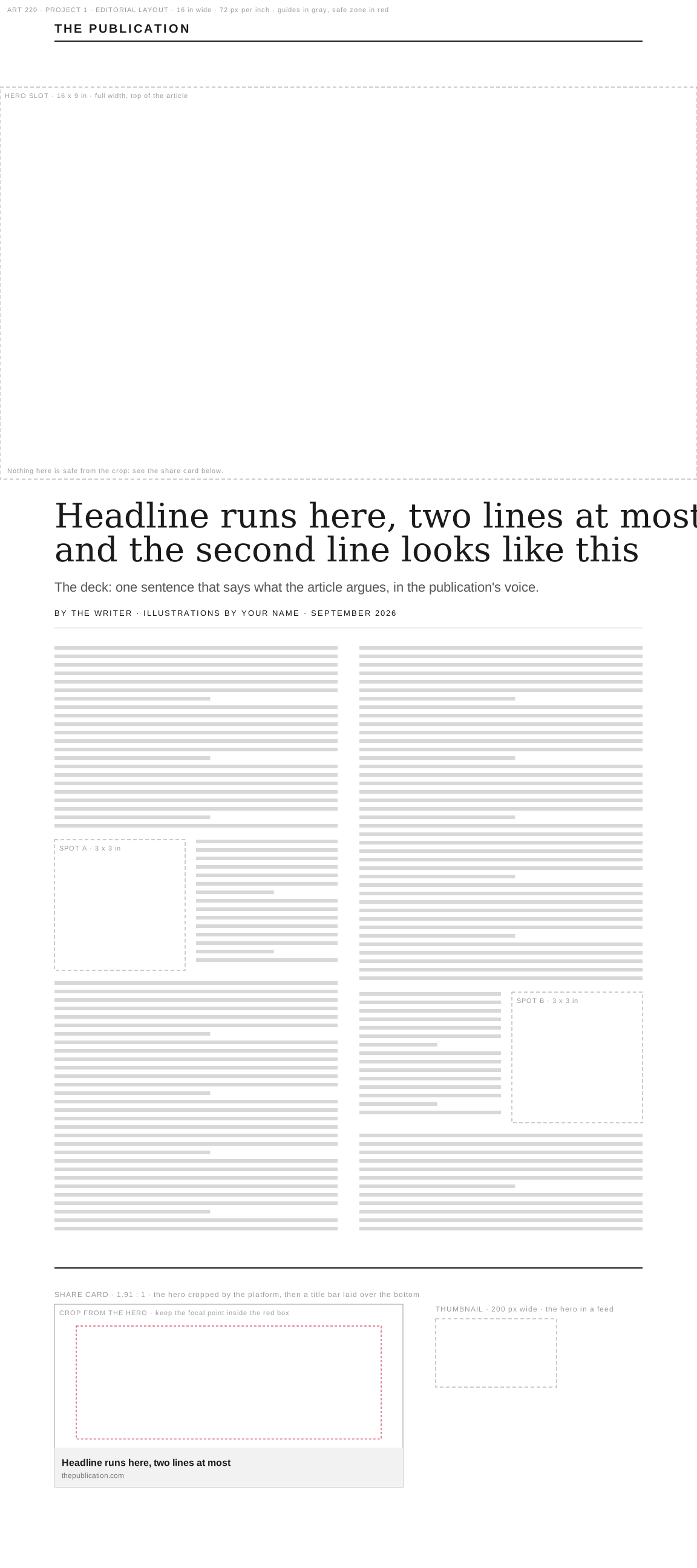
Handouts- Editorial layout templateA web article at 16 inches wide. Opens in Illustrator. Drop the hero in the hero slot and the spots in the column, then read the share card and the thumbnail. Guides are gray, the safe zone is red.Open →
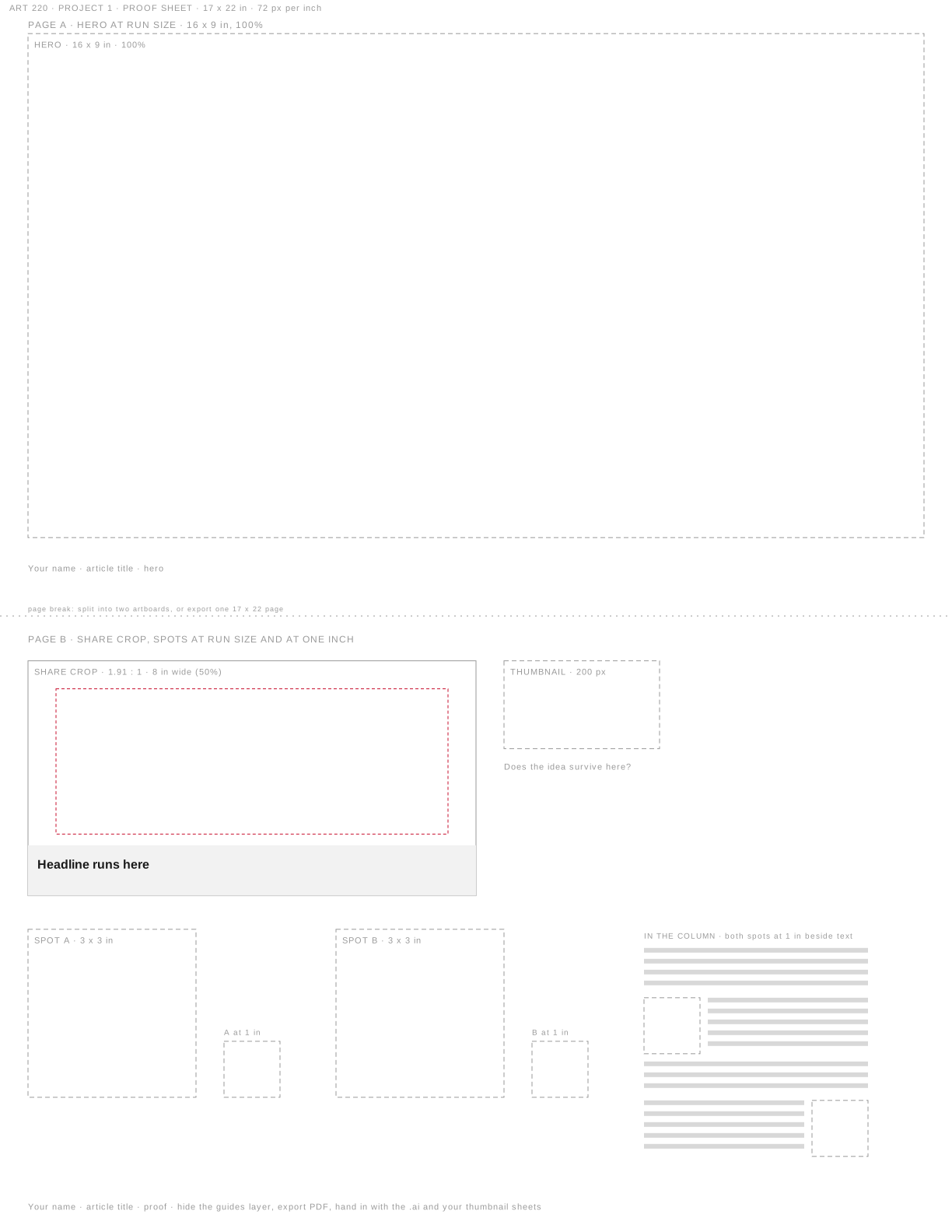
- Proof sheetTwo tabloid pages: the hero at 100%, then the share crop, the thumbnail, and both spots at 3 inches and at 1 inch. Fill the frames, hide the guides, export the PDF. This is the proof on Thursday's hand-in list.Open →
- Project 1 hand-in listThe .ai with named layers, global swatches and no stray points; the proof PDF; the photographed thumbnail sheets. Read it today.Open →
Project 1 Hand-In, Project 2 Opens
No group critique today. Project 1 is handed in on Blackboard: the first hour is a file check against the hand-in list, and the upload closes at 1:30. With the file goes one sentence on what the article argues and how your hero carries it. Then Project 2 is assigned: an illustrated poster for a real Charleston exhibition or festival, or a recent film or book. It is drawn on paper and set up for screenprint. We look at how poster artists handle words, drawn, set, or kept small, and at posters where the picture does the work. In class: sort posters by how they handle words, then pick a title and try its words three ways on paper.
2 decks · 2 handouts · due: Project 1. Editorial Illustration (3 weeks)
Due in class- Project 1. Editorial Illustration (3 weeks)A publication has assigned you the art for one feature article: a featured illustration that runs as the hero at the top of the story, and two spot illustrations that run through it. The article runs on the web, in the newsletter, and as a card in a feed. Read the article, then design a hero that carries what it argues and two spots that belong to the same family: one palette, one drawing logic, one voice. Hand in production-ready vector files. You will learn the pen tool and curve construction, shape building and boolean operations, color as a reusable system, and how design principles work at editorial scale.
Lecture- The Drawn Poster, the slidesThe Project 1 hand-in list, the Project 2 brief, the dates, the supplies list, and the poster makers to look at, each with a link.Open ↗
- The slides as a PDFThe same deck to keep.Open ↗
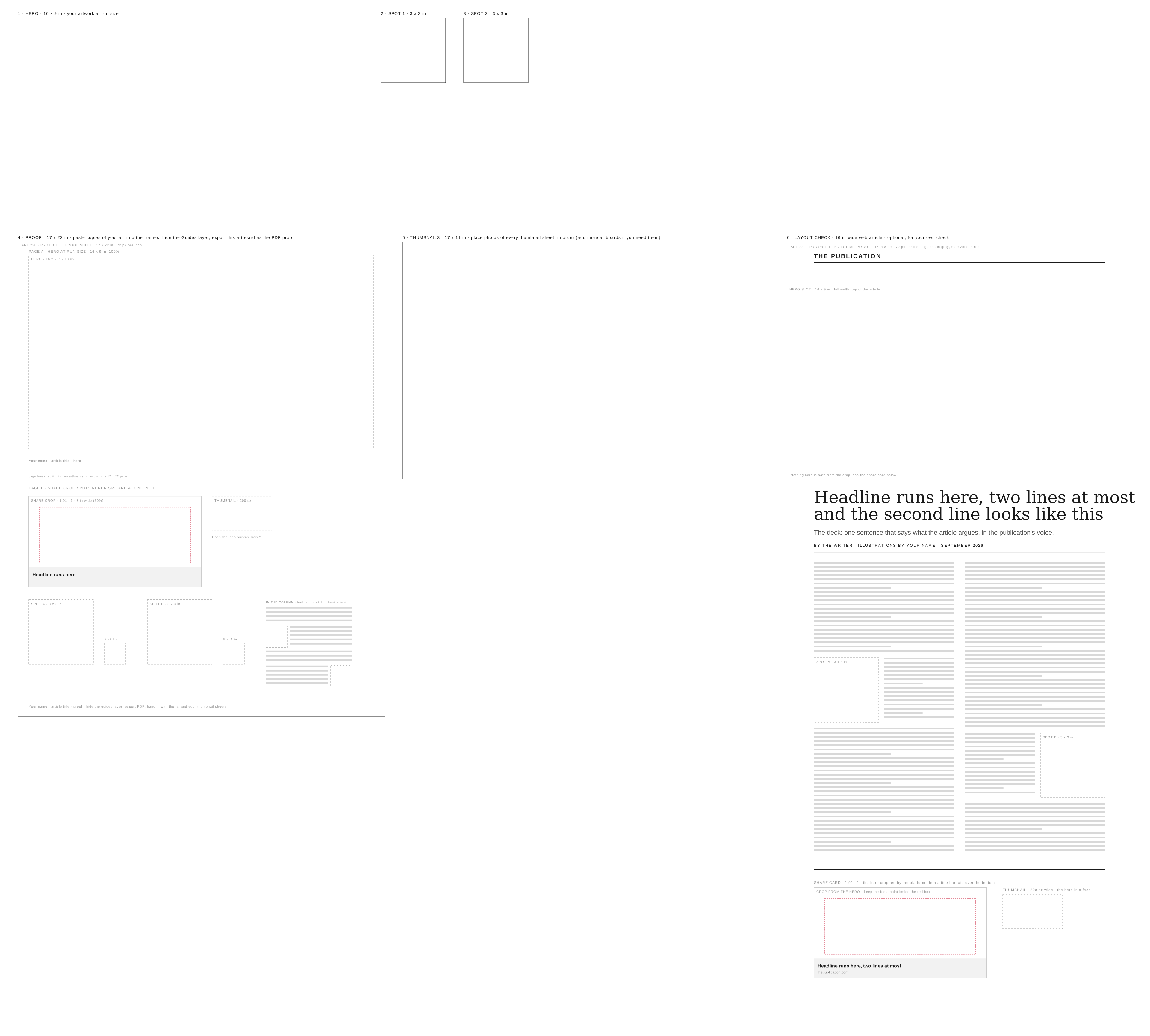
Handouts- Project 1 hand-in templateOpen in Illustrator, select the rectangles on the Artboards layer, Object > Artboards > Convert to Artboards, save as lastname-p1.ai.Open →
- Project 2 brief and supplies listThe poster brief, with the Bring list. Have everything on it by Tuesday, Sep 22.Open →
Assignments
Project
- Project 2. Illustrated Poster (4 weeks, with Fall Break)A poster for a real Charleston exhibition or festival, or a recent film or book, made from a drawing you make by hand. You pick one subject from a list of thirteen, and the words the poster has to carry are given to you. You finish a real drawing on paper, then capture it and build the poster from it at 18 by 24 inches, in whatever software suits it: cleaned and colored in Photoshop, traced to vector in Illustrator, or anything else. The words can be drawn by hand, set in a font, or kept small so the picture does the talking; whichever you choose, you plan them in the first thumbnail. The file is set up for screenprint, with each color on its own solid black layer and registration marks, so it is ready if we get into a screenprint shop to print. That may not happen. It has to stop someone from across a room and still read as a small image on a phone. You will learn how poster artists handle words and pictures together, mark-making that survives capture, scanning and clean-up, and color under a drawn line.Due Oct 15
- Title, thumbnails and words studyYour subject from the list and the exact words the poster carries. Your thumbnail pages: the subject worked through as an object, a symbol, a pattern, words, and a scene, one folded page of eight each, plus the sheet where you refined the ones you liked, with the one you are taking forward marked. One study of the words at a larger size: drawn letters, or your font printed and placed on the sketch.Due Sep 24
Capturing a Drawing
Mark sheet first: twenty minutes, every mark you own. We scan a few and photograph a few and compare them. Then how to capture a drawing: scanner or phone, resolution, black and white points. Then Corita Kent, the artist of the day: a teacher in Los Angeles who made posters out of words, cut or written by hand, three colors at a time, and printed enough for everyone. Then thumbnails. This is the thinking part of the project. Fold a sheet into eight frames and work through your subject one way at a time: as an object, as a symbol, as a pattern, as words, and then as a scene. One page each. Then take the ones you liked and refine them on a fresh sheet. Saul Bass, Noma Bar, Shigeo Fukuda, Alexander Girard, Corita Kent and Tomer Hanuka show each page done all the way.
2 decks · 9 handouts
Lecture- Capturing a Drawing, the slidesCapturing a drawing, Corita Kent, then the five thumbnail pages with a poster for each, and the refined sheet.Open ↗
- The slides as a PDFThe same deck to keep.Open ↗
Handouts- The mark sheetTwelve boxes, one mark each. Fill it by hand, then scan it at 600 ppi. Print letter size, tall. Keep the scan: these marks become your poster's shading.Open →
- Corita Kent, the collectionThe Corita Art Center. Start in the 1960s.Open ↗
- Corita Kent, Art Department RulesTen rules from her classroom. Rule 8 is the rule for today.Open ↗
- How to Fight the Power with Joy, a Lesson From Corita KentEye on Design, AIGA. Theo Inglis on the posters, the classroom, and why screenprint.Open ↗
- Corita Kent: 2016 AIGA MedalistPrint magazine. Callie Budrick's profile.Open ↗
- Saul BassThe object page. A whole film as one arm, one body, one spiral.Open ↗
- Noma BarThe symbol page. One shape and the picture hiding in the space around it.Open ↗
- Shigeo FukudaThe pattern page. One leg repeated until the gaps are legs too.Open ↗
- Tomer HanukaThe scene page. Film posters where many things share one idea and one color plan.Open ↗
Starting the Drawing
Thumbnails on the wall first: everyone's refined sheet pinned up, one question each, what is it for and the one thing to fix, then a word about the work between now and the critique. Then the drawing starts, from the chosen thumbnail onto the full sheet, 9 by 12 or bigger, and that is most of the day. While you draw: Tomer Hanuka, the artist of the day, who draws and inks by hand and colors on the computer, and then the basics of shadow and texture in Illustrator and in Photoshop, so you know where the drawing goes after it is scanned. Tuesday is scanning and importing. The drawing is due finished Thursday, October 1, scanned and turned in that day.
1 reading · 2 decks · 2 handouts · due: Title, thumbnails and words study
Due in class- Title, thumbnails and words studyYour subject from the list and the exact words the poster carries. Your thumbnail pages: the subject worked through as an object, a symbol, a pattern, words, and a scene, one folded page of eight each, plus the sheet where you refined the ones you liked, with the one you are taking forward marked. One study of the words at a larger size: drawn letters, or your font printed and placed on the sketch.
Lecture- Starting the Drawing, the slidesThumbnails on the wall, starting the drawing, Tomer Hanuka, then shadow and texture in Illustrator and Photoshop.Open ↗
- The slides as a PDFThe same deck to keep.Open ↗
Handouts- The mark sheetFrom Tuesday. Boxes 04 to 08 and 10 to 11 are the shading and textures your poster will use. Scan it at 600 if you have not.Open →
- Tomer HanukaFilm posters and covers. Look for the inked line, the shadow shapes, and where the texture stops.Open ↗
Read before class- Successful Drawingoptional reference, free on the Internet ArchiveViking, 1951Read now ↗
Assignments
Project
- Finished drawing, capturedYour finished drawing on paper, lettering included if you drew it, captured in class and cleaned up, with the line separated from the background in a working file, Photoshop or Illustrator.Due Oct 1
Brushes From Your Own Marks
Your mark sheet becomes a set of brushes. Three illustrators whose texture comes from their own hand, pictures only: Jon Klassen, Owen Davey and Tom Haugomat. Then how to turn a scanned mark into a brush tip in Photoshop, and into Art and Scatter brushes in Illustrator. Exercise 4: three brushes from your own marks, a line, a tone and a texture, a test sheet, and one brush tried on your poster. After the break, drawing time. The drawing is due finished Thursday, when we scan it in class.
2 decks · 1 handout · due: Brushes from your marks
Due in class- Brushes from your marks
Lecture- Brushes From Your Own Marks, the slidesThree illustrators, then brushes in Photoshop and Illustrator, then the exercise.Open ↗
- The slides as a PDFThe same deck to keep.Open ↗
Handouts- The mark sheetFrom session 9. Your brushes come from these boxes. If you lost yours, fill six boxes on scrap paper in the first ten minutes.Open →
- October8 sessions
Capture and Check-in
Your finished drawing, in black ink on paper, is due at the start. Today it goes into the computer as a clean black and white image, with the words included if you drew them, and from here on the color, shading and refining all happen digitally. First the two weeks left until the poster is due on Oct 15, and a check-in: everyone says which step their poster is on. Then scan the drawing in class, to pure black ink on pure white paper. If it is not finished, the library's flatbed scanner is free. Then AI in production: one thumbnail from Tuesday's class run through four tools, Krea, Gemini, ChatGPT and Claude, with the prompts shown and what each one got wrong. Exercise 5: color your scan on the computer, the black line on top and the color on layers under it, in Photoshop or Illustrator. Then work time with desk visits.
3 decks · 1 handout · due: Finished drawing, captured, Coloring your scan
Due in class- Finished drawing, capturedYour finished drawing on paper, lettering included if you drew it, captured in class and cleaned up, with the line separated from the background in a working file, Photoshop or Illustrator.
- Coloring your scan
Lecture- Capture and Check-in, the slidesHow the poster is made, the schedule to Oct 15, the check-in, scanning to black and white, then coloring under the line.Open ↗
- The slides as a PDFThe same deck to keep.Open ↗
- Scanning, from session 9The full scanning lesson, if you need it again.Open ↗
Handouts- Library scanner and printingOne free flatbed scanner on the library main level, and color printing on letter paper.Open ↗
Color for Print
Color as light, then color as ink. Why there are three primaries, how screens went from the first mechanical TV through color tubes to the blue LED in your phone, and why print runs on cyan, magenta, yellow and black instead. Then how things get printed, walked back from the office laser printer to the copier, offset, the halftone and the woodblock. Then the risograph and screenprint, how they work and where they came from, with dance flyers from the 1990s and a riso zine from 2020 as the examples. Then the limited palettes from session 6 again, one color, black and a spot, tints, with the paper counted as a color. Last, the inks in your file and the separations you hand in on Oct 15. Then work time with desk visits: get your poster to three colors plus the line, each on its own ink layer.
2 decks
Lecture- Color for Print, the slidesLight and screens, ink and printers, riso and screenprint, color on paper, then the inks in your file.Open ↗
- The slides as a PDFThe same deck to keep.Open ↗
Setting Up for Screenprint
How a screen gets made from your file, and why every film is black on white. Then we set up your own poster for screenprint, one step at a time, in Illustrator and Photoshop: inks in printing order, color run under the line, traps where colors meet, lighter shades turned into dots, marks and a label on every film, the films themselves, and a last check. Then everyone presents their poster as it stands, followed by work time with desk visits, the last class before Fall Break. Finish the poster over the break and make the separations before Oct 15.
2 decks
Lecture- Setting Up for Screenprint, the slidesHow a screen is made, then the seven setup steps in Illustrator and Photoshop.Open ↗
- The slides as a PDFThe same deck to keep.Open ↗
No class
Fall Break. The university is closed; the ledger skips the day.
Project 2 Critique
Full critique, the first class back from Fall Break. Each proof hangs next to its original drawing. Project 3 is assigned at the end: one supplied carton, one package face.
due: Project 2. Illustrated Poster (4 weeks, with Fall Break)
Due in class- Project 2. Illustrated Poster (4 weeks, with Fall Break)A poster for a real Charleston exhibition or festival, or a recent film or book, made from a drawing you make by hand. You pick one subject from a list of thirteen, and the words the poster has to carry are given to you. You finish a real drawing on paper, then capture it and build the poster from it at 18 by 24 inches, in whatever software suits it: cleaned and colored in Photoshop, traced to vector in Illustrator, or anything else. The words can be drawn by hand, set in a font, or kept small so the picture does the talking; whichever you choose, you plan them in the first thumbnail. The file is set up for screenprint, with each color on its own solid black layer and registration marks, so it is ready if we get into a screenprint shop to print. That may not happen. It has to stop someone from across a room and still read as a small image on a phone. You will learn how poster artists handle words and pictures together, mark-making that survives capture, scanning and clean-up, and color under a drawn line.
Assignments
Project
- Project 3. Packaging Illustration (3 weeks)A small food or beverage company needs packaging for a new product. The logo already exists; you are given a simple wordmark to place. You will design the package and the illustration system that covers it. The artwork has to work on a dieline, survive a fold, and hold up on a shelf. Hand in production files and a photographed mockup. You will learn dielines and package structure, how an illustration behaves on a surface that wraps, pattern and repeat, and print production basics: bleed and color separation.Due Nov 5
- Illustration on the flat dielineYour product named, and the illustration roughed onto the flat carton dieline: the front panel resolved in sketch, and how the art continues around the folds.Due Oct 22
Part II · Surface and Motion
Package Structure and the Dieline
The supplied carton: panels, folds, glue flaps, and what the shelf sees first. Fold a blank one in class. Then name your product and start roughing the illustration on the flat dieline.
Illustration on a Dieline
p3a is due at the start: the illustration roughed on the flat dieline. Print it at 100 percent, fold it, and see where the folds cut the art. Getting artwork to behave across panels, and the shelf-distance test. Work session.
due: Illustration on the flat dieline
Due in class- Illustration on the flat dielineYour product named, and the illustration roughed onto the flat carton dieline: the front panel resolved in sketch, and how the art continues around the folds.
Assignments
Project
- First mockupThe carton printed, cut, folded and photographed, with the illustration and the repeat on it. It can be rough; it has to be built.Due Oct 29
Pattern and Repeat
The repeat: tiling a motif for a side panel, the back, or the inside. Work session toward the first printed mockup Thursday.
Mockups
p3b is due at the start: the carton printed, folded and photographed. Photographing a mockup honestly. Fix what the fold showed you. Work session.
due: First mockup
Due in class- First mockupThe carton printed, cut, folded and photographed, with the illustration and the repeat on it. It can be rough; it has to be built.
- November7 sessions
Print Production
Bleed, trapping, and spot versus process color. Preparing files for a printer. Work session.
Project 3 Critique
Full critique. Present the package on the form. The final project is assigned.
due: Project 3. Packaging Illustration (3 weeks)
Due in class- Project 3. Packaging Illustration (3 weeks)A small food or beverage company needs packaging for a new product. The logo already exists; you are given a simple wordmark to place. You will design the package and the illustration system that covers it. The artwork has to work on a dieline, survive a fold, and hold up on a shelf. Hand in production files and a photographed mockup. You will learn dielines and package structure, how an illustration behaves on a surface that wraps, pattern and repeat, and print production basics: bleed and color separation.
Assignments
Project
- Final Project. Animated Illustration (4 weeks)You choose the subject and the venue. Design an illustration that moves and deliver it as a seamless loop along with the still image it came from. You will learn to prepare artwork for animation, timing and easing, and loop construction and export, using every tool the term has covered.Due Dec 8
Illustration in Motion
How illustration is used in motion. Loops, easing, and the AI motion tools we will use.
1 reading
Read before class- The illusion of lifeoptional, a few minutes2014Watch now ↗
Assignments
Project
- Motion studyOne short study: a single element moving, eased, looping cleanly. This confirms your tools and your export work before the project depends on them.Due Nov 17
Preparing Artwork to Move
Layer structure and anchor points. Setting up a file before animating. Work session.
Timing and Easing
Easing, holds, and the difference between a loop that reads and one that stutters. Studies played at the desk. A study that exports cleanly here is proof the file will hold for the whole piece.
due: Motion study
Due in class- Motion studyOne short study: a single element moving, eased, looping cleanly. This confirms your tools and your export work before the project depends on them.
Assignments
Project
- Rough loopThe whole piece moving, rough. Timing should be readable; the artwork does not have to be finished.Due Nov 24
Loops and Export
Building a seamless loop. File formats, sizes, and what to deliver. Work session.
Rough Loop Review
The whole piece moving, played as a group. Timing is the subject and unfinished artwork is expected. Leave knowing what to fix over the break.
due: Rough loop
Due in class- Rough loopThe whole piece moving, rough. Timing should be readable; the artwork does not have to be finished.
No class
Thanksgiving. The university is closed; the ledger skips the day.
- December2 sessions
Final Work Session
Work session. Desk critiques on the piece as it stands.
Final Work Session and Export Check
The last class is a work day. Export checks: format, size, and whether the loop still holds on the second pass. The final critique is in the exam slot.
Final critique
The final loops screened and defended, in the exam slot the registrar assigns. The final project is due at the start. You talk about what the image is for, what you tried, and what you would do next.
What each piece is worth
- ExercisesShort technique assignments completed in class and handed in the same day: pen tool and curve work, shape building, color systems, scanning and clean-up, flatting, rigging and easing. An exercise scores 2 for correct completion, 1 if it has errors or is submitted incorrectly, and 3 at the instructor's discretion for work that substantially exceeds the requirements. An average of 2 is full credit. Late exercises are never accepted, but your lowest score is dropped.15%
- Project 1. Editorial Illustration (3 weeks)A publication has assigned you the art for one feature article: a featured illustration that runs as the hero at the top of the story, and two spot illustrations that run through it. The article runs on the web, in the newsletter, and as a card in a feed. Read the article, then design a hero that carries what it argues and two spots that belong to the same family: one palette, one drawing logic, one voice. Hand in production-ready vector files. You will learn the pen tool and curve construction, shape building and boolean operations, color as a reusable system, and how design principles work at editorial scale.15%
- Project 2. Illustrated Poster (4 weeks, with Fall Break)A poster for a real Charleston exhibition or festival, or a recent film or book, made from a drawing you make by hand. You pick one subject from a list of thirteen, and the words the poster has to carry are given to you. You finish a real drawing on paper, then capture it and build the poster from it at 18 by 24 inches, in whatever software suits it: cleaned and colored in Photoshop, traced to vector in Illustrator, or anything else. The words can be drawn by hand, set in a font, or kept small so the picture does the talking; whichever you choose, you plan them in the first thumbnail. The file is set up for screenprint, with each color on its own solid black layer and registration marks, so it is ready if we get into a screenprint shop to print. That may not happen. It has to stop someone from across a room and still read as a small image on a phone. You will learn how poster artists handle words and pictures together, mark-making that survives capture, scanning and clean-up, and color under a drawn line.15%
- Project 3. Packaging Illustration (3 weeks)A small food or beverage company needs packaging for a new product. The logo already exists; you are given a simple wordmark to place. You will design the package and the illustration system that covers it. The artwork has to work on a dieline, survive a fold, and hold up on a shelf. Hand in production files and a photographed mockup. You will learn dielines and package structure, how an illustration behaves on a surface that wraps, pattern and repeat, and print production basics: bleed and color separation.20%
- Final Project. Animated Illustration (4 weeks)You choose the subject and the venue. Design an illustration that moves and deliver it as a seamless loop along with the still image it came from. You will learn to prepare artwork for animation, timing and easing, and loop construction and export, using every tool the term has covered.25%
- ProfessionalismCome to class prepared with your supplies, files and sketches. Take part in critique and be ready to comment on other students' work. Attendance at critiques is mandatory, and you may be marked absent if you do not have the required work to present.10%