Color for Print ART 220 · Digital Illustration · Session 13
Workhorse Collective
NameAbraham GarciaEmailabe@wrkhrs.co
ART 220 · Fall 2026
Today10.06.2026TopicHow color works as light and as ink, how screens and printers make it, and how to set up the inks for your poster.
wrkhrs.co
Session 13
Your screen makes color by adding light. Paper makes color by taking it away.
01 · Light
What color is, why there are three main colors of light, and how screens got from the first TV to your phone.
02 · Ink
Why printers use cyan, magenta, yellow and black, and how printing has worked, from carved wood blocks to the office printer.
03 · Riso and screen
The risograph and screenprinting, two ways of printing by pushing ink through a stencil, and where they came from.
04 · Your poster
How a few inks and the paper work together, how to set up your file for Oct 15, and then work time.
Color is lightBefore we get to screens and ink, here is what your eye is doing when it sees a color.
01 · LIGHT
01 · Light
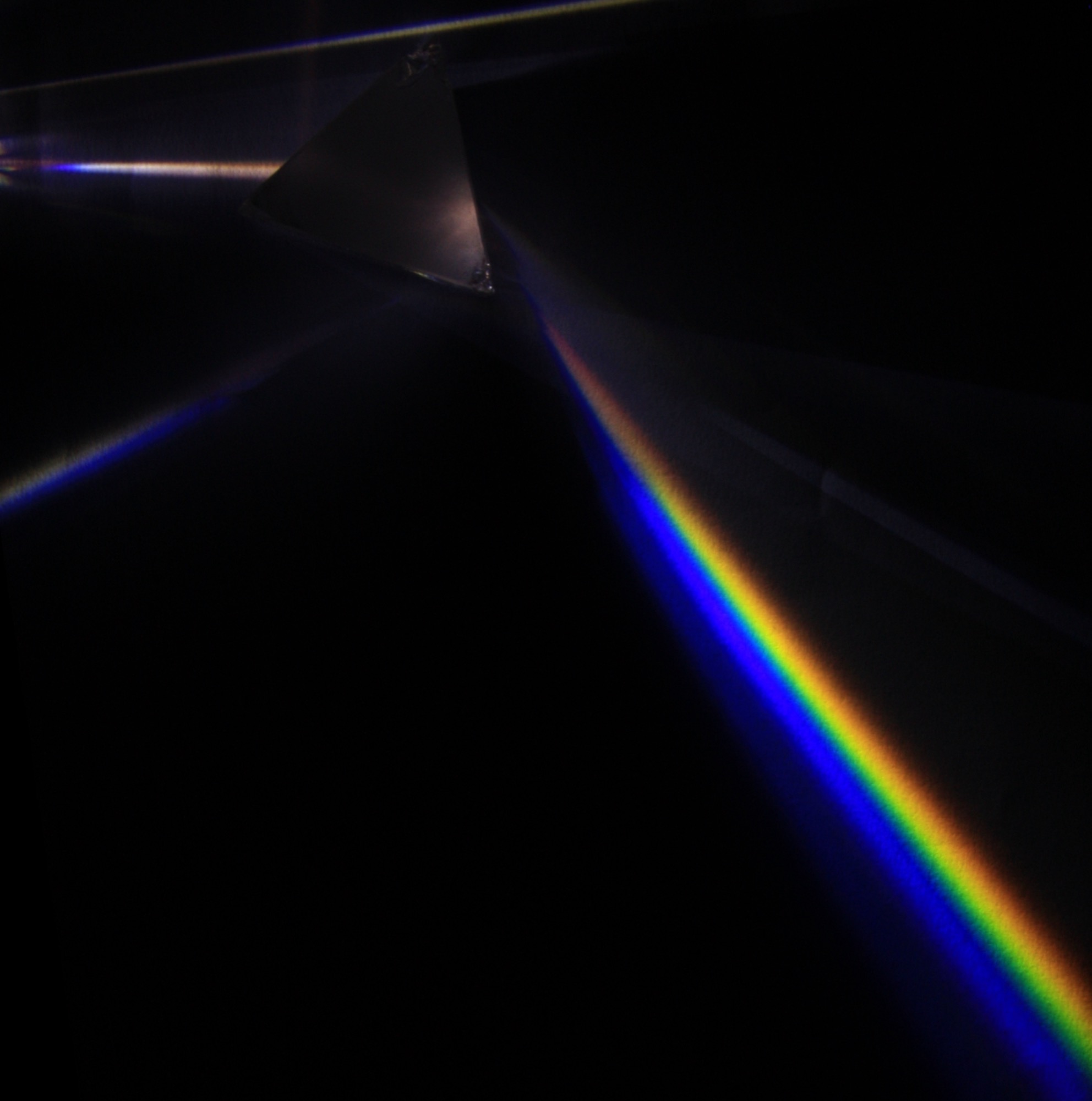
White light is every color at once.In 1666 Isaac Newton shined sunlight through a glass prism, and it split into a rainbow. A second prism turned the rainbow back into white light. That means an object does not have a color of its own. It reflects part of the light that hits it, and that part is the color you see.
A prismD-Kuru · Light dispersion of a mercury-vapor lamp with a flint glass prism · 2009 · D-Kuru, CC BY-SA 3.0 AT, via Wikimedia CommonsThe visible spectrumWavelength in nanometers
01 · Light
Your eye only has three color sensors.Your eye has three kinds of color cells. One sees mostly blue, one mostly green, one mostly red. Every color you see is your brain mixing those three signals. That is why screens and printers both start from three colors.
The three conesOverlapping, which is why mixing works
Why three colors. A screen mixes three colors of light. A printer mixes three inks, plus black. Both are made for the same three cells in your eye.
Some people have only two working kinds. That is color blindness, and it is why a poster should never depend on red against green alone.
01 · Light
Two ways to make a color: add light, or take it away.
Adding light · RGBStart with a dark screen and add red, green and blue light. All three together make white. Screens, projectors and stage lights work this way.Taking light away · CMYStart with white paper. Each ink blocks some of the light, and all three together make a dark, muddy color. Printing, paint and markers work this way.
LOOK WHERE THEY OVERLAP. RED AND GREEN LIGHT MAKE YELLOW. CYAN AND YELLOW INK MAKE GREEN.
From session 6: three numbers for any color
Hue · Saturation · Brightness
H 10 · S 80 · B 85
H 40 · S 73 · B 88
H 102 · S 54 · B 49
H 220 · S 76 · B 77
H 277 · S 60 · B 62
Hue is which color. Saturation is how strong it is. Brightness is how light or dark it is. These are the same colors as RGB, described in a way that is easier to adjust. Brightness still decides whether a poster reads from across the room, on screen or on paper.
Screens add lightEvery color screen is made of tiny red, green and blue lights, too small to see one at a time. Here is how screens got from the first TV to your phone.
01 · LIGHT · SCREENS
Screens · 1861
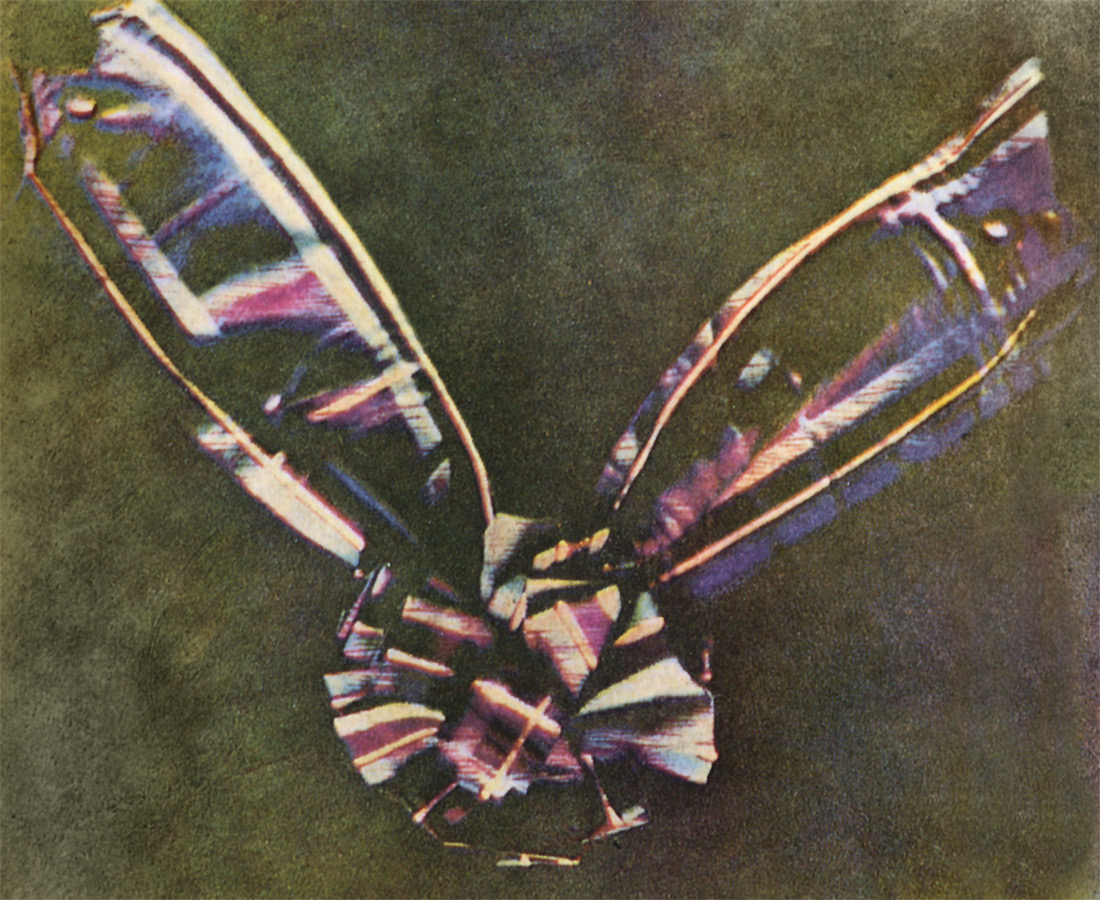
The first color photograph was three black and white ones.In 1861 the scientist James Clerk Maxwell photographed a plaid ribbon three times: through red glass, green glass and blue glass. He projected each photo back through its own color of glass, lined them up, and the ribbon appeared in color. Every color screen since works the same way.
The tartan ribbon, 1861James Clerk Maxwell (photographed by Thomas Sutton) · Tartan Ribbon, first three-color photograph · 1861 · Public domain, via Wikimedia Commons
Three photosR · G · B
Each photo shows how much red, green or blue is in each part of the picture.
Three lightsadded back
Shine each photo in its own color of light, stack them, and you get full color.
Screens · a timeline
One hundred years of putting light on a screen.
1926
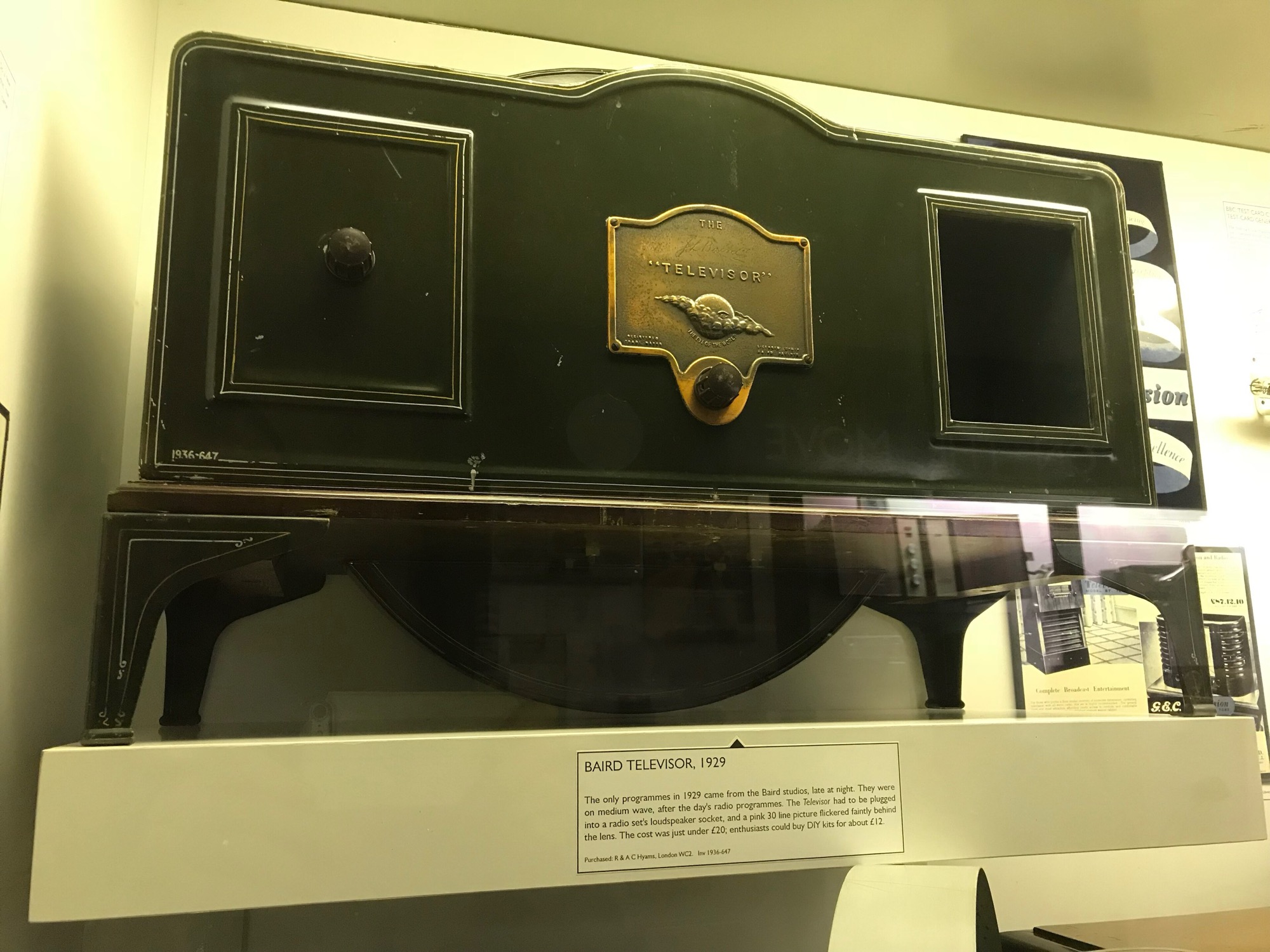
John Logie Baird shows the first TV: a spinning disk with holes and a tiny, blurry picture.
1930s to 50s
Black and white TV. The screen glows brighter or darker, but in one color only.
1954
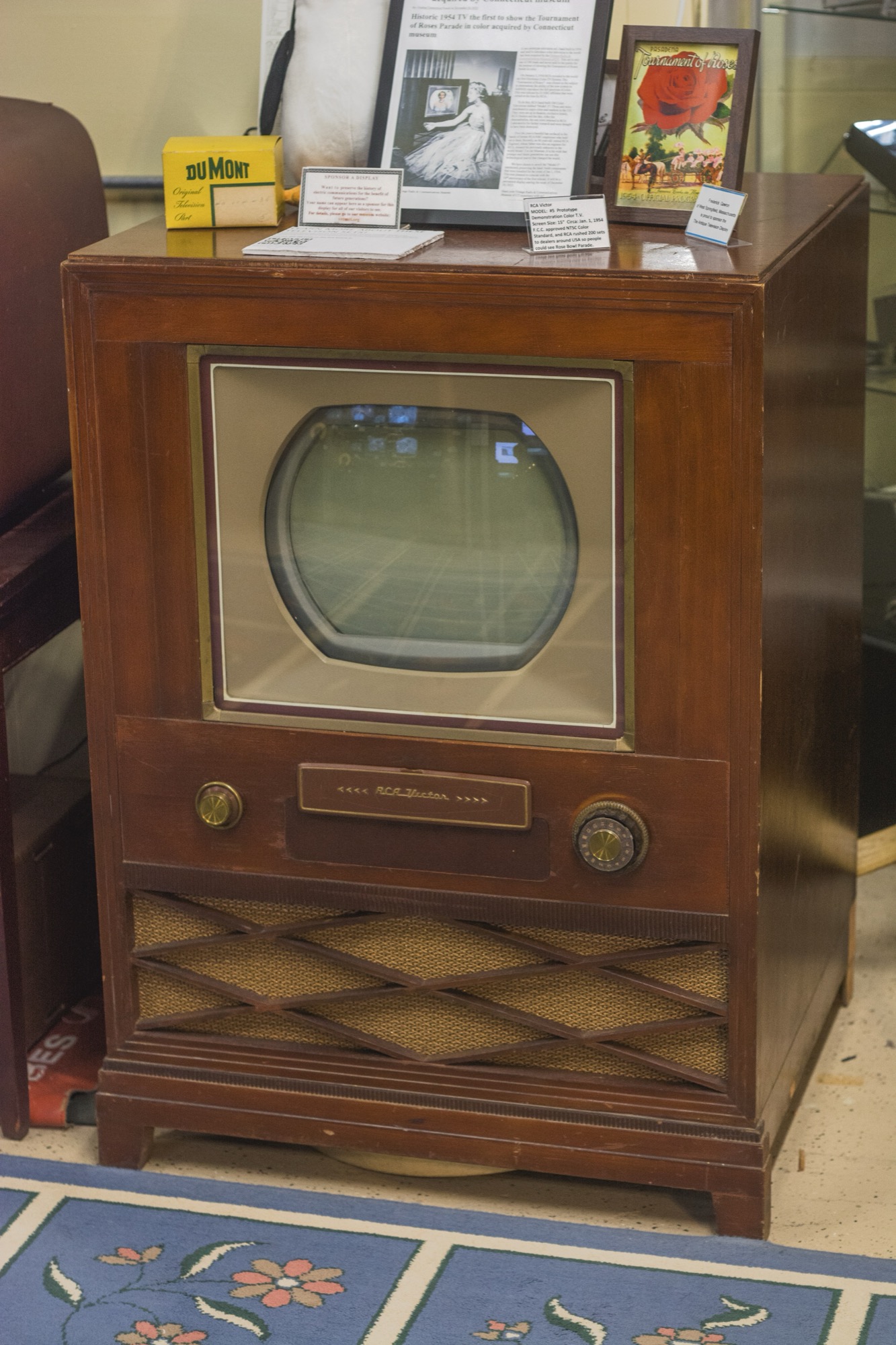
The first color TVs go on sale in the US. The screen is covered in tiny red, green and blue dots.
1962
The first LED glows red. Green comes later, but nobody can make blue.
2000s
Flat screens put a white light behind tiny red, green and blue windows that open and close.
Now
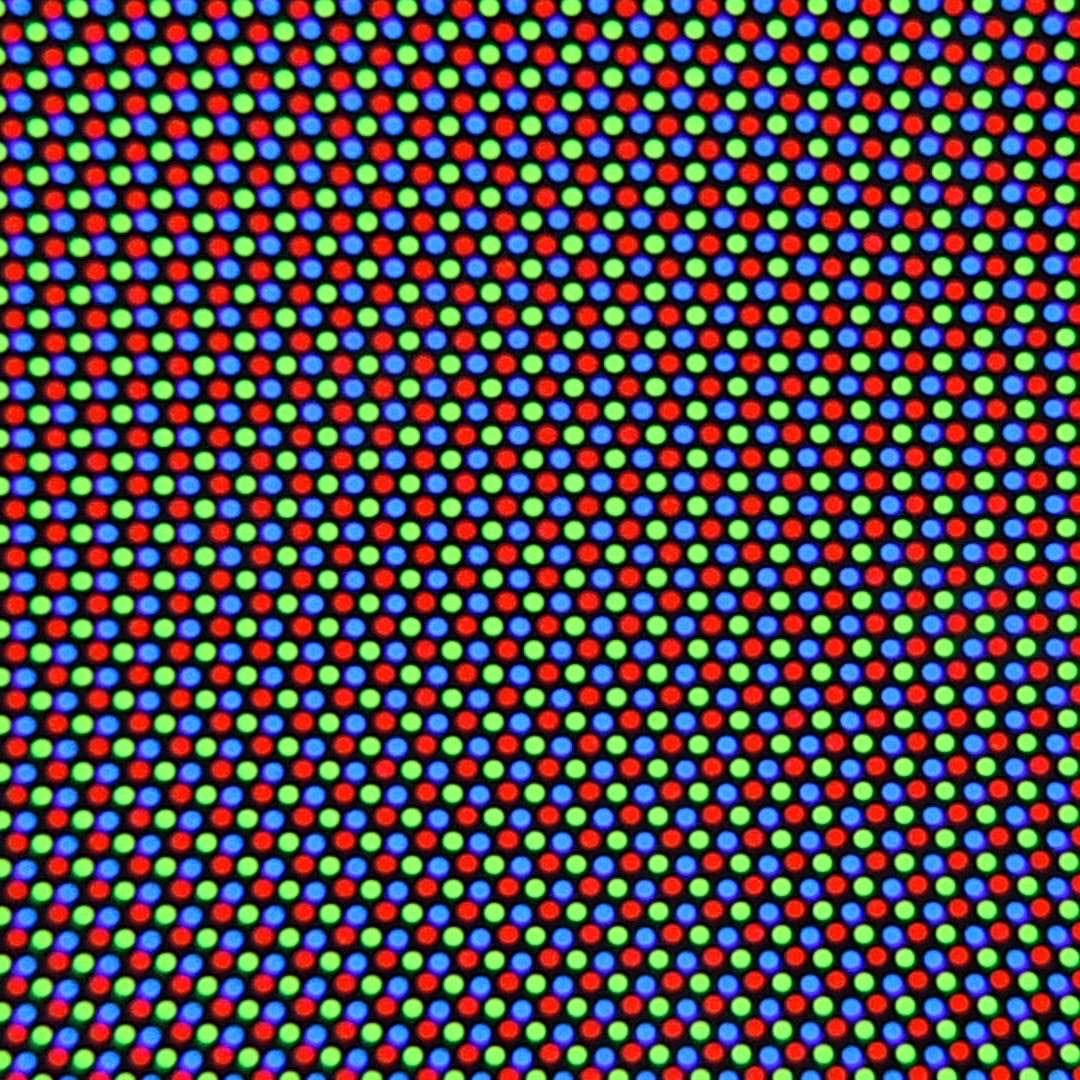
In a phone screen, every tiny red, green and blue dot makes its own light.
EVERY ONE OF THESE USES THE SAME IDEA: RED, GREEN AND BLUE LIGHT, TOO SMALL TO SEE APART.
Screens · tubes
A black and white TV used one light. A color TV used three.
The first TV, 1920sA spinning diskBaird Television Ltd (photo: Matt Brown) · Baird Televisor, 1929 · 1929 · Matt Brown, CC BY 2.0, via Wikimedia CommonsAn early color TV, 1953 to 54Red, green and blue dotsRCA Victor (photo: Ethan Long) · RCA Model 5 Color TV Prototype · 1953-1954 · Ethan Long, CC BY-SA 2.0, via Wikimedia CommonsUp closeRed, green and blue dotsMarcin Floryan · CRT screen closeup · 2007 · Marcin Floryan, public domain, via Wikimedia Commons
Screens · now
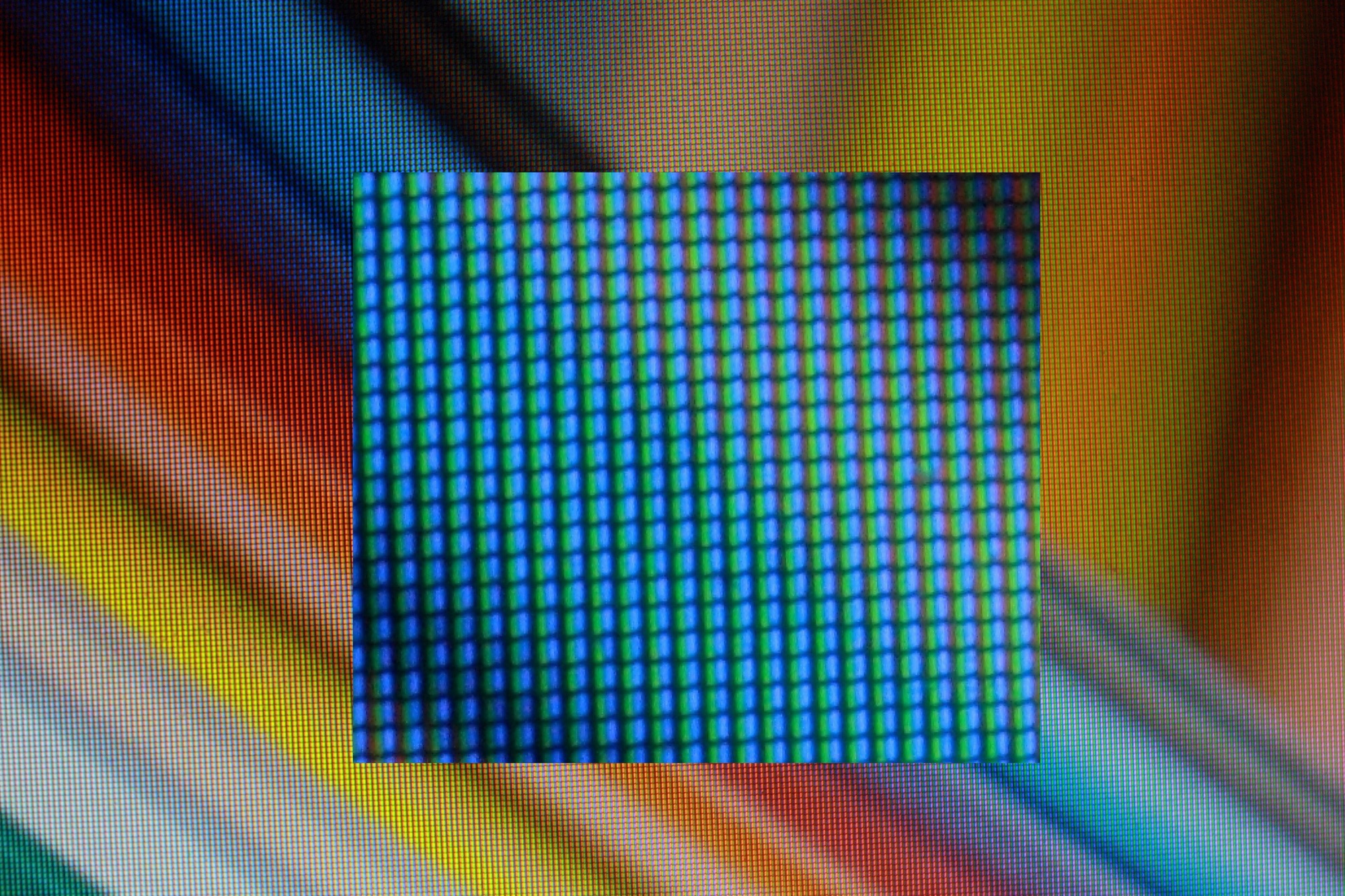
Look at your own screen.Open a white page on your laptop. Point your phone camera at it, zoom all the way in, and look. On a white screen, red, green and blue are all on. On yellow, red and green are on and blue is off.
Subpixels, magnifiedPolitelyinsulting · LCD subpixels · 2014 · Politelyinsulting, CC BY-SA 3.0, via Wikimedia Commons
Laptop screenLCD
A white light behind the screen, and tiny shutters over red, green and blue windows.
Phone screenOLED
Every tiny dot makes its own light and can turn fully off. That is why black on a phone looks so black.
Your fileRGB
Every color you pick on screen is three numbers, from 0 to 255: how much red, green and blue light.
An aside · the blue LED
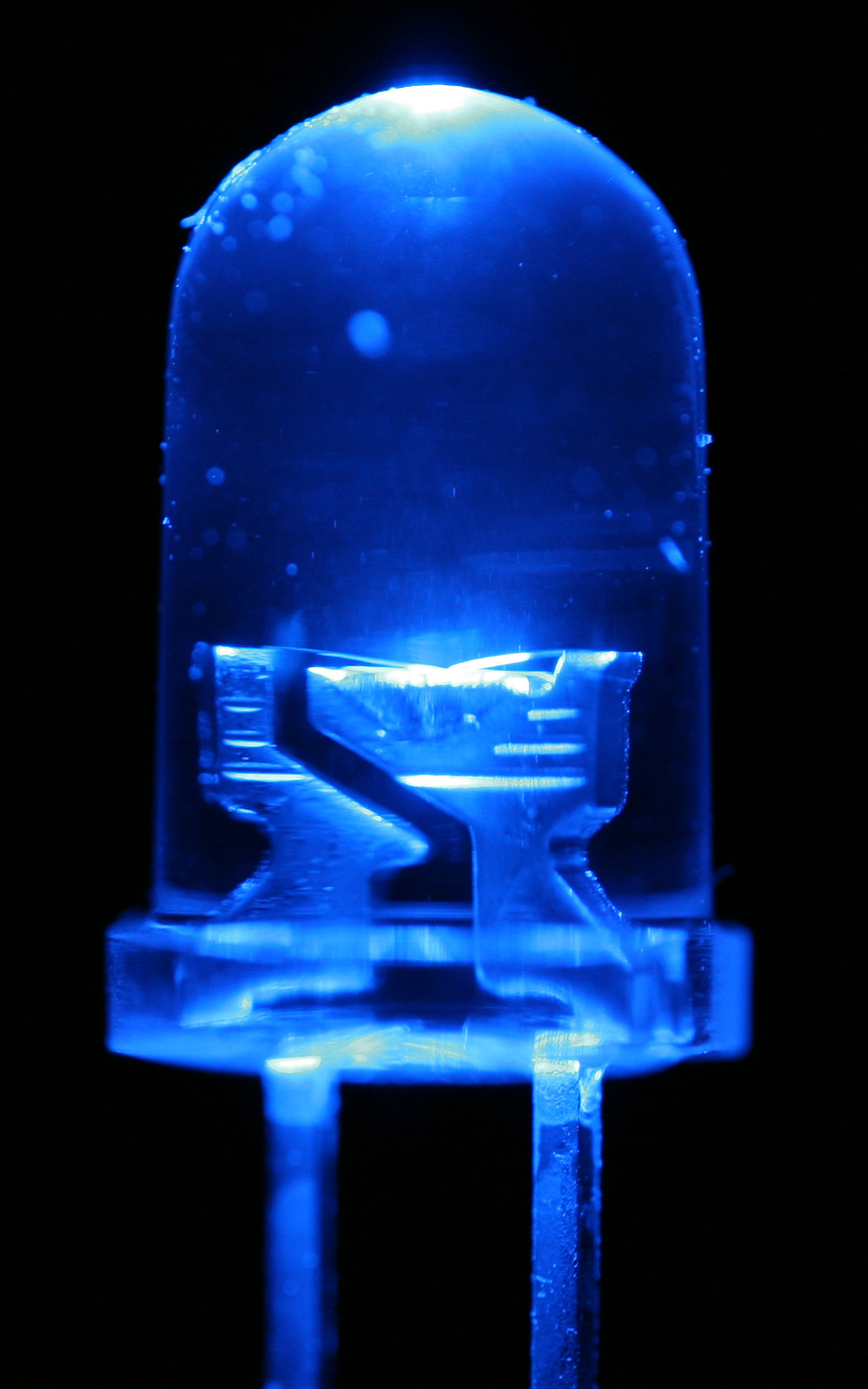
For thirty years, nobody could make a blue LED.An LED is a tiny chip that glows when electricity runs through it. The material it is made of decides its color. Red LEDs worked in 1962, and green ones came later. Blue needed a material nobody could make well, and the biggest companies in the world tried and failed. Without blue, there is no white LED and no full-color LED screen.
The materialgallium nitride
The right material for blue was a crystal called gallium nitride. Most scientists decided it was impossible to make it pure enough.
The missing halftwo layers
An LED needs two different layers stacked together. Nobody could make the second layer out of this crystal.
A blue LEDoutlaw_wolf · LED macro, blue · 2007 · outlaw_wolf, CC BY-SA 2.0, via Wikimedia Commons
An aside · the blue LED
An engineer at a small chemical company did it anyway.
When
What happened
1989Nagoya
Isamu Akasaki and Hiroshi Amano, two university scientists, finally make the missing second layer.
Early 1990sNichia, Tokushima
Shuji Nakamura, an engineer at a small company, rebuilds his equipment by hand, finds an easier way to make that layer, and makes much purer crystals.
1993the result
Nichia sells a bright blue LED and makes a fortune. Nakamura's bonus for the invention is 20,000 yen, about $180.
2004 to 2005the court
He sues his company. A court awards him 20 billion yen. They settle for about 840 million yen, around $8 million.
2014Stockholm
All three share the Nobel Prize in Physics.
Shuji NakamuraGlenn Beltz · Professor Shuji Nakamura · 2014 · Glenn Beltz, CC BY 2.0, via Wikimedia Commons
An aside · the blue LED
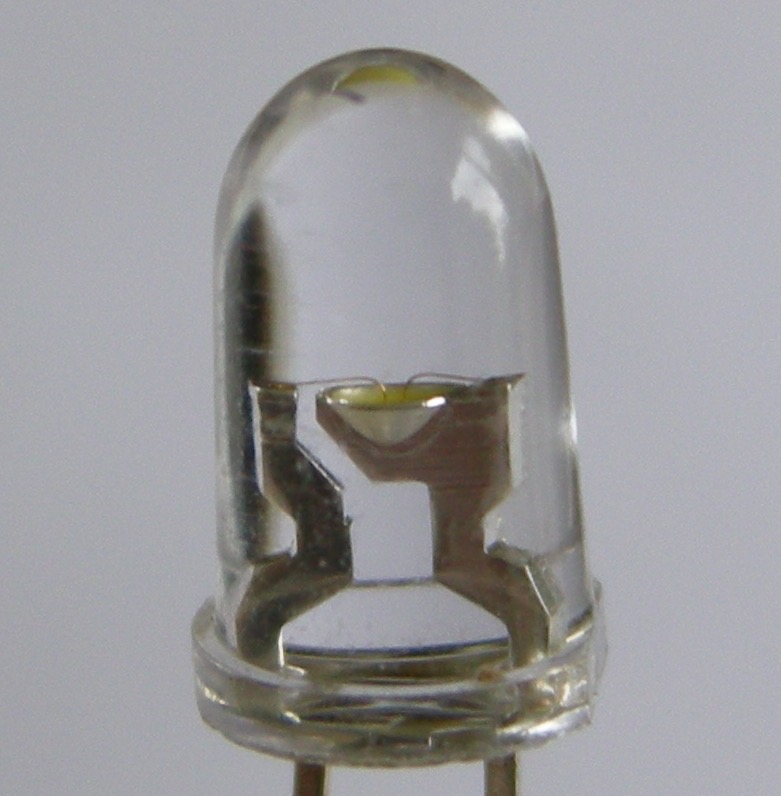
Blue made the white LED possible.Coat a blue LED with a yellow layer and the light comes out white. That is what lights LED bulbs, the backlight in every laptop, and phone screens bright enough to read outside, including the screen you made your poster on.
A white LEDBlue chip, yellow coatingPhilip Bosma · Close-up of a white LED · 2007 · Philip Bosma, CC BY-SA 3.0, via Wikimedia CommonsThe three lightsRed, green, and finally blue
Also: the Nobel Prize page for 2014, which explains it in plain words. nobelprize.org
Ink takes light awayWhite paper bounces back all the light that hits it. Ink on top blocks some of that light. What bounces back is the color you see.
02 · INK
02 · Ink
Ink is a filter.White light is red, green and blue together. Each printing ink stops one of the three. The paper bounces back the other two, and that is the color you see.
Cyan ink stops redGreen and blue bounce back. You see cyan.Magenta ink stops greenRed and blue bounce back. You see magenta.Yellow ink stops blueRed and green bounce back. You see yellow.
Why these threeC · M · Y
Each one stops only one color of light, so mixing them can reach almost any color.
Why black tooK, for key
All three together make a muddy brown, not black. A black ink is darker, sharper and cheaper.
Where is whiteno ink
There is no white ink. White is the paper.
02 · Ink
C, M, Y and K.C, M and Y stand for cyan, magenta and yellow. Each one stops one color of light. K stands for key, the black plate that prints the fine detail.
C
Cyan
Greek kyanos, dark blue
A greenish blue that stops red light.
M
Magenta
Named for a battle, 1859
A purplish pink that stops green light. The dye was named after an 1859 battle near Magenta, a town in Italy.
Y
Yellow
The lightest ink
It stops blue light. Yellow is so light that it is the hardest plate to check by eye.
K
Key
The key plate
The black plate. It prints the type and the outlines, and printers line the other three plates up to it. The letter is K so nobody mistakes it for B, for blue.
02 · Ink · where CMYK came from
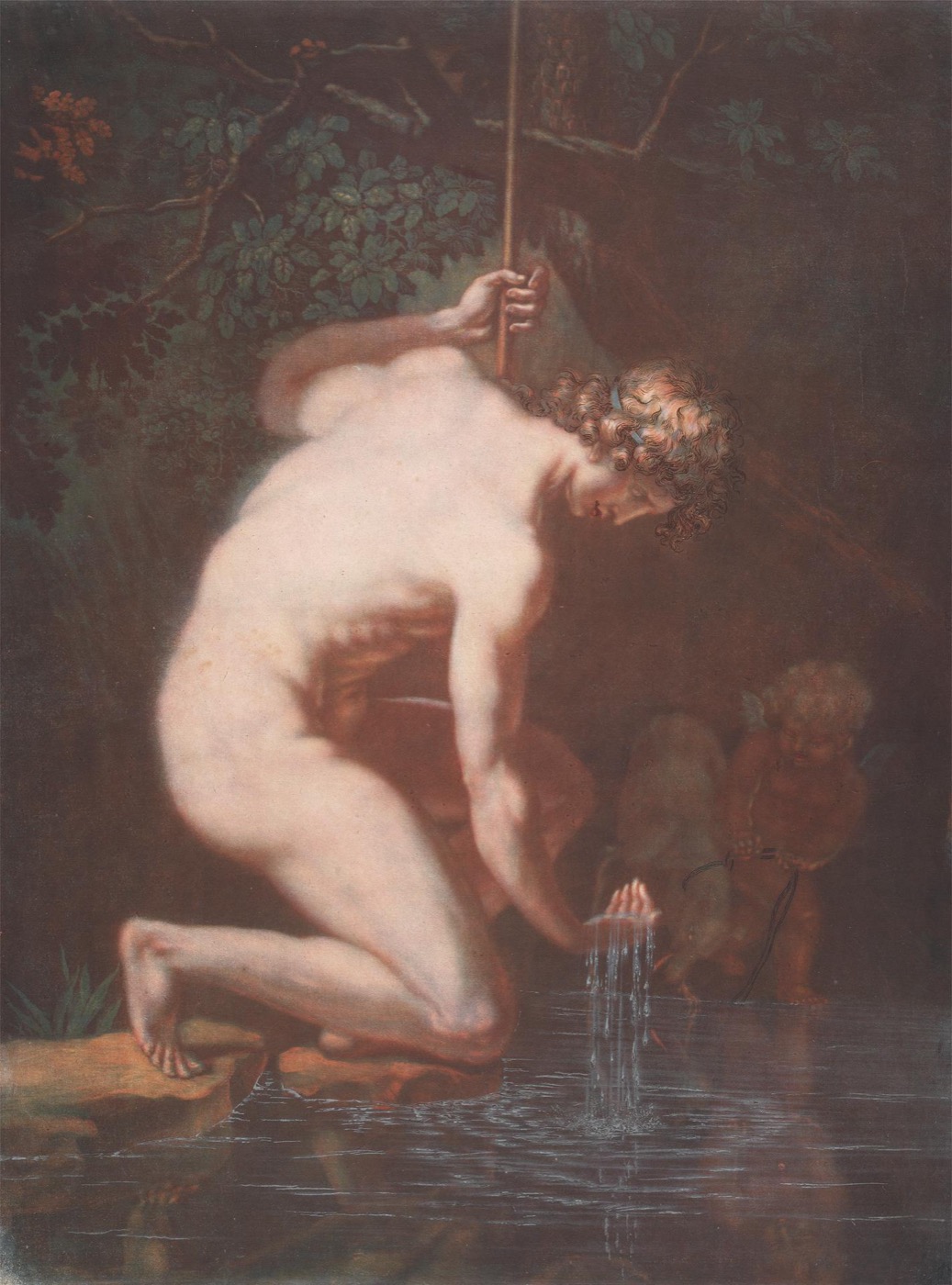
From red, yellow and blue to cyan, magenta and yellow.Printers started with the painter's three primaries, red, yellow and blue, and later moved to three colors that mix better in ink.
1710s to 1725Le Blon
Jacob Christoph Le Blon, a painter working in Amsterdam and London, prints pictures from three copper plates in red, yellow and blue, one over the other. Some prints get a fourth plate in black.
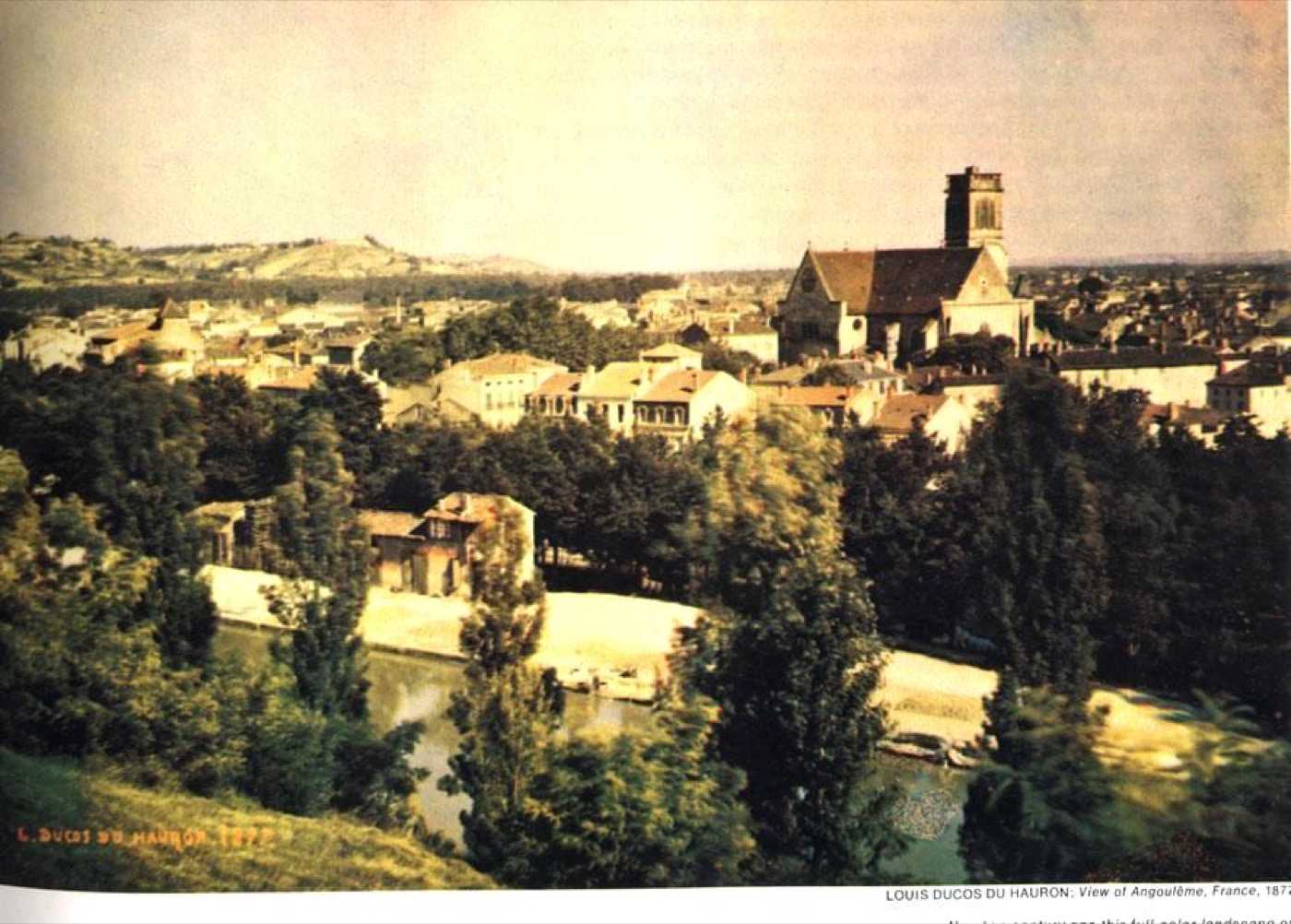
1869Ducos du Hauron
Louis Ducos du Hauron, a French inventor, works out that ink mixes the opposite way from light, so each ink has to block one color of light. That idea leads to cyan, magenta and yellow.
1890s to 1900sdots
The dot screen lets presses print photographs. Printers run three colors, then add a black plate for detail, which gives us four-color printing.
1900s onbetter inks
Printers' red and blue inks shift toward magenta and cyan, which mix cleaner greens, blues and purples. In the 1970s, US printers agree on a standard set of the four inks so a magazine looks the same wherever it is printed.
Le Blon · NarcissusJacob Christoph Le Blon · Narcissus · 1710s · Yale Center for British Art, CC0, via Wikimedia CommonsDucos du Hauron · Agen, 1877Louis Ducos du Hauron · View of Agen · 1877 · Public domain, via Wikimedia Commons
02 · Ink · separations
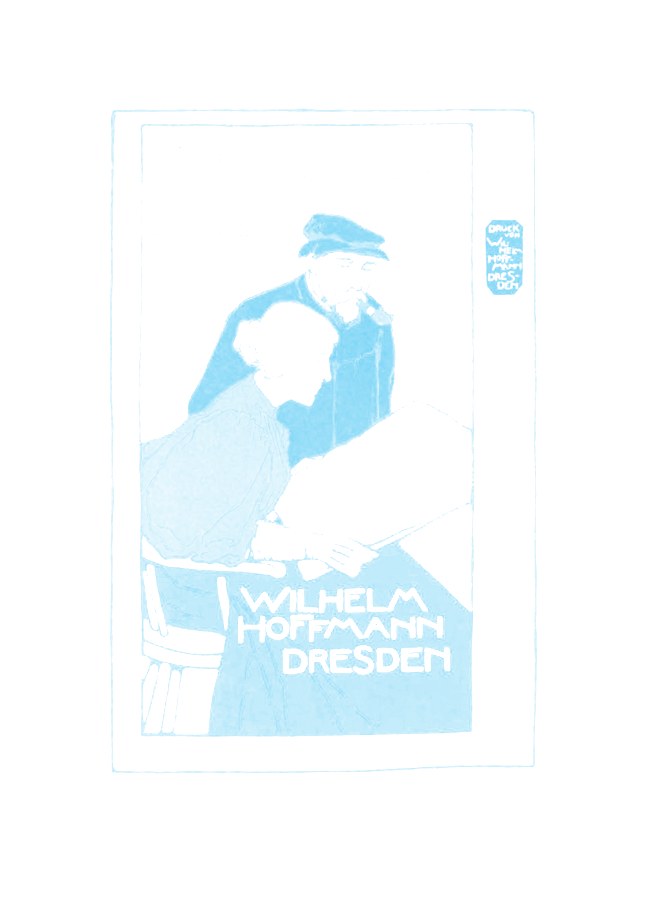
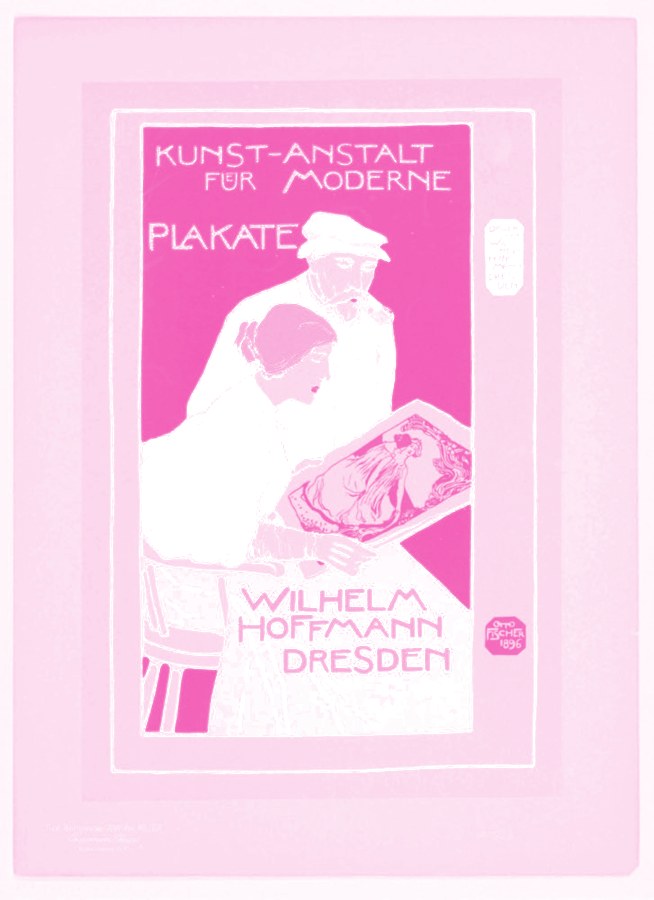
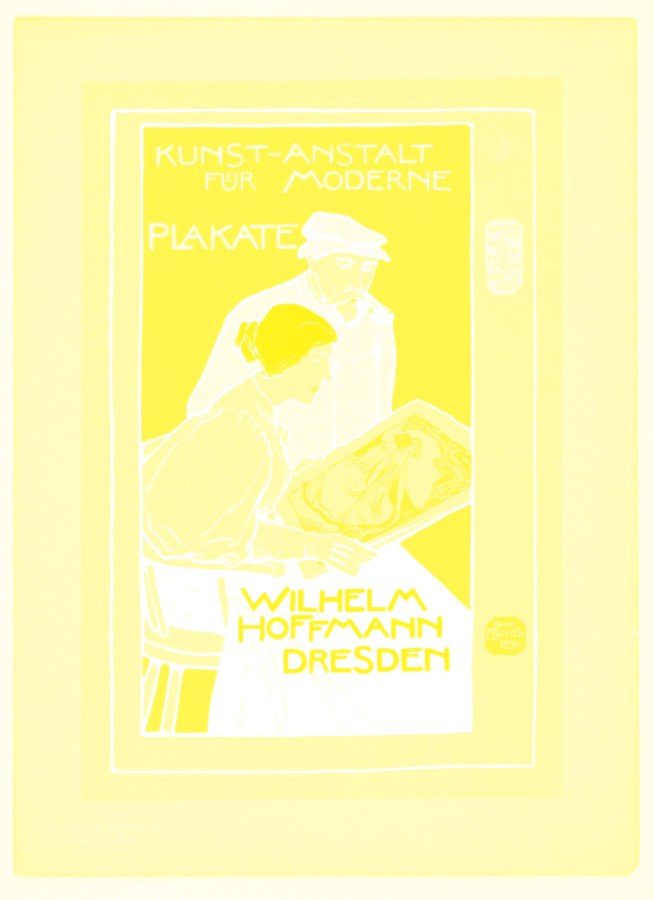
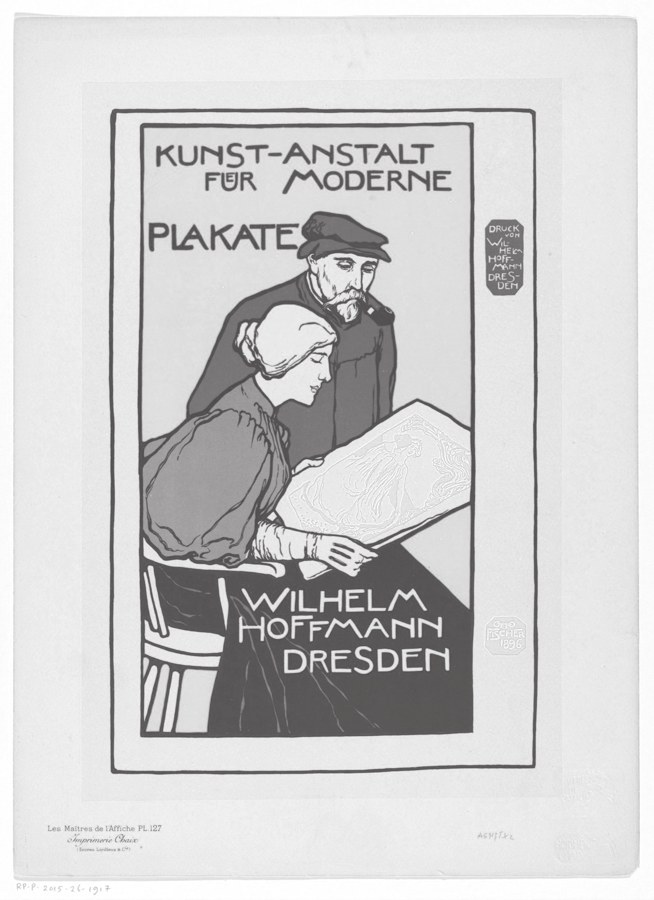
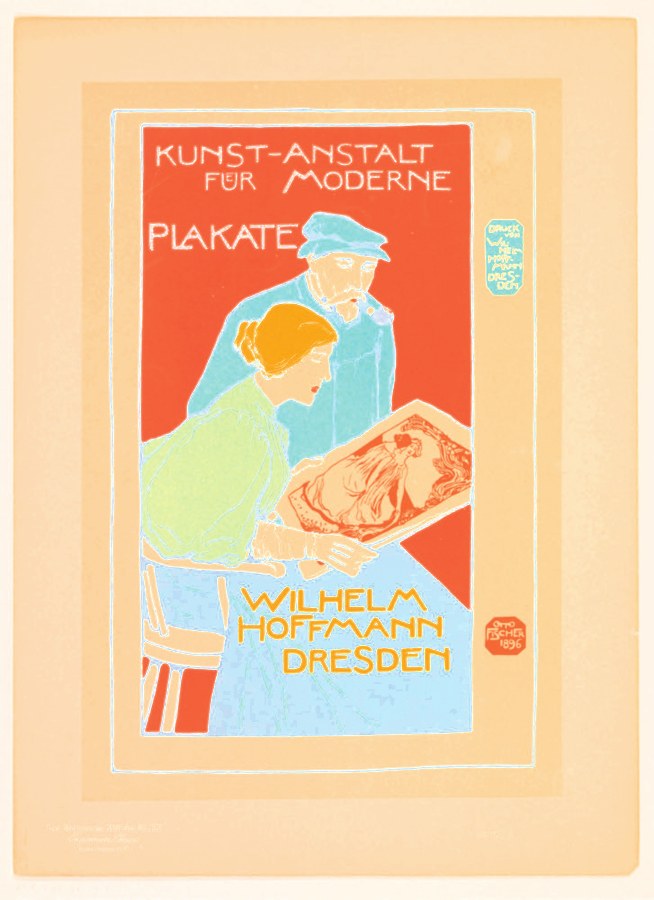
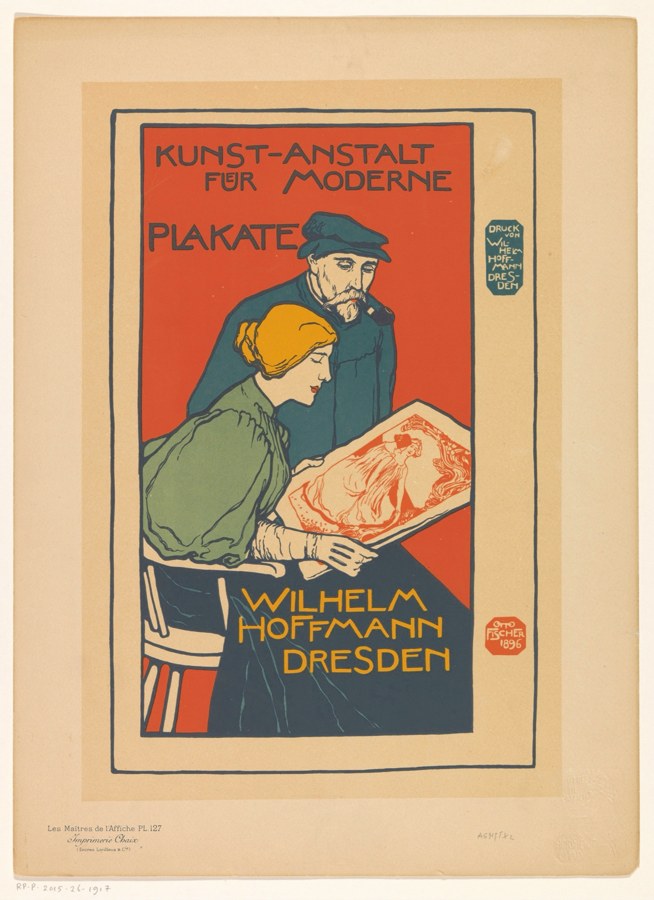
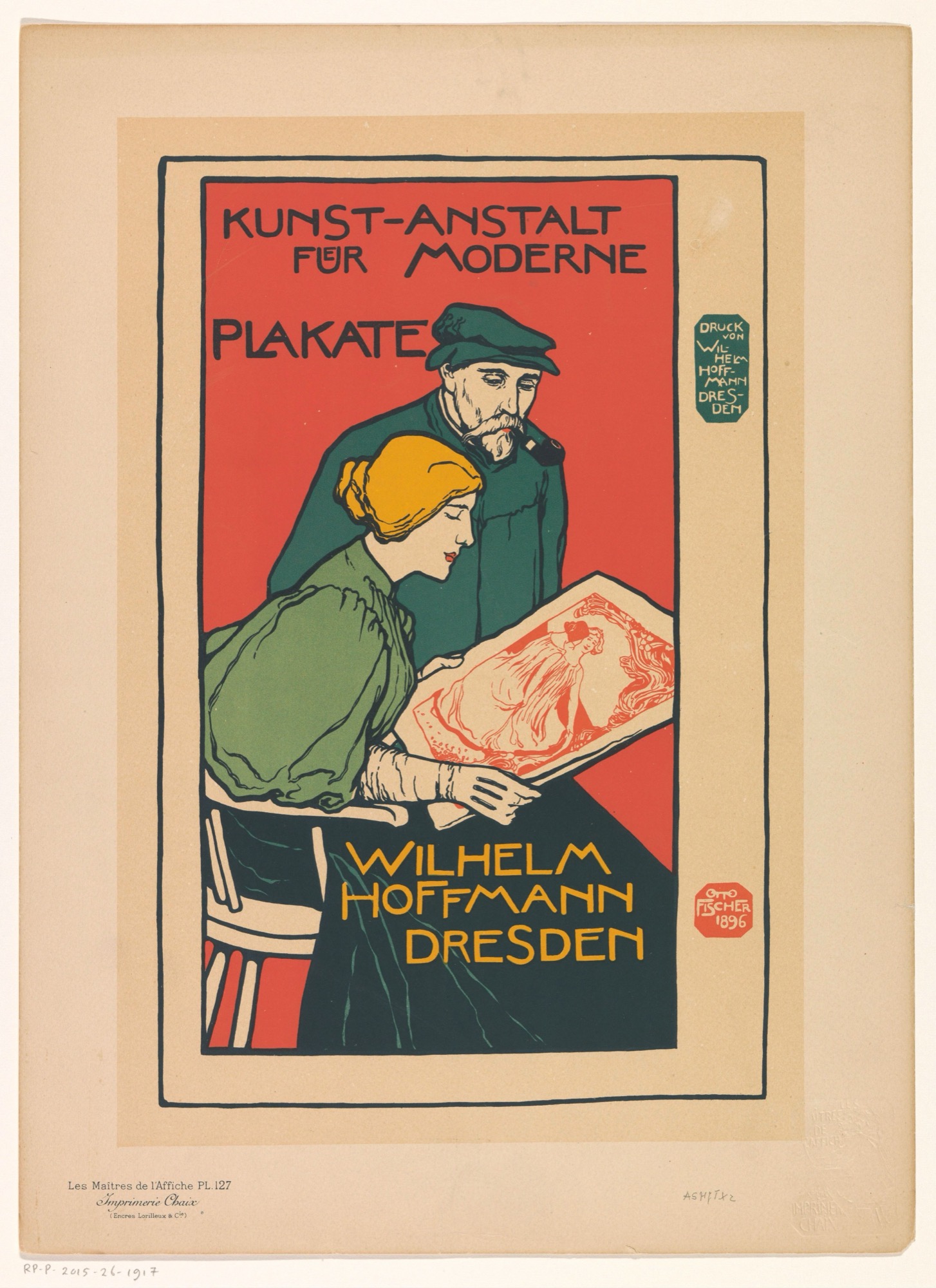
One picture, four plates.Software splits a picture into four pages, one for each ink. Each page shows how much of that ink goes where. Printed on top of each other, the four pages rebuild the picture.
Cyanplate 1Magentaplate 2Yellowplate 3Black, the keyplate 4C + M + YWithout black, flat and paleAll fourThe printed picture
YOUR SPOT POSTER WORKS THE SAME WAY, WITH YOUR OWN INKS IN PLACE OF THESE FOUR.Picture: Wilhelm Hoffmann, Dresden · Kunst-Anstalt für Moderne Plakate · 1895-1900 · Rijksmuseum, CC0. Plates split for this deck.
02 · Ink
Some screen colors do not exist in ink.A screen gives off light, while paper can only reflect it. That is why the brightest greens, blues and oranges on your screen cannot be printed with the four inks and come out duller on paper. To see what will happen before you print, turn on View > Proof Colors in Illustrator or Photoshop.
RGB greenon screen
Closest in CMYKon paper
RGB blueon screen
Closest in CMYKon paper
RGB magentaon screen
Closest in CMYKon paper
RGB orangeon screen
Closest in CMYKon paper
RGB cyanon screen
Closest in CMYKon paper
PRINTERS SELL PREMIXED INKS, LIKE FLUORESCENTS AND METALLICS, FOR COLORS THE FOUR INKS CANNOT REACH.
02 · Ink
The paper is part of every color.Most ink is see-through, so the paper color shows through it. The same file looks brightest on smooth white paper, softer on rough paper, warmer on cream, and completely different on colored paper.
Smooth white paperThe brightest it getsRough paperInk soaks in and looks softerCreamEvery color looks warmerYellow paperPink turns red, cyan turns green
From the office printer back in timeWe start with the printer you used this week and work back through copiers, printing presses, photos made of dots, and carved wood blocks.
02 · INK · HOW THINGS GET PRINTED
Printers · the office laser printer
The laser printer draws with static electricity.
01
Charge. A metal drum gets a charge of static electricity, like a balloon rubbed on your hair.
02
Draw. A laser draws your page onto the drum.
03
Toner. Toner is a very fine colored powder. It only sticks where the laser drew.
04
Transfer. The paper rolls past the drum and picks up the powder.
05
Fuse. Hot rollers melt the powder onto the paper. That is why prints come out warm.
C M Y K
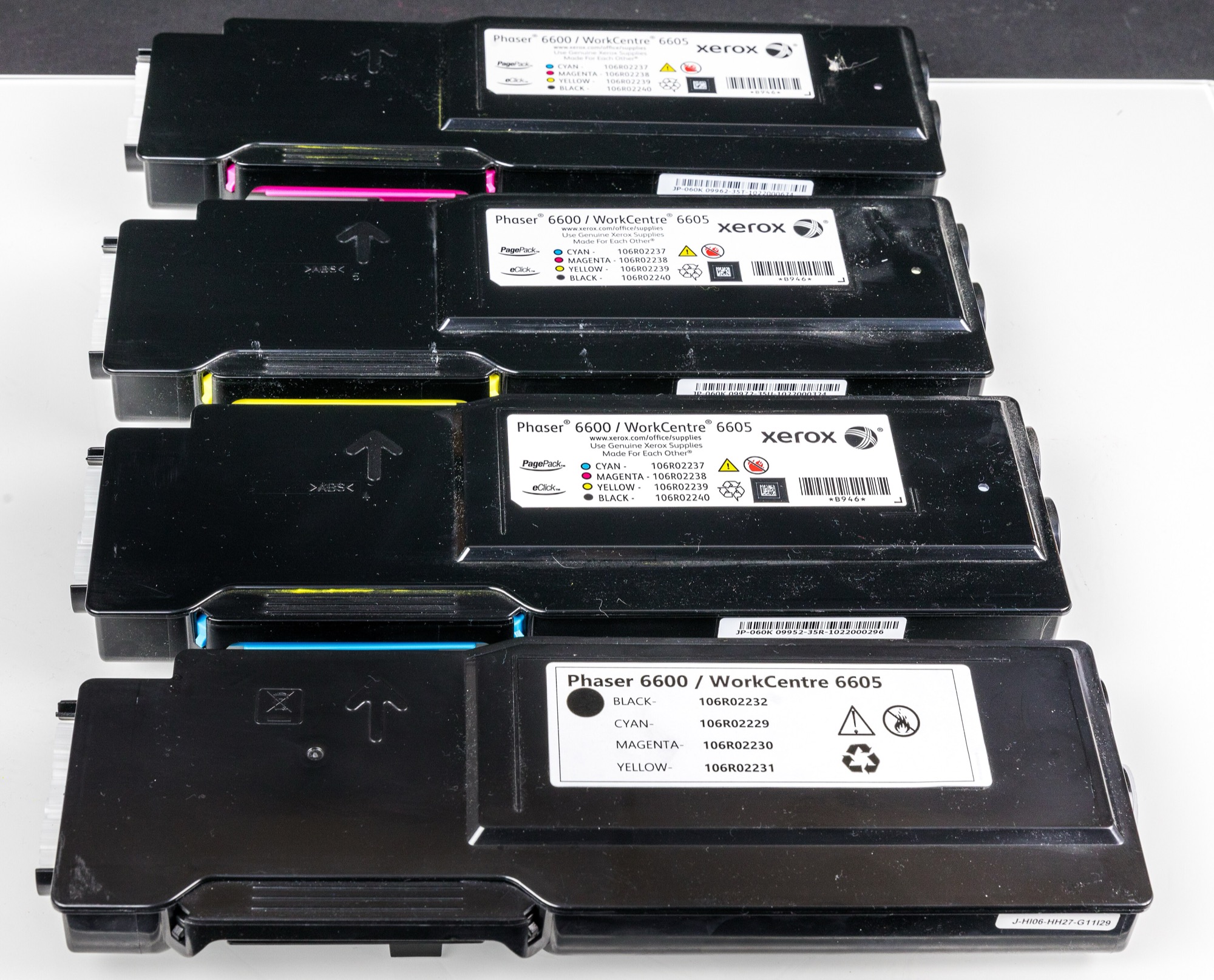
Color. A color laser printer does this four times, with cyan, magenta, yellow and black toner. Each color goes down on its own, one on top of the other.
Four toners, four colorsRaimond Spekking · Xerox Phaser 6600 toner cartridges in black, yellow, cyan, and magenta · 2021 · Raimond Spekking, CC BY-SA 4.0, via Wikimedia Commons
Printers · how we got the laser printer
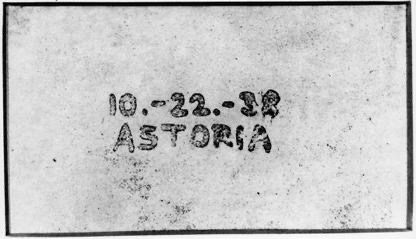
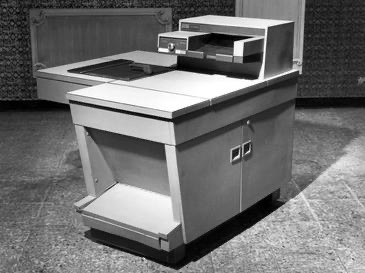
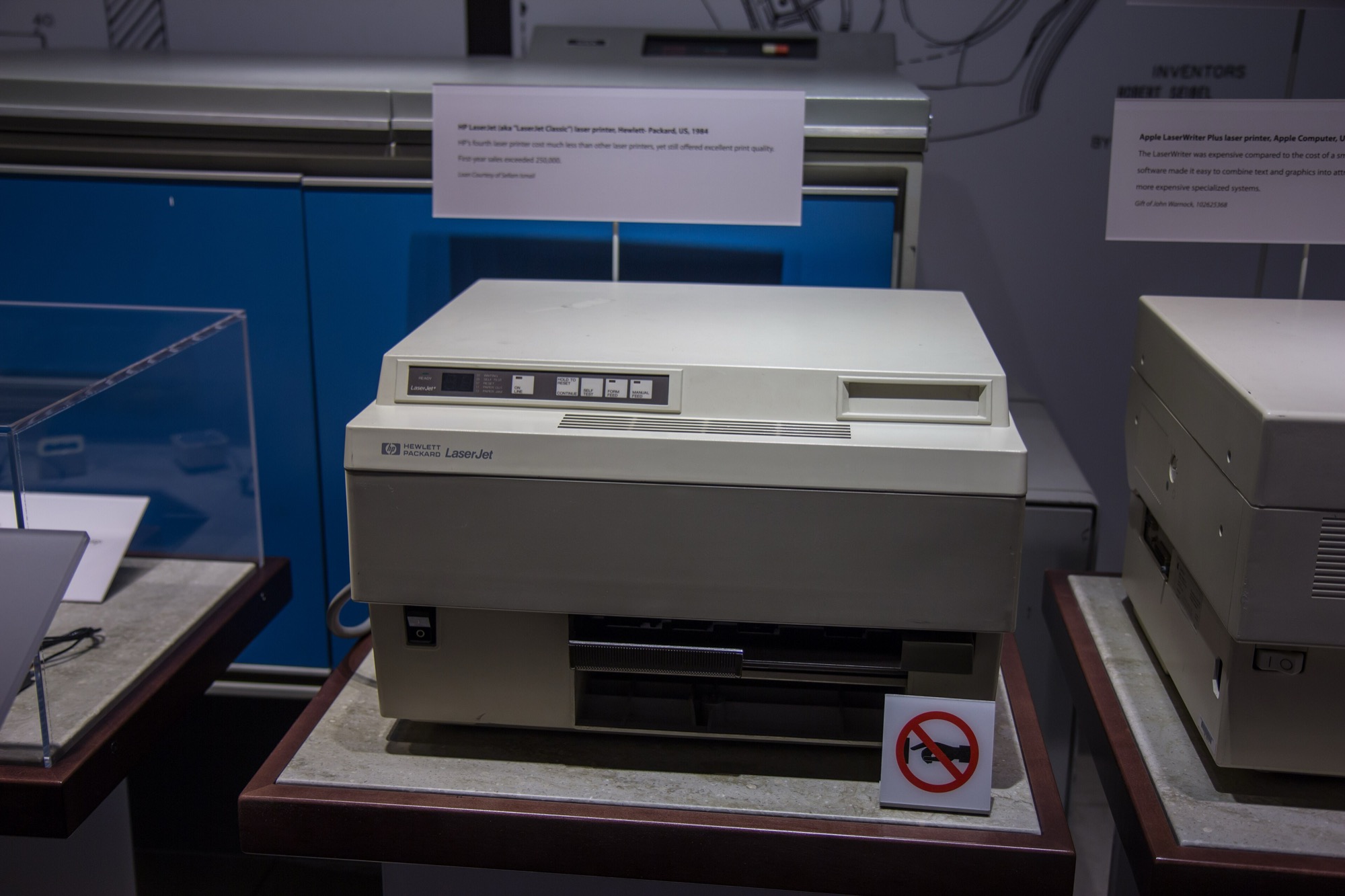
It started as a copier.
1938 · Astoria, QueensChester Carlson's first copyChester Carlson and Otto Kornei · First xerographic copy, '10.-22.-38 ASTORIA' · 1938 · Xerox Corporation; non-free, used under fair use for teaching (English Wikipedia)1959 · Xerox 914The first office copierXerox Corporation · Xerox 914 copier · 1959 · Xerox Corporation press photo; non-free, used under fair use for teaching (English Wikipedia)1984 · HP LaserJetThe first desktop laser printerHewlett-Packard (photo: Atomic Taco) · HP LaserJet (original) · 1984 · Atomic Taco, CC BY-SA 2.0, via Wikimedia Commons
1938
Chester Carlson, an office worker, makes the first copy using static electricity and powder, in a rented room in Queens. His invention becomes the Xerox copier.
1969 to 1971
Gary Starkweather at Xerox hooks a copier up to a computer and a laser. It prints straight from the computer: the first laser printer.
Printers · inkjet
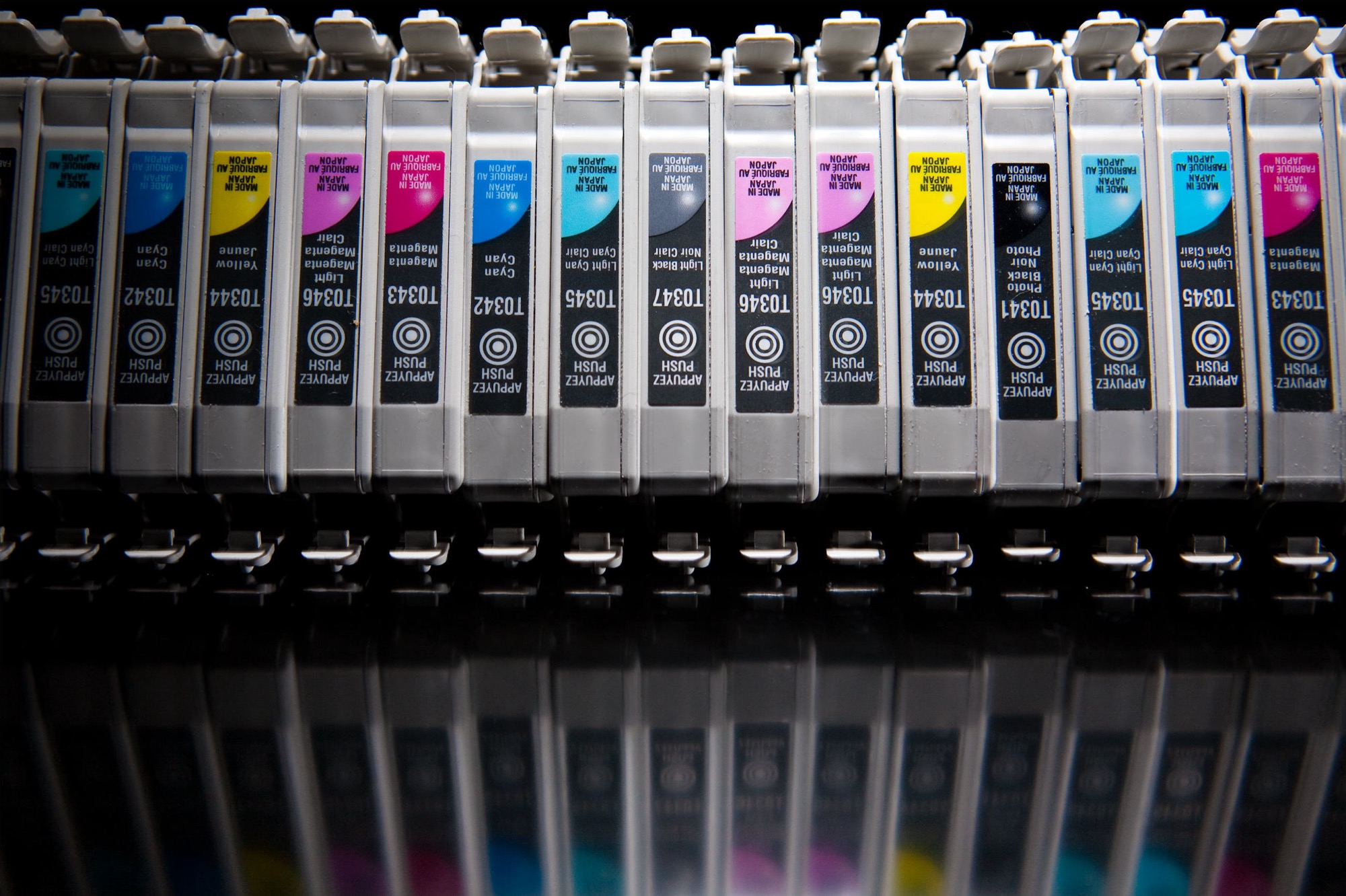
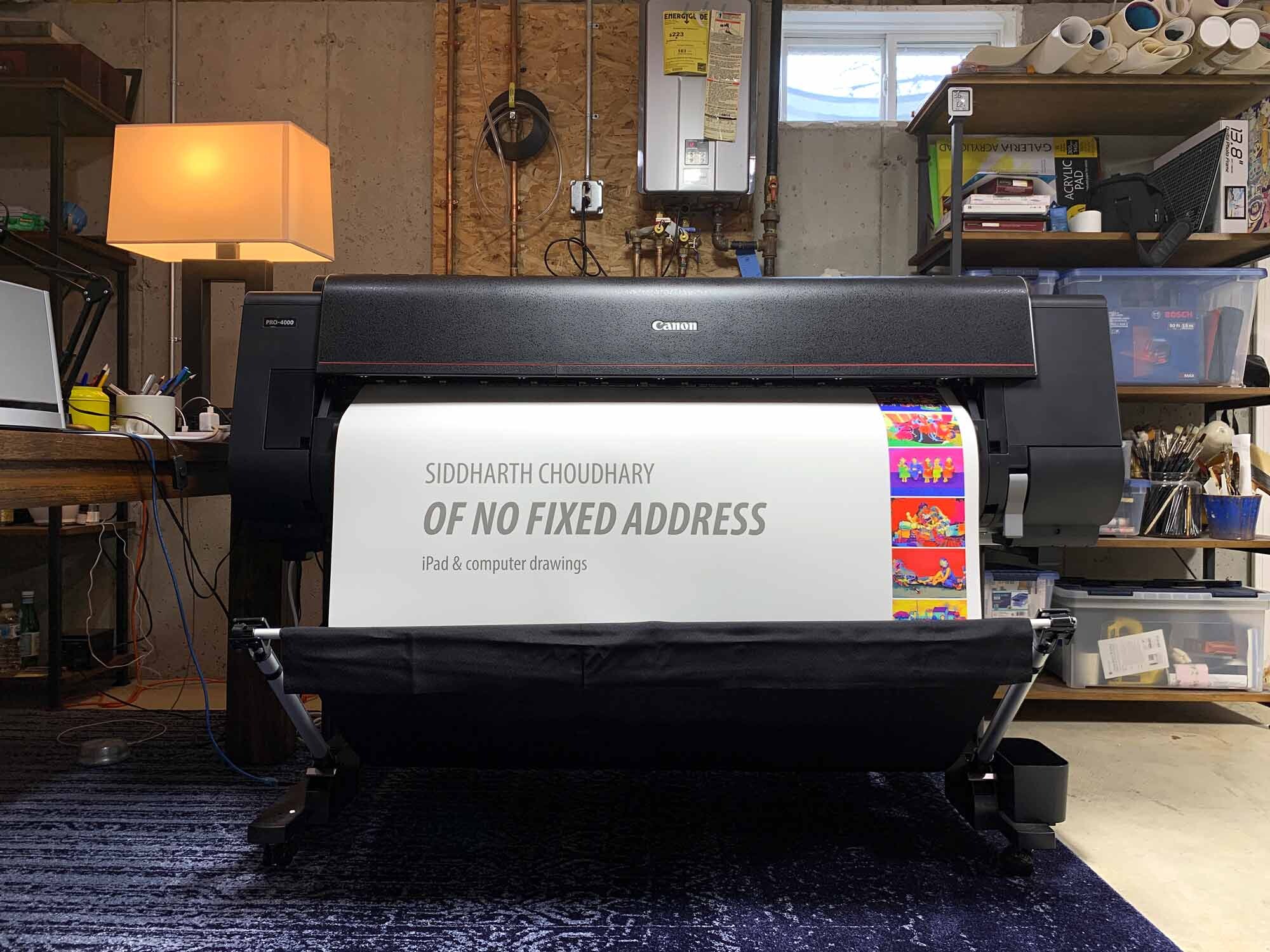
Inkjet sprays the dots instead.Tiny nozzles spray drops of cyan, magenta, yellow and black. Bigger art printers add extra inks for smoother color. A high-quality inkjet print on long-lasting paper is called a giclée (zhee-CLAY). Most illustrators sell their art prints this way, from one finished file.
CMYK inkjetKenny Louie · Ink-jet cartridges · 2009 · Kenny Louie, CC BY 2.0, via Wikimedia CommonsA wide-format art printerSiddharthchoudharystudio · Artist-Siddharth-Choudharys-studio · 2019 · Siddharthchoudharystudio, CC BY-SA 4.0, via Wikimedia Commons
Printers · before toner
Before toner: plates, ink and dots.
1796lithography
Alois Senefelder draws on a flat stone with a greasy crayon. He wets the stone, and oily ink sticks only to the drawing, because oil and water do not mix.
1880sphotos as dots
A photo is broken into tiny dots: big dots for dark areas, small dots for light ones. Now newspapers can print photographs.
1904offset
Offset printing begins, on big presses that print from metal plates. Most books, magazines and boxes are still printed this way.
Early 1900sfull color
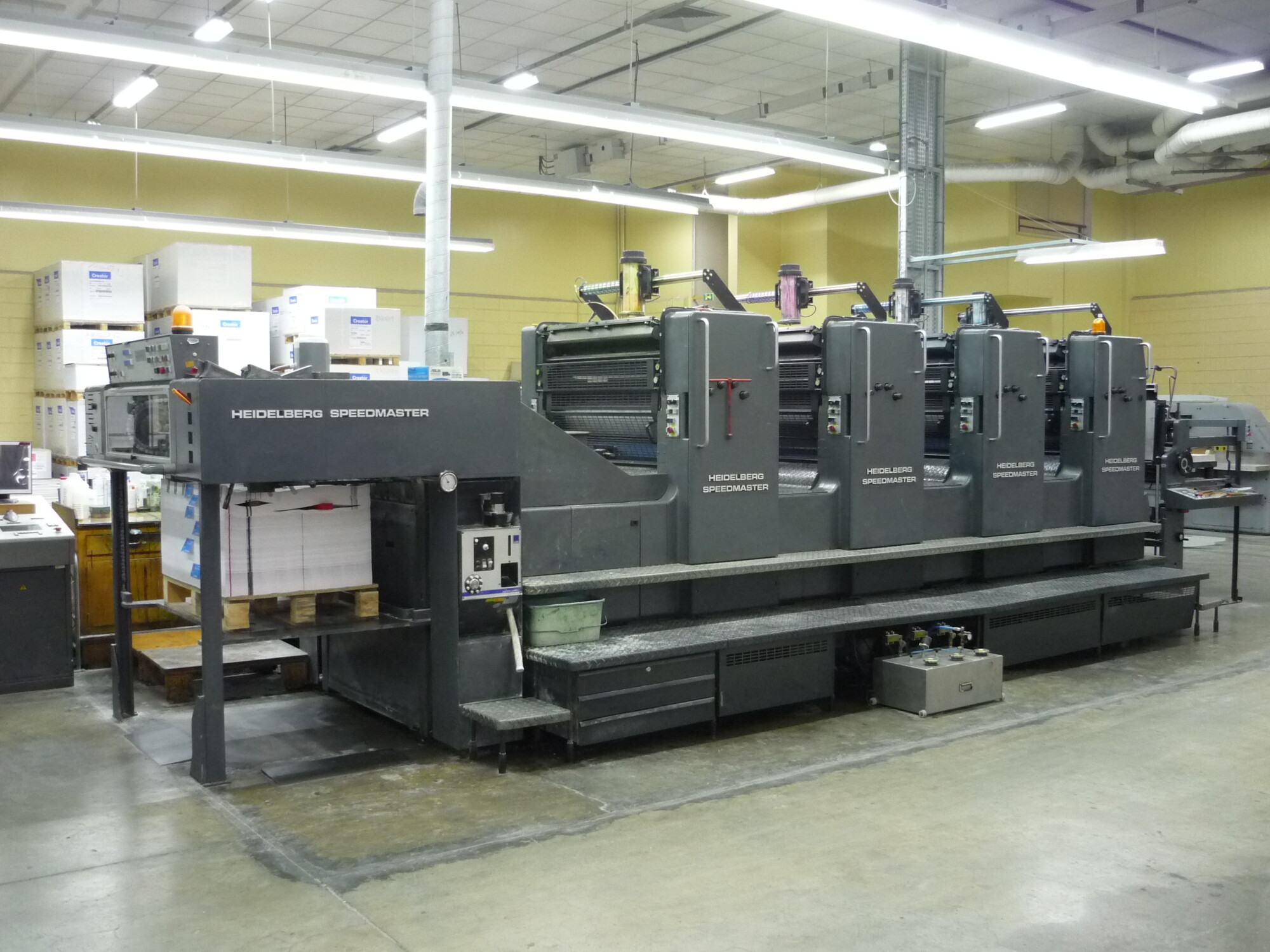
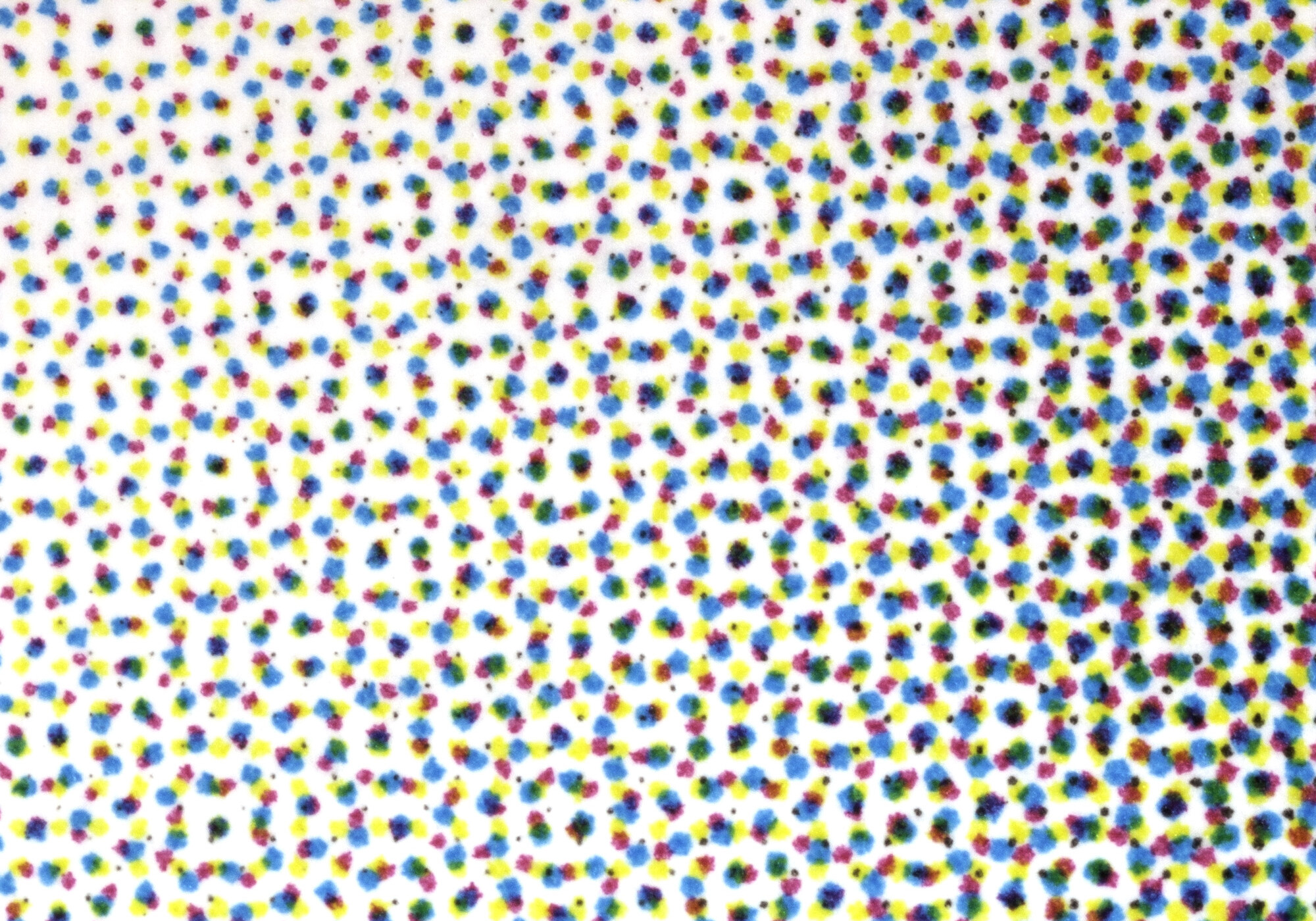
Four plates of dots, one each for cyan, magenta, yellow and black, print full-color pictures. Your laser printer does the same thing on a small scale.
A four-color offset pressOne unit per inkRémih · Heidelberg Speedmaster Press IGN · 2010 · Rémih, CC BY-SA 3.0, via Wikimedia CommonsCMYK dots, magnifiedThe rosetteNico Hähnlein · Postscript-Druckraster · 2014 · Nico Hähnlein, copyrighted free use, via Wikimedia Commons
Printers · before dots
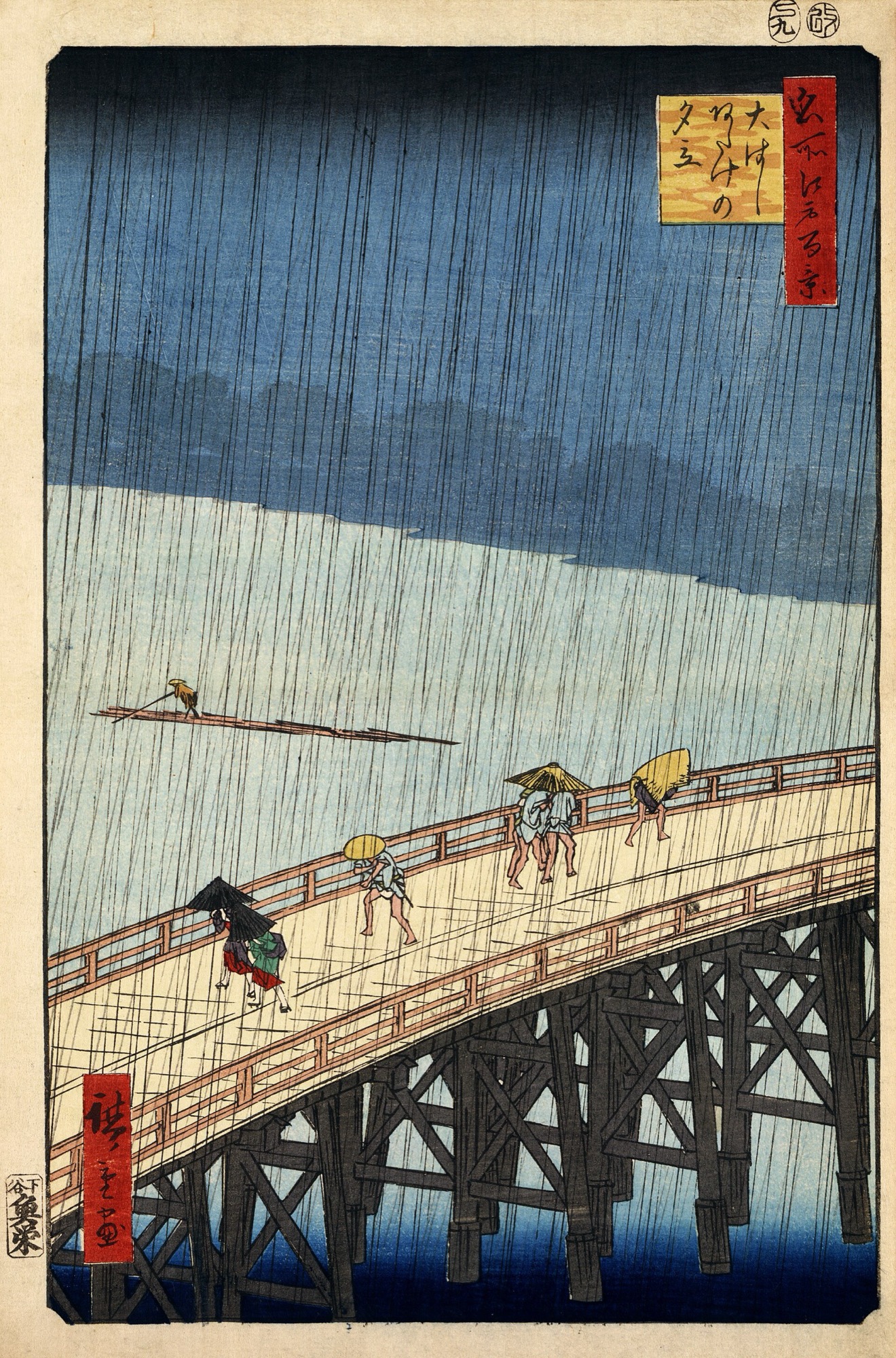
Before dots, every color was its own block.Japanese woodblock printers carved a separate block for every color. Color posters in the 1800s used a separate stone for every color. Each ink was mixed to the exact color first and printed solid. Today we call that a spot color.
WoodblockOne carved block per colorUtagawa Hiroshige · Sudden Shower over Shin-Ohashi Bridge and Atake · 1857 · Public domainColor lithographOne stone per colorWilhelm Hoffmann, Dresden · Kunst-Anstalt für Moderne Plakate (Les Maîtres de l'Affiche) · 1895-1900 · Rijksmuseum, CC0, via Wikimedia Commons
Printers · made by the scene
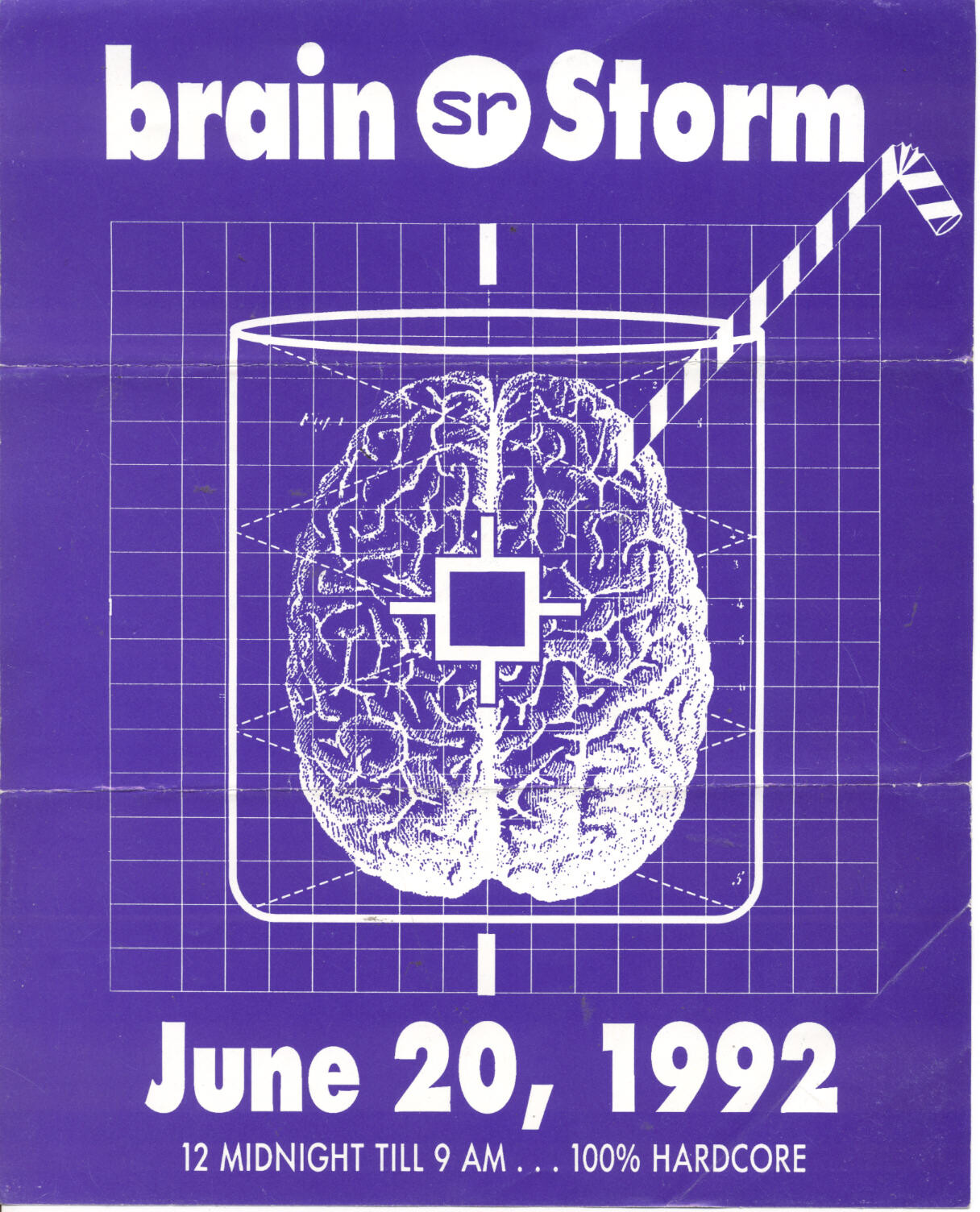
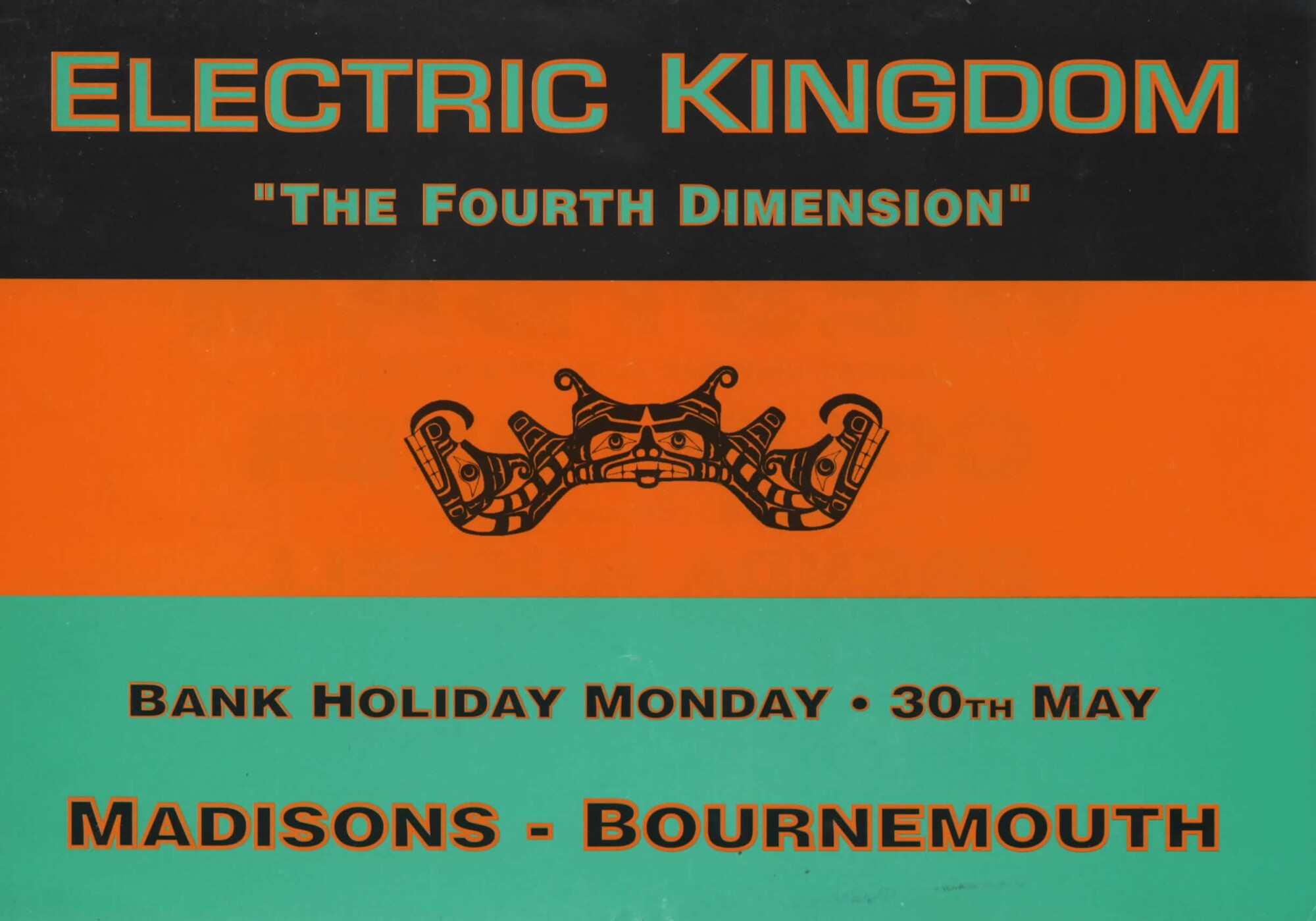
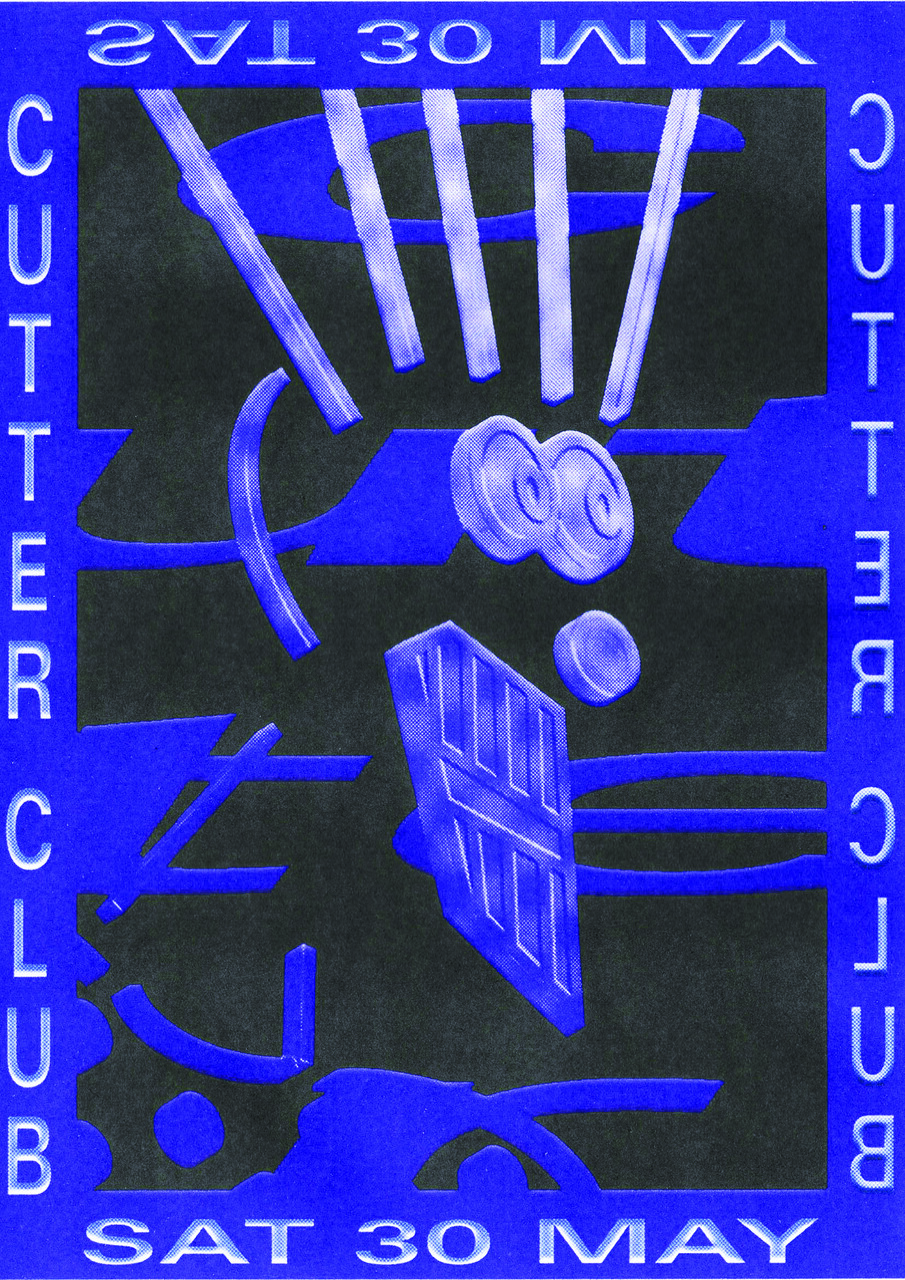
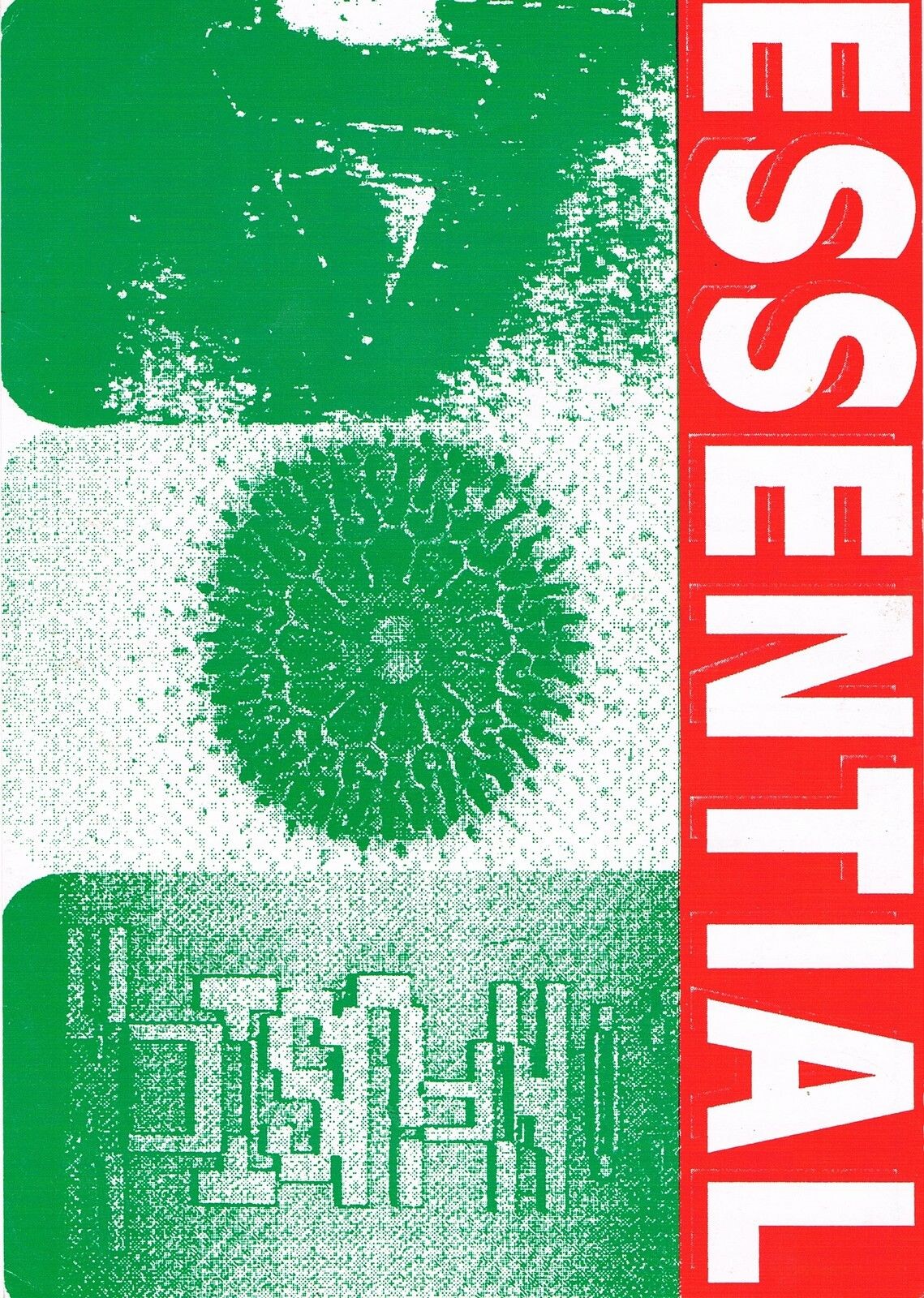
Made cheaply, by the scene itself.In the late 1980s and the 1990s, dance parties in the UK and the US were advertised on small flyers, made by the promoters and their friends. Most were run as cheaply as possible: photocopied onto colored or fluorescent paper, screenprinted in a garage, or printed in one or two colors at the local copy shop. A lot of the color you see is the paper.
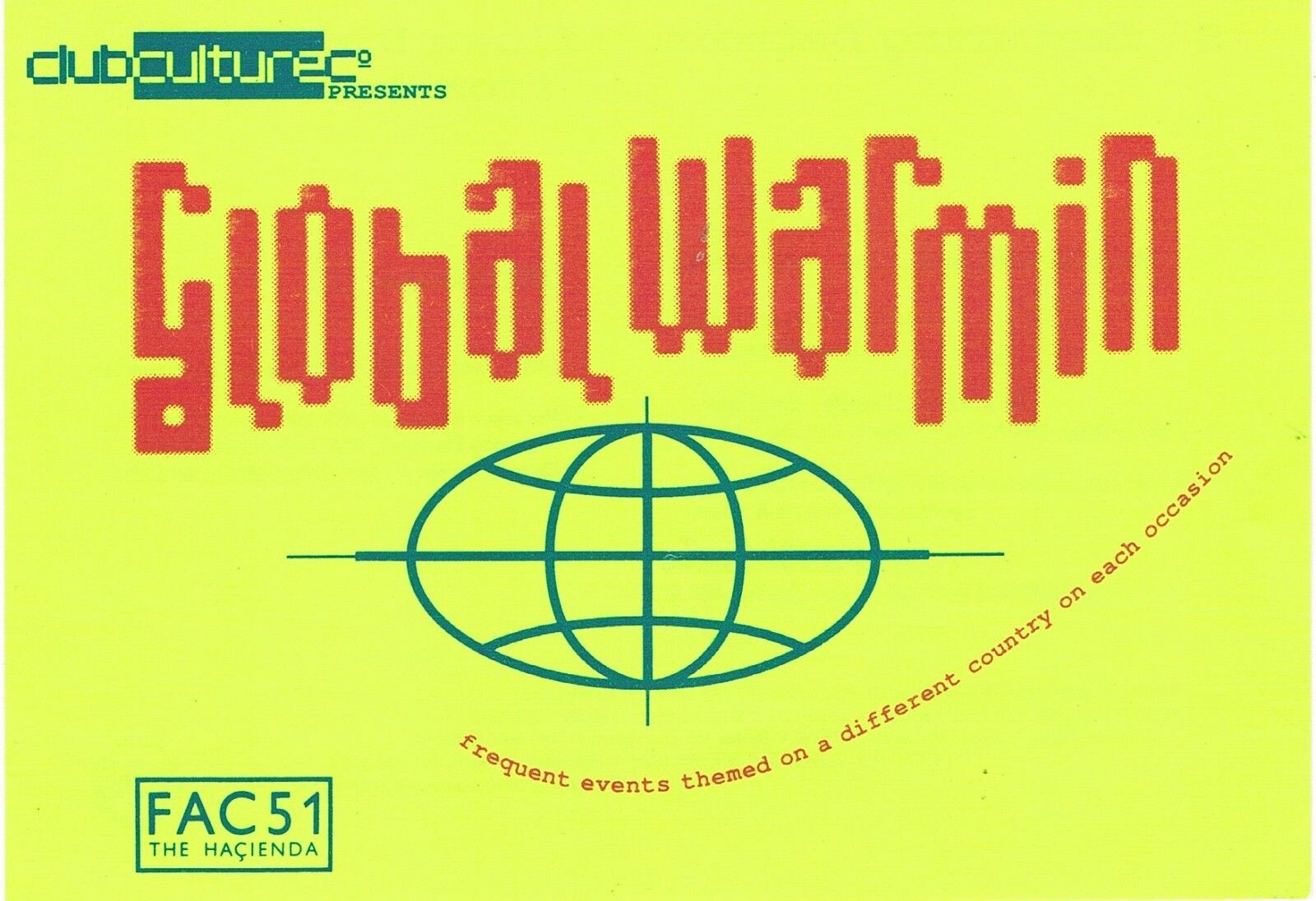
Purple and whitebrainStorm · 1992 · Workhorse reference collectionBlack, orange, green bandsElectric Kingdom "The Fourth Dimension" · 1990s · Workhorse reference collectionFluorescent yellow, violet, blackCutter Club, Sat 30 May · 1990s · Workhorse reference collectionTwo colors and a coarse dot patternEssential · 1990s · Workhorse reference collection
A FLYER HAS TO WORK IN A HAND, IN A STACK ON A COUNTER, AND PINNED TO A WALL. SO DOES YOUR POSTER.
Printers · paper or ink
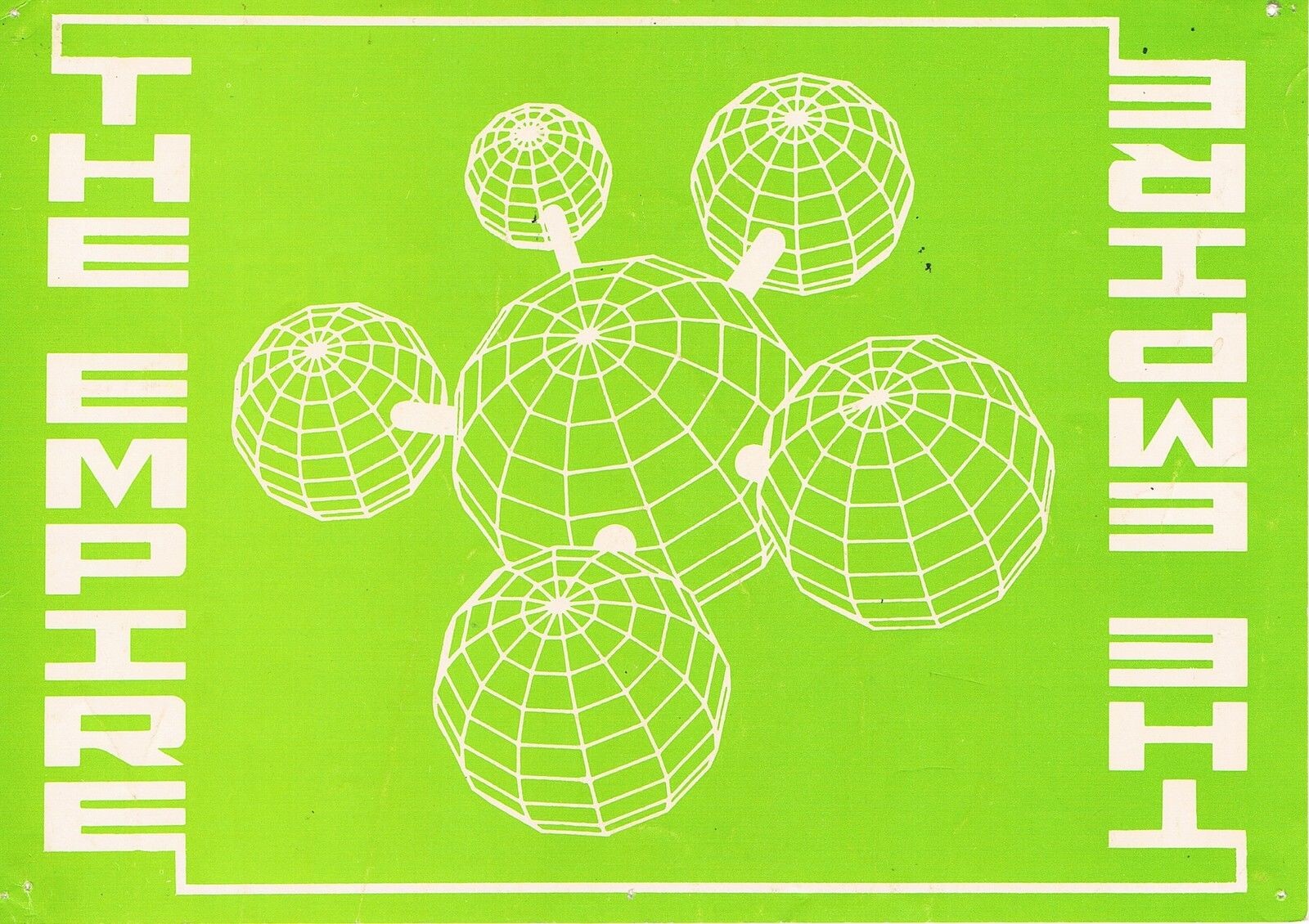
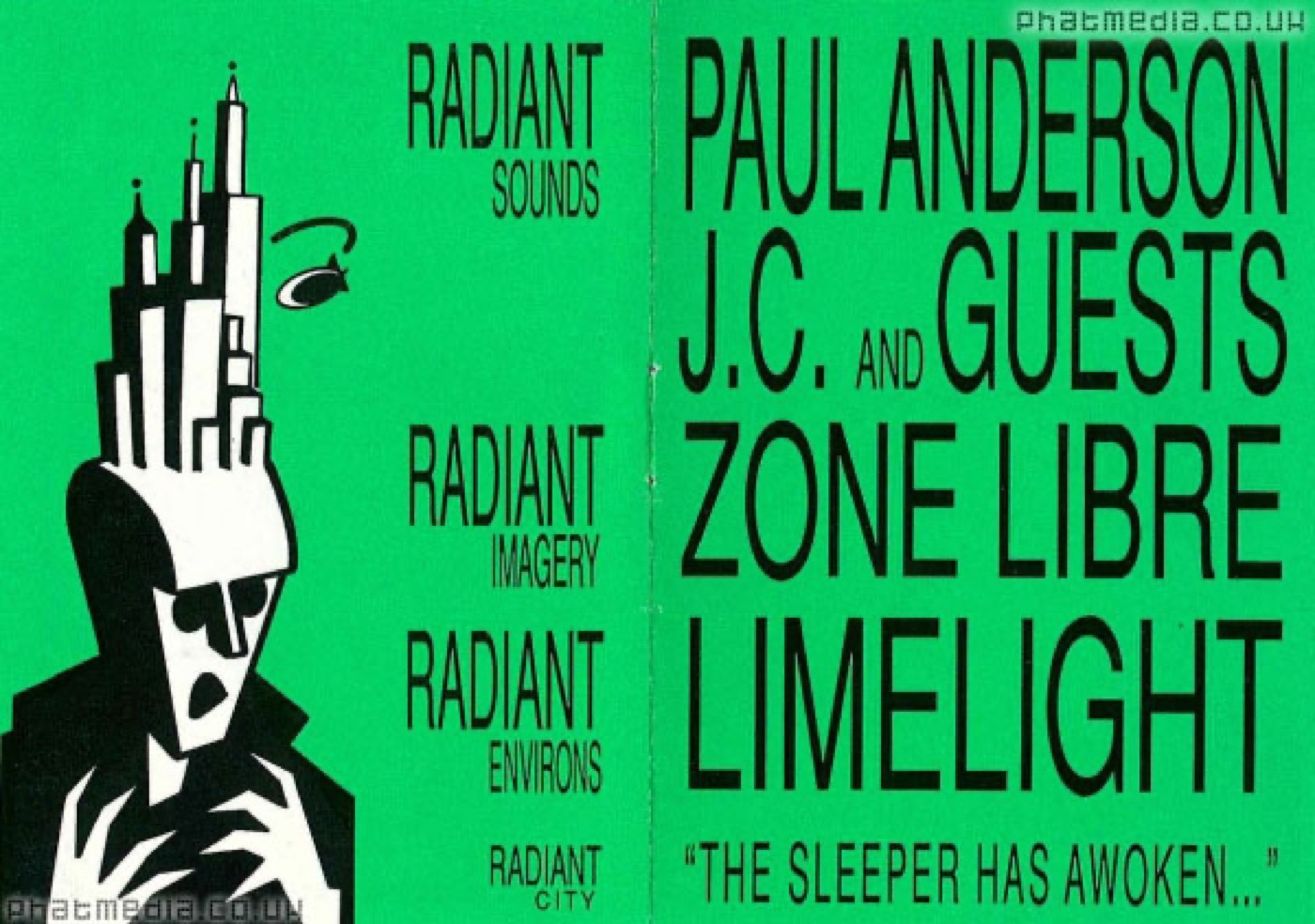
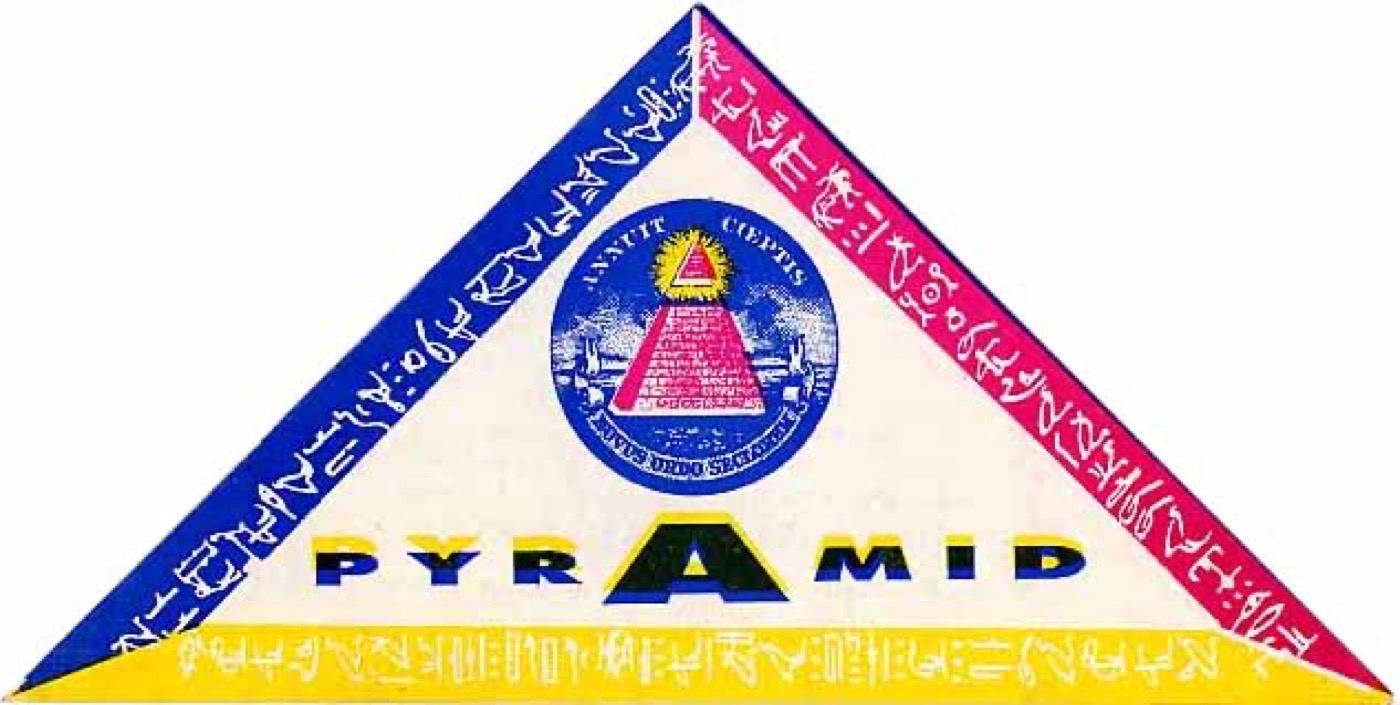
Find the white.A copier only prints black, so a cheap flyer got its color from the paper. If you can find white anywhere on a flyer, the paper is white, and every color on it is ink.
No white anywhereGreen paper, black inkRadiant, Zone Libre at Limelight · early 1990s · Workhorse reference collectionWhite everywhereWhite paper, one black inkHedonism · 26 Feb 1988 · Workhorse reference collectionWhite between the colorsWhite paper, three inksPyramid · 20 May 1989 · Workhorse reference collectionWhite lettersGreen ink. The letters are bare paper.The Empire · 1990s · Workhorse reference collection
TRY IT ON YOUR OWN POSTER: WHERE IS THE PAPER SHOWING?
Printers · two ways
There are two ways to make color in print, and many jobs use both.
Allowed. The brief lets you go full color if you set it up for CMYK. Your separations are then four pages: C, M, Y and K.
Three colors plus the line. This is the main route in the brief, and the rest of today shows how to set it up.
RisographA Japanese copy machine from 1980, made for schools and offices, that artists fell in love with. It works a lot like a small, automatic screenprint.
03 · RISO AND SCREEN · RISOGRAPH
Risograph · how it works
A stencil, a drum, and one color at a time.
01
Stencil. The machine burns thousands of tiny holes into a thin sheet, the stencil, wherever your page is dark.
02
Drum. The stencil wraps around a drum full of ink. Each color has its own drum.
03
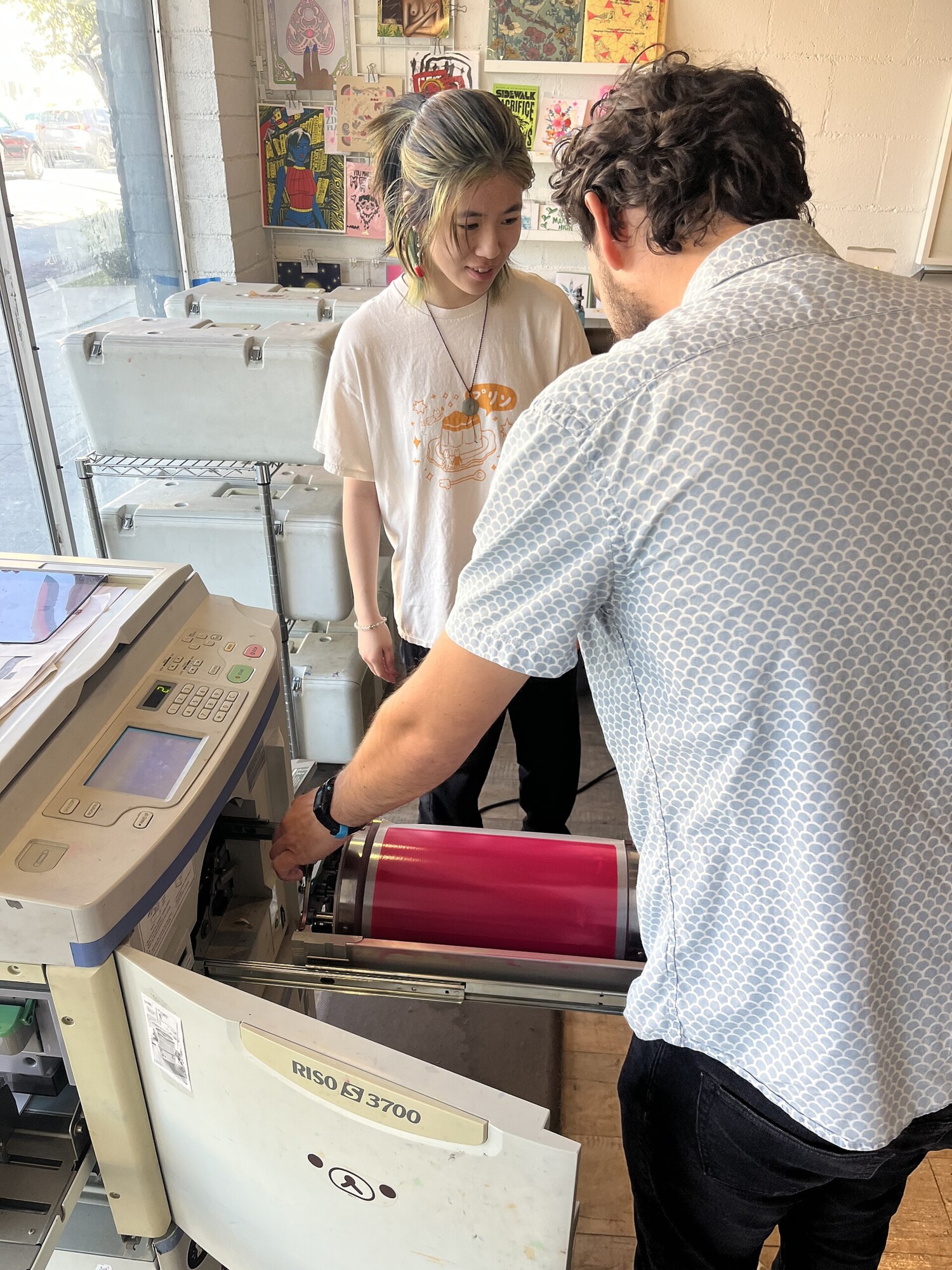
Print. The drum spins and pushes ink through the holes onto the paper. It is fast and cheap, at more than a hundred copies a minute.
04
Next color. Swap in the next drum, make a new stencil, and run the paper through again. The colors never line up perfectly.
Ink
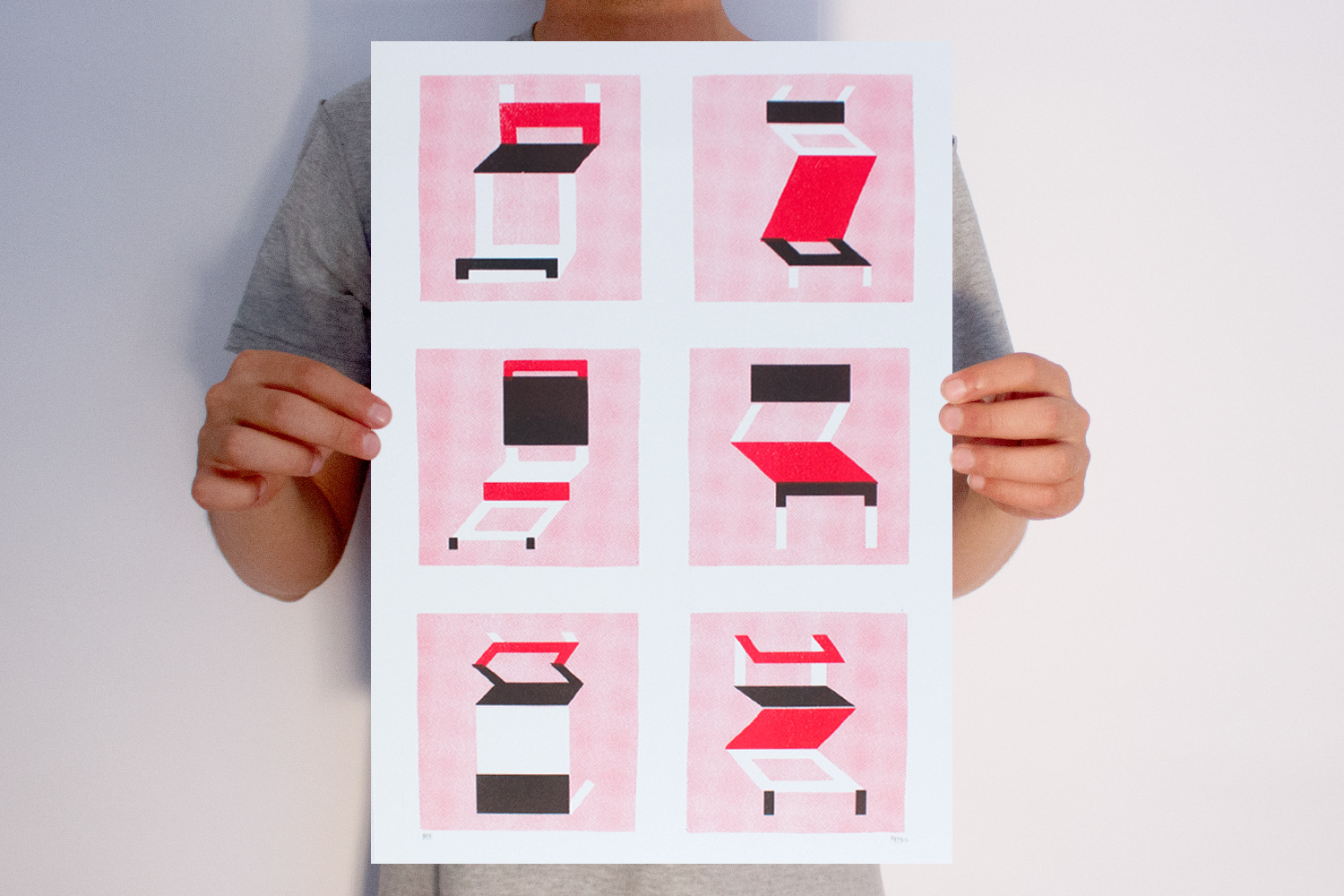
Riso ink is made from soy and is see-through. It comes in about twenty colors, including a well-known fluorescent pink. Where two colors overlap, they make a third.
Swapping the drumYoleeth · Riso-drum-swap · 2025 · Yoleeth, CC BY-SA 4.0, via Wikimedia CommonsTwo colors, up closeMario Felipe · Two-color risograph print, A3 · 2014 · Mario Felipe, CC BY 2.0, via Wikimedia Commons
Risograph · where it came from
From the church office to the art fair.
1880sthe mimeograph
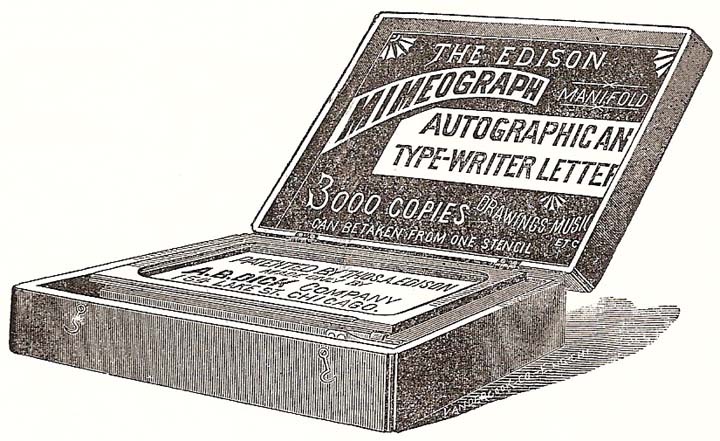
Thomas Edison and A.B. Dick sell the mimeograph: you write on a waxed sheet, and ink pushes through where you wrote. Schools, churches and organizers print newsletters on them for a hundred years.
1980Riso Kagaku, Tokyo
Noboru Hayama's company sells the first Risograph, an automatic mimeograph for schools, offices and churches.
2000sartists
Offices switch to laser printers. Artists buy the old risos cheap for zines and prints. They love the bright ink, the flat color, and the colors not quite lining up.
A mimeographA.B. Dick Company · The Edison Mimeograph, advertisement · 1889 · Public domain, via Wikimedia Commons
Risograph · a zine
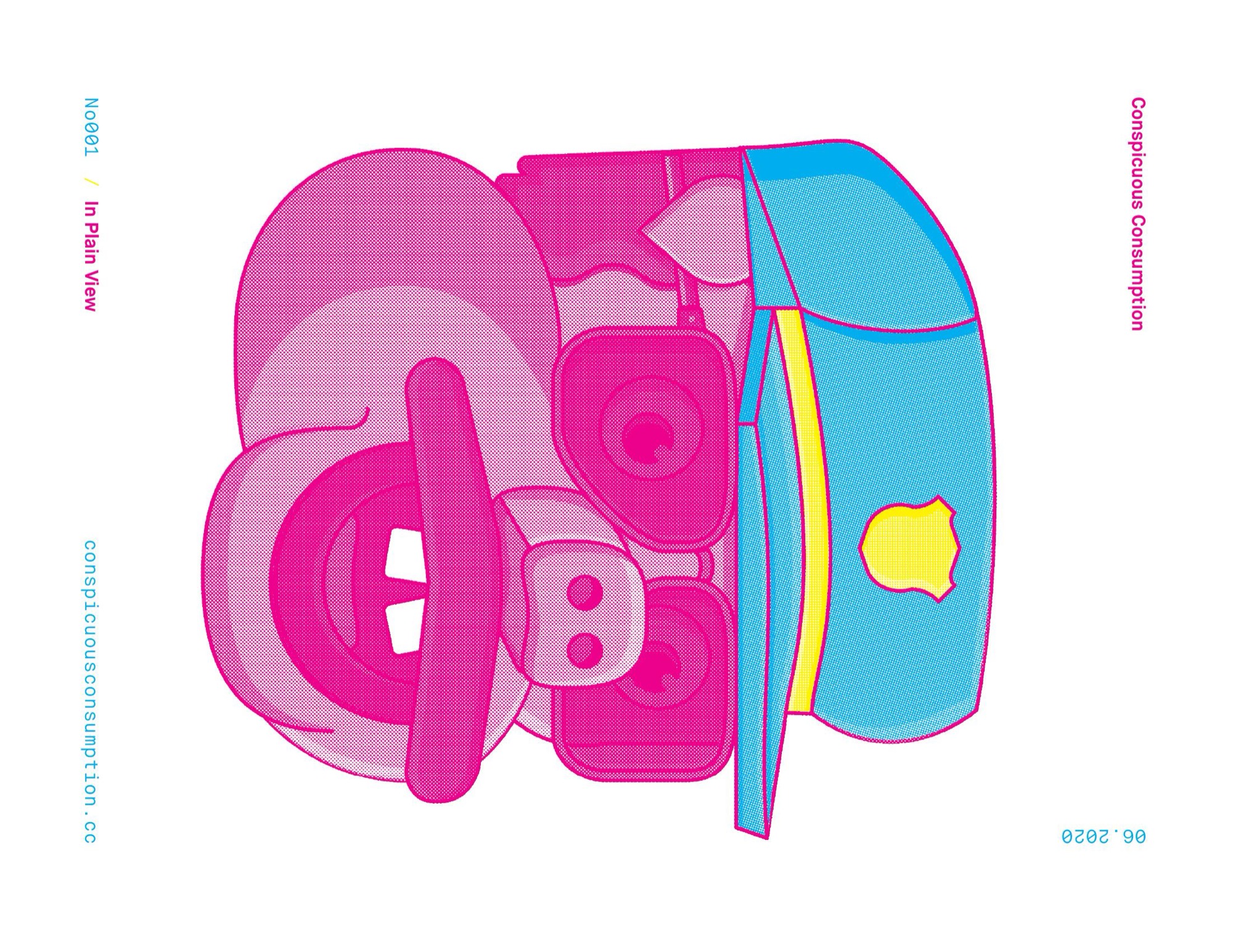
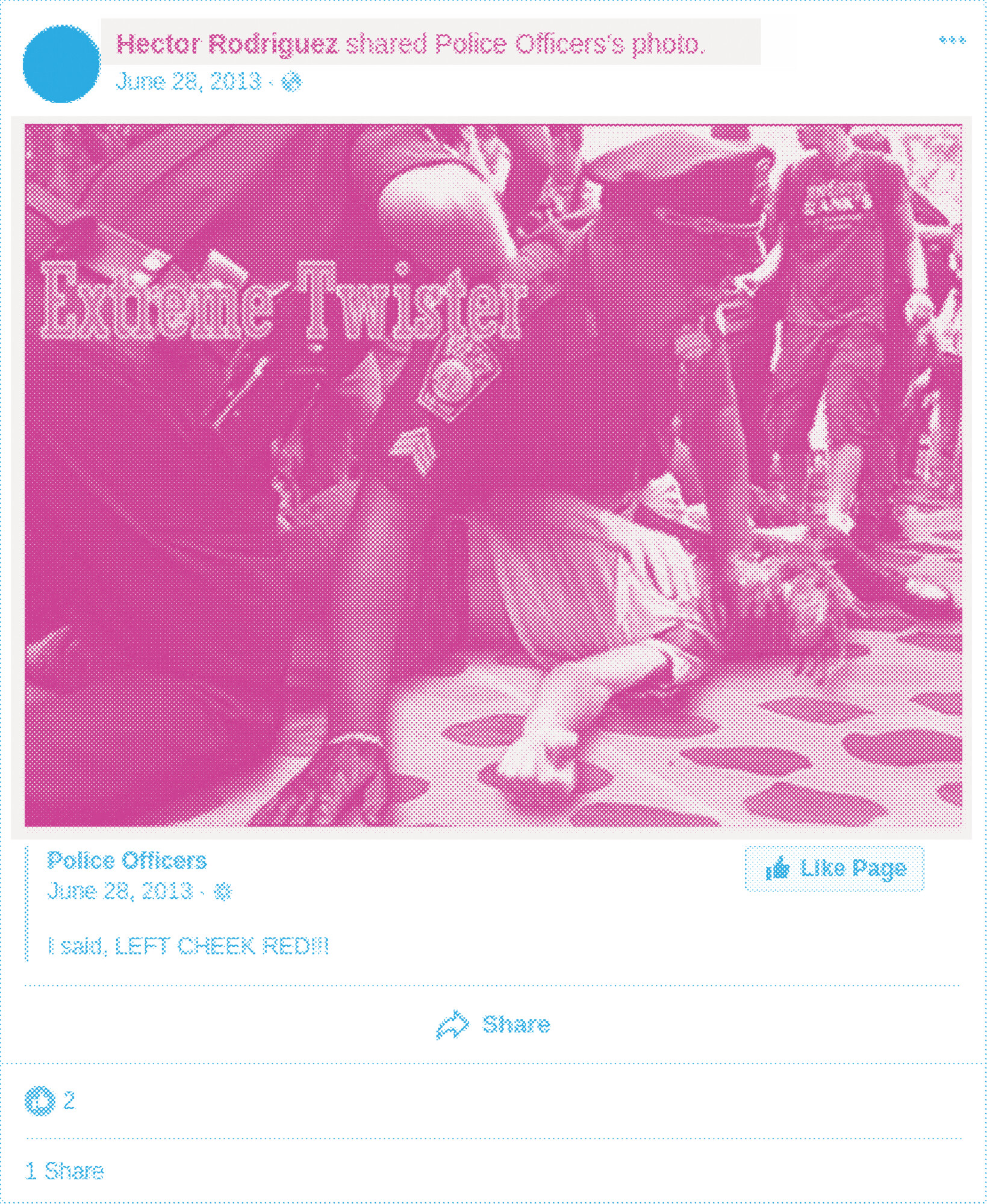
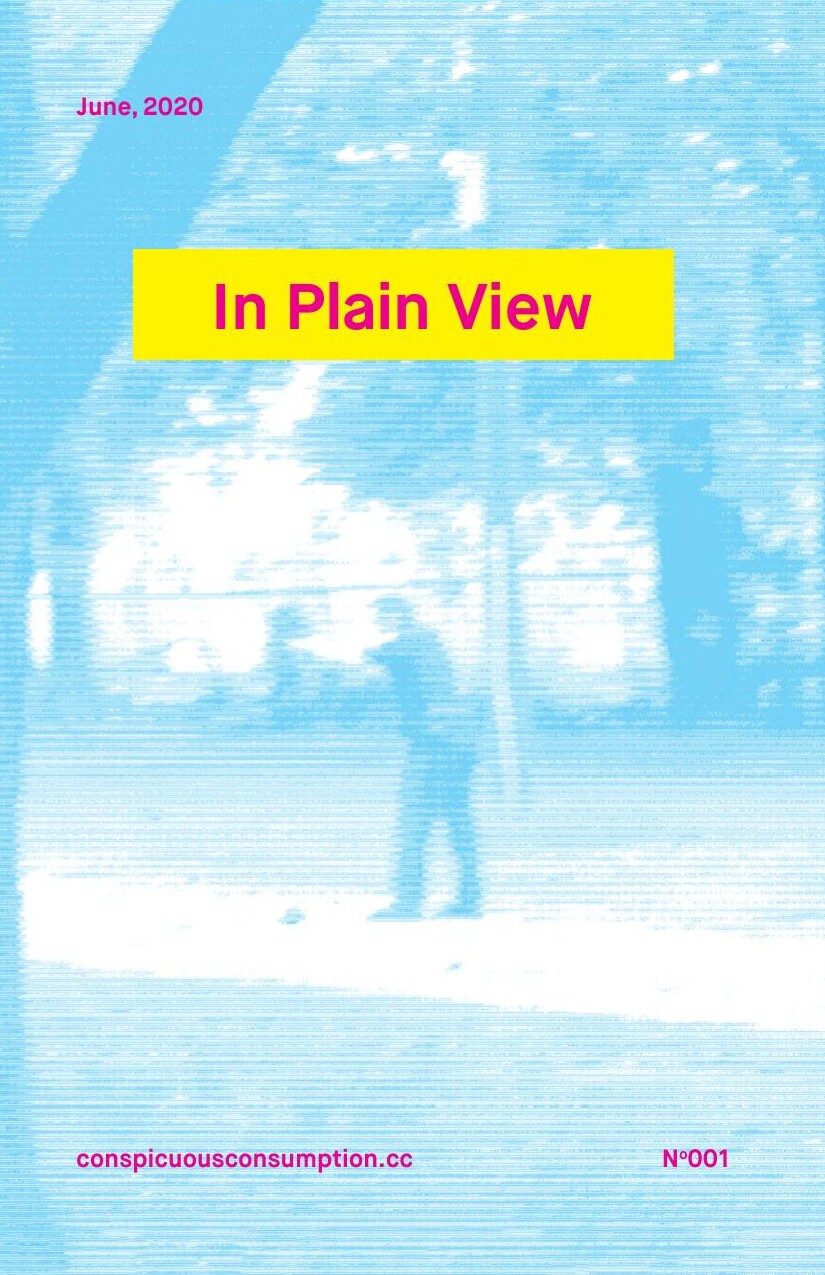
In Plain View, a zine, 2020.A protest zine from the summer of 2020. Photos and screenshots were turned into dot patterns in Photoshop, with one file for each ink: magenta, cyan and yellow. Look where the colors overlap and where they miss.
The centerfoldThree inks, overprintingOne ink's fileAll dotsAt 100%The dots are the image
TO MAKE DOTS IN PHOTOSHOP: IMAGE > MODE > GRAYSCALE, THEN IMAGE > MODE > BITMAP > HALFTONE SCREEN.
Flyers and zines
A zine is a magazine you make yourself.Zines are cut, pasted, photocopied, folded and stapled, then sold or traded at shows and record stores, with no publisher and no one's permission. Music scenes, politics and art movements used zines to talk to each other before the internet.
How they printthe constraint
A copier prints only black, so the color came from the paper: cheap, bright copy paper bought by the ream. Photos were turned into big dots so the copier could print them.
Why it matters herefor an illustrator
The rough black line and the few flat colors came out of these limits. Plenty of illustrators got their start making zines.
A zine, 2020
Flyers and zines · Baltimore
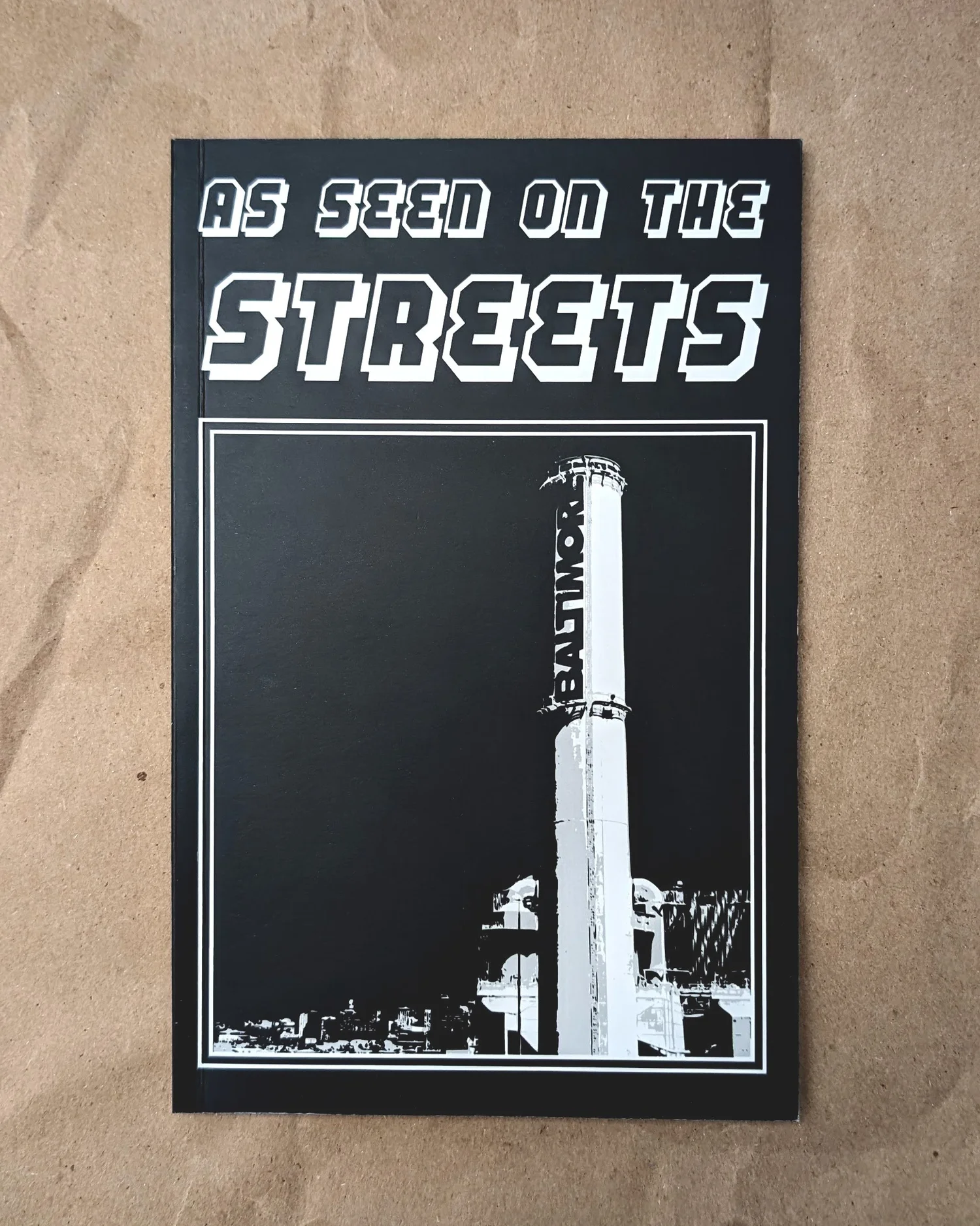
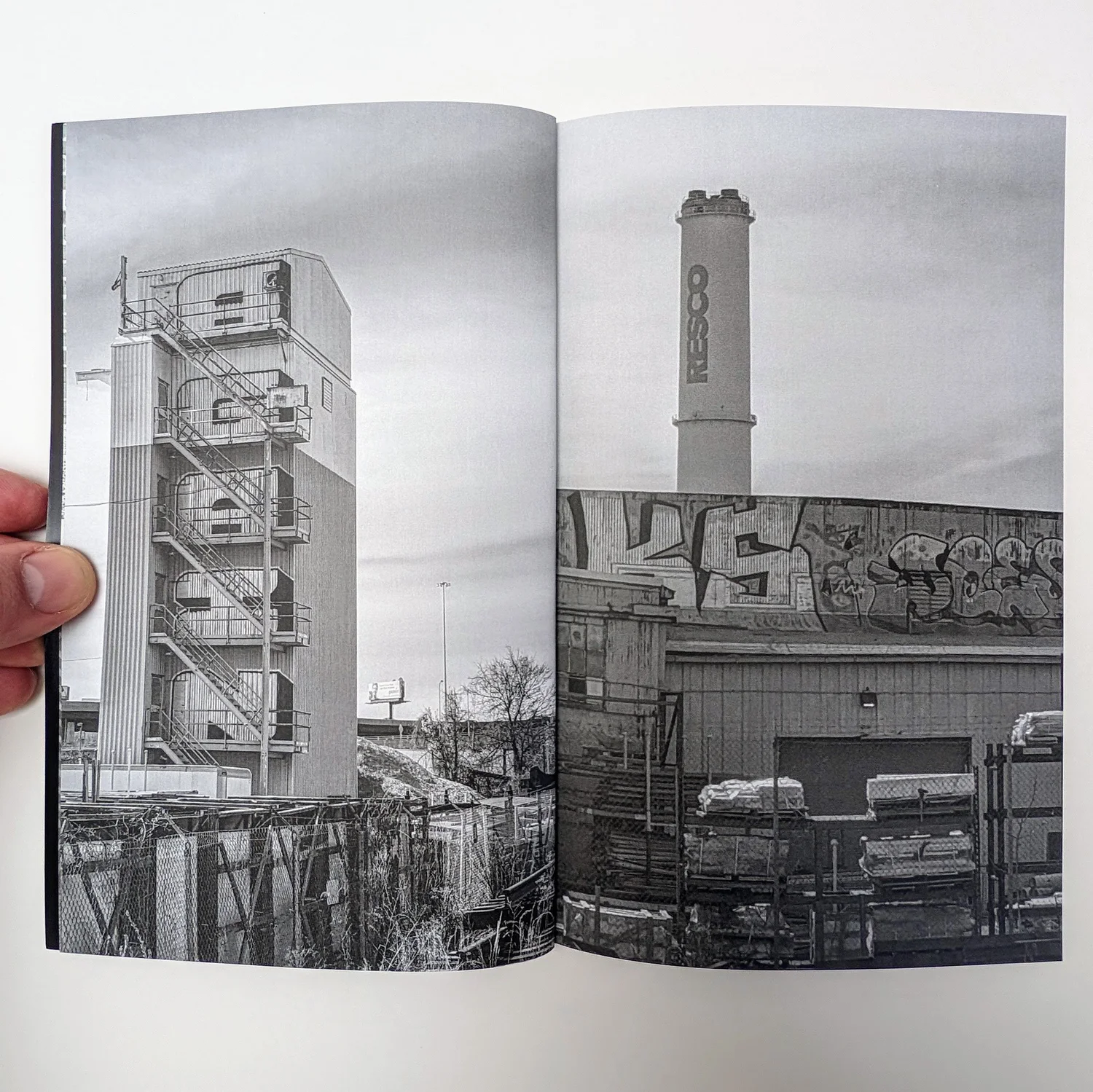
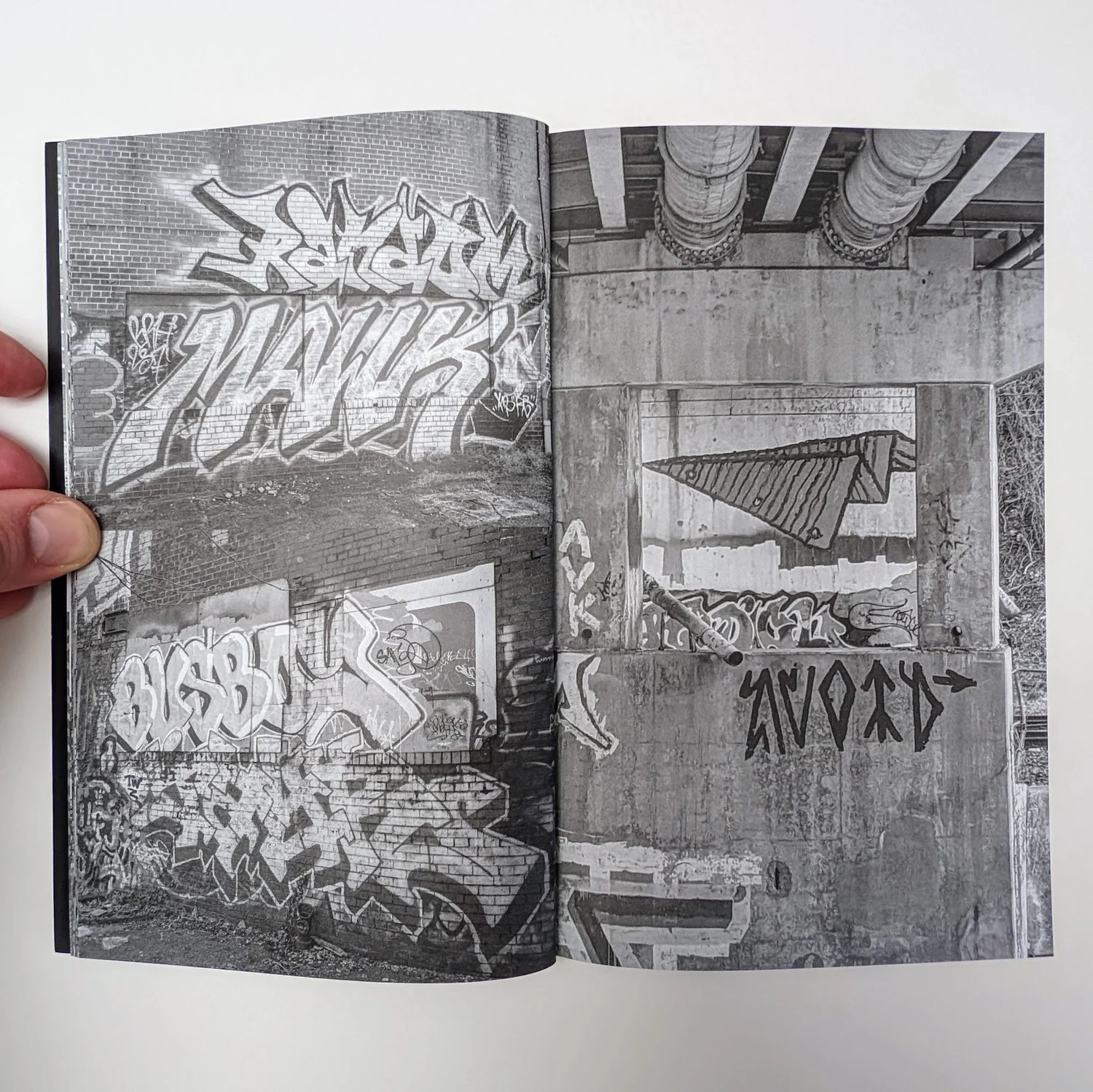
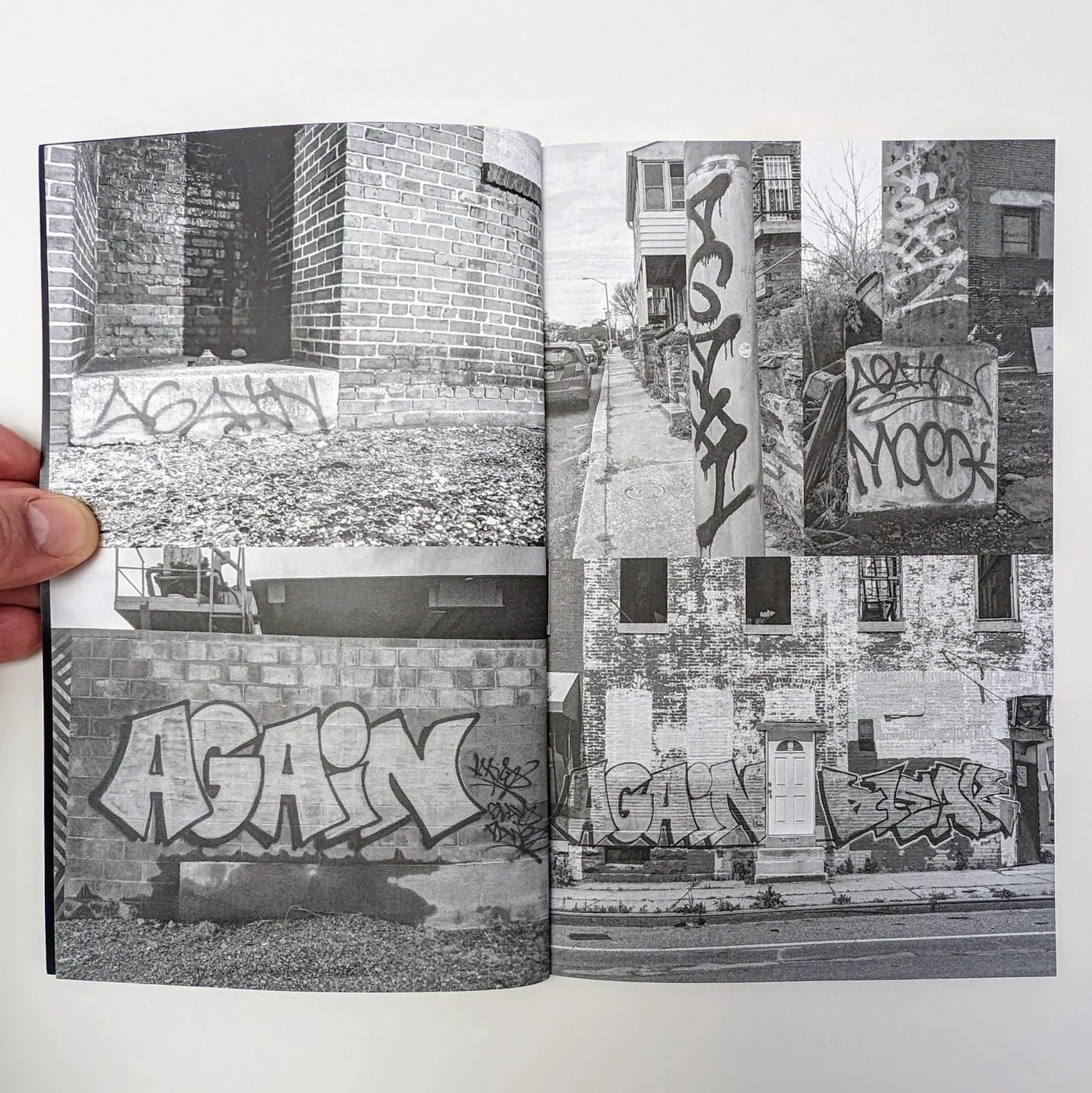
One ink, sixty-four pages.As Seen On The Streets is a zine series of photos of graffiti, tags, stickers and wheat pastes. The Baltimore issue is black only, start to finish. The grays in the photos are tiny black dots, and the white paper does the rest.
The coverWhite type on blackCheer Up Official · As Seen On The Streets: Baltimore-01 · 5.5 × 8.5 in, 64 pages, black and white throughout, numbered edition of 50 · cheerupofficial.comPhotos in blackEvery gray is black inkCheer Up Official · As Seen On The Streets: Baltimore-01 · photos from late 2019 and early 2020Full bleedPhotos run off the pageCheer Up Official · As Seen On The Streets: Baltimore-01A grid of photosSame ink, different layoutCheer Up Official · As Seen On The Streets: Baltimore-01
Flyers and zines · DC
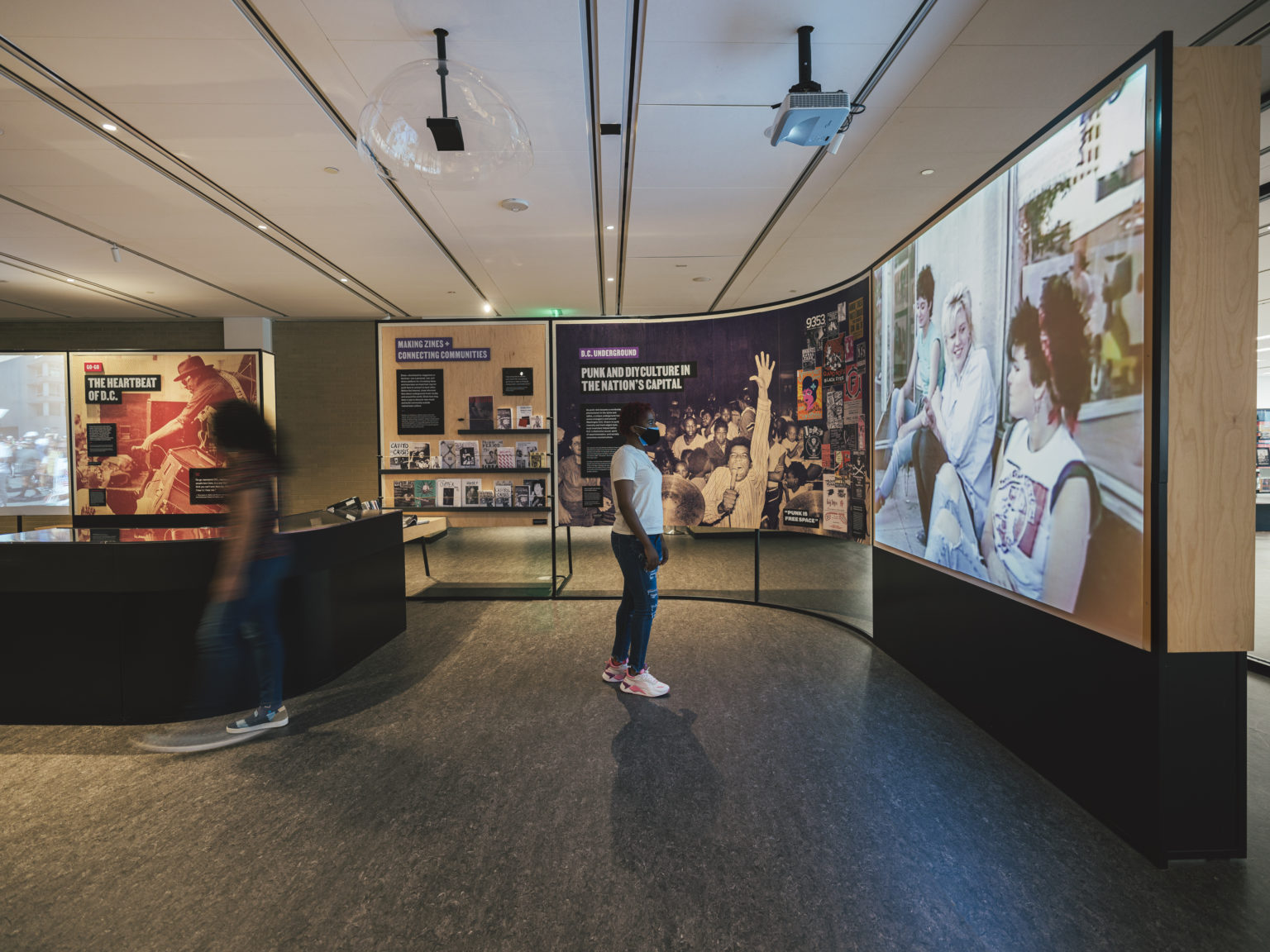
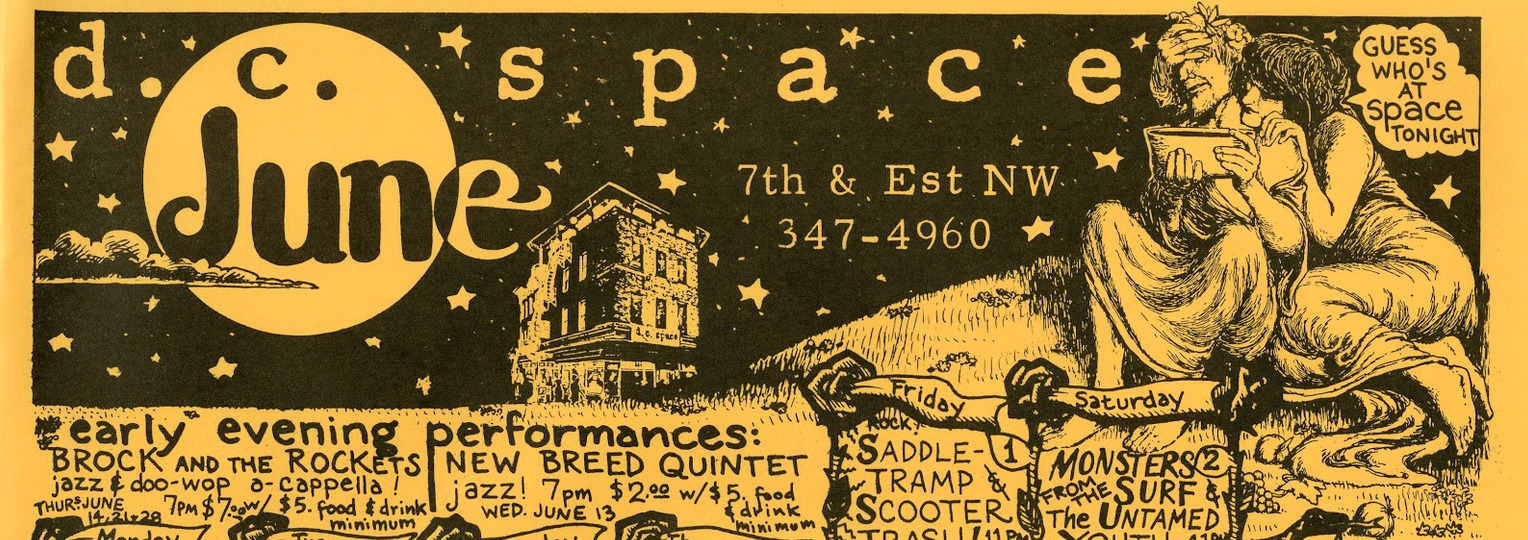
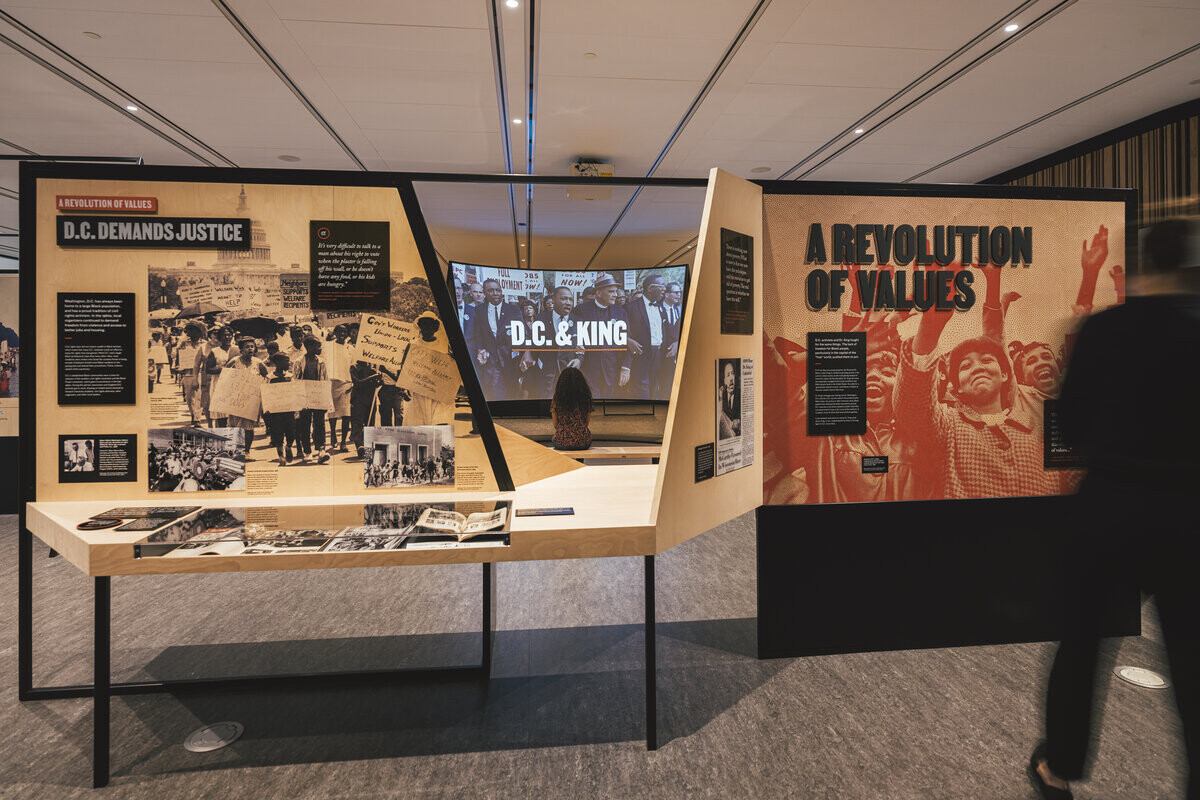
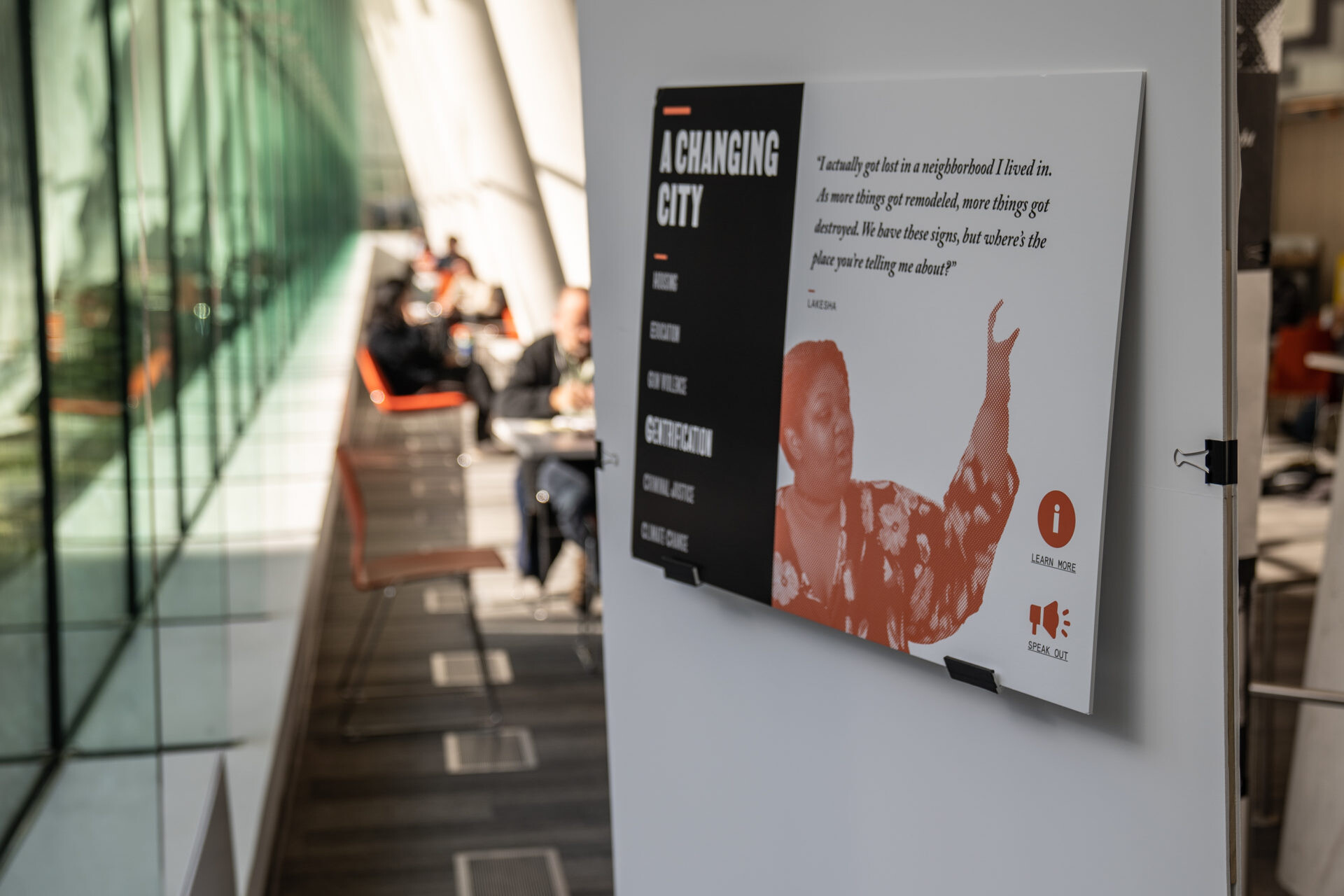
A city's scene, told through its paper.Up from the People, the permanent exhibition on protest and change in Washington, DC, at the Martin Luther King Jr. Memorial Library. Workhorse designed its brand and graphics. One wall is punk and DIY culture: flyers, calendars, a rack of zines.
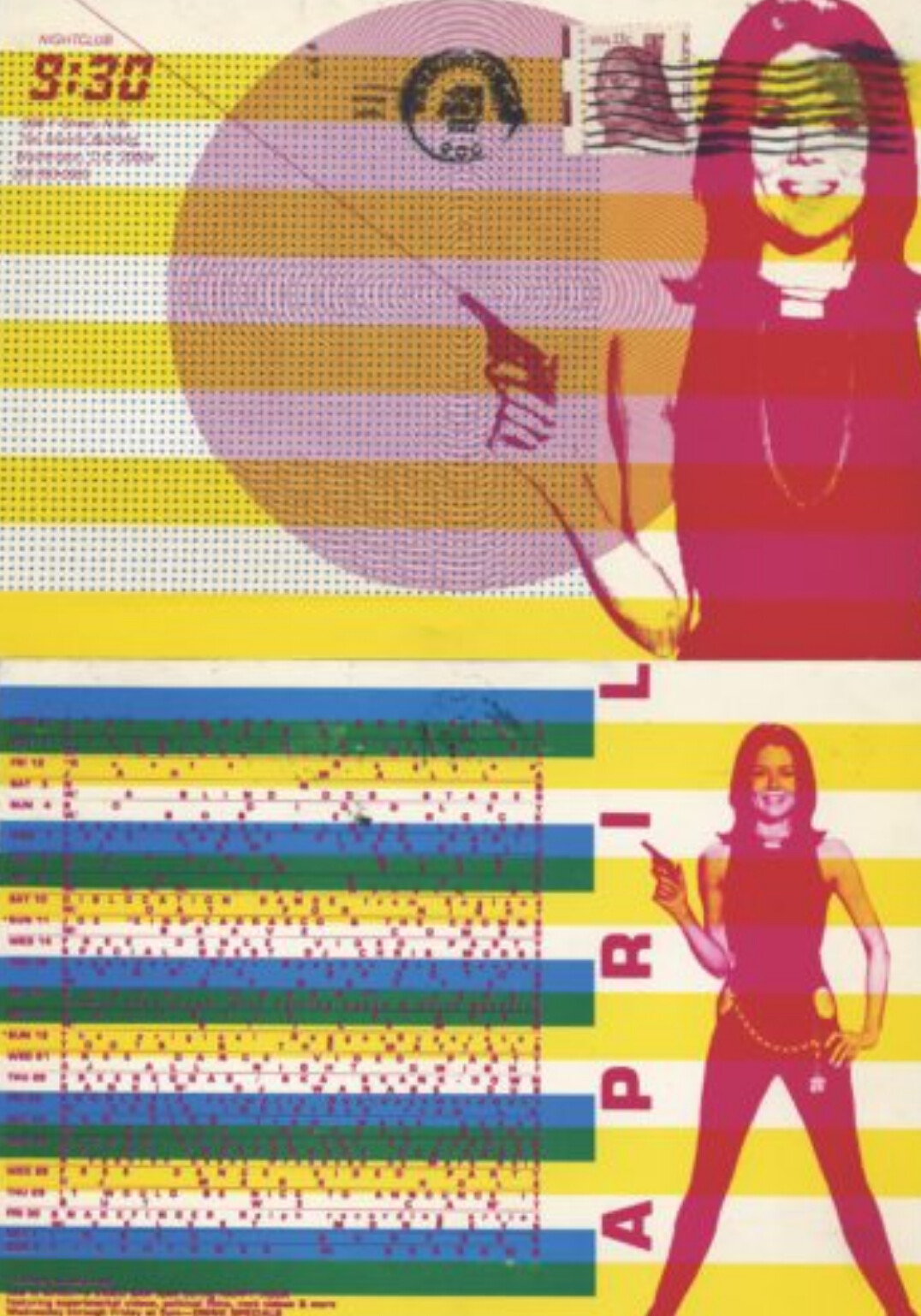
The punk and DIY wallMLK Memorial Library, 2020DC Space calendarJune 1989d.c. space calendar, June 1989 · 1989 · DC Public Library, Up from the People exhibition (2020); exhibition design by Workhorse; archival handbill9:30 ClubA venue postcard9:30 Club April calendar postcard · 1980s · DC Public Library, Up from the People exhibition (2020); exhibition design by Workhorse; archival handbill
Flyers and zines · Baltimore
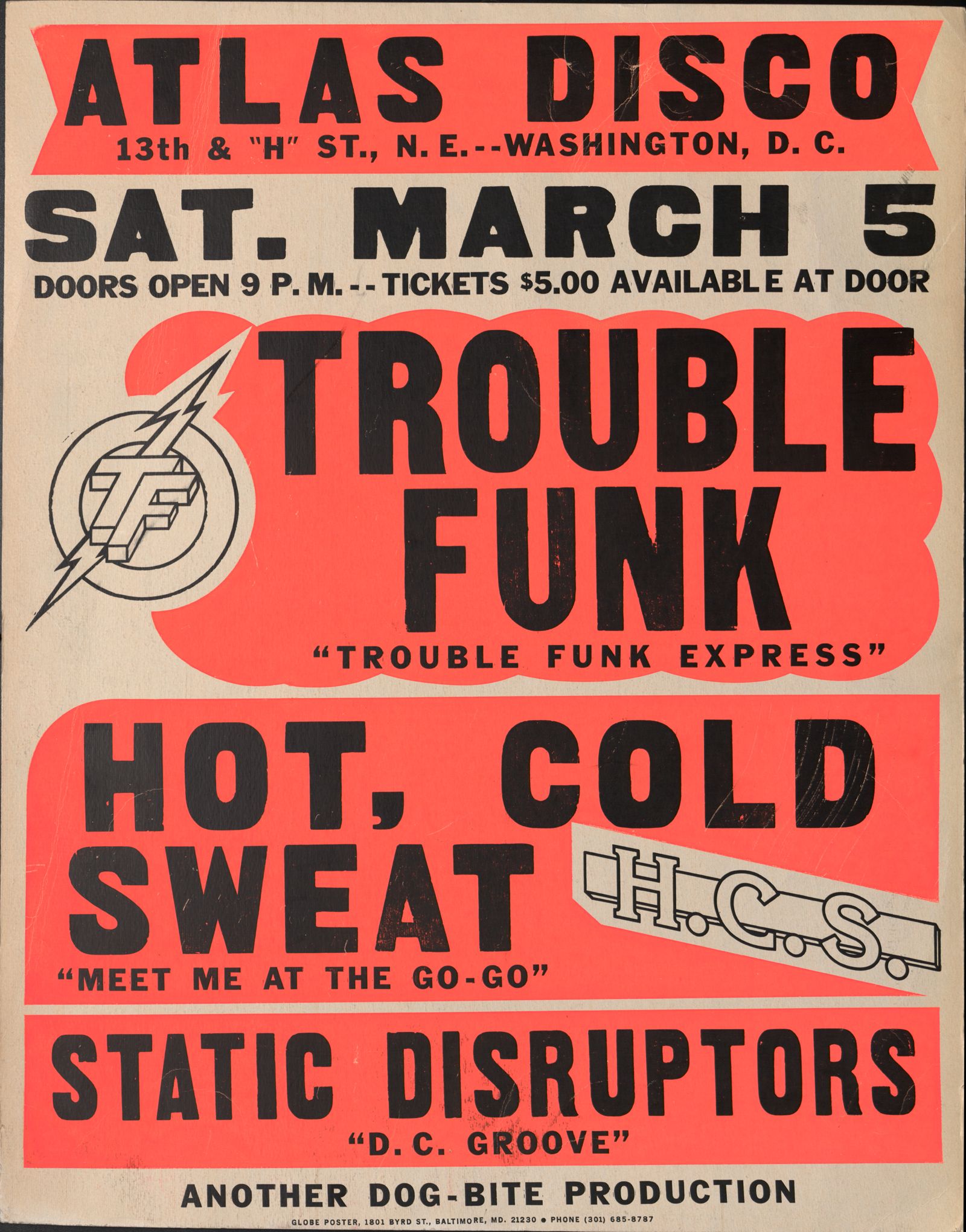
Globe Poster: made to be read from a moving car.Globe Poster Printing in Baltimore made show posters for eighty years, and printed the go-go posters that covered DC. A Globe poster had to be read in seconds, from a car going forty miles an hour.
1929Baltimore
Globe opens and prints posters for carnivals, fairs, boxing and movies.
1950sDay-Glo
Designer Harry Knorr puts big black type over bands of fluorescent color. That becomes the Globe look.
1975 ongo-go
Joe Cicero, a longtime worker, buys the shop. He and his sons print posters for Chuck Brown, Trouble Funk, Rare Essence and E.U.
2010closed
MICA, the art school in Baltimore, takes the wood type and the presses, and still prints with them.
Trouble Funk, Atlas Disco, 1985Globe Poster Corp. · Trouble Funk, Static Disruptors and Hot, Cold Sweat · March 5, 1985 · DC Public Library, Dig DC, Globe Performance Poster Collection; in copyright, used for teaching
Flyers and zines · Baltimore
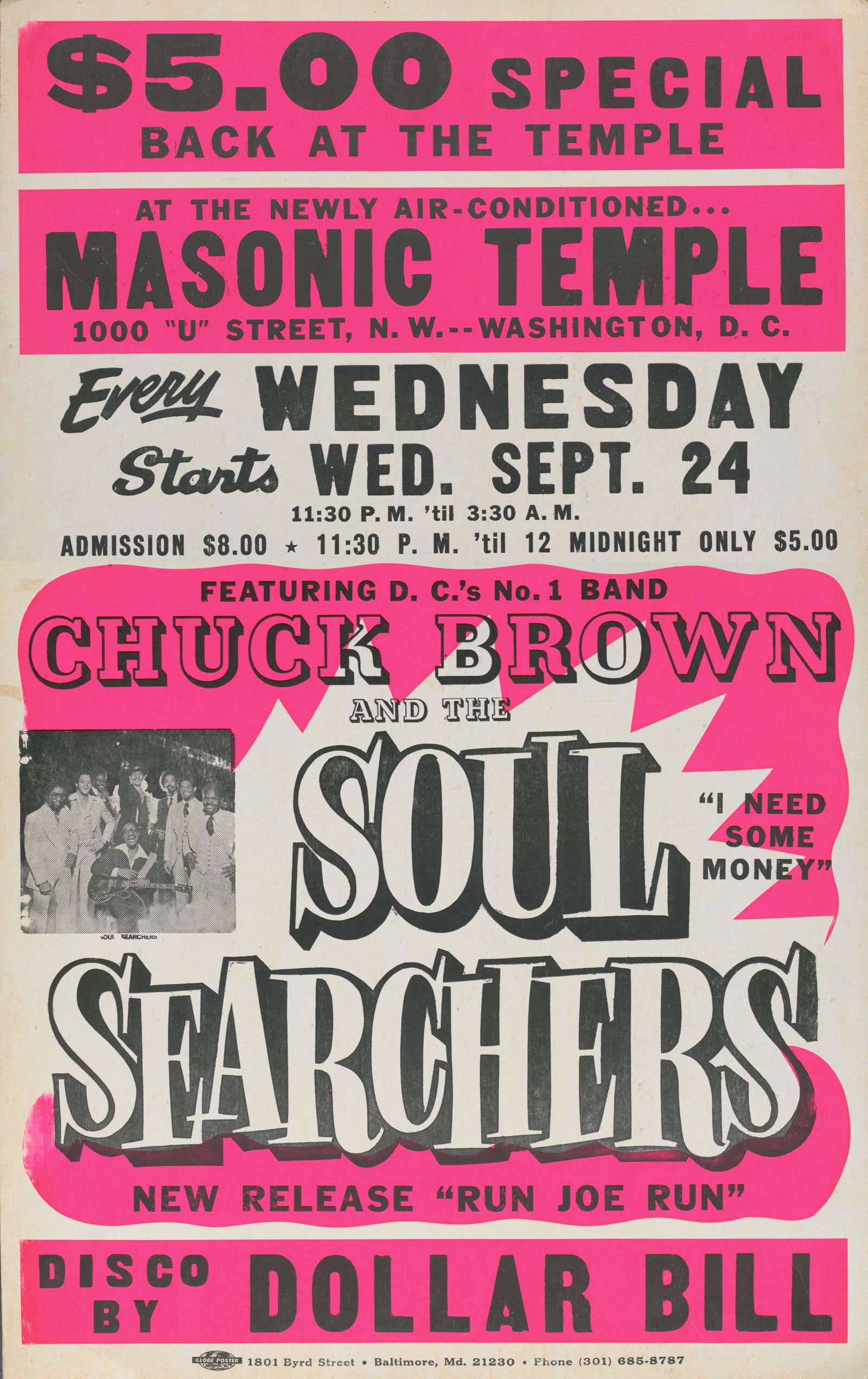
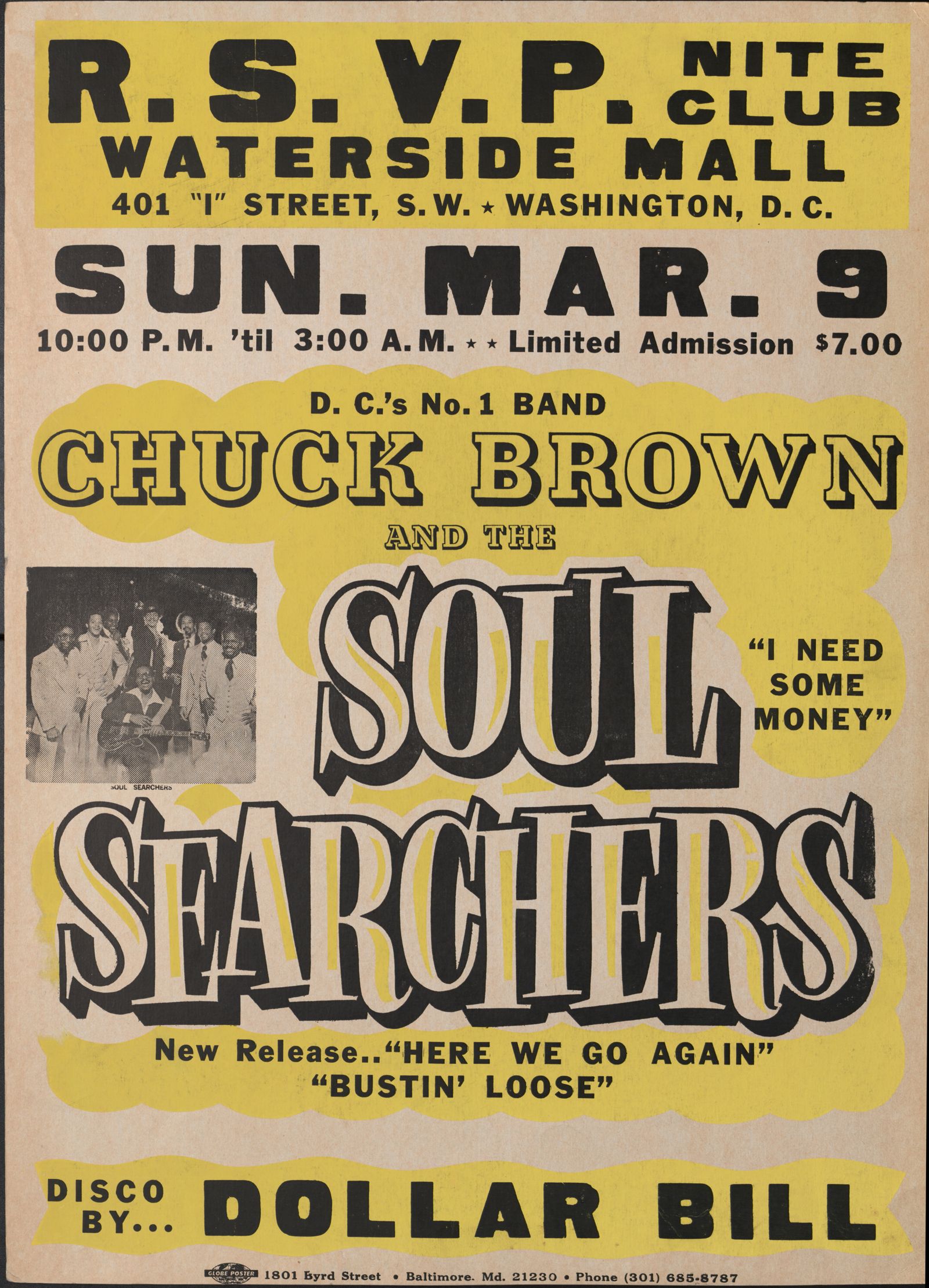
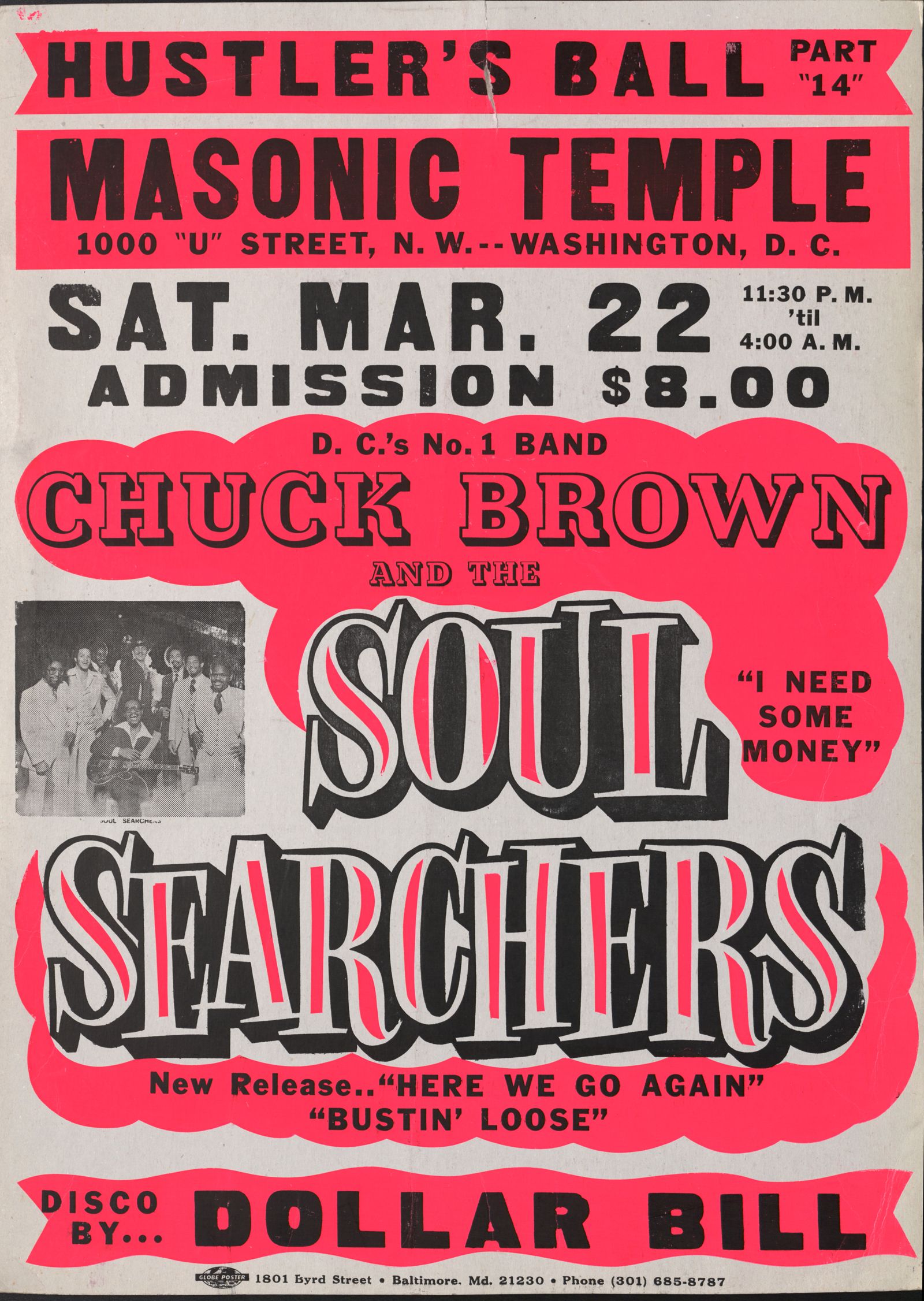
Same black type, new color underneath.Globe printed each poster in two steps. First the bright color bands were screenprinted. Then the black words were printed on top from wood and metal type. Globe kept the type and reused it, so a new show only needed a new color layer and a few new words.
Masonic Temple · 1975Hot pink and blackGlobe Poster Corp. · Chuck Brown and the Soul Searchers with Dollar Bill, Masonic Temple · Sept 24, 1975 · DC Public Library, Dig DC; in copyright, used for teachingWaterside Mall · March 9, 1986Yellow and blackGlobe Poster Corp. · Chuck Brown and the Soul Searchers, R.S.V.P. Nite Club, Waterside Mall · March 9, 1986 · DC Public Library, Dig DC; in copyright, used for teachingMasonic Temple · March 22, 1986Pink and blackGlobe Poster Corp. · Chuck Brown and the Soul Searchers, Hustler's Ball, Masonic Temple · March 22, 1986 · DC Public Library, Dig DC; in copyright, used for teaching
YOUR POSTER PRINTS IN THE SAME ORDER: COLOR FIRST, THEN THE BLACK LINE ON TOP.
GLOBE POSTER · BALTIMORE GO-GO SHOW POSTERS
Count the inks
Bright bands first, black type on top
From the exhibition files for Up from the People. On screen: Globe Poster Printing Corp., Baltimore. Chuck Brown, Trouble Funk and E.U., 9:30 Club. Chuck Brown and the Soul Searchers, Celebrity Hall. Chuck Brown and the Soul Searchers, Panorama Room. Gerald's All Girls Show. Save the Go-Go! rally, District Building, July 10, 1987. Mass Extinction, MJ's Meeting Place, April 30, 2005. Scanned for Up from the People, DC Public Library, 2020; exhibition design by Workhorse.
For each one: how many inks? Find where the paper shows through, and where black sits on top of a color.
Flyers and zines · DC
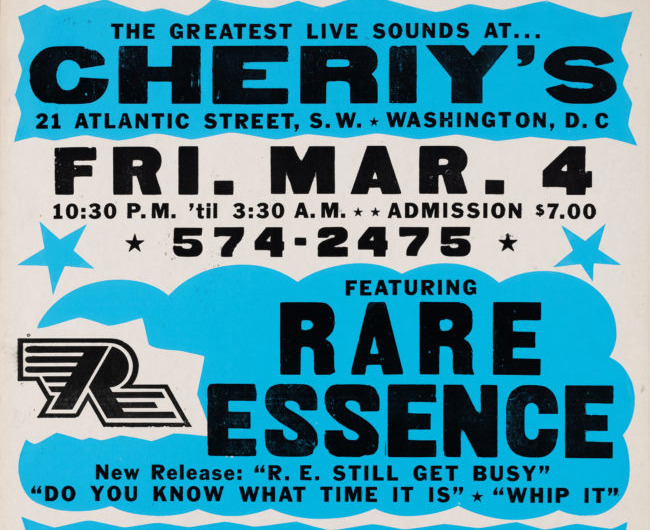
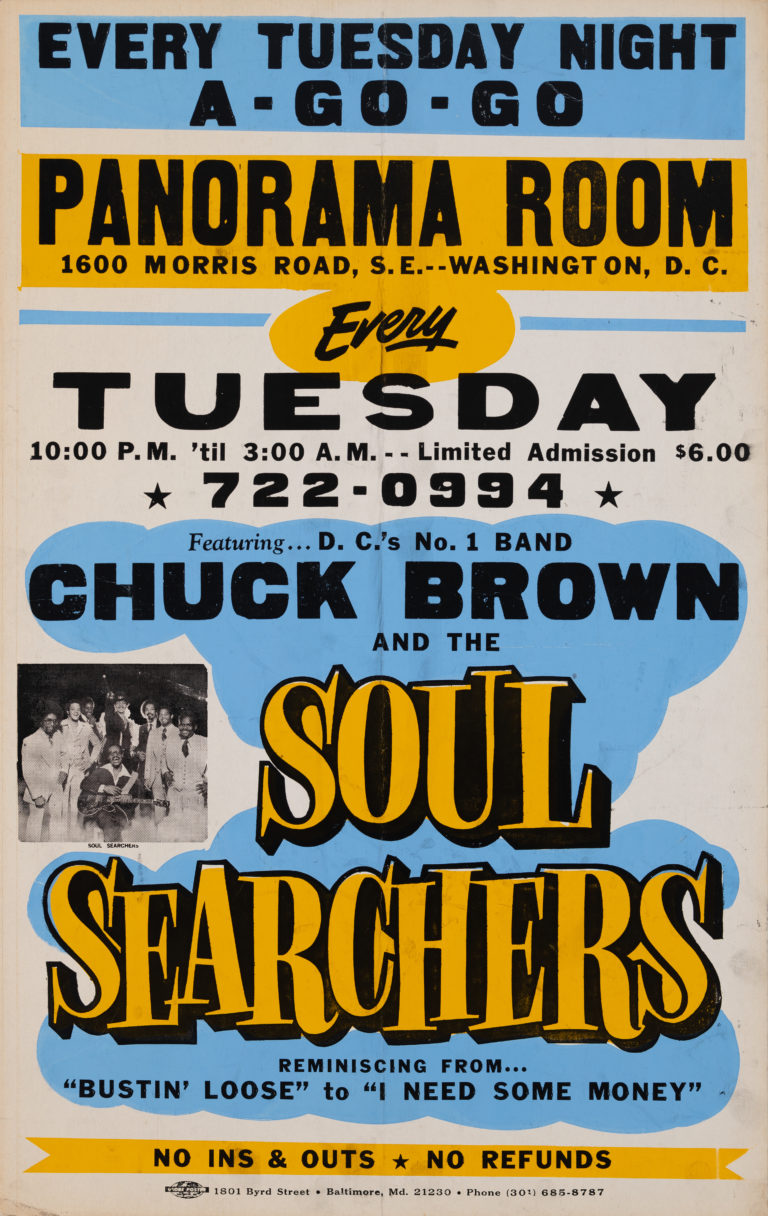
Go-go handbills: two inks and a lot of type.Go-go, DC's own music, advertised its shows on cheap flyers in bright ink on white or colored paper. The exhibition's graphics borrowed that look, with dotted photos in orange and black on cream paper, like a two-color print.
Rare EssenceBlue and black on whiteRare Essence at Cheriy's handbill · DC Public Library, Up from the People exhibition (2020); exhibition design by Workhorse; archival handbillChuck BrownHandbillChuck Brown and the Soul Searchers, Panorama Room · DC Public Library, Up from the People exhibition (2020); exhibition design by Workhorse; archival handbillUp from the PeopleOrange and black halftoneUp from the PeopleCream stock as the third color
ScreenprintScreenprinting works like the riso, but by hand: ink is pushed through a screen, one color at a time. Your poster is set up to be printed this way.
03 · RISO AND SCREEN · SCREENPRINT
03 · Screenprint · where it came from
Screenprint started as a stencil.
CenturiesChina, Japan
Printers use paper stencils, held together with silk threads or hair, to print patterns on cloth.
1907Manchester
Samuel Simon patents printing through silk stretched on a wooden frame. Sign makers start using it.
1930sthe WPA
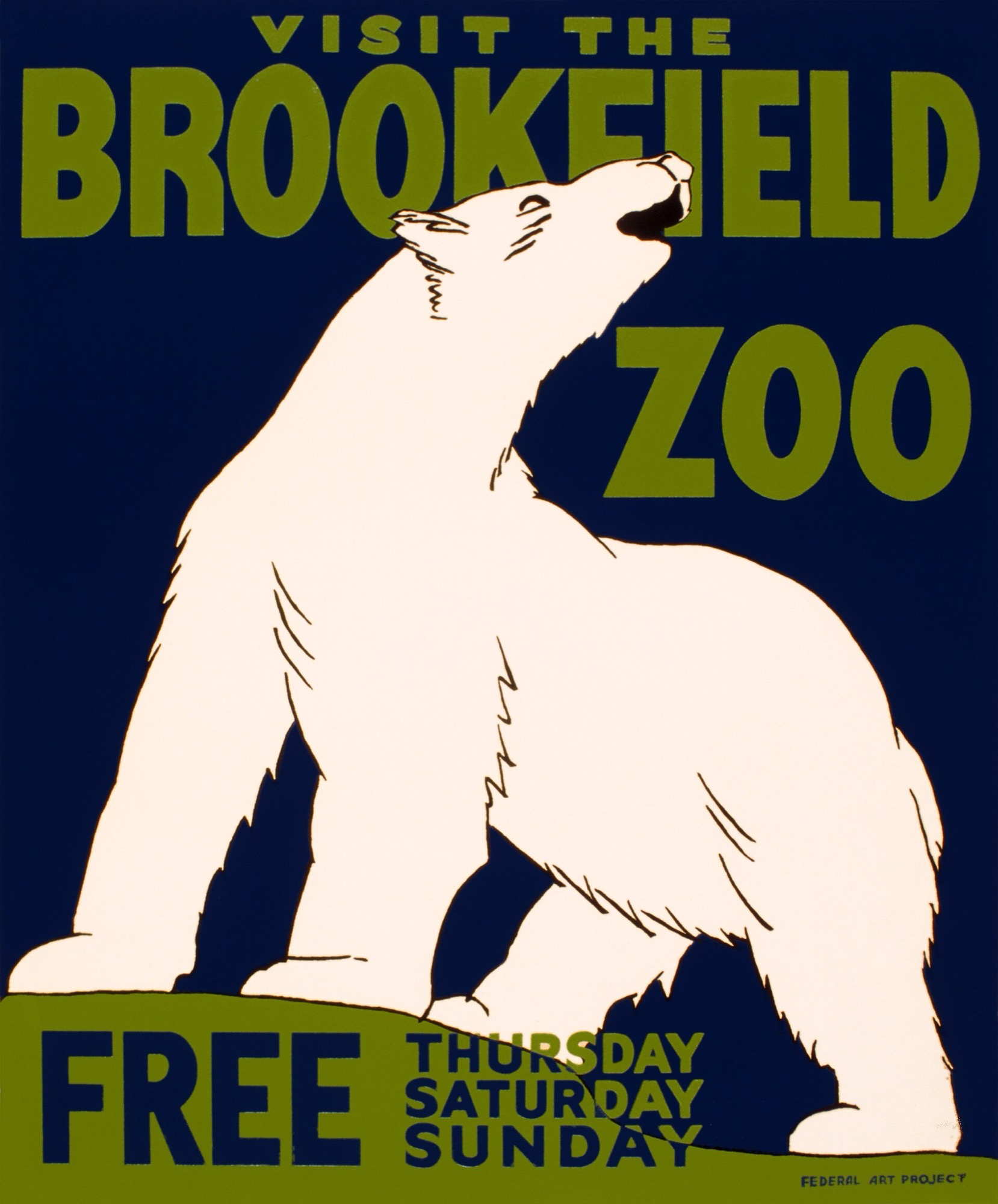
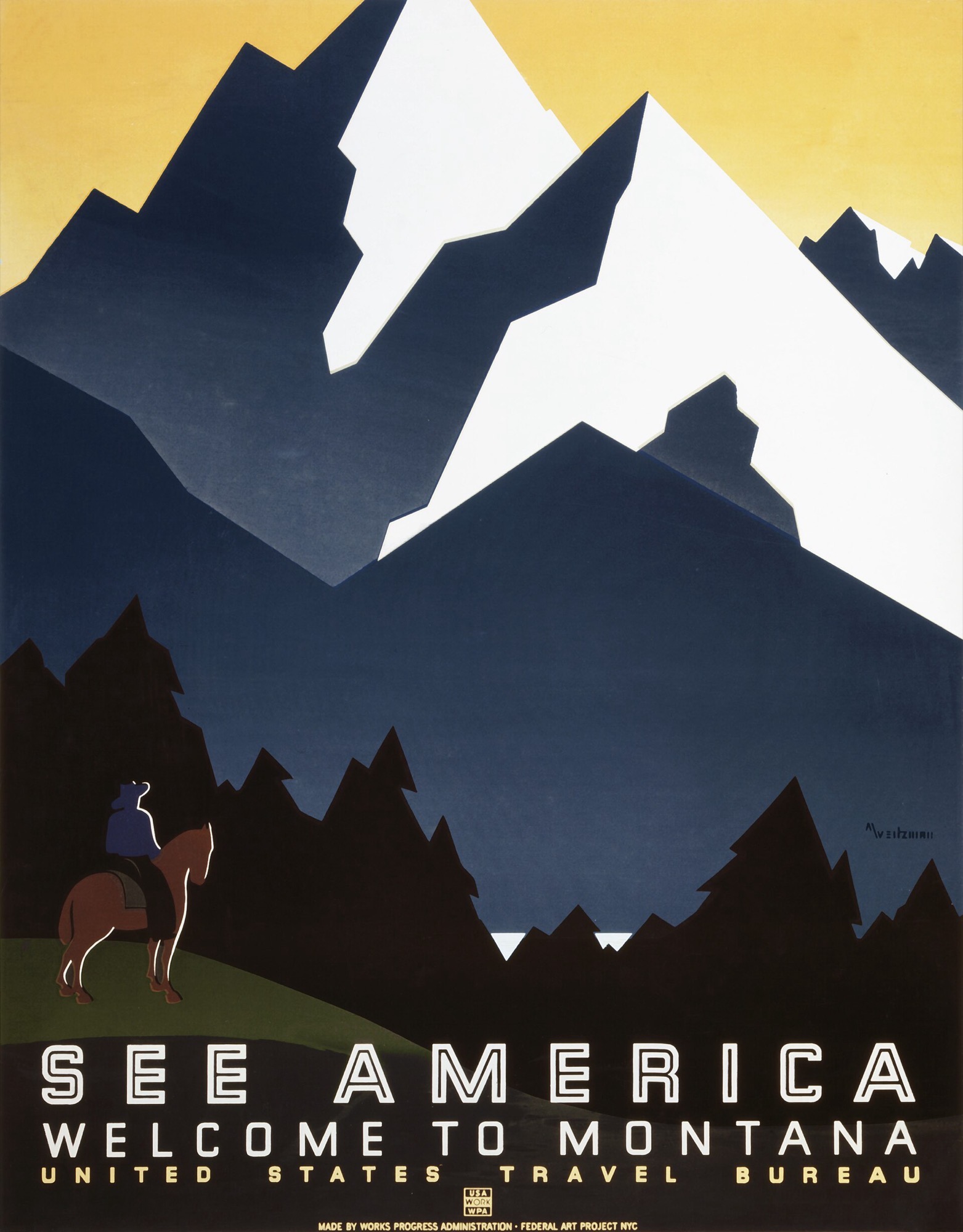
During the Depression, a US government art program hires artists to make thousands of screenprinted posters: flat colors, bold shapes, only a few inks.
1960sart
Corita Kent in Los Angeles and Andy Warhol in New York make screenprints into art for galleries.
Nowgig posters
Concert posters, art prints and T-shirts, usually fifty to a few hundred at a time.
WPA silkscreenWPA Federal Art Project · Visit the Brookfield Zoo · 1936 · Library of Congress WPA Poster Collection, via Wikimedia Commons, no known restrictionsWPA silkscreenWPA Federal Art Project · See America: Welcome to Montana · 1937 · Library of Congress WPA Poster Collection, via Wikimedia Commons, no known restrictions
03 · Screenprint
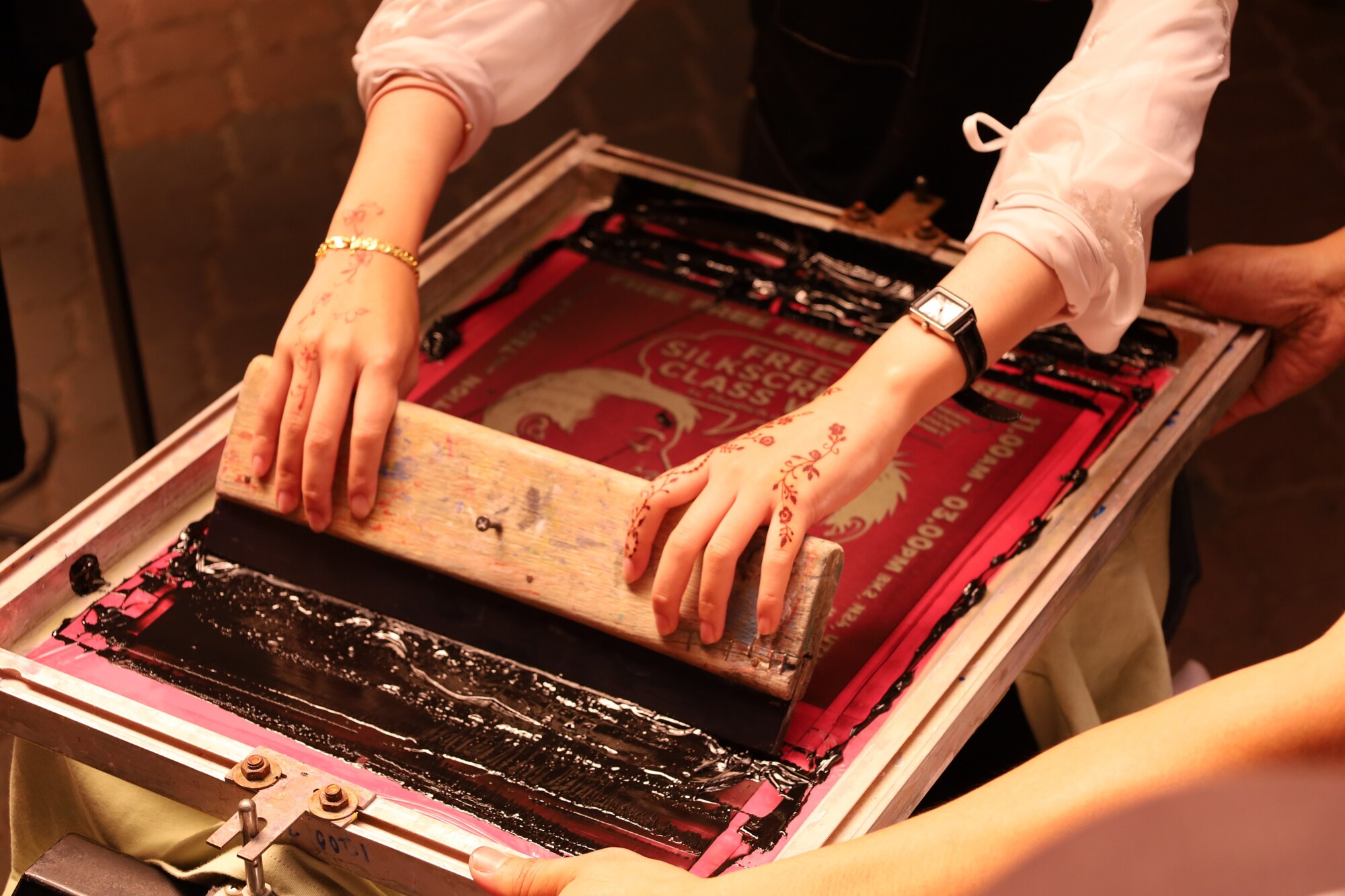
From your separation to a print.
01
Film. Each color of your poster is printed in black on a clear plastic sheet. That is why each separation has to be solid black.
02
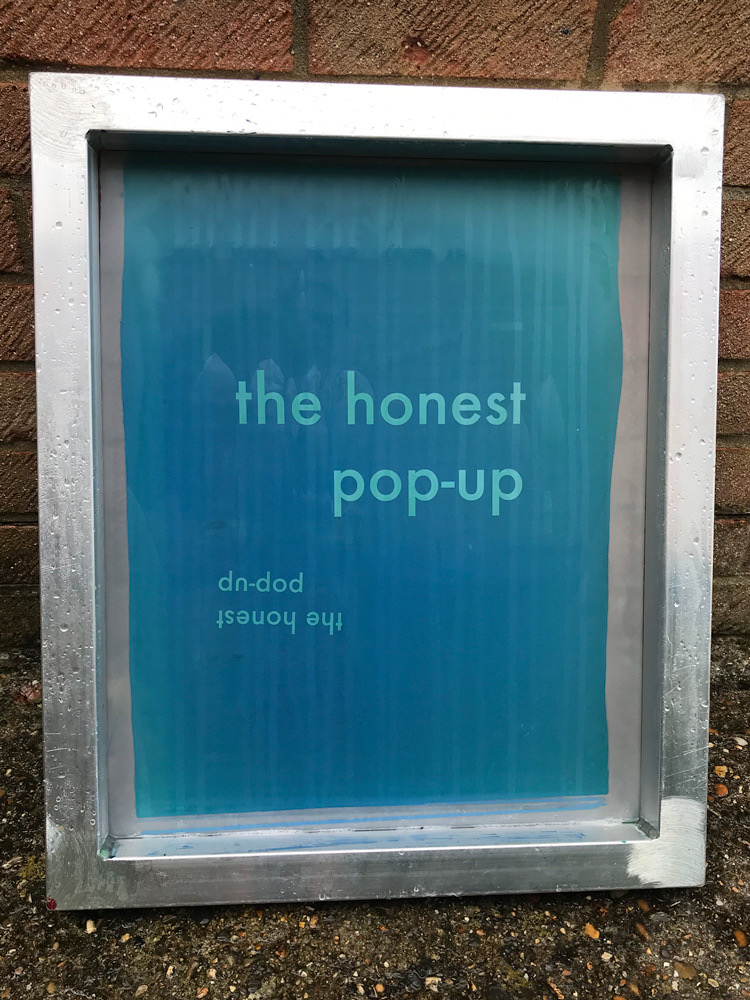
Expose. The screen is coated with a goo that hardens in light. It goes under the plastic sheet and a bright lamp. Where your art is black, the light is blocked and the goo stays soft.
03
Wash out. The soft goo washes off with water, leaving open holes in the exact shape of your art.
04
Pull. Ink goes on the screen. One pull of a rubber blade, the squeegee, pushes ink through the holes onto the paper.
05
Next color. Let it dry. Line up the next screen using the target marks, and print the next color. Repeat for every color.
The screen, exposedHickman Design · Washing out exposed screen printing emulsion 03 · 2019 · Hickman Design, CC BY-SA 4.0, via Wikimedia CommonsThe pullAhmad Ali Karim · Screen printing demonstration at TEDxUTM · 2025 · Ahmad Ali Karim, CC0, via Wikimedia Commons
03 · Screenprint
How color behaves on a screen.
See-through or solidthe printer's choice
See-through ink mixes where colors overlap and makes new colors. Solid ink covers whatever is under it. That is how you print white on black paper.
Big dotsyou can see them
A screen cannot print tiny dots, so light shades and soft blends come out as visible dots. Many printers like that look. Ask before you use soft gradients.
Thin lines breakfrom session 9
Very thin lines and tiny gaps fill in or disappear. Your drawn line at 18 by 24 inches is fine. Very fine texture is not.
Colors miss a littlepart of the look
Each color lands slightly off. Good screenprint designs plan for this by letting colors overlap instead of meeting exactly.
JAY RYAN · THE BIRD MACHINE CHICAGO · GIG POSTERS
Count the inks
Drawn by hand, separated by hand, pulled by hand
Show posters, screenprinted in small editions. On screen: Jay Ryan / The Bird Machine, Andrew Bird 'Eggs' Orchestral Tour, 2026. Jay Ryan / The Bird Machine, The Breeders with Team Dresch, Woodland Park Zoo, Seattle, Aug 20, 2026. Jay Ryan / The Bird Machine, Wilco with Yo La Tengo, Forest Hills Stadium, New York, June 20, 2026.
For each one: how many inks? Which colors are real inks, and which come from two inks overlapping?
ROCKETS ARE RED SCREENPRINTS · 18 × 24
Count the inks
Same drawing, different inks
Art prints, three and four colors. On screen: Rockets Are Red, Car Kiss (Red) and Car Kiss (Mist), three-color screenprints. Rockets Are Red, Post Meridan, three-color screenprint. Rockets Are Red, Jawbreaker 2025, four-color screenprint, and its glow-in-the-dark version. All 18 × 24, rocketsarered.bigcartel.com.
The two Car Kiss prints use the same drawing. What changed between them? Then count the inks on each.
Recap · every method
Seven ways to print, and the file each one wants.
Method
How color works
Where you see it
The file it wants
Screenprintink through a screen
One screen per ink, solid or see-through, lined up by hand.
Gig posters, art prints, T-shirts
One black page per ink, with target marks. These are your separations.
Risographa stencil copier
One drum per color, with about 20 colors to pick from. The ink is see-through and never lines up perfectly.
Zines, art prints, small runs
One black and white page per color. Same as your separations.
Photocopytoner
Black toner, sometimes one other color. The paper color does the rest.
Zines, flyers, show bills
A black and white original at size.
Letterpresspressed
Raised letters or plates pressed into the paper, one color at a time.
Cards, prints, invitations
One solid black file per color. No light shades.
Lino and woodcutcarved by hand
Hand-carved blocks, one per color.
Art prints, posters
A drawing, flipped. No file needed.
Gicléeart inkjet
8 to 12 inks that can print almost anything.
Art print editions, shops
One finished, full-color file at full size.
Digitallaser, Indigo
Four-color toner, like the office printer.
Flyers, short runs, proofs
A CMYK PDF, with 1/8 inch extra past the edges.
One or two inks, plus the paperWe are back to the small palettes from session 6, but this time the paper counts as one of the colors.
04 · YOUR POSTER · COLOR ON PAPER
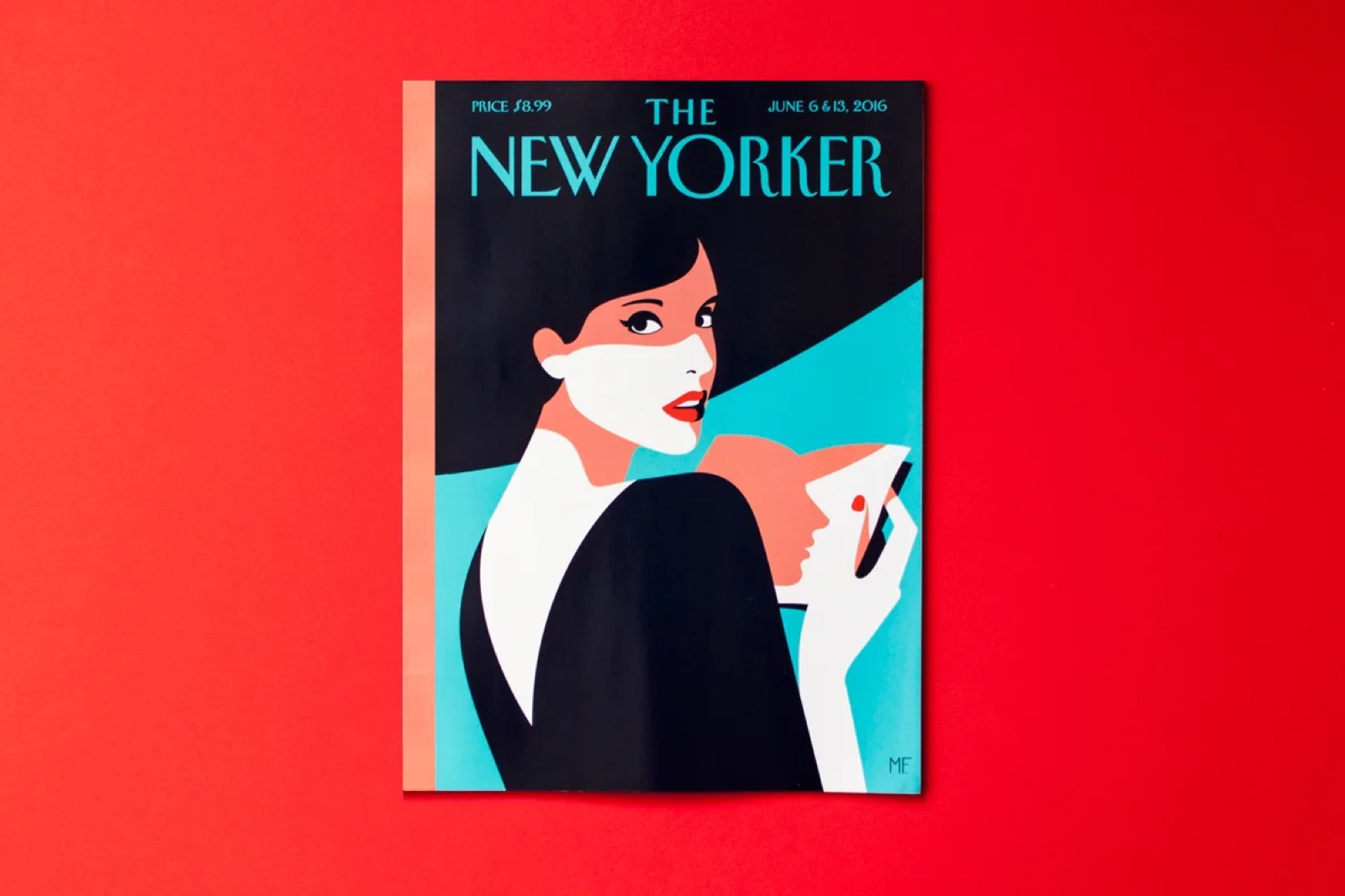
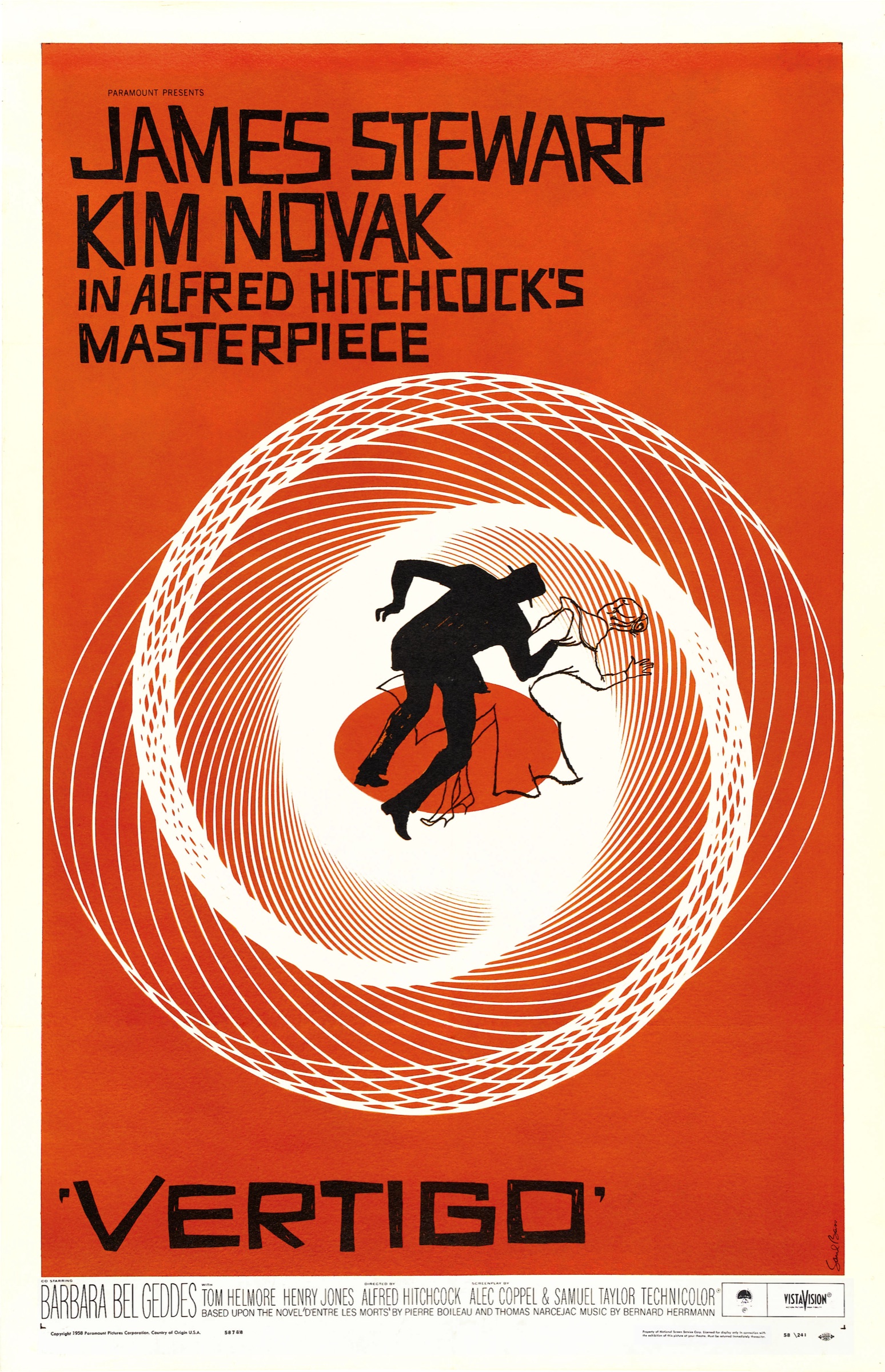
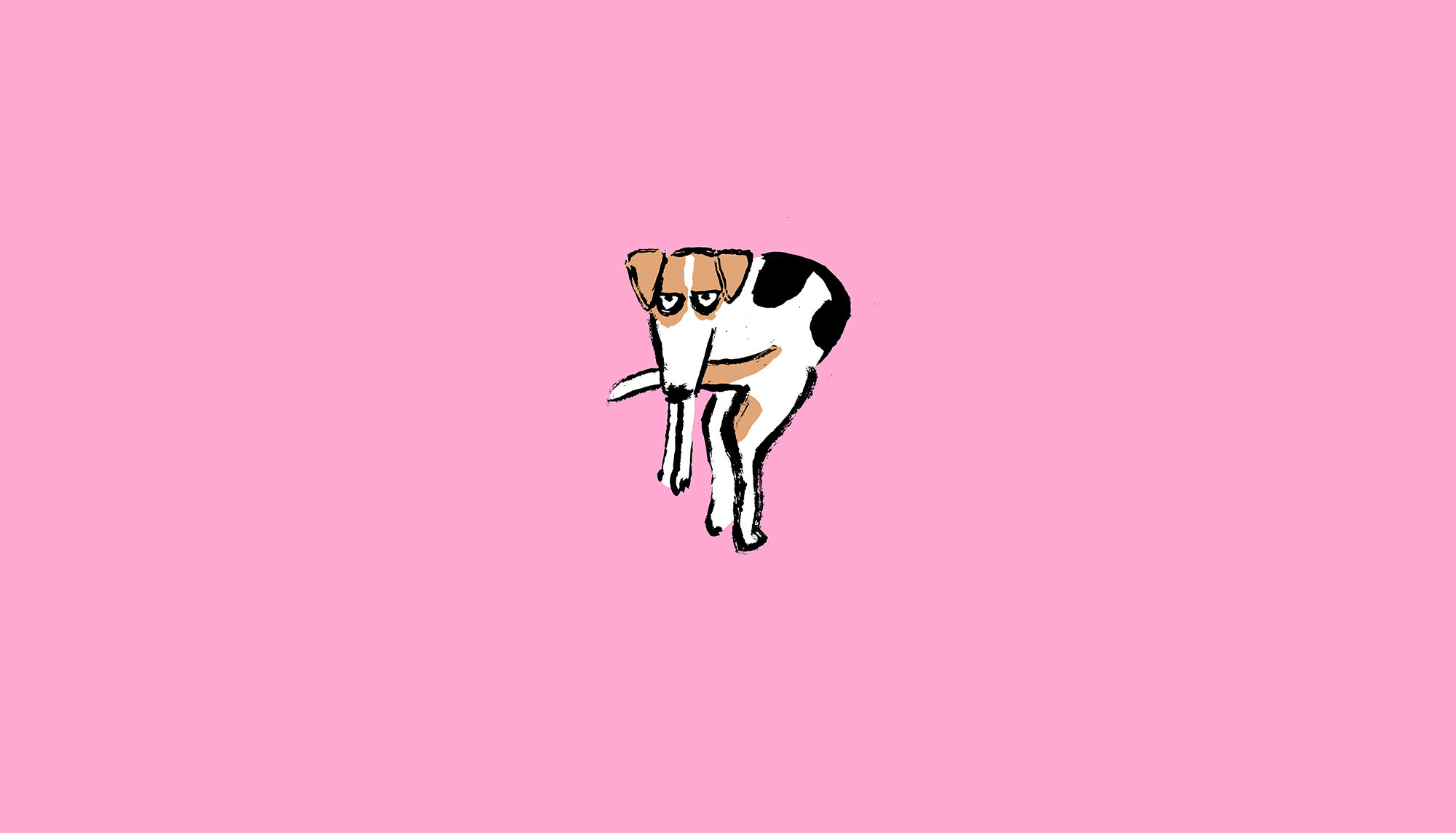
Three colors can make a whole cover
From session 6
Malika FavreRed · black · pale teal
Saul Bass1958
Jean JullienBlack on one color
Corita KentTwo inks, screenprint
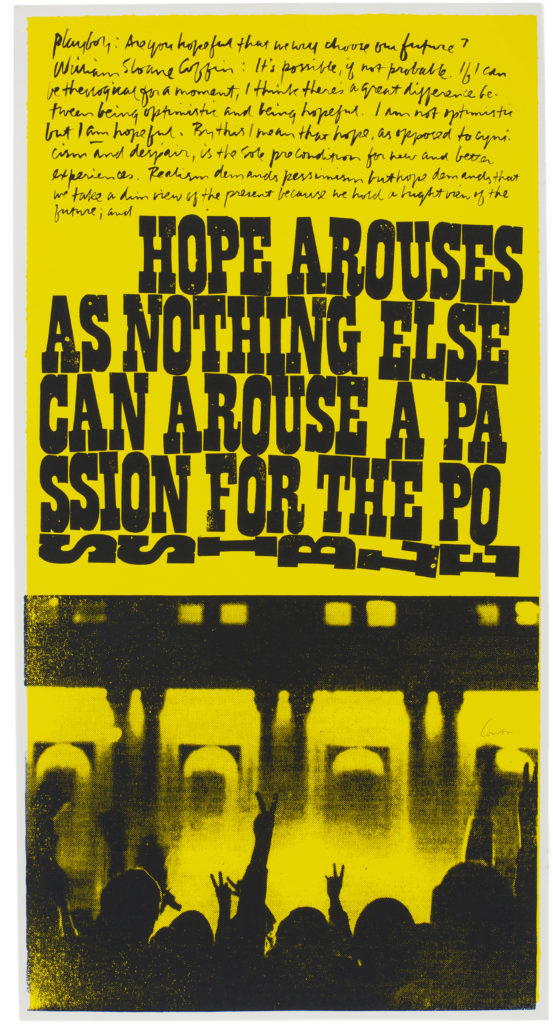
You saw these in session 6. Look again and count the inks: each one could be printed with three inks or fewer.
Malika Favre · The New Yorker · Saul Bass · Vertigo, 1958 · Jean Jullien · Dog, 2019 · Corita Kent · hope arouses, 1969
On paper · one ink
One ink, four papers, four posters.One ink is the cheapest way to print. Change the paper and the whole poster changes, at no extra cost.
Navy on whiteCool, plainNavy on brown kraftWarm, handmadeNavy on pinkA flyerNavy on goldenrodA show bill
On paper · black and a spot
Black, one color, and the paper as a third.Black plus one color is the oldest trick from session 6. The paper changes that color too: the same orange looks hot on white, rusty on brown paper and brown on blue.
On whiteBlack, orange, whiteOn creamSofter, olderOn brown kraftThe orange goes rustOn blueThe orange turns brown
SOLID (OPAQUE) INK COVERS THE PAPER INSTEAD. ASK YOUR PRINTER WHICH KIND THEY USE.
On paper · colored stock
Colored paper is a free extra color.Black ink on bright paper looks like two colors for the price of one. See-through ink mixes with the paper color, so pick your ink and paper together.
Black on orangeTwo colors, one passBlack on pinkSame file, new flyerYellow on orangeThe yellow nearly disappearsWhite on blackNeeds solid ink: screenprint, not riso
On paper · real zines
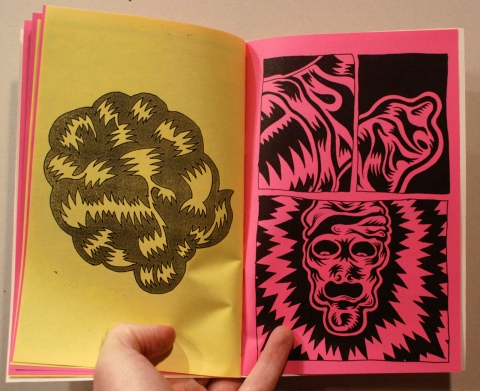
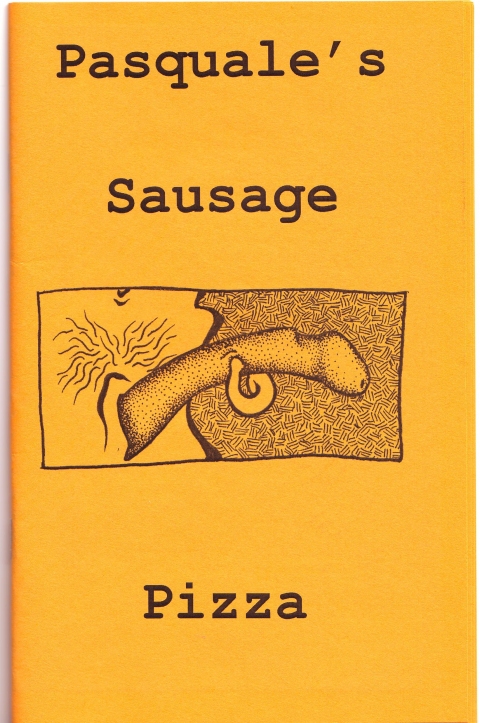
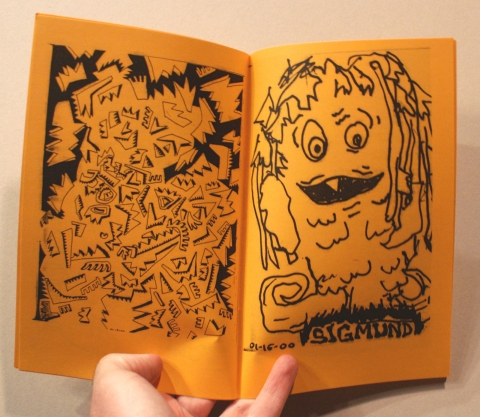
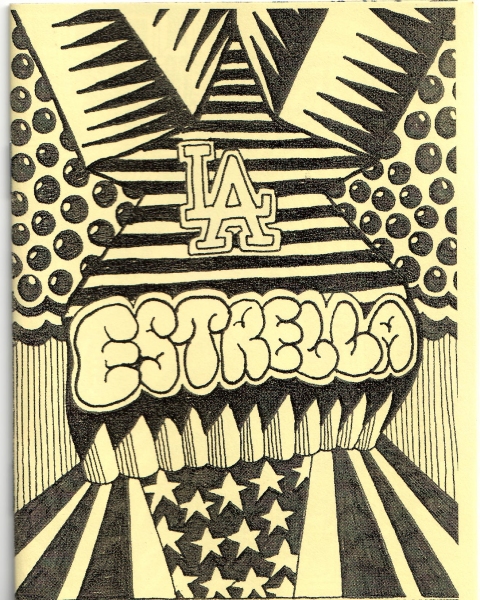
One black original, bright paper.John Weston printed the pages of these zines on a copier, in editions of 35 to 50. The black is toner. Every color you see is the paper: yellow, pink, orange. Eyegasm switches paper color page to page, so the same black reads differently on each.
Black on yellow and pinkTwo papers in one spreadJohn Weston · Eyegasm · 2010 · 24 pages, silkscreened cover, xerox insides on colored paper, signed edition of 50 · johnwestonstudio.comBlack on orangeThe coverJohn Weston · Pasquale's Sausage Pizza · 2007 · xerox on orange paper, 48 pages, signed edition of 35 · johnwestonstudio.comOrange all the way throughOne paper for the whole zineJohn Weston · Pasquale's Sausage Pizza · 2007 · johnwestonstudio.comBlack on yellow4.25 by 2.75 inchesJohn Weston and Michelle Andrade · La Estrella · 2007 · xerox on yellow paper, 16 pages, signed edition of 50 · johnwestonstudio.com
On paper · DC zines
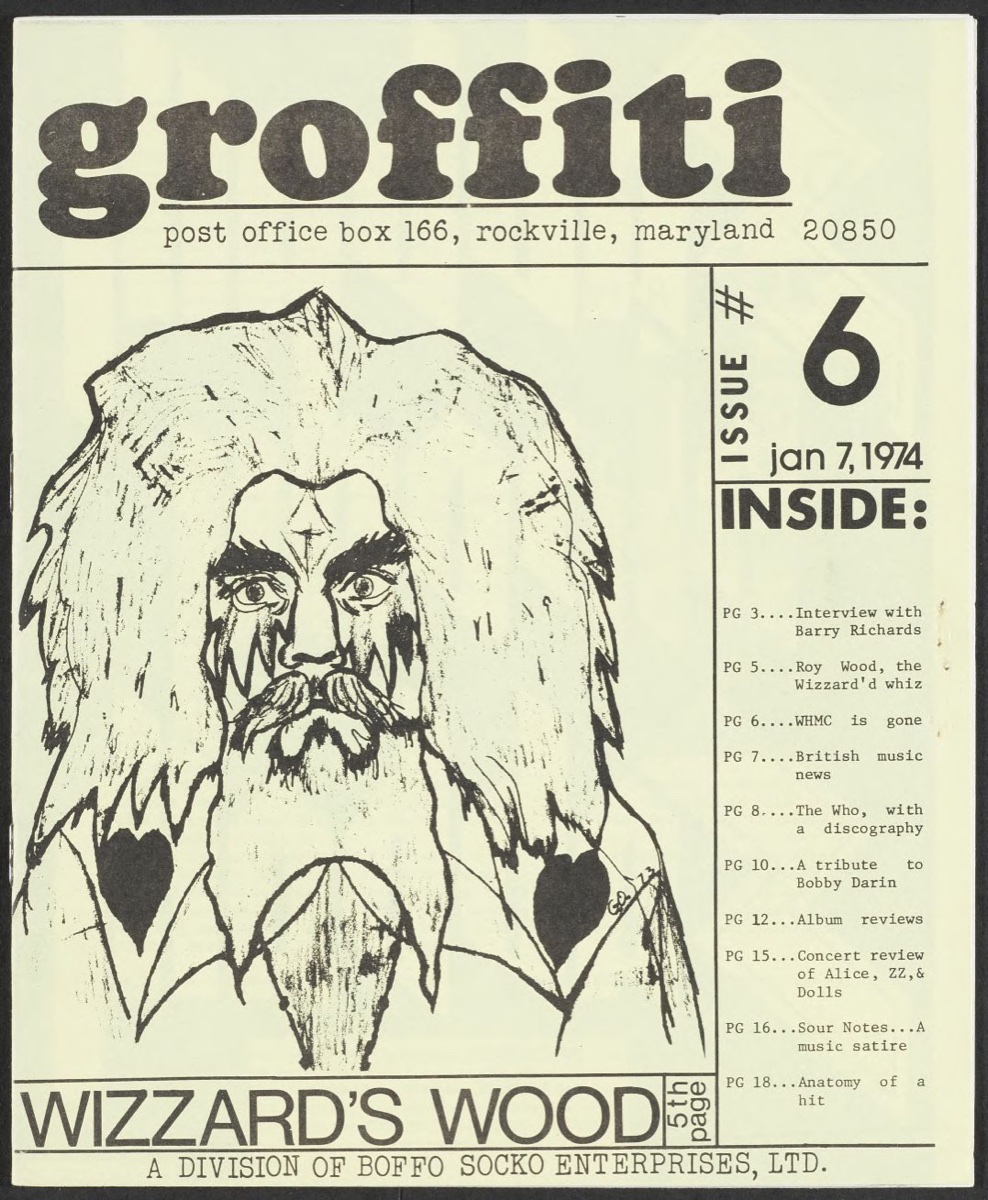
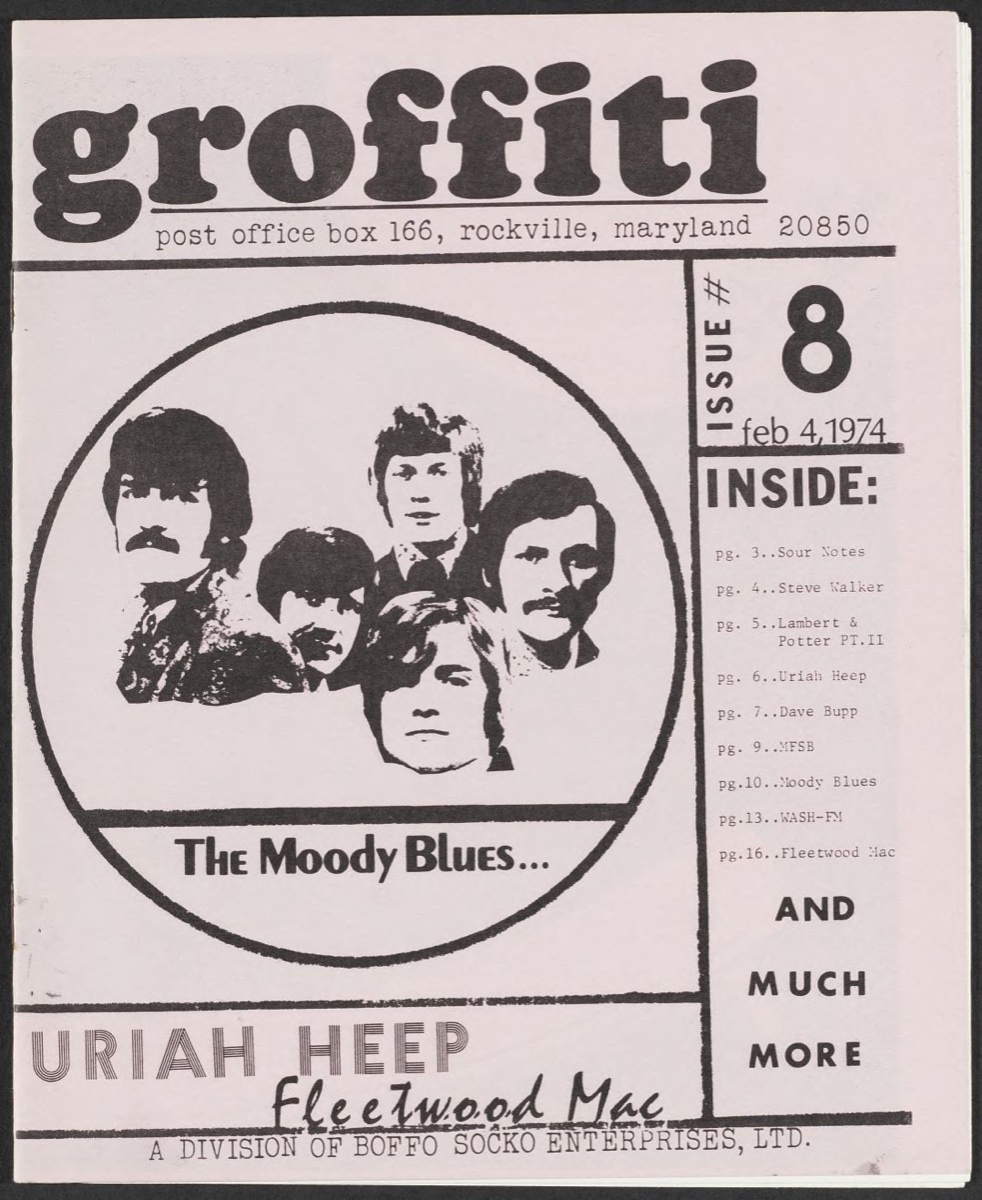
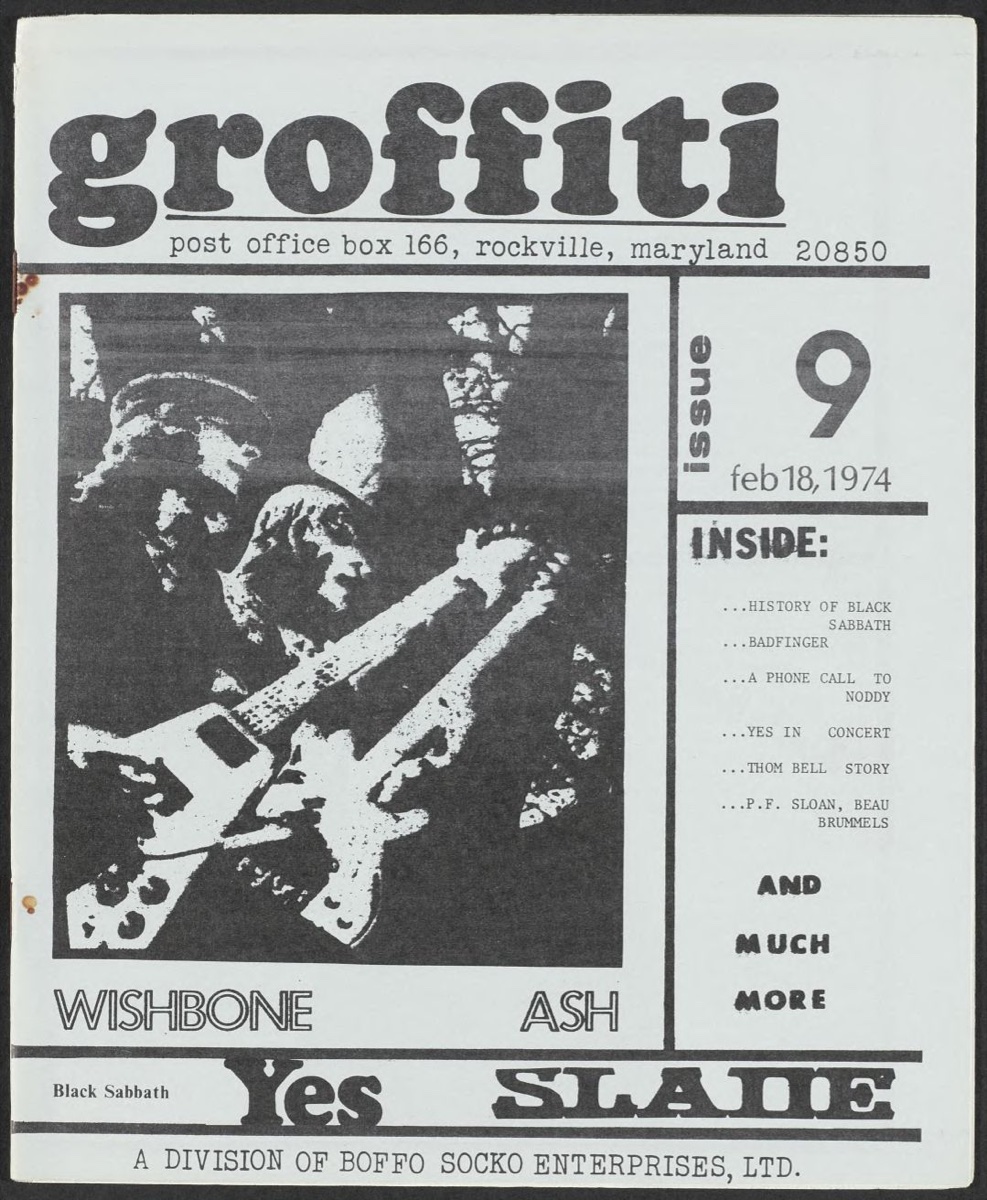
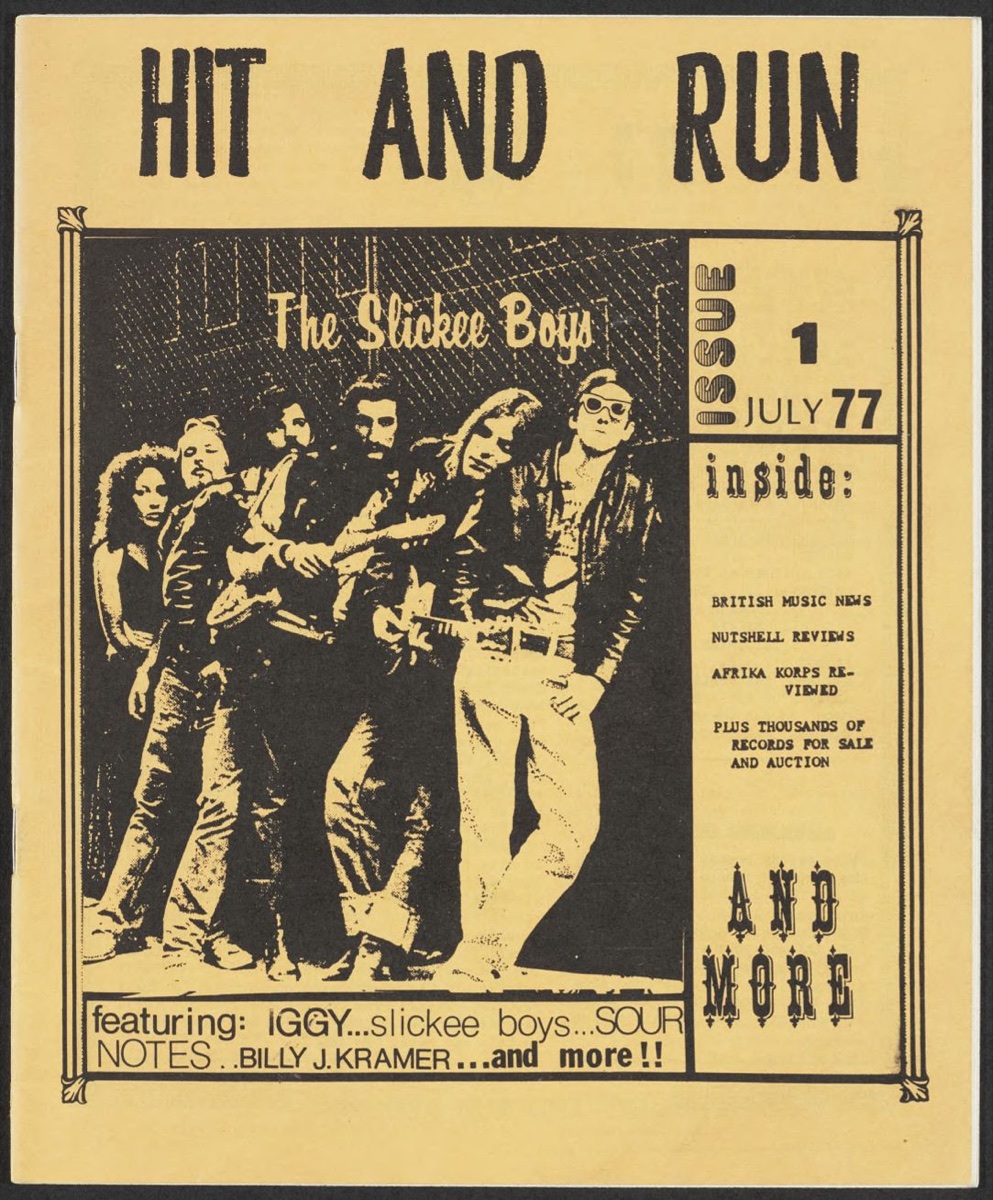
Same masthead, three papers.The music zine groffiti came out of Rockville, Maryland. Three issues in six weeks of 1974 kept the same masthead and changed the paper: yellow, then pink, then green. Only the black is printed; the paper color makes each issue look new. Hit and Run, from the same archive in 1977, did the same on yellow.
Black on yellowIssue 6, January 7, 1974groffiti, Issue 6 · Rockville, Maryland · 1974 · DC Punk Archive Zine Library, DC Public Library, Dig DCBlack on pinkIssue 8, February 4, 1974groffiti, Issue 8 · Rockville, Maryland · 1974 · DC Punk Archive Zine Library, DC Public Library, Dig DCBlack on greenIssue 9, February 18, 1974groffiti, Issue 9 · Rockville, Maryland · 1974 · DC Punk Archive Zine Library, DC Public Library, Dig DCBlack on yellowHit and Run, No. 1, July 1977Hit and Run, Number 1 · July 1, 1977 · DC Punk Archive Zine Library, DC Public Library, Dig DC
On paper · tints
A tint lets the paper show through.A lighter shade of one ink is really dots, with paper showing between them. On white paper it looks lighter. On colored paper it looks like a whole new color.
Teal on white100 · 60 · 30Teal on goldenrod100 · 60 · 30, now reading as greens
On paper · three inks
Three inks, nine colors.The sample poster uses three inks. Add the paper, the overlaps and the lighter dotted shades, and those three inks give you nine colors.
Paperno ink
Yellowink 1
Tealink 2
Navyink 3
Teal 40%lighter, in dots
Navy 30%lighter, in dots
Teal over yellowoverlap
Teal 40% over yellowdots + overlap
Navy 30% over yellowdots + overlap
THESE ARE SCREEN PREVIEWS. REAL INK LOOKS A LITTLE DIFFERENT, SO PRINTERS DO A TEST PRINT FIRST.
On paper · two spot inks
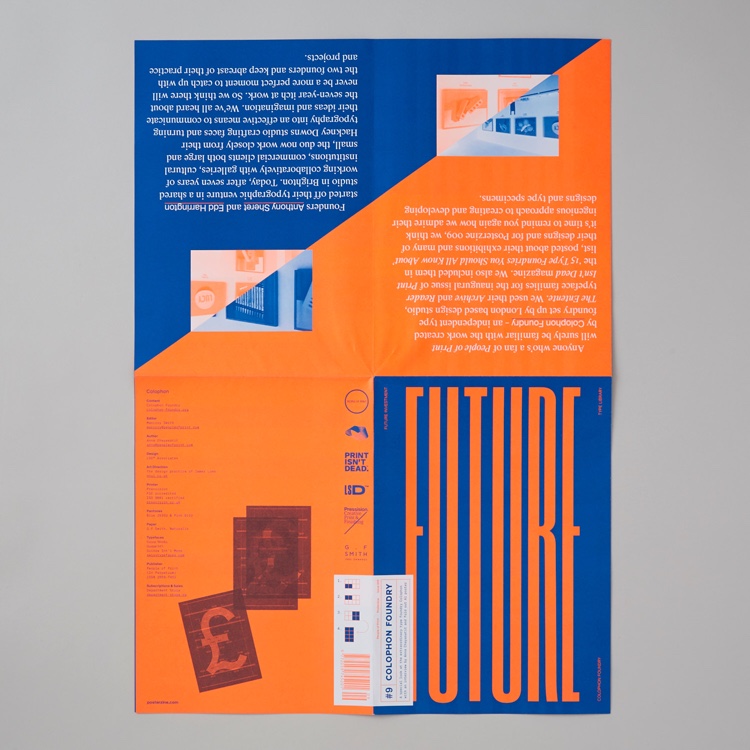
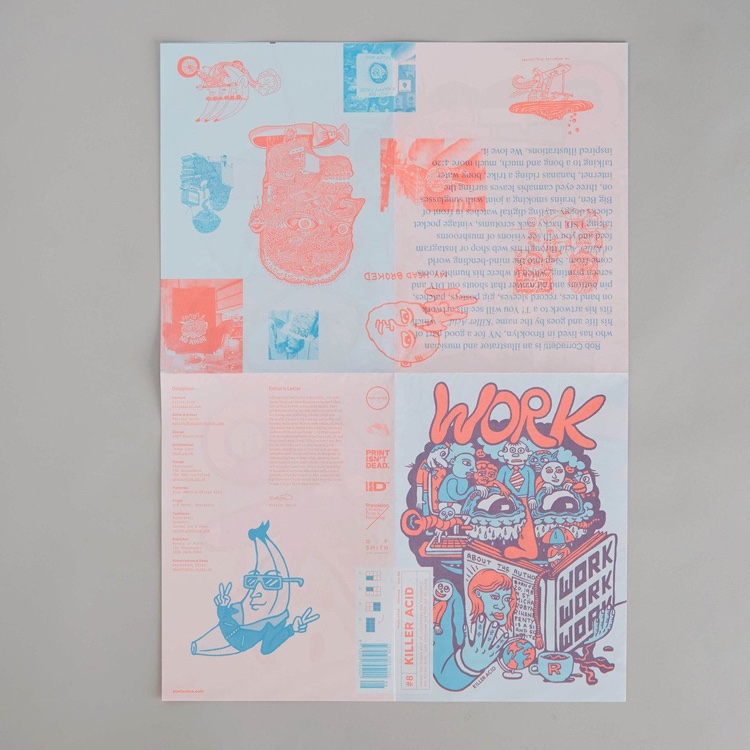
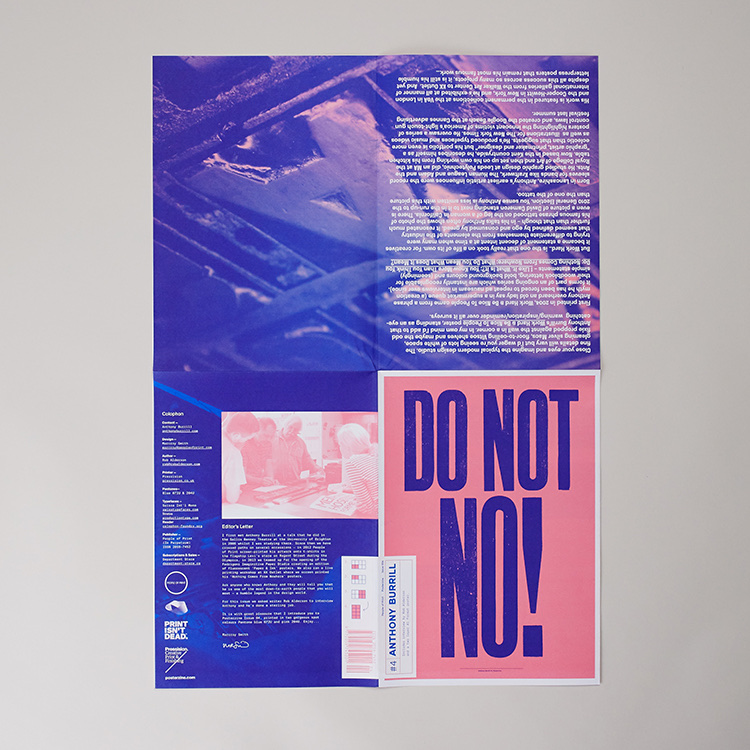
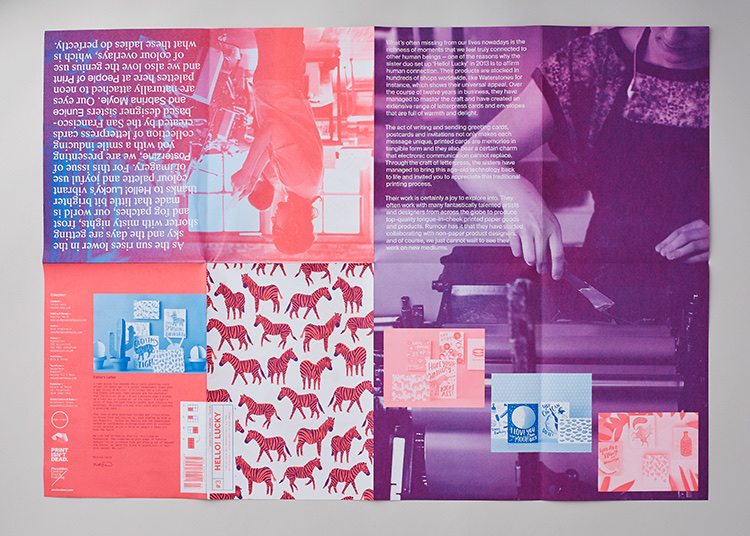
Two inks, every issue.Posterzine is a magazine that folds out into a big poster. Every issue is printed in just two spot inks on white paper, and the pair changes each time. Where the two inks overlap, you get a third color for free.
Orange and blueColophon Foundry issuePosterzine · Colophon Foundry issue · People of Print · two Pantone inks on Fedrigoni Arcoprint Extra White · peopleofprint.comCoral and light blueKiller Acid issuePosterzine · Killer Acid issue · People of Print · peopleofprint.comBlue and pinkAnthony Burrill issuePosterzine · Anthony Burrill issue · People of Print · peopleofprint.comPink and purplePhotos printed in two inksPosterzine · People of Print · peopleofprint.com
On paper · three inks
Pick a light, a middle and a dark.This is the same rule as session 6. If all three inks are medium tones, the poster turns to mud from across the room. Printers print light to dark, so your dark line goes down last and covers small mistakes.
In colorGrayLight, middle, dark still separate
TRY IT ON YOUR OWN FILE NOW: TAKE A SCREENSHOT AND TURN IT BLACK AND WHITE.
Inks in your fileNow to your poster: how a printer looks at it, how to set up the inks, and what you turn in.
04 · YOUR POSTER · INKS
04 · Inks in your file
Two ways to get a color onto paper.
Spot colorOne ink, mixed to the exact color. Also the only way to print metallic, fluorescent or white.Four-color (CMYK)Four inks in dots too small to see. It can print photos, but no color is quite as clean as a spot color.
FROM ACROSS THE ROOM THE RIGHT ONE LOOKS TEAL TOO, BECAUSE THE DOTS BLEND IN YOUR EYE.
04 · Inks in your file
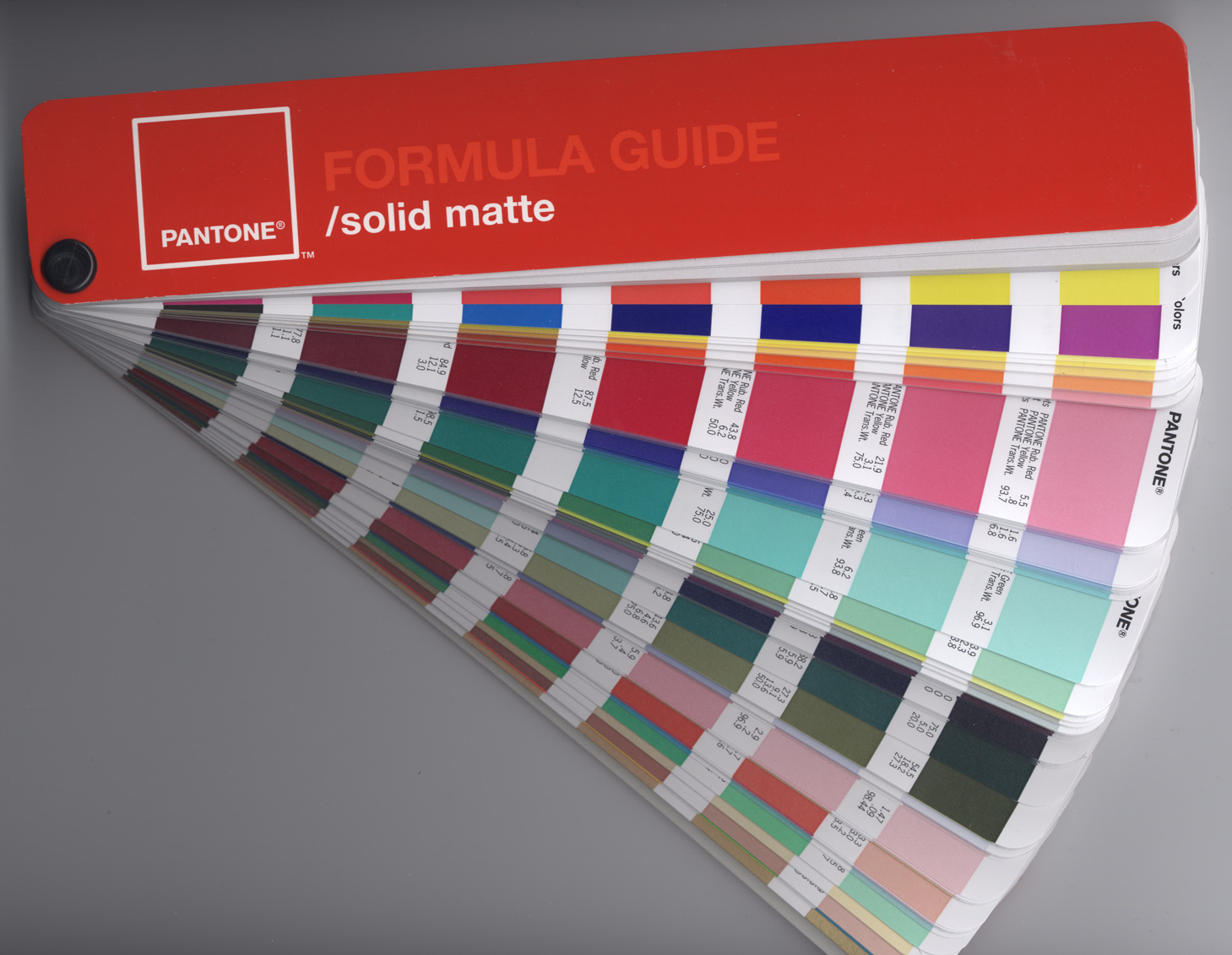
Pantone gives every ink a number.Pantone is a book of numbered ink colors that every printer has. You write PANTONE 123 C on your file, and the printer mixes that exact color.
The booka formula guide
A fan of printed color samples, each with a number and a recipe.
C and Ushiny, rough
C is for smooth, shiny paper. U is for rough paper. The same ink looks duller on rough paper.
Trust the booknot the screen
The color on your screen is only a guess. The printed sample is the real color.
Pantone formula guideParhamr · PantoneFormulaGuide-solidMatte-2005edition · 2007 · Parhamr, CC BY-SA 3.0, via Wikimedia Commons
04 · Inks in your file · color books
A color book is a printed list of inks.In 1963 Lawrence Herbert, at a small New Jersey printing company called Pantone, printed a fan of numbered colors, each with a recipe mixed from a short list of base inks. Any printer with the same base inks can mix the same color.
Book
Where it is used
In Illustrator and InDesign
PantoneUnited States, worldwide
Brand colors, packaging, most print shops.
Needs a paid Pantone Connect account since 2022. Or make a swatch and type the number as its name.
TOYO and DICJapan
Japanese printers and packaging.
Built in: Swatch Libraries > Color Books.
HKSGermany
German and European printers.
Built in, same menu.
Riso inksabout 20 colors
Riso studios. Each ink has its own name.
Most riso shops send a swatch file. Ask for it.
Your ownmixed by eye
Screenprinters often mix to a sample.
Name the swatch for the ink, like Teal, and bring a printed sample.
04 · Inks in your file · swatches
Three kinds of swatch.Illustrator and InDesign have three kinds of swatch, and only a spot swatch gets its own plate.
Kind
What it is
What it prints on
How to spot it
Processa CMYK mix
A color made of C, M, Y and K amounts.
The four CMYK plates.
A plain square.
Global processan editable mix
A CMYK mix you can change everywhere at once. Edit the swatch and every shape using it changes.
The four CMYK plates.
Illustrator: a white corner triangle.
Spotone real ink
One ink, mixed in a bucket. Lighter shades of it are still the same ink.
Its own plate.
Illustrator: a corner triangle with a dot. InDesign: the spot icon beside the name.
ONE INK, ONE NAME. TWO SWATCHES WITH DIFFERENT NAMES FOR THE SAME INK BECOME TWO PLATES.
04 · Inks in your file
Each extra ink means another screen and another pass.
Inks
What the printer has to make
What that means
1one color
One screen and one pass, with the paper as the second color.
The cheapest and fastest, good for a flyer, a shirt or a stamp.
2 or 3a gig poster
One screen per ink, lined up on the same marks each pass. Usually light to dark.
Most screenprinted posters use two or three inks.
4 and upmore screens
Each extra ink adds setup, washup, drying time and another chance to miss the marks.
Printers charge per color, not per square inch.
CMYKprocess
Four plates of fine dots that make any color. Offset or digital, almost never by hand.
Good for photos and full color. An exact spot color needs a fifth ink, at extra cost.
YOUR BRIEF SAYS THREE COLORS PLUS THE LINE. THAT IS FOUR SCREENS.
04 · Inks in your file
A tint is the same ink, broken into dots.To get a lighter teal, the printer does not mix a new ink. It prints the same teal as dots that cover 40% of the paper. From a distance it looks lighter, and it costs nothing extra.
100%Solid ink70%Big dots, small gaps40%Paper shows through15%Small dots, mostly paper
THE DOTS ARE DRAWN HUGE HERE SO YOU CAN SEE THEM.
04 · Inks in your file
Where two inks meet, you choose what happens.
KnockoutThe yellow has a hole cut where the teal goes, so teal stays teal. This is what Illustrator does unless you change it.OverprintNo hole. Teal prints right on top of yellow, and you get a third color, dark green, for free.Slightly offThe teal landed a little to the right, and a thin white gap shows. A small overlap between the colors hides it.
SET YOUR BLACK LINE TO OVERPRINT. THEN EVEN IF A COLOR LANDS A LITTLE OFF, NO WHITE GAP SHOWS NEXT TO THE LINE.
How a printer reads a poster
Three inks and the paper.This poster was made up for this lesson. Look at it the way a printer would: which ink prints each shape, and where do two inks overlap?
Ink 1Pantone 123 C
Yellow prints the sun and its reflection. It goes first because it is the lightest.
Ink 2Pantone 3282 C
Teal prints solid for the water and in dots for the lighter sky. The date is cut out of the water so the paper shows through.
Ink 3Pantone 2767 C
Navy prints the line and the words, last and on top of everything.
The papercream stock
The paper is a free fourth color. Every light area is bare paper.
Invented for this lesson · Marsh Night Market
How a printer reads a poster
The same poster, as the printer gets it.
Plate 1 · Yellow 123 CPulled firstPlate 2 · Teal 3282 CSolid, plus dots for the skyPlate 3 · Navy 2767 CThe line, lastThe keyWhat the inks make together
EVERY PAGE IS BLACK ON WHITE, NO MATTER WHAT COLOR IT PRINTS. THE TARGET MARKS ARE IN THE SAME PLACE ON EVERY PAGE, SO THE COLORS LINE UP.
Spot colors in Illustrator and InDesignA live demo. Set up your inks first and the separations are easy. Pick random colors and you will have to redo the file later.
DEMO · ILLUSTRATOR AND INDESIGN
In Illustrator · 1 of 3
Make one swatch per ink.
01
Swatches panel menu > New Swatch
02
Color Type: Spot Color.
03
Name it with the ink: PANTONE 123 C, or Yellow if you are mixing your own.
04
Want the official Pantone colors? Window > Swatch Libraries > Color Books. Newer versions need a paid Pantone login. If you do not have one, make your own swatch and type the Pantone number as its name.
05
Color every shape with these swatches and nothing else. Delete the rest: Select All Unused > Delete.
Swatches · the demo poster
PANTONE 123 C
SPOT
PANTONE 3282 C
SPOT
PANTONE 2767 C
SPOT
[Registration]
ALL PLATES
The whole file uses four swatches
In Illustrator · 2 of 3
Tints, overprint, and checking the plates.
Lighter shadesame ink
Select the shape, open Window > Color, and drag the T slider down. It is still the same ink, just lighter.
Overprintthe line on top
Select the line, then Window > Attributes > Overprint Fill (and Overprint Stroke). See it with View > Overprint Preview.
Check the platesbefore you export
Window > Output > Separations Preview. Turn on Overprint Preview, then click the eye on each ink. If anything shows up under CMYK, it is a color you forgot to switch to one of your inks.
The scanyour line
Use Image Trace (Black and White, Ignore White) and color it with your line swatch.
In Illustrator · 3 of 3
What a clean file looks like in Separations Preview.
CMYKshould be empty
Click the eye on CMYK off. Nothing on the poster should change.
Each inkone at a time
Turn on one ink at a time. You should see exactly the shapes that ink prints, and nothing else.
Layers matchone layer per ink
Name each layer after its ink: 1 Yellow, 2 Teal, 3 Navy. Line layer on top. A Marks layer for the target marks.
Separations Preview · overprint preview on
CMYK
EMPTY
PANTONE 123 C
ON
PANTONE 3282 C
ON
PANTONE 2767 C
ON
Three inks, nothing in CMYK
In InDesign
The same inks in InDesign.
01
Place your Illustrator poster: File > Place. Its spot inks show up in the Swatches panel on their own.
02
New spot ink: Swatches panel menu > New Color Swatch, Color Type: Spot. Use the same name as in Illustrator.
03
Same ink under two names? Swatches panel menu > Ink Manager, and set one as an alias of the other so they print on one plate.
04
Check the plates: Window > Output > Separations Preview, the same as Illustrator.
05
Export: File > Export > Adobe PDF (Print). Under Output, Color Conversion: No Color Conversion, so your spot inks stay spot inks.
Move swatches between apps
Illustrator
Swatches menu > Save Swatch Library as ASE
InDesign
Swatches menu > Load Swatches
One .ase file, the same inks in both
Your filesWhat a printer needs for a poster like yours, and how to set up your Illustrator or Photoshop file.
04 · YOUR FILES · DUE OCT 15
04 · Your files
What every printer will ask you.
Sizefinished size
18 by 24 inches. If your art goes to the edge, add 1/8 inch extra on every side, called bleed.
Inksa list
How many, which ones, by name or Pantone number, and the order they print. Light to dark.
Separationsor a layered file
One black page per ink, with target marks.
A keythe color proof
The poster in color, so they know what it should look like.
Paperand how many
Paper color and thickness, and whether it is shiny or rough. The number of copies also decides how it gets printed.
04 · Your files · Illustrator
The Illustrator file.
01
Artboard 18 x 24 in, document color mode File > Document Color Mode > CMYK.
02
One spot swatch per ink, and nothing colored with anything else.
03
One layer per ink, named like the swatch, line on top. A Marks layer with four targets colored [Registration].
04
Your line: traced, colored with the line swatch, and set to overprint.
05
Turn type into shapes: Type > Create Outlines. Avoid gradients and effects unless they look right in Separations Preview.
06
Save lastname-p2-working.ai. Then File > Save a Copy as a flattened PDF at 18 x 24.
04 · Your files · Photoshop
The Photoshop file.
01
Canvas 18 x 24 in at 300 ppi. Bring in the line from the 600 ppi scan, cleaned up to pure black and white.
02
One layer per ink, named after the ink. Each layer holds only that one color, solid or lighter. Line on top, set to Multiply.
03
No effects or adjustment layers that create new colors. If a color is not on an ink layer, it will not print.
04
Optional: Channels panel menu > New Spot Channel sets up a real ink in Photoshop.
05
Textures and soft shading turn into dots when printed. Keep them bold, and check them at 100%.
06
Save lastname-p2-working.psd with every layer, plus the flattened PDF.
04 · Your files · separations
Making the separations PDF.
Step
Illustrator
Photoshop
1 · Copynever the working file
Save a copy as lastname-p2-seps.ai.
Save a copy as lastname-p2-seps.psd.
2 · Go blackevery ink
Double-click each ink swatch and change it to black. Everything in that ink turns black at once.
Add a black Color Overlay to every ink layer.
3 · One at a timeplus the marks
Show one ink layer and the Marks layer. Save a Copy as PDF. Repeat for each ink.
Show one ink layer and the marks. Save a Copy as PDF. Repeat for each ink.
4 · Combineone file
Drag the pages into one PDF in Preview, in printing order, light to dark, with the color key last: lastname-p2-separations.pdf.
CHECK IT: EVERY PAGE BLACK ON WHITE, TARGETS IN THE SAME PLACE ON EVERY PAGE, THE LINE ON ITS OWN PAGE.
04 · Your files · Oct 15
What you hand in on Oct 15.
File
What it is
The working file.ai or .psd
Your layered file: one named layer per ink.
The posterflattened PDF
18 by 24, in color.
The proofletter size
The poster printed to scale on letter paper. This is the print we pin up at critique, next to your drawing.
Separationsone PDF
One page per color, including the line, in solid black with target marks, plus one page in color.
The drawingon paper
The original ink drawing.
The studiesone PDF
Your in-class studies, together.
THE SEPARATIONS COUNT TOWARD THE CRAFT GRADE: CLEAN ENOUGH THAT A PRINTER COULD USE THEM.
Work time
Now, on your own file.
Todayin this order
Count your colors and get down to three plus the line. Make your ink swatches and put every shape on an ink layer. Then keep working, and I will come around to your desk.
Thursday Oct 8screenprint setup
We set up your poster for screenprint, one step at a time, and make the films.
Fall breakOct 13
Use the time to finish, and build the separations before you come back.
Thursday Oct 15critique
Project 2 due, with every file on the hand-in list.
STUCK ON THE SEPARATIONS? FINISH THE POSTER FIRST. THE SEPARATIONS ARE AN HOUR ONCE THE FILE IS CLEAN.
 wrkhrs.co