Color Systems Screen and print color, value first, how illustrators choose a palette, and global swatches.
Workhorse Collective
NameAbraham GarciaEmailabe@wrkhrs.co
ART 220 · Fall 2026
MeetsTue + Thu, 12:30 to 3:20TodaySession 06 · 09.10.2026
meaninglayer.com/course/digital-illustration
Session 06
Know whether your picture ends up on a screen or on paper. Then pick a few colors, and let the file remember them.
01 · Screen and print
How a screen makes color with light and paper makes it with ink. RGB, CMYK, and which one your Project 1 file uses.
02 · Value first
Hue, saturation, brightness. Why a picture that fails in gray fails in color, and why three colors is usually enough.
03 · Eight treatments
Real pictures by illustrators who work in three flat colors, in one hue, in black plus one, in mud, in complementaries. Under each one, its count.
04 · Tools and Exercise 3
Swatches, tints, Color Guide and Recolor Artwork in Illustrator, Photoshop briefly, then your own Project 1 set recolored to three global swatches. Graded today.
Screen and PrintYour screen makes color by adding light. Paper makes color by taking it away.
RGB IS LIGHT. CMYK IS INK. KNOW WHICH ONE YOUR PICTURE WILL END UP IN.
01 · Screen and print
Two ways to make a color: add light, or take it away.
Adding light · RGBStart with a dark screen and add red, green and blue light. All three together make white. Screens, projectors and stage lights work this way.Taking light away · CMYStart with white paper. Each ink blocks some of the light, and all three together make a dark, muddy color. Printing, paint and markers work this way.
LOOK WHERE THEY OVERLAP. RED AND GREEN LIGHT MAKE YELLOW. CYAN AND YELLOW INK MAKE GREEN.
01 · Screen and print · screens
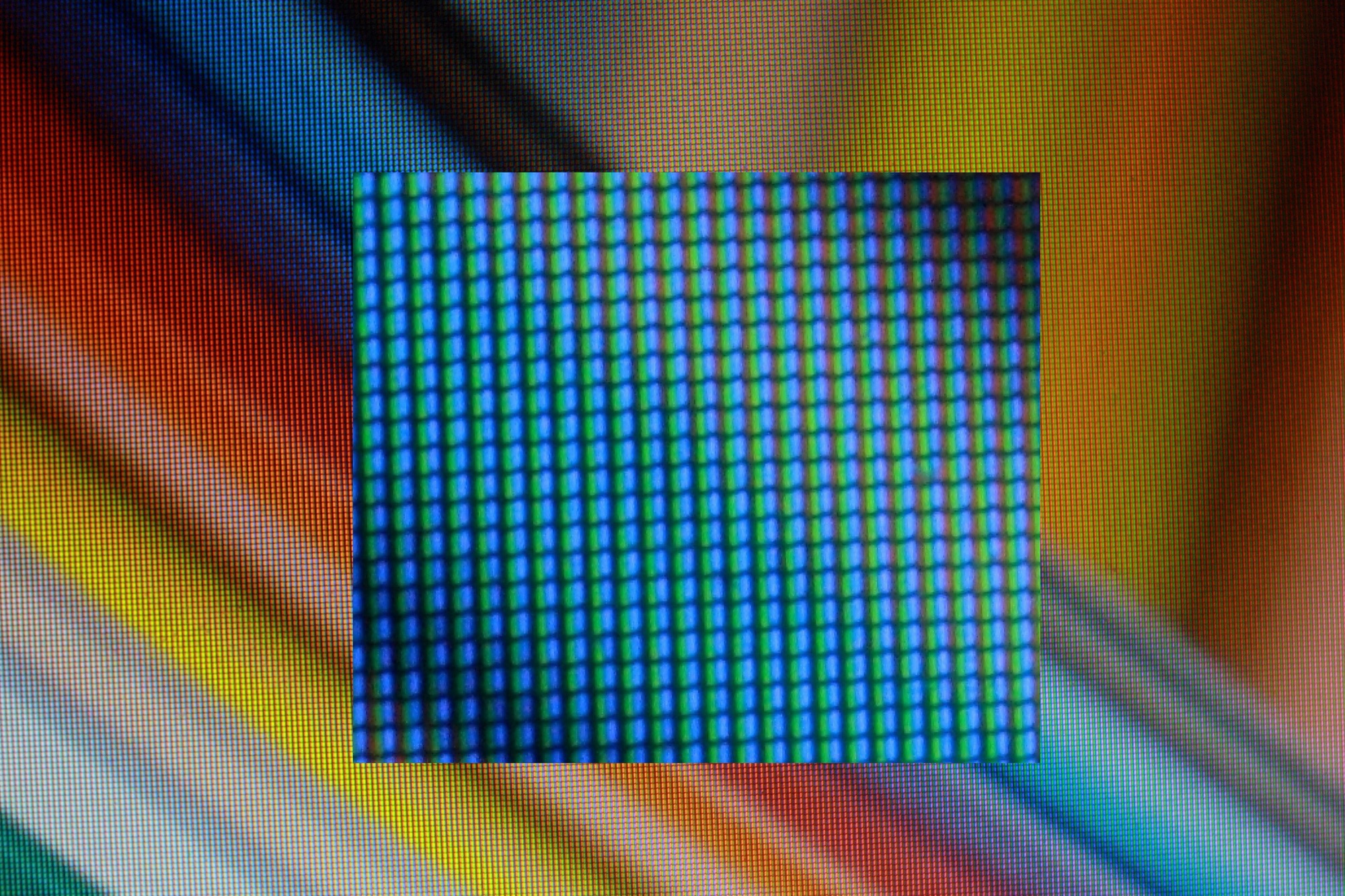
Look at your own screen.Open a white page on your laptop. Point your phone camera at it, zoom all the way in, and look. On a white screen, red, green and blue are all on. On yellow, red and green are on and blue is off.
Subpixels, magnifiedPolitelyinsulting · LCD subpixels · 2014 · Politelyinsulting, CC BY-SA 3.0, via Wikimedia Commons
Laptop screenLCD
A white light behind the screen, and tiny shutters over red, green and blue windows.
Phone screenOLED
Every tiny dot makes its own light and can turn fully off. That is why black on a phone looks so black.
Your fileRGB
Every color you pick on screen is three numbers, from 0 to 255: how much red, green and blue light.
01 · Screen and print · ink
Ink is a filter.White light is red, green and blue together. Each printing ink stops one of the three. The paper bounces back the other two, and that is the color you see.
Cyan ink stops redGreen and blue bounce back. You see cyan.Magenta ink stops greenRed and blue bounce back. You see magenta.Yellow ink stops blueRed and green bounce back. You see yellow.
Why these threeC · M · Y
Each one stops only one color of light, so mixing them can reach almost any color.
Why black tooK, for key
All three together make a muddy brown, not black. A black ink is darker, sharper and cheaper.
Where is whiteno ink
There is no white ink. White is the paper.
01 · Screen and print · ink
C, M, Y and K.C, M and Y stand for cyan, magenta and yellow. Each one stops one color of light. K stands for key, the black plate that prints the fine detail.
C
Cyan
Greek kyanos, dark blue
A greenish blue that stops red light.
M
Magenta
Named for a battle, 1859
A purplish pink that stops green light. The dye was named after an 1859 battle near Magenta, a town in Italy.
Y
Yellow
The lightest ink
It stops blue light. Yellow is so light that it is the hardest plate to check by eye.
K
Key
The key plate
The black plate. It prints the type and the outlines, and printers line the other three plates up to it. The letter is K so nobody mistakes it for B, for blue.
01 · Screen and print
Some screen colors do not exist in ink.A screen gives off light, while paper can only reflect it. That is why the brightest greens, blues and oranges on your screen cannot be printed with the four inks and come out duller on paper. To see what will happen before you print, turn on View > Proof Colors in Illustrator or Photoshop.
RGB greenon screen
Closest in CMYKon paper
RGB blueon screen
Closest in CMYKon paper
RGB magentaon screen
Closest in CMYKon paper
RGB orangeon screen
Closest in CMYKon paper
RGB cyanon screen
Closest in CMYKon paper
PRINTERS SELL PREMIXED INKS, LIKE FLUORESCENTS AND METALLICS, FOR COLORS THE FOUR INKS CANNOT REACH.
01 · Screen and print · your file
Screen is RGB, print is CMYK, and a spot color is one ink.
File, Document Color Mode. Project 1 runs on screens, an article page and a social card, so build it in RGB. CMYK is for print, and it comes with Project 2; a neon that only exists in RGB prints as mud.
A swatch marked Spot is one named ink on press, Pantone or otherwise. The black-plus-one treatment is one spot plus black. That comes back in October, when Project 2 is set up for screenprint; for now, know the checkbox exists.
View, Proof Colors shows the CMYK version of what you are looking at. Turn it on before you fall in love with a color.
Value First
SQUINT. IF IT FALLS APART IN GRAY, NO HUE WILL SAVE IT.
Three numbers. Illustrator calls them H, S and B
Hue · Saturation · Brightness
H 10 · S 80 · B 85
H 40 · S 73 · B 88
H 102 · S 54 · B 49
H 220 · S 76 · B 77
H 277 · S 60 · B 62
RGB is how the screen stores a color. HSB is the same color described so you can adjust it: hue is which color, saturation is how much of it, brightness is how light it is. Most beginners only move the first slider. The picture is decided by the third.
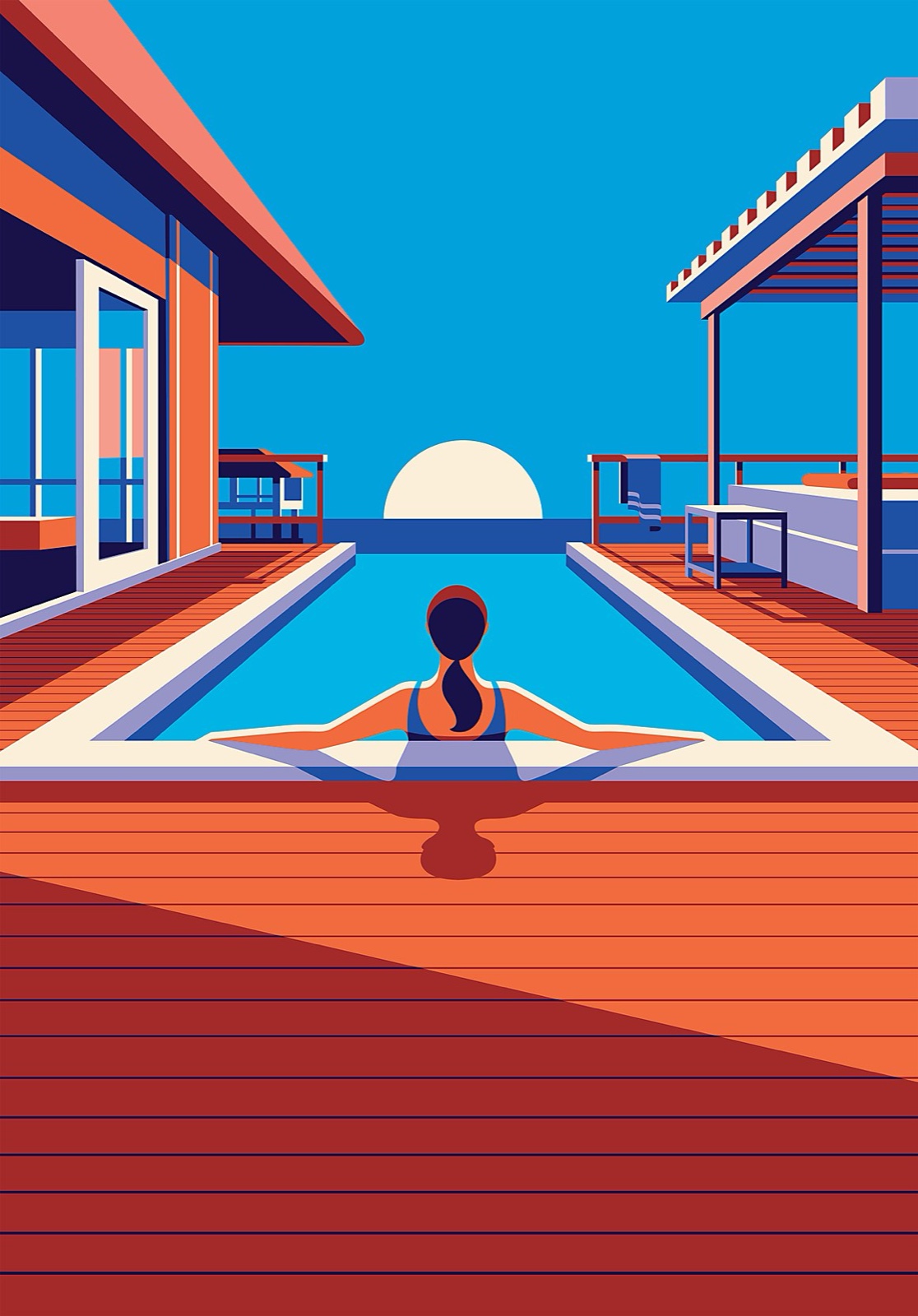
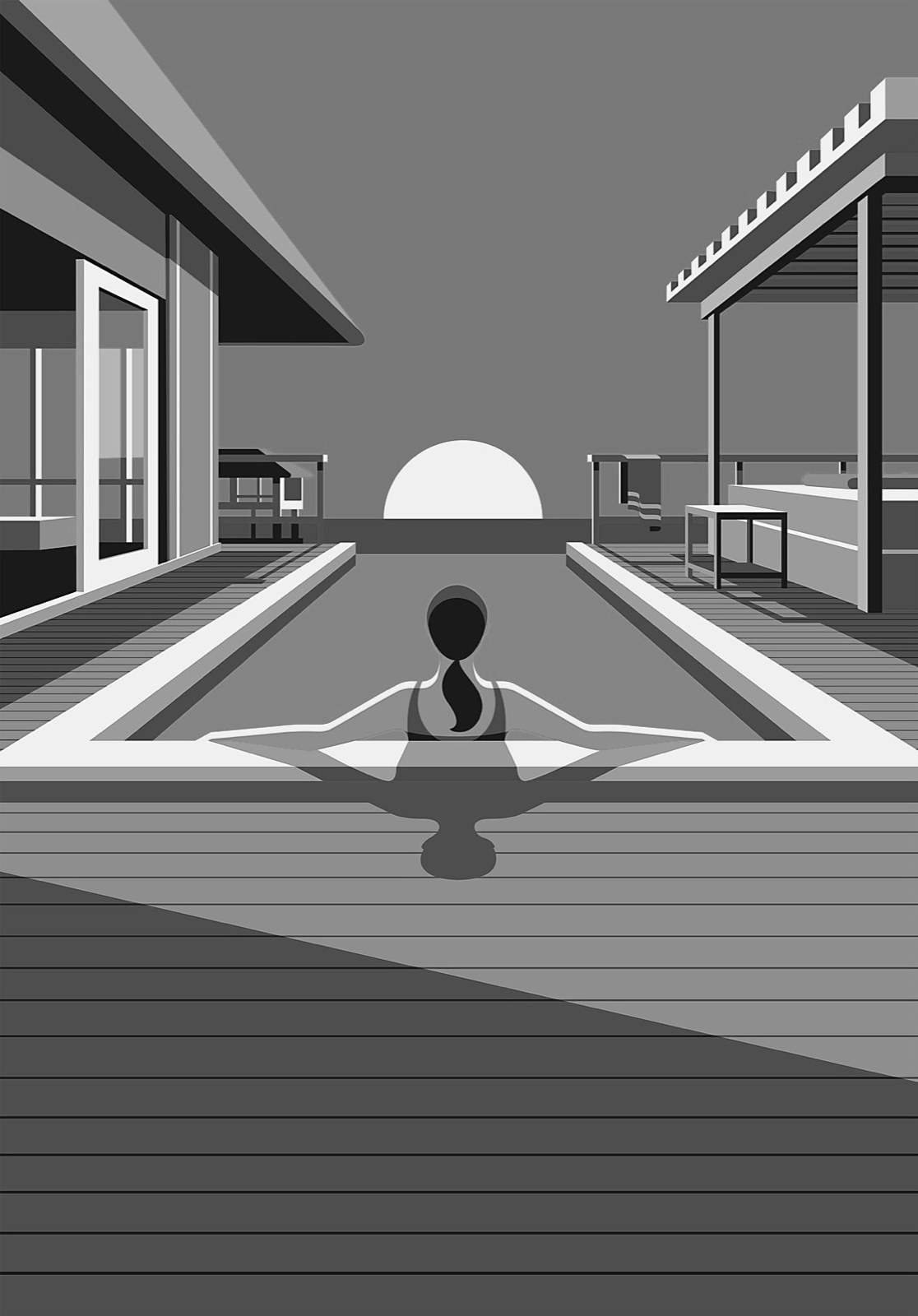
Value is what you see from across the room
The squint test
In colorFour colors
The same file, grayThree values
Turn it gray and it still works: the water, the deck and the houses each keep their own value. That is why the color version works. Pick a light, a middle and a dark before you pick a hue.
Malika Favre · malikafavre.com Right: the same picture desaturated
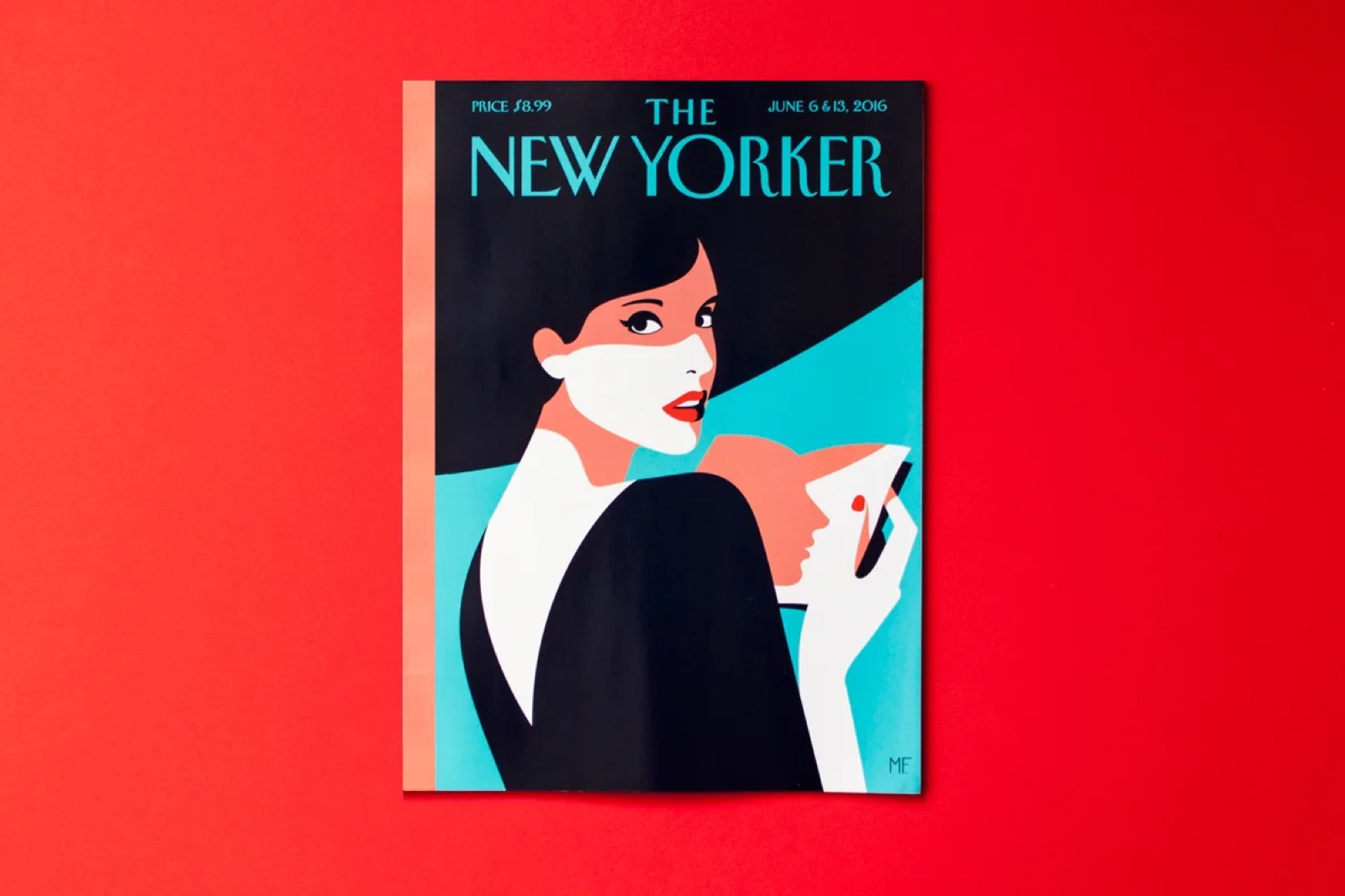
Three colors is a whole cover
The limited palette
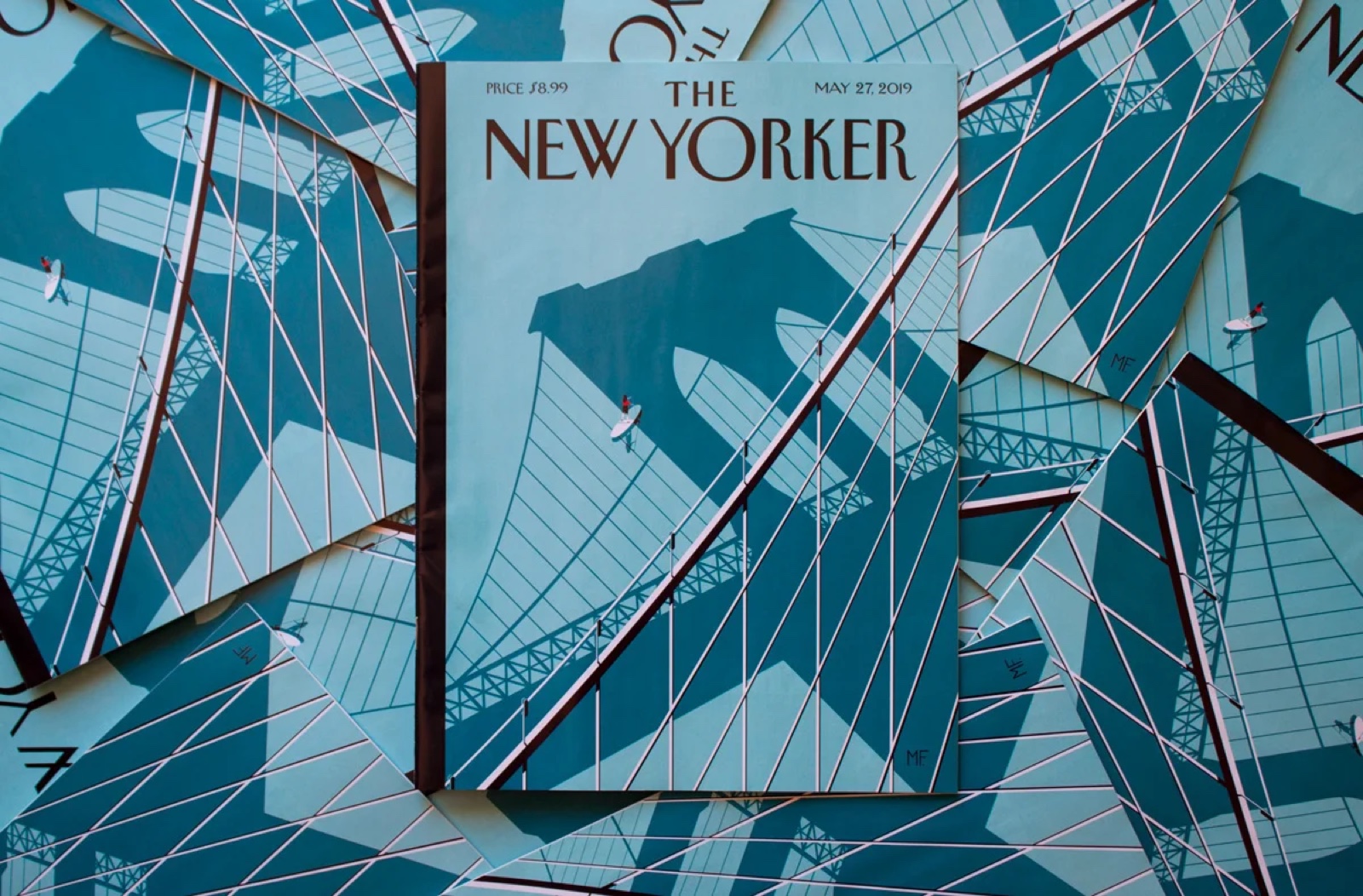
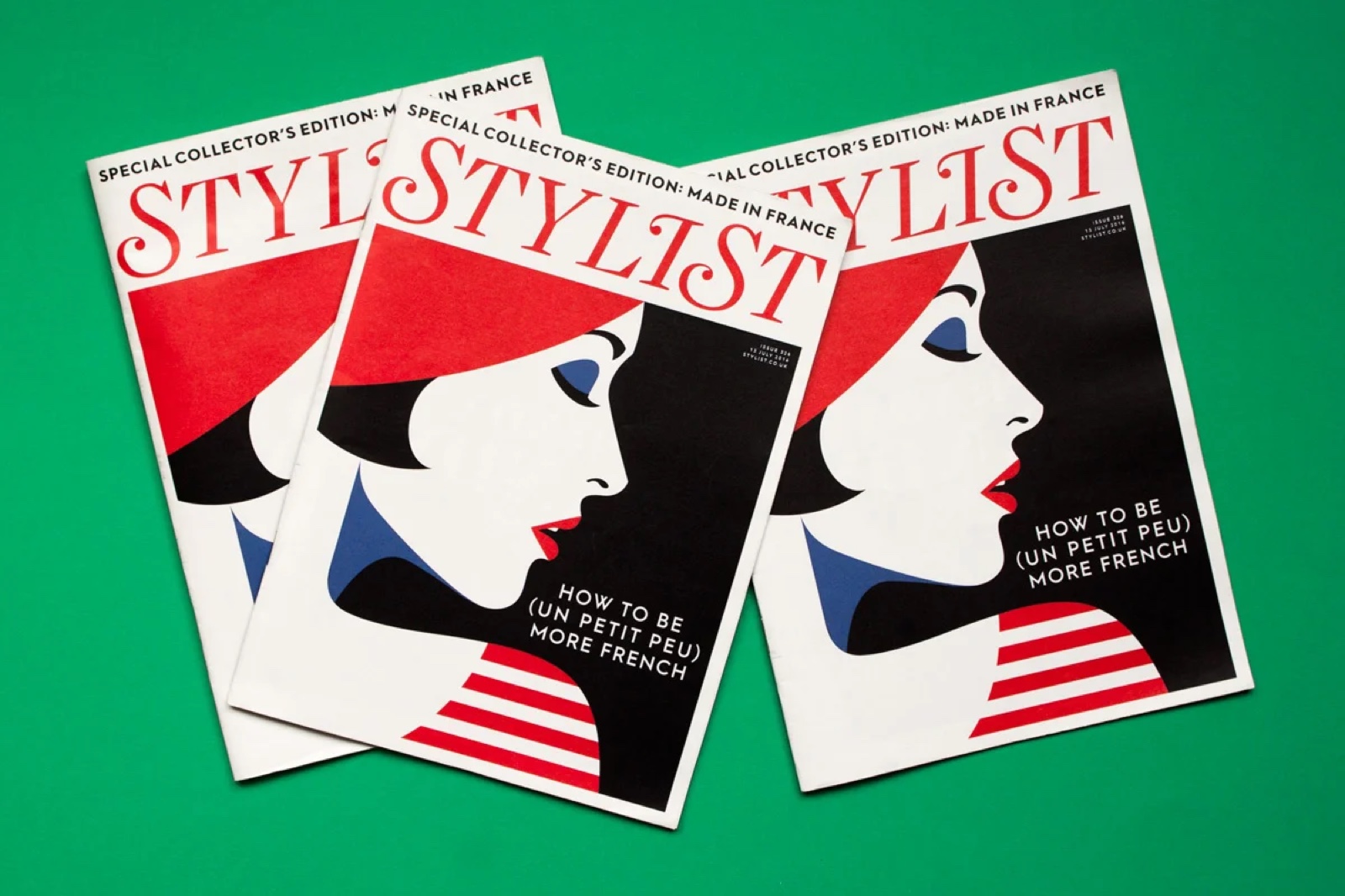
The New YorkerRed · black · pale teal
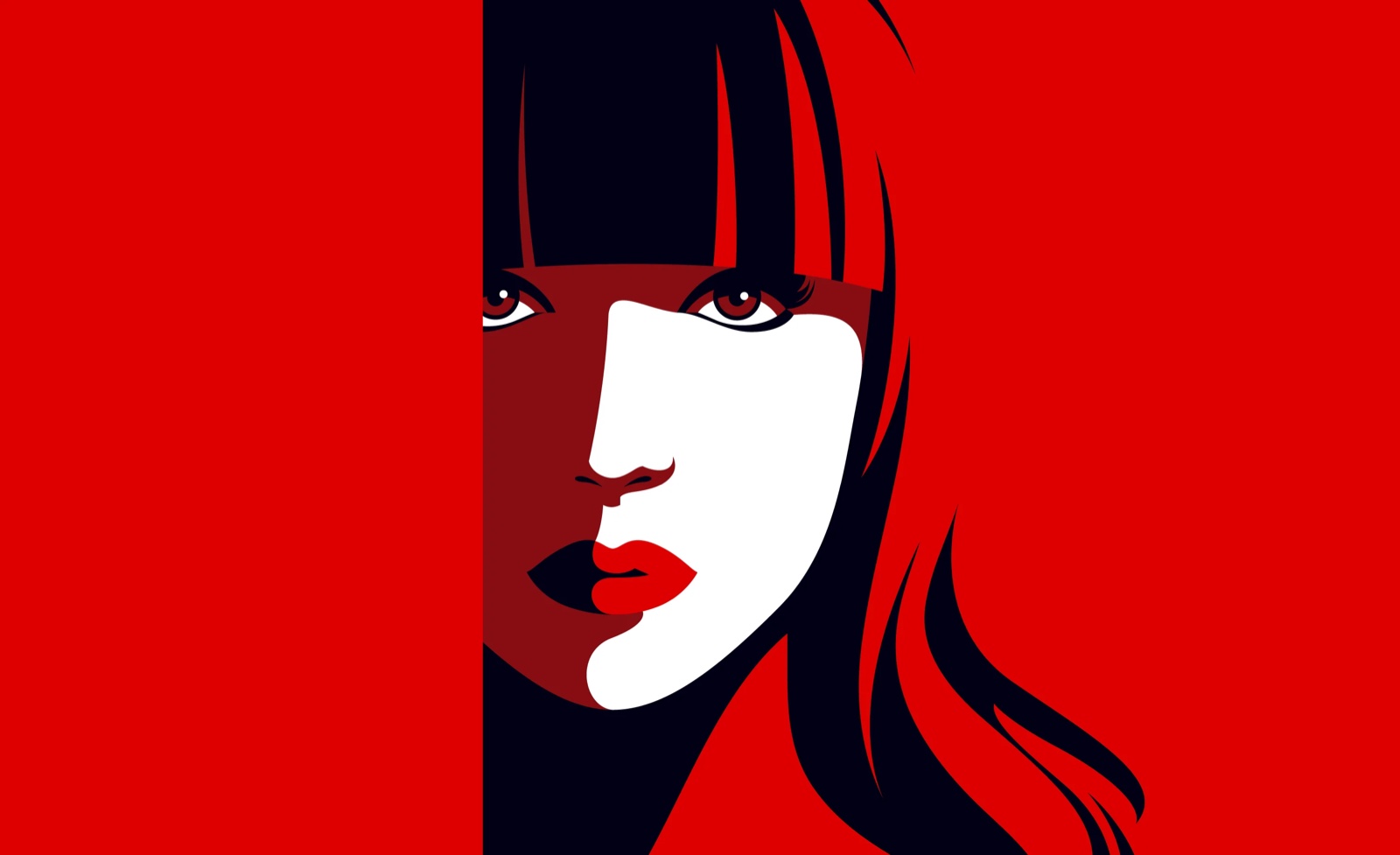
RedRed · black · skin
A ground, a dark, and one more. Fewer colors means every one of them carries more, and the picture reads as one decision instead of a hundred small ones. When you cannot add a fourth, you have to fix the drawing.
Malika Favre · The New Yorker cover and print · malikafavre.com
Same number of colors, opposite picture
Proportion
One color owns the pageDominant · second · scarce
Five colors share it equallyNo dominant
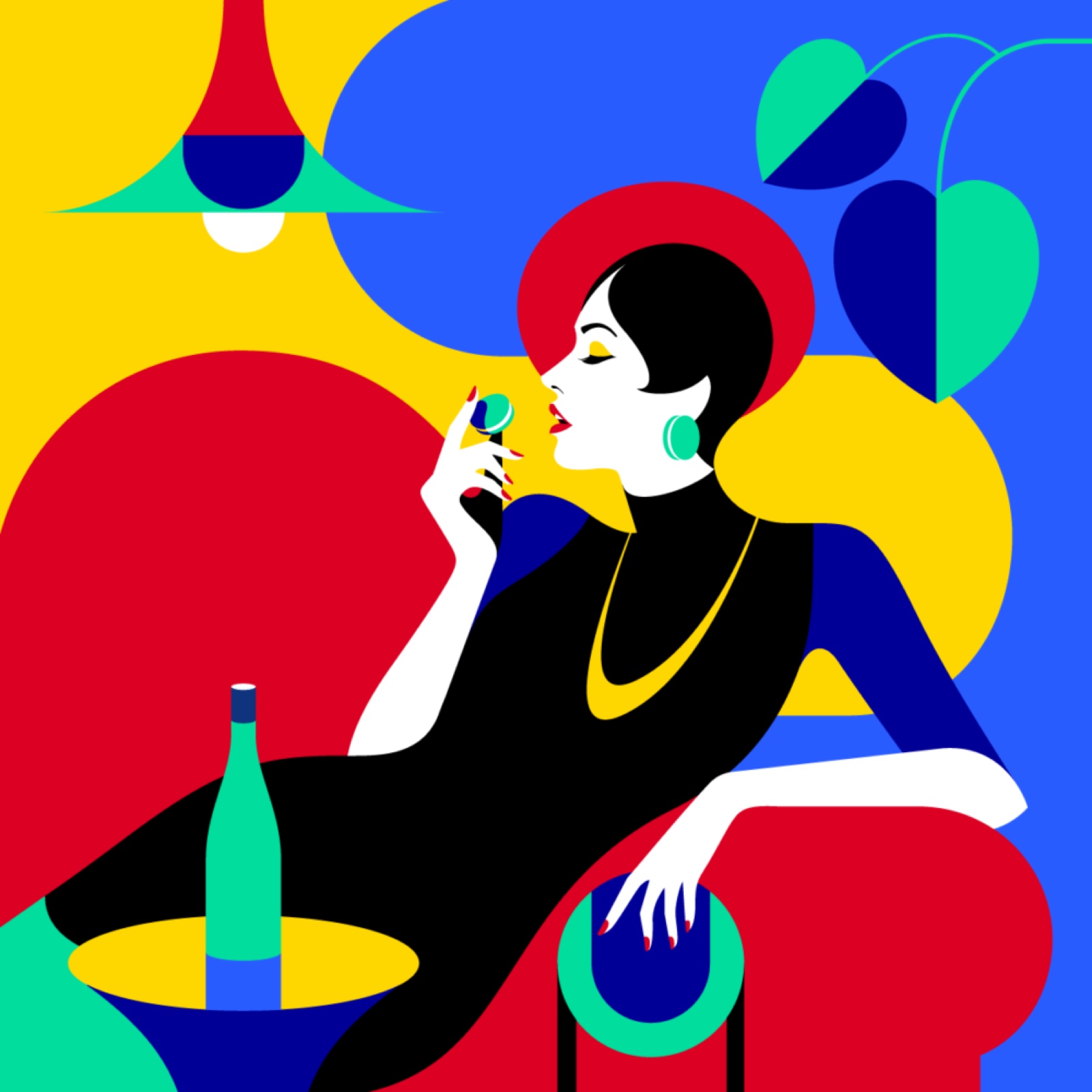
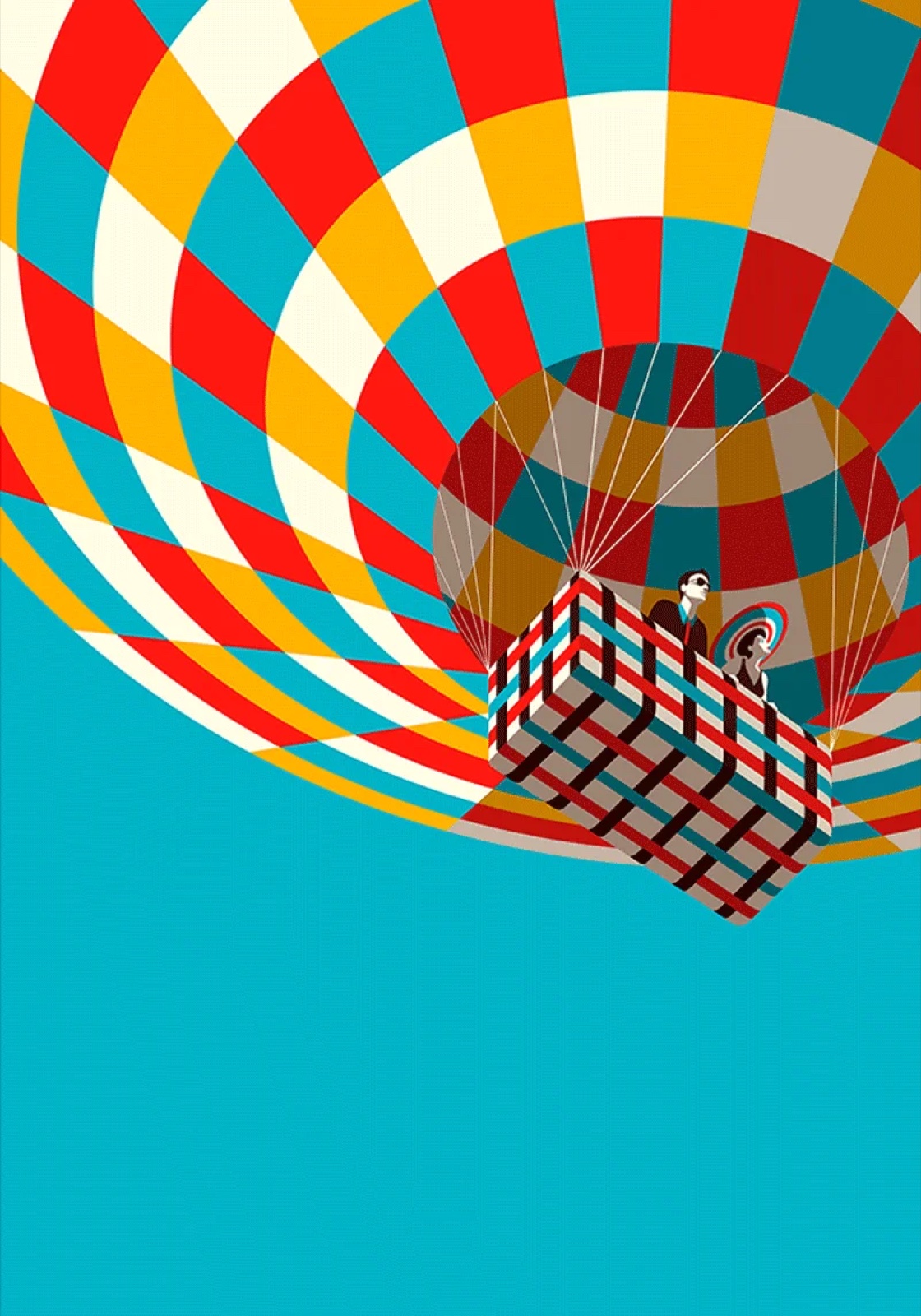
A palette is a list of colors and how much of each. Left, one blue owns the page and the others are scarce, so the eye rests. Right, five colors in near-equal amounts, and the picture is loud on purpose. The ribbon widths are the proportions.
Malika Favre · The New Yorker, Summer Hours · print · malikafavre.com
A color is never seen alone
Simultaneous contrast · Albers
The two small squares are the same gray.On blue it looks warm and light. On yellow it looks cool and dark. Josef Albers built a whole course on this: you do not choose a color, you choose a relationship. Change the ground and every swatch on it changes.JOSEF ALBERS, INTERACTION OF COLOR, 1963
Warm comes forward, cool sits back
Temperature
WarmComes at you
CoolSits back
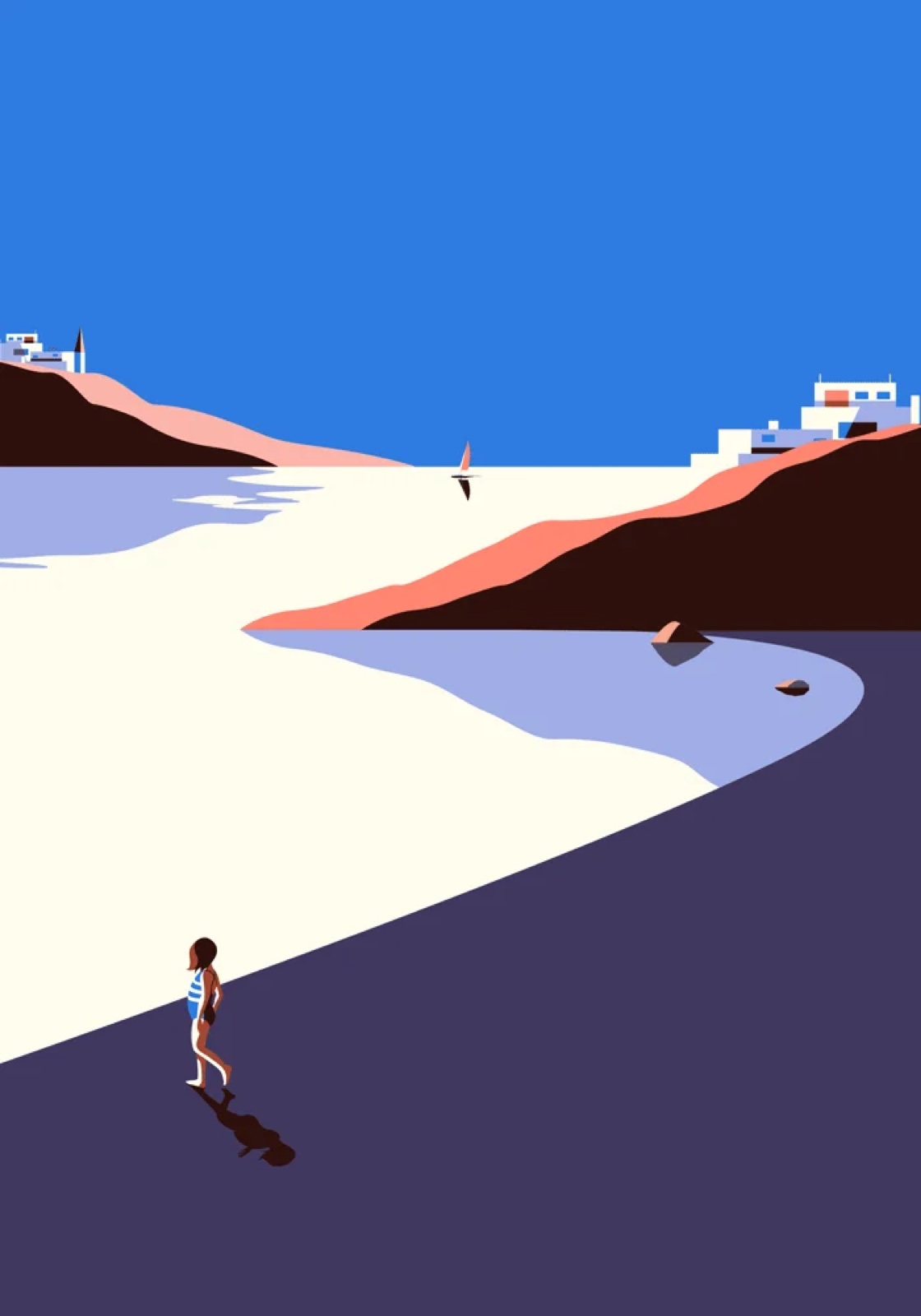
Two pictures from one series. The warm one presses toward you; the cool one recedes and goes quiet. Not a rule, a lever, and the last one you pull. Value is still the first.
Malika Favre · Fuerteventura series · malikafavre.com
Why this matters for Project 1
One palette across the hero and both spots is what makes three images read as one voice.
An art director looks at a set and asks one thing: do these belong together? Shared swatches answer before the drawing gets a chance to.
A global swatch is the mechanism. Edit it once and every artboard follows, where three loose fills are three decisions that quietly drift apart over a week.
Eight Treatments
"COLORFUL" IS NOT A PALETTE. EIGHT WAYS ILLUSTRATORS DECIDE, ON THE REAL PICTURES, WITH THE COUNT UNDER EACH ONE.
Three to five colors, and one of them is loud
01 · Flat and few · Malika Favre
INK
ONE LOUD COLOR
SKIN OR PAPER
A FOURTH, RARELY A FIFTH
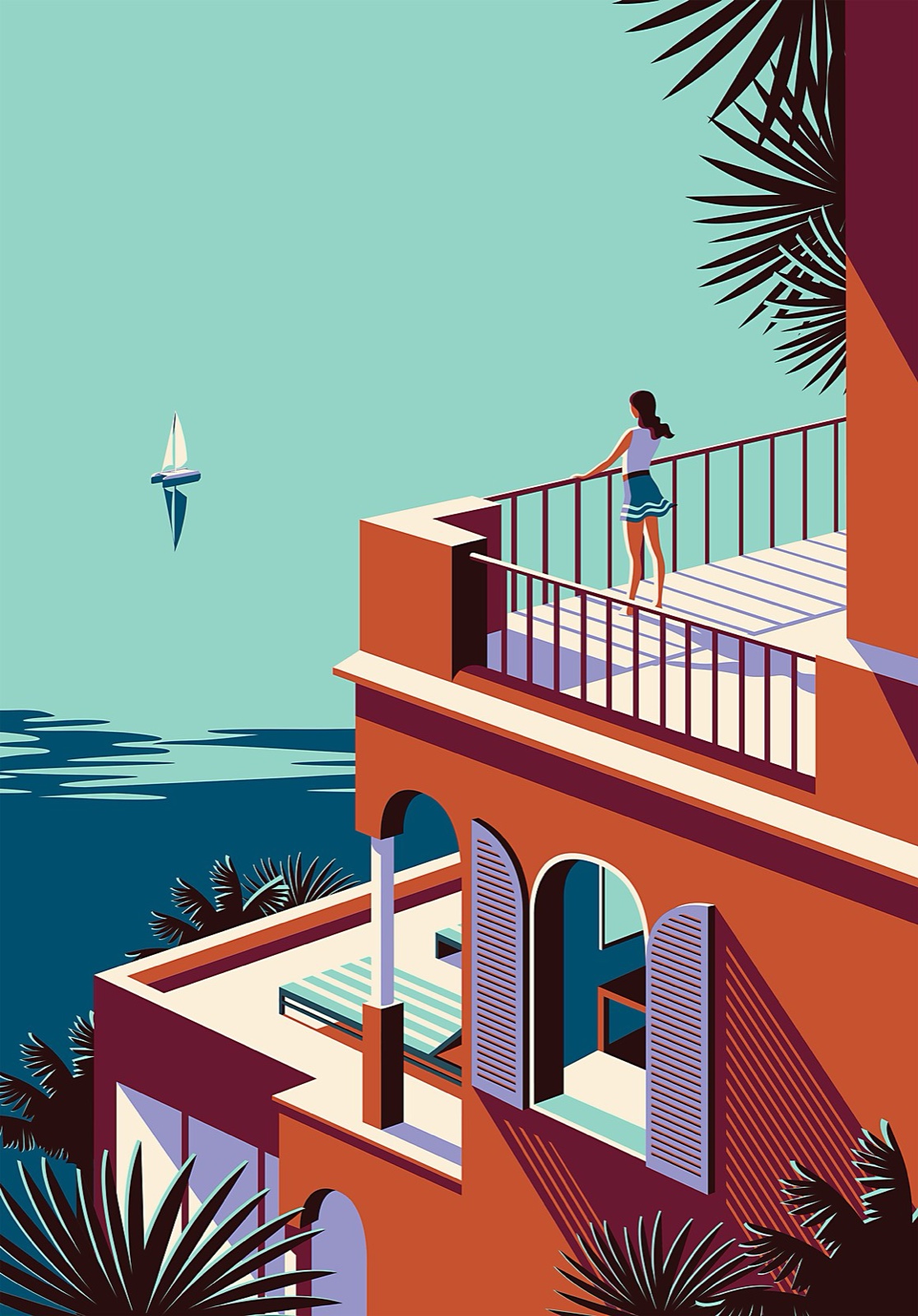
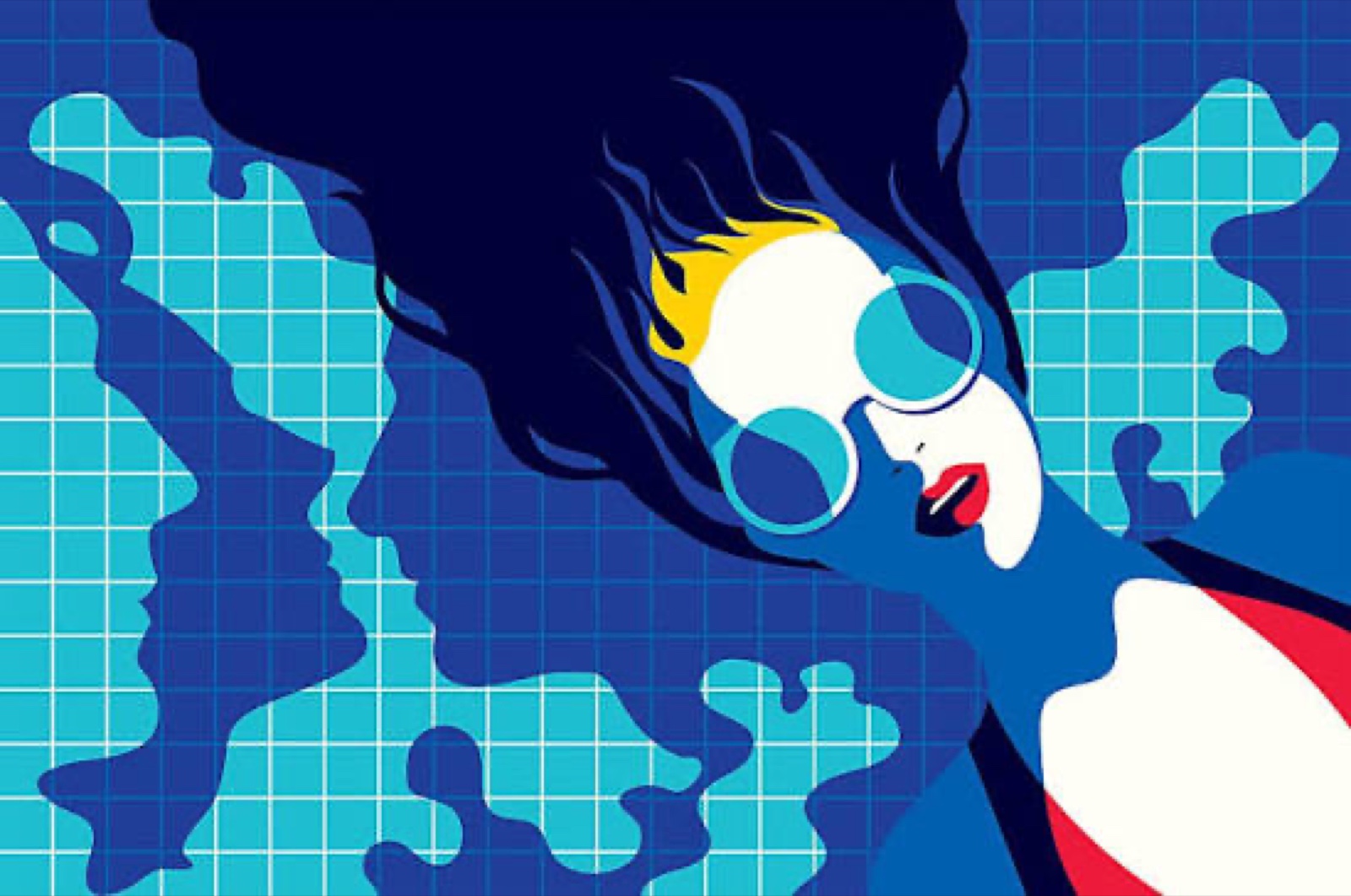
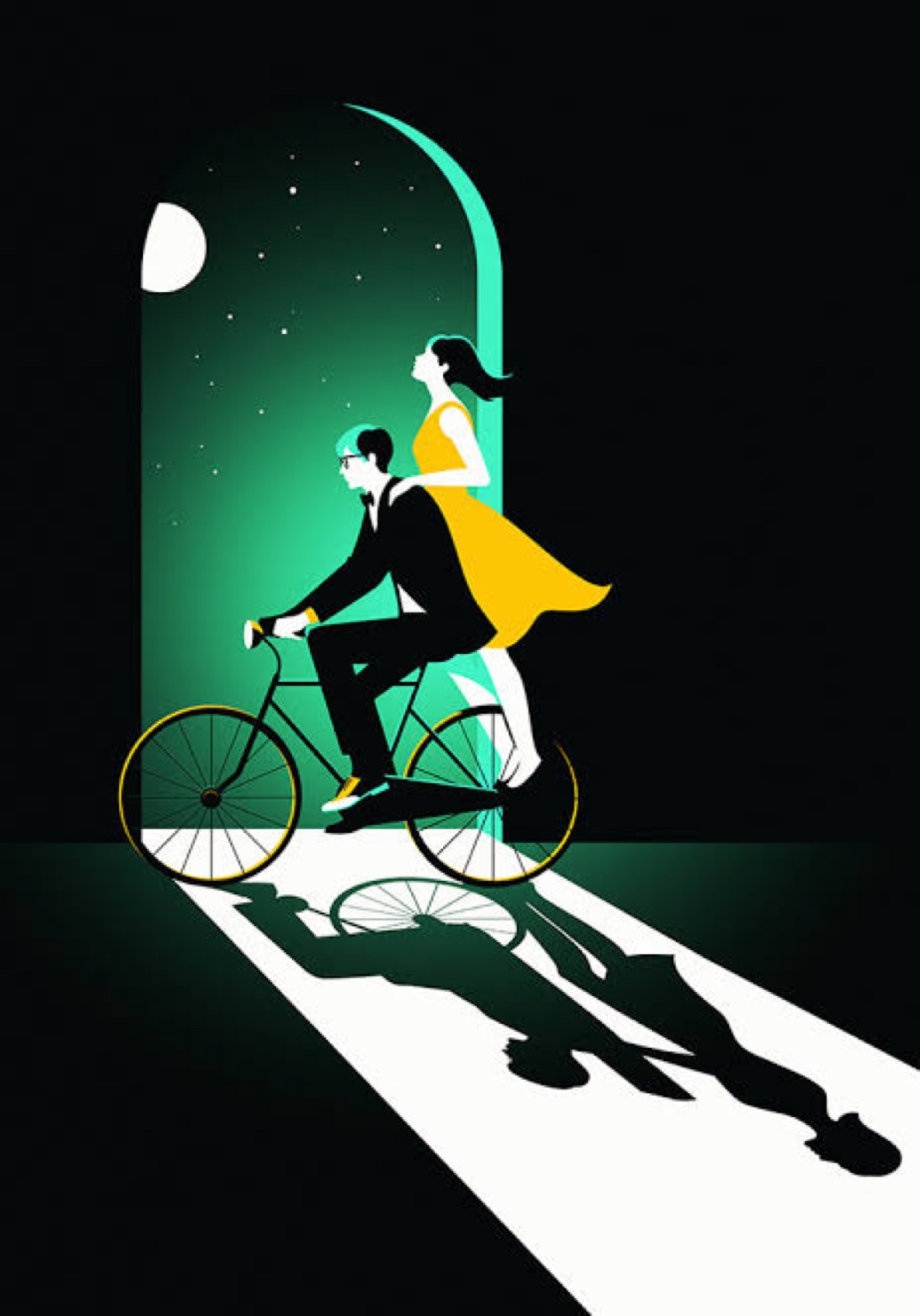
Hard edges, flat fills, and the empty space doing half the drawing. Count the colors in any Favre cover and you get three, four or five. Never more. One of them is loud, one is the paper or the skin, and black is usually in there.
Malika Favre
French, London then Barcelona. Covers for The New Yorker since 2013, posters, campaigns. Artist of the day; her page is on the session.
malikafavre.com/pages/new-yorker-covers
Noma Bar
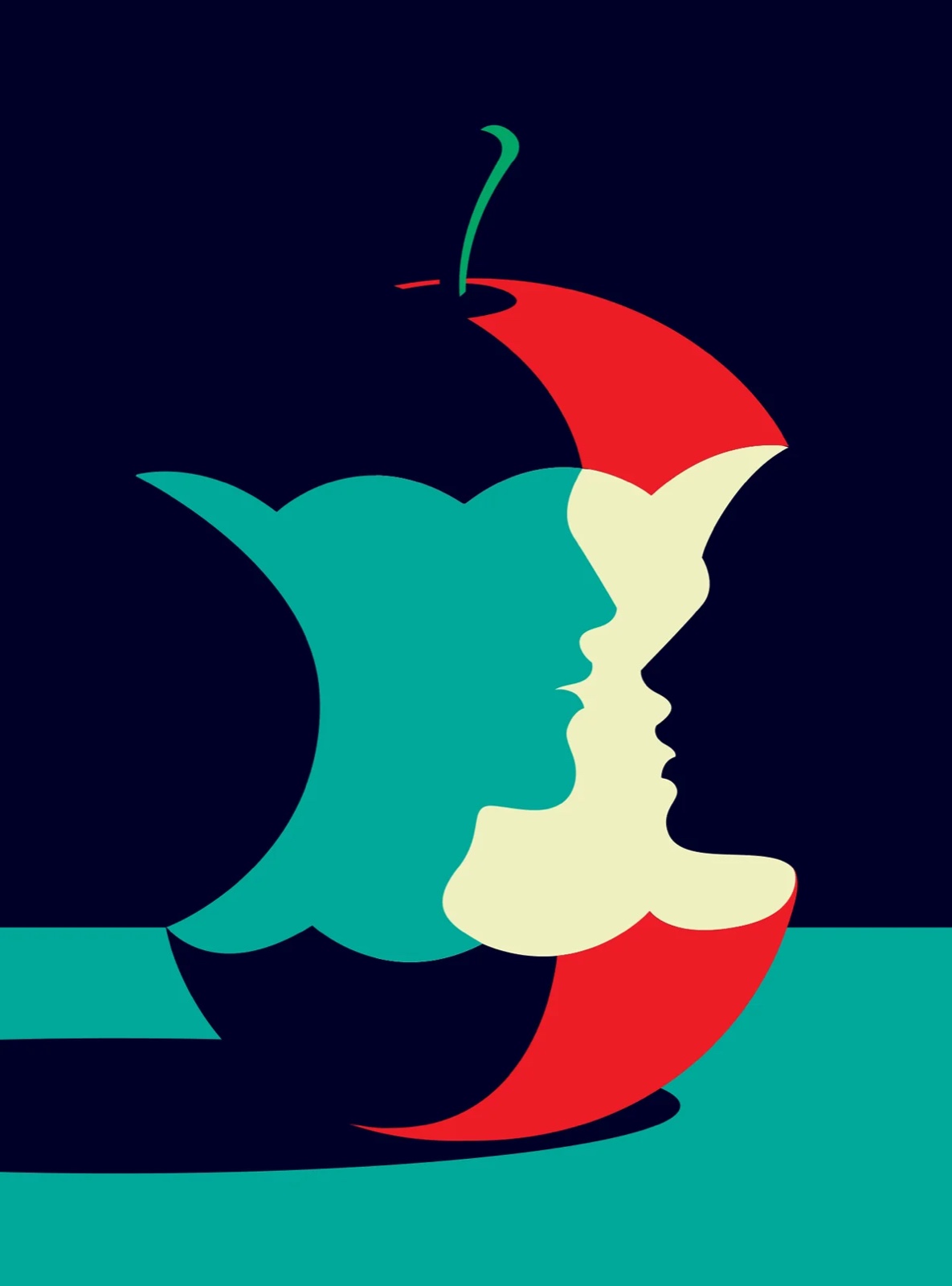
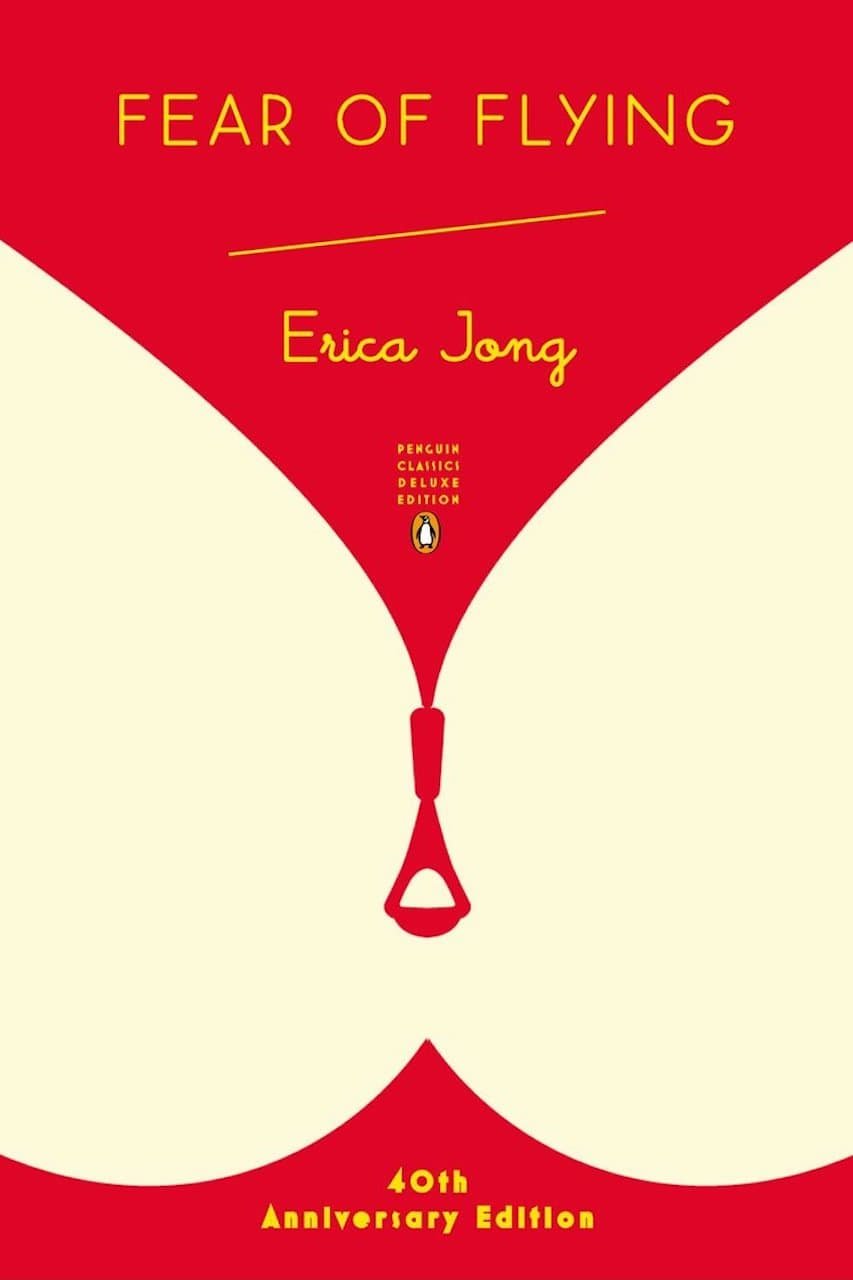
Israeli, London. Two or three colors and a negative-space trick: the second picture lives in the hole cut from the first. Tuesday's exercise, in color.
nomabar.com
Watch
Her OFFF 2018 session for Adobe, drawing live. She builds from shape and decides color last, which is the order we are using today.
youtube.com/watch?v=IRiAv1WiqGE
Six Favre pictures, counted
01 · Malika Favre · artist of the day
4 colors
5 colors
4 colors
3 colors
4 colors
4 colors
The ribbon under each picture is its count, read off the file: three, four, four, four, four, five. Look at what the fourth color is doing in each. It is never decoration; it is the thing the picture is about.
Malika Favre · covers, prints, campaigns · malikafavre.com · her page is on the session
Two colors and a hole
01b · Noma Bar
Noma Bar
Noma Bar
Noma Bar
Red and white, black and pink, red and cream. The second picture lives in the hole cut from the first, and a third color would point at it. This is Tuesday's double image with the color decided.
Noma Bar · War & Peace & Love · Love Pill · Fear of Flying, Penguin cover, 2013 · nomabar.com
Black plus one
02 · The spot color
BLACK
PAPER
ONE SPOT
The oldest cheap trick in printing: one ink plus black. It is also one of the strongest, because the single color has nothing to compete with.
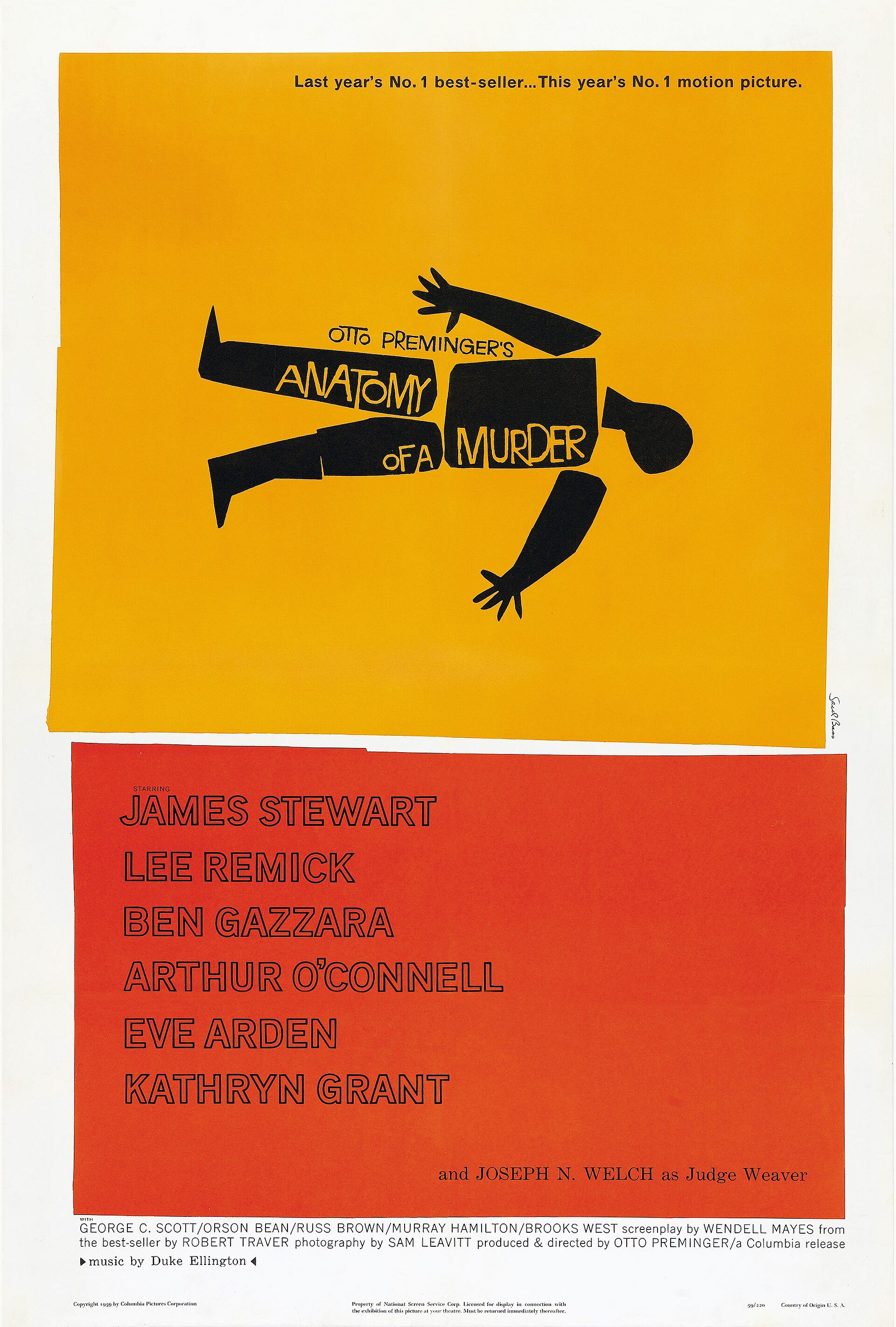
Saul Bass
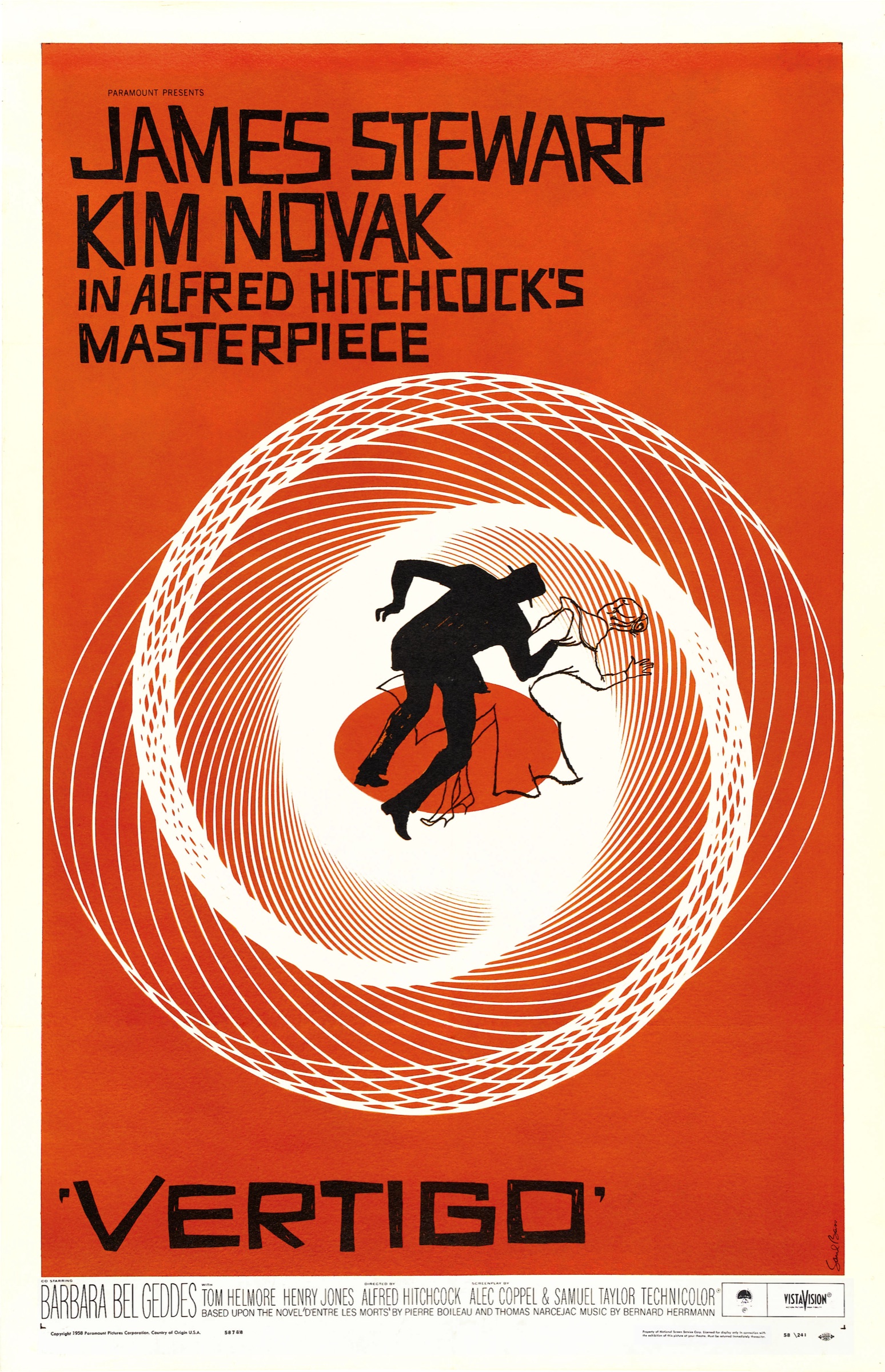
Film posters from the 1950s on. Vertigo, Anatomy of a Murder, The Man with the Golden Arm: black shapes, one color, the title as part of the drawing.
saulbassposterarchive.com
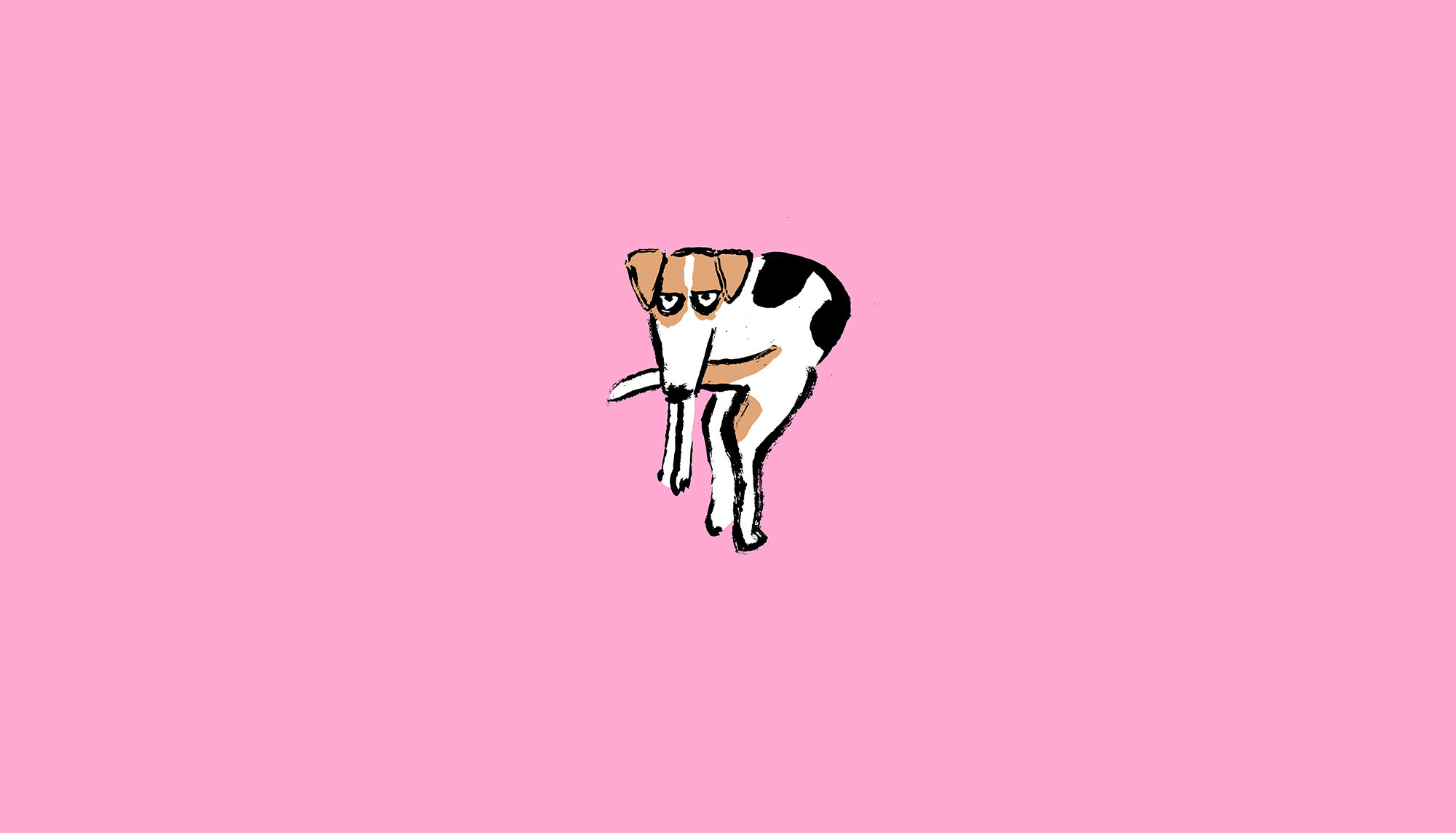
Jean Jullien
French, working now. A black brush line on one flat color, and that is the whole palette. Look at how much a line does when color cannot help.
jeanjullien.com
Risograph printers
Any illustrator printing on a Riso works this way by necessity: one drum, one color, a second pass for the second. Constraint as style.
search: risograph illustration
Black plus one
02 · The spot color
Saul Bass1958
Saul Bass1959
Jean JullienInk on one color
Malika FavreRed, black, skin
Seventy years between the Bass posters and the Jullien. The recipe has not moved: black, one color, and the paper or the skin standing in as the third. Notice how much of each page the single color is allowed to own.
Saul Bass · Vertigo, 1958 · Anatomy of a Murder, 1959 · Jean Jullien · Dog, 2019 · jeanjullien.com · Malika Favre · malikafavre.com
One hue, and value does all the work
03 · Monochrome
10
25
45
65
85
Take hue off the table and the picture is nothing but value and edge. If you can make a monochrome read, you can make anything read.
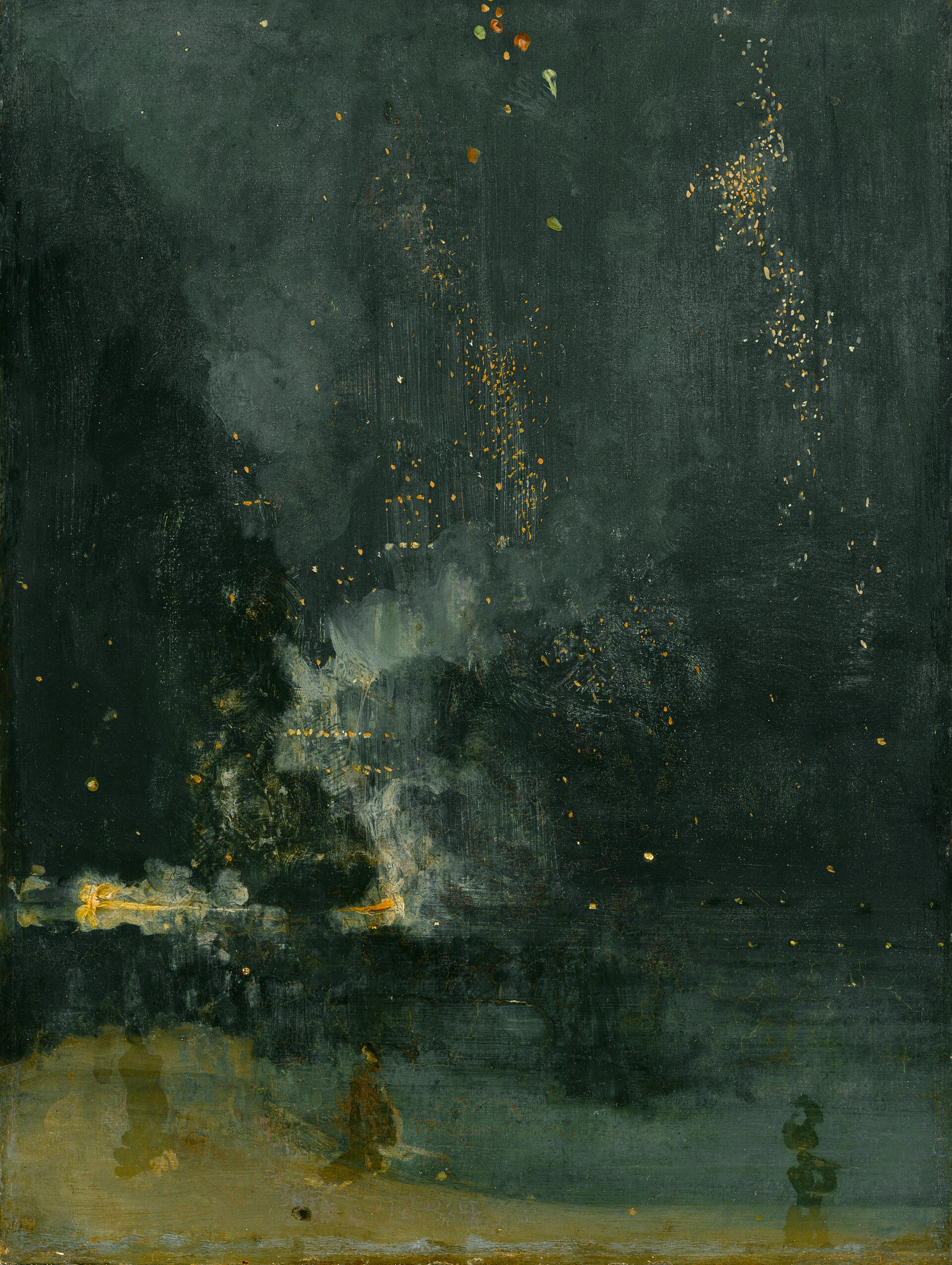
Whistler, Nocturnes
1870s. Night scenes in one blue-gray, the whole picture inside two values. He named them after music because the subject was the tone, not the place.
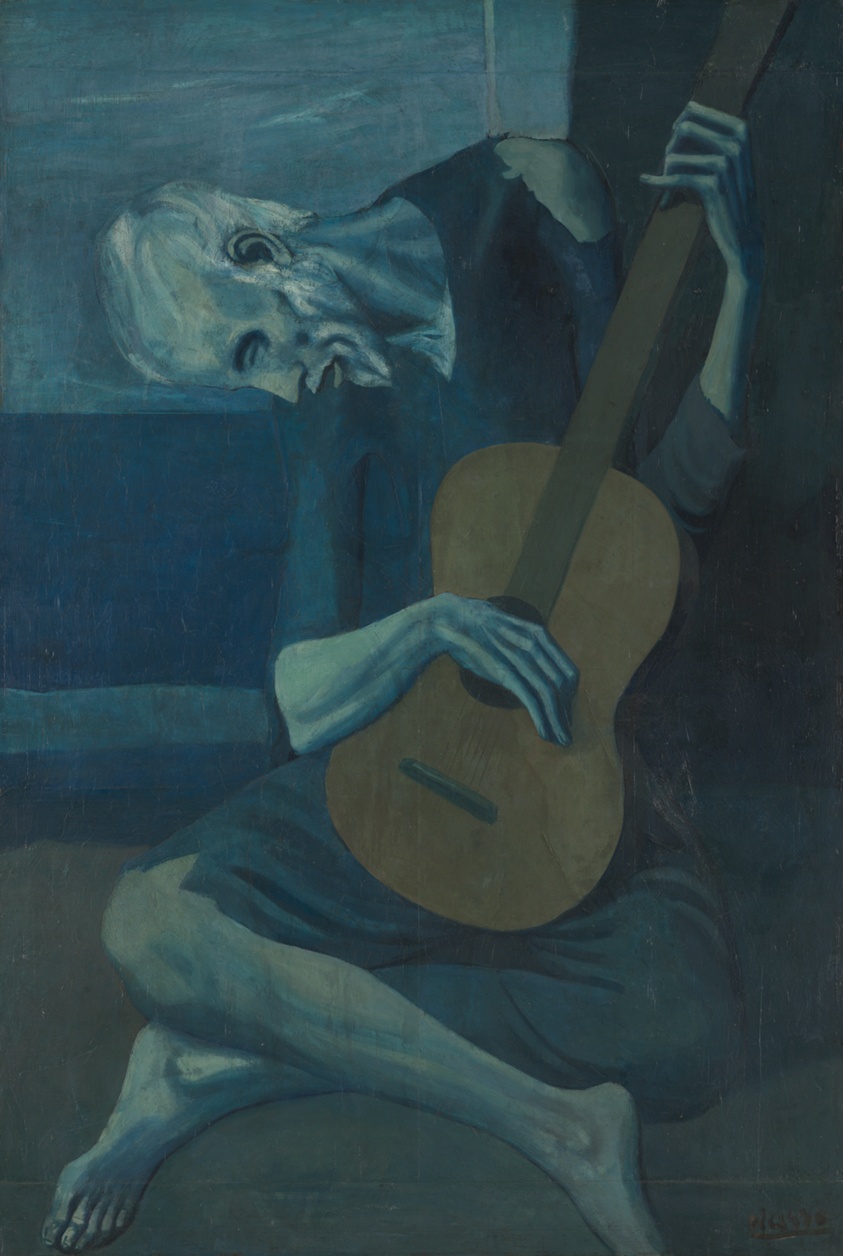
1901 to 1904. Three years of pictures in blue and blue-green, and the mood is the palette. The drawing had to carry everything else.
en.wikipedia.org/wiki/Picasso%27s_Blue_Period
Malika Favre, in blue
Working now. A run of her pieces is three steps of one blue and nothing else; the figures read because the values are far apart, not because the hues differ.
malikafavre.com
One hue, and value does all the work
03 · Monochrome
Whistler1875
Picasso1903
FavreThree blues
Whistler in one blue-gray with a few sparks of gold. Picasso in blue for three years. Favre in three steps of one blue. Squint at all three and nothing disappears, which is the test a monochrome has to pass.
J.M. Whistler · Nocturne in Black and Gold: The Falling Rocket, Detroit Institute of Arts · Pablo Picasso · The Old Guitarist, 1903, Art Institute of Chicago · Malika Favre · malikafavre.com
Muted, desaturated, earth
04 · Low chroma
BONE
OCHRE
SAGE
UMBER
SOOT
Pull every color toward gray and the picture gets quiet. Then one clean color, used once, is louder than a whole saturated palette would be.
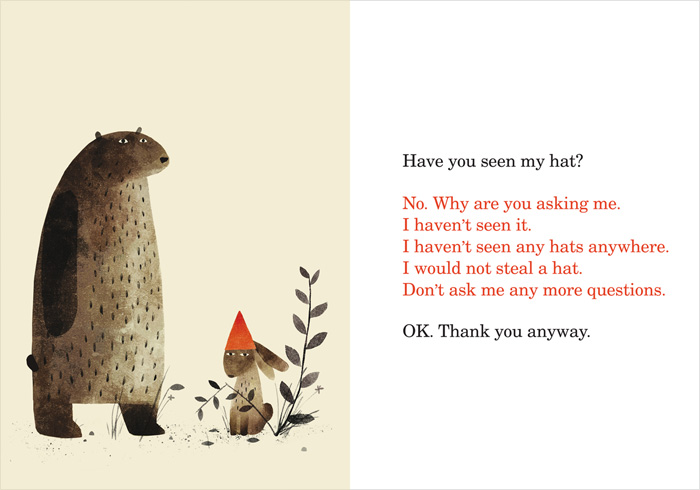
Jon Klassen
Canadian, picture books. I Want My Hat Back, the Hat trilogy. Browns and grays with the eyes doing the acting, and one red hat.
en.wikipedia.org/wiki/Jon_Klassen
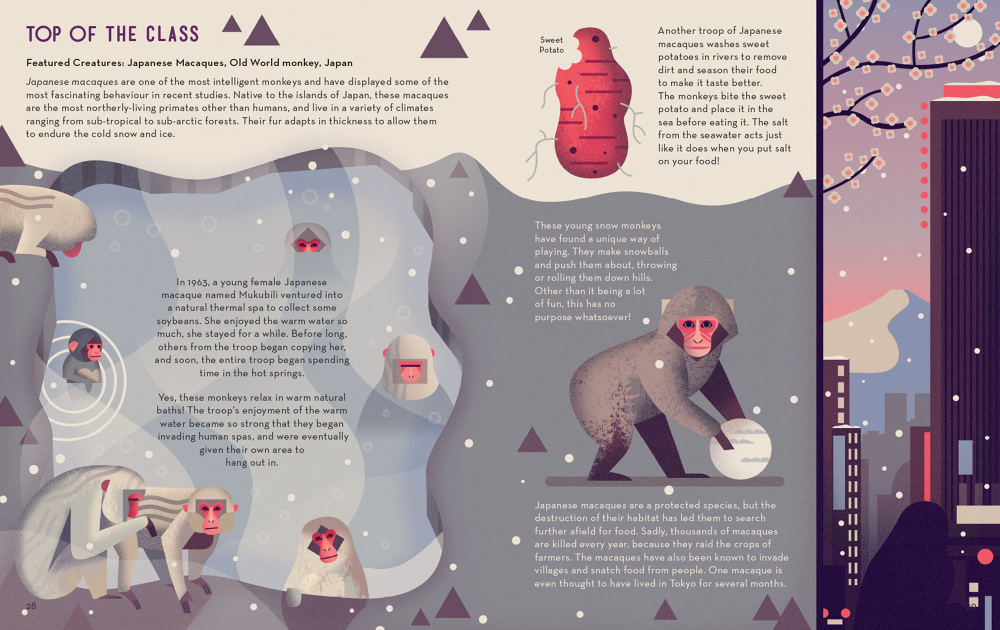
Owen Davey
Leicester. Animal non-fiction for Flying Eye Books, every creature built from a few shapes in ochre, plum and gray, set on one cool ground.
owendavey.com
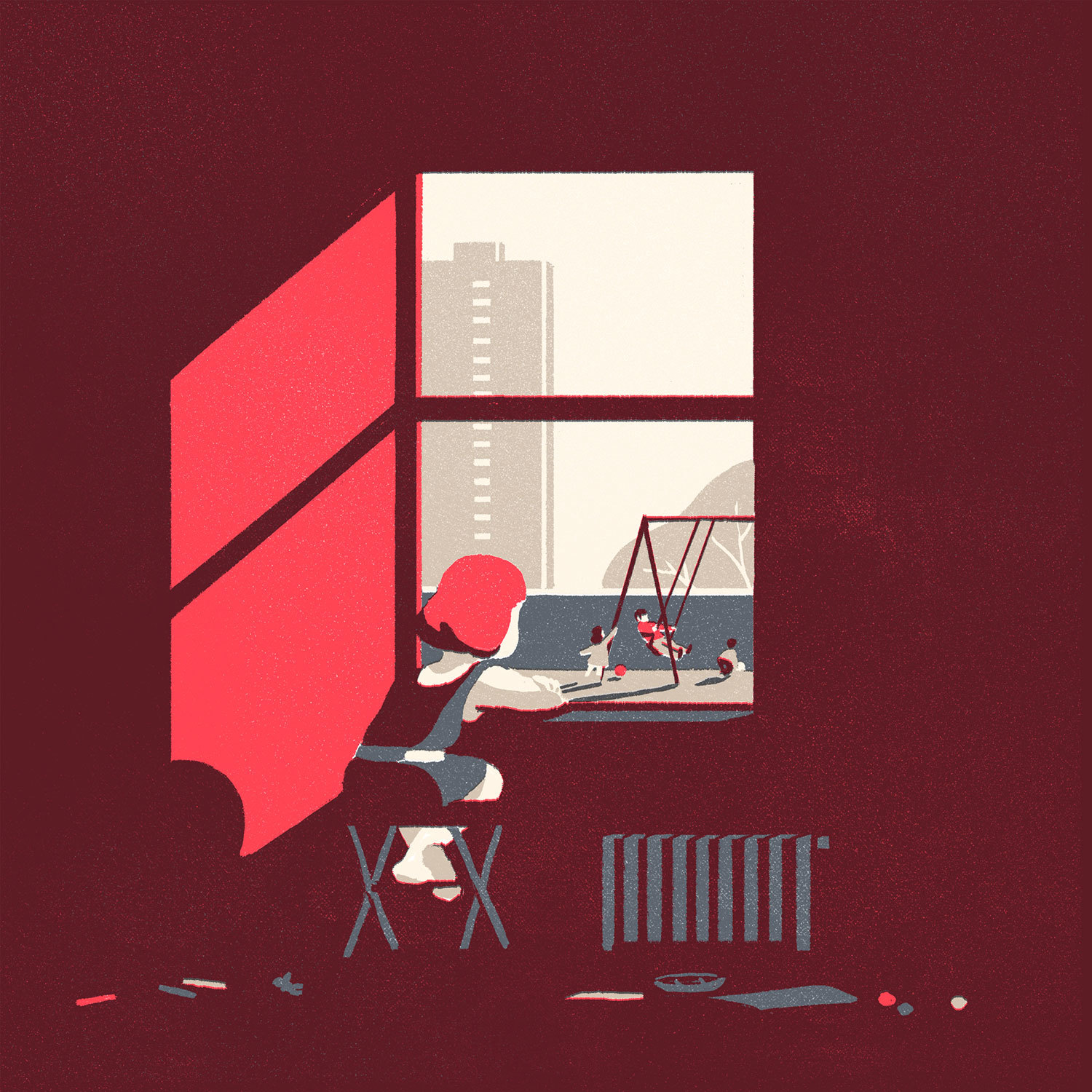
Tom Haugomat
Paris. Grainy two- and three-color pictures where the light is a single pale shape: a sun, a window, a plume of smoke.
handsomefrank.com
Muted, desaturated, earth
04 · Low chroma
Jon KlassenBrowns and one red
Owen DaveyGrays, plum, cream
Tom HaugomatTwo reds, one pale light
Three quiet pages and one loud thing on each: a red hat, a red face, a lit window. Read the ribbons. Almost everything is gray-brown or gray-plum, and the values sit far apart, which is why the muted colors still separate.
Jon Klassen · I Want My Hat Back, 2011, Candlewick · Owen Davey · Mad About Monkeys, 2015, Flying Eye · Tom Haugomat · red room, 2018
Saturated and flat
05 · Full chroma, mid-century
CORAL
YELLOW
TEAL
PINK
INDIGO
This is what people mean by colorful, and it only works because every color is flat and every edge is hard. Saturation with soft edges turns to mud.
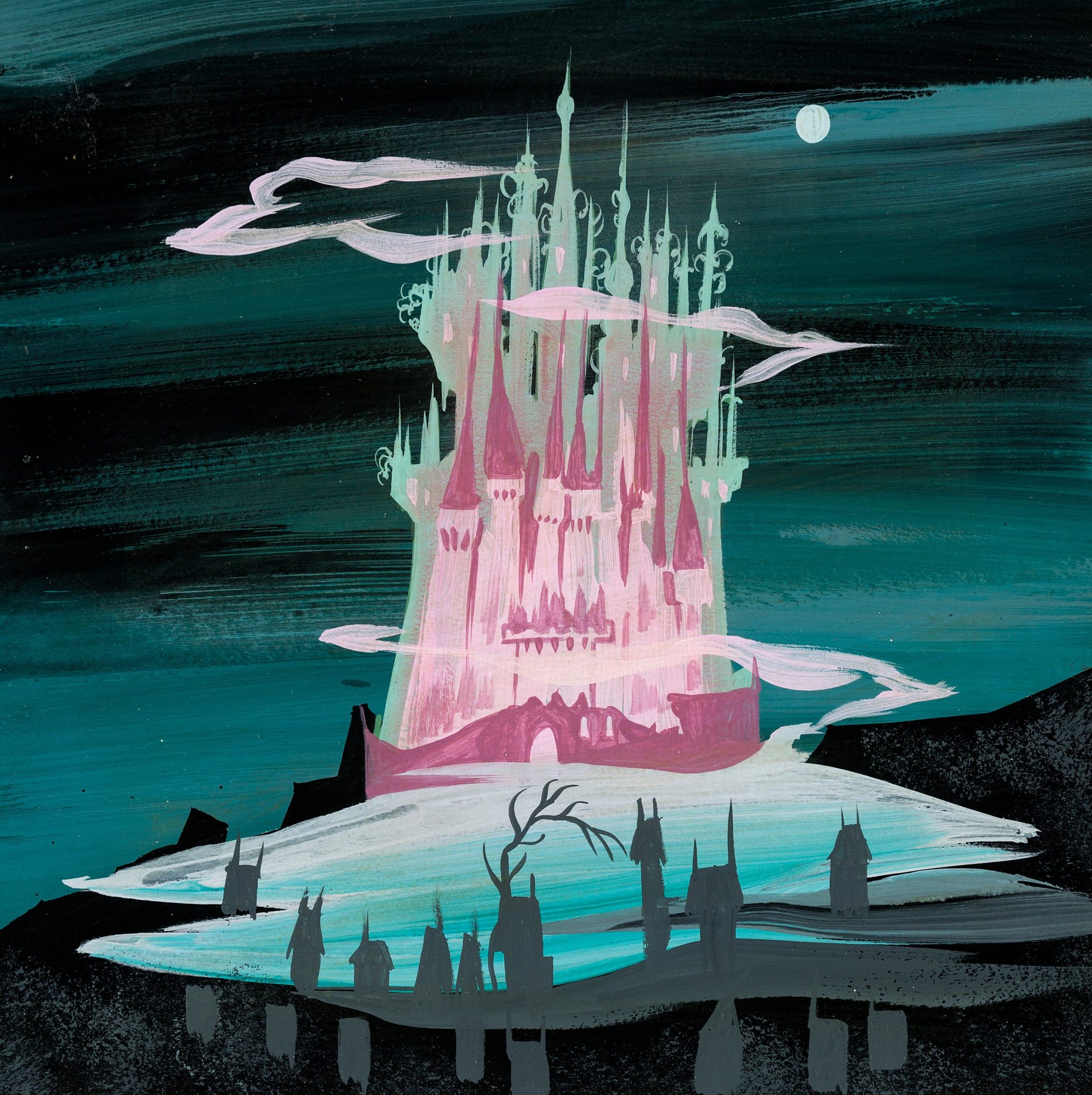
Mary Blair
American, 1911 to 1978. Concept art for Disney, the It's a Small World look. Saturated, flat, and always a surprising ground color.
magicofmaryblair.com
Olimpia Zagnoli
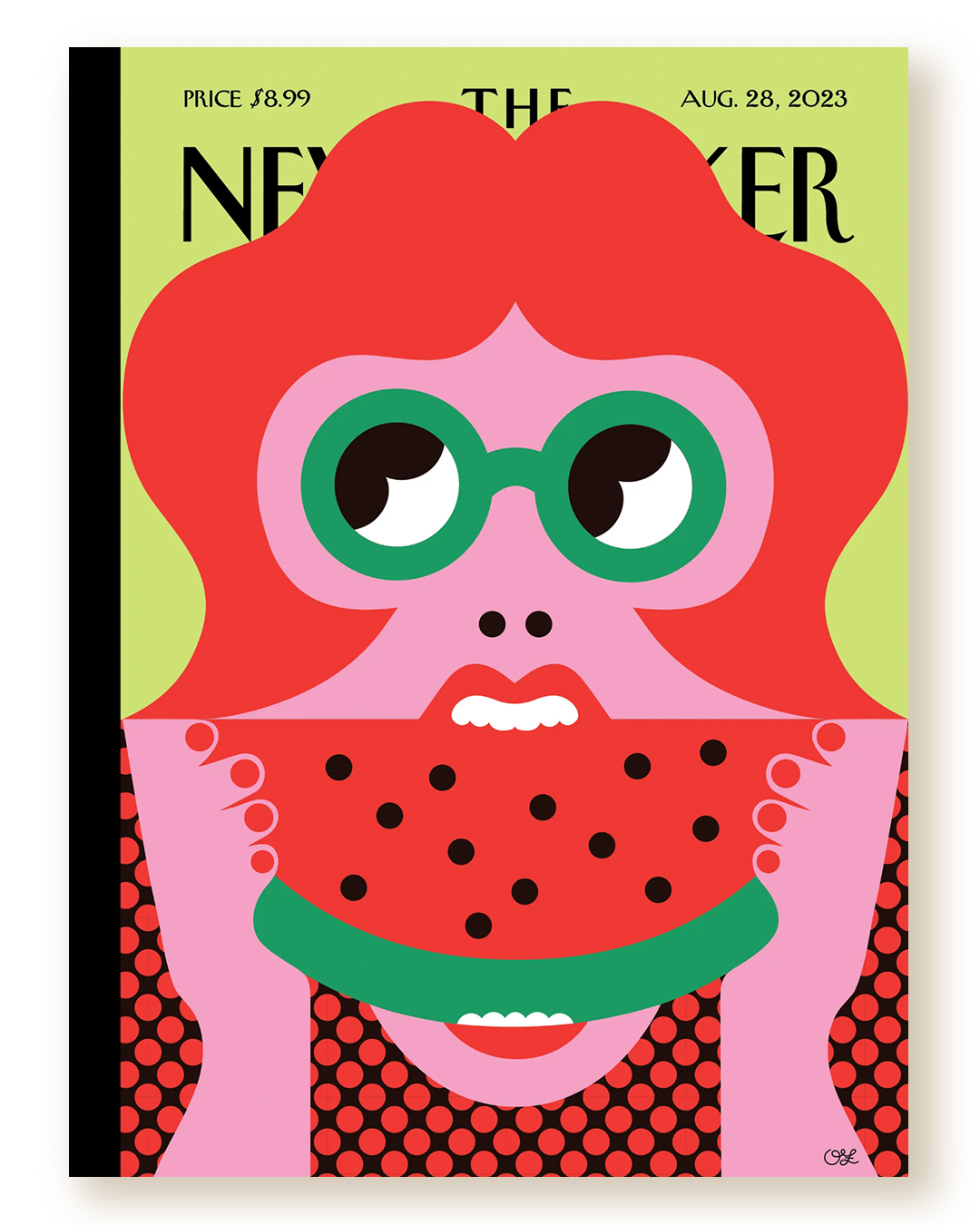
Italian, Milan. Editorial and fashion work in flat blocks of high-chroma color, Favre's count with the volume turned up.
olimpiazagnoli.com
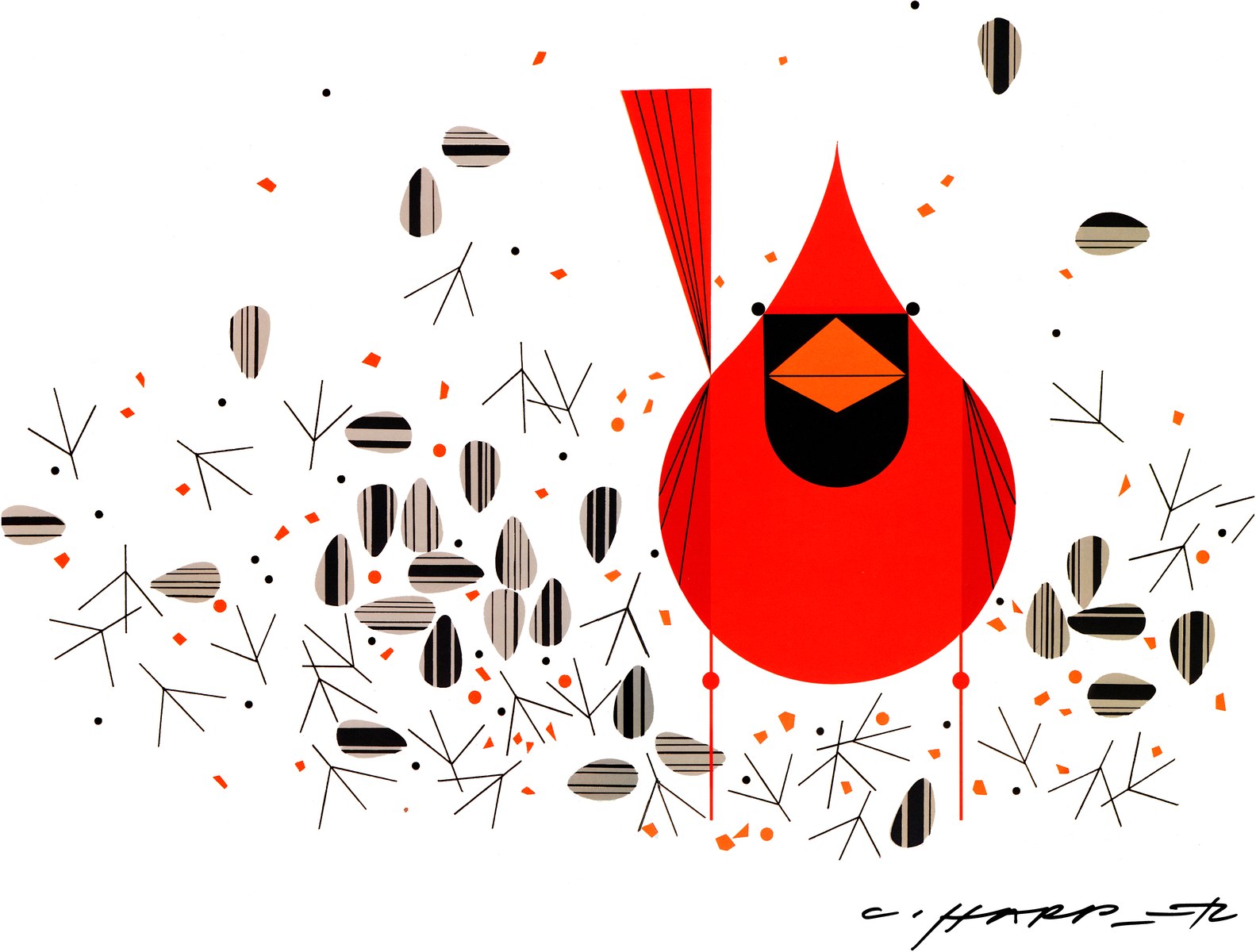
Charley Harper and Girard
Harper's birds and Tuesday's Girard both build from fixed shapes in a few saturated colors. Same kit, more chroma.
charleyharperartstudio.com
Saturated and flat
05 · Full chroma, mid-century
Mary Blair1950
Olimpia ZagnoliNow
Charley Harper1960s
Blair puts a light and a dark on every edge, Zagnoli lets the edges do all the work, Harper draws the bird with three shapes and three colors. None of them softens anything. Saturated colors sit at similar values, so the edge is the only thing separating them.
Mary Blair · Cinderella concept art, 1950 · Olimpia Zagnoli · The New Yorker, August 28, 2023 · Charley Harper · Cardinal Close-Up, Ford Times
Complementary, and neon
06 · Opposites on the wheel
NIGHT
MAGENTA
CYAN-GREEN
A THIRD, RARELY
Two colors from opposite sides of the wheel on a dark ground. They vibrate against each other, which is the effect, and it exhausts the eye fast, which is the risk.
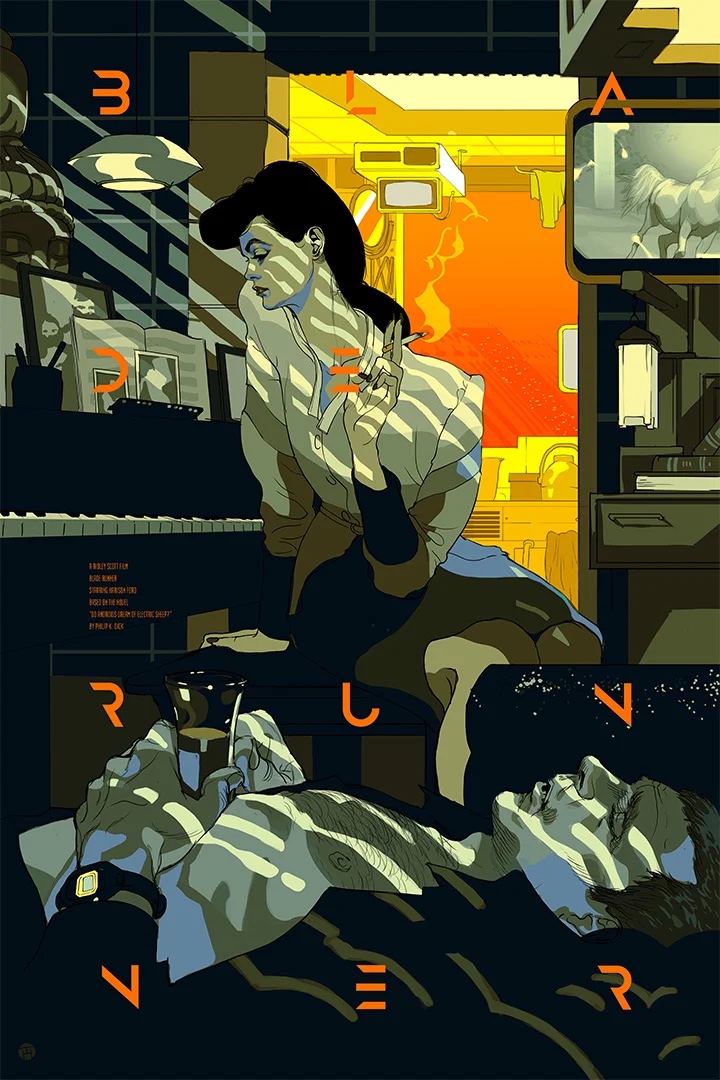
Tomer Hanuka
Israeli, New York. Covers and posters in electric complementaries, usually one warm and one cool light source on the same figure.
tomerhanuka.com
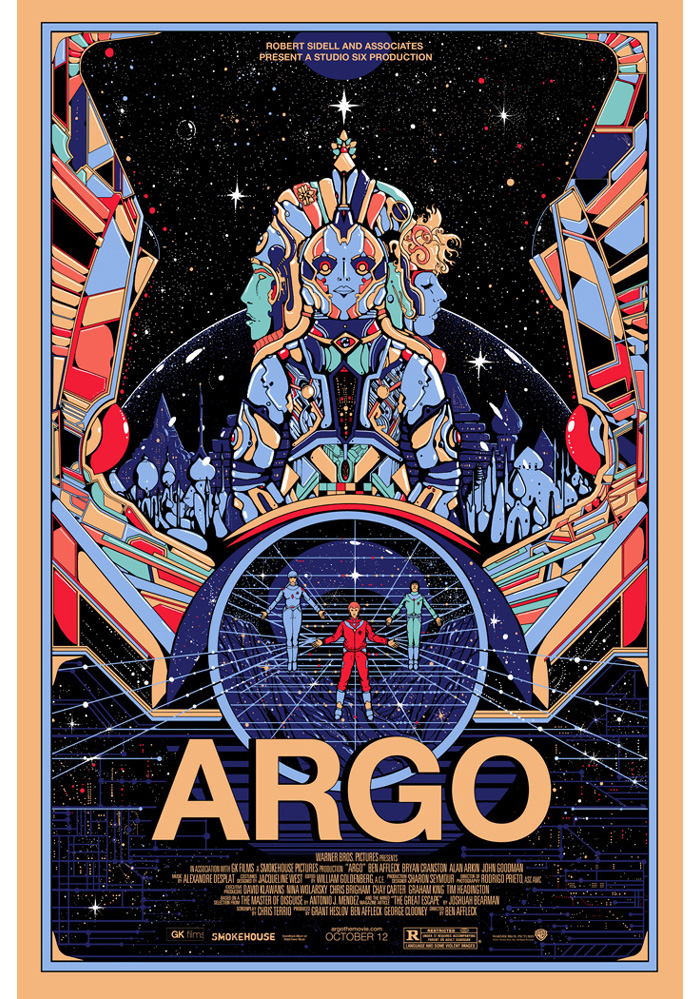
Kilian Eng
Stockholm. Science fiction posters in a cold blue on black, with one hot red or pink as the signal; the same blue does sky, machine and skin.
kilianeng.com
The rule
Complementaries work when one dominates and the other is scarce. Equal amounts of both is a headache, not a palette.
adobe color · complementary
Complementary: warm light, cool light
06 · Opposites on the wheel
Tomer HanukaOrange against teal
Kilian EngBlue against red
Kilian EngBlue and pink on black
Orange against teal, blue against red, blue against pink, all on near-black. In each one the cool color owns the page and the warm one is the light source, which is why they read as depth instead of noise.
Tomer Hanuka · Blade Runner, Mondo, 2019 · tomerhanuka.com · Kilian Eng · Heavy Metal and Argo, posters
Tints of one swatch
07 · The tint slider is a palette
100%
80%
60%
40%
20%
One global swatch and its tints is a whole picture, and it stays one swatch. Change the parent and every tint follows. This is the treatment Illustrator was built for.
Sanna Annukka
Finnish-British. Folk pattern in a few colors, each one stepped into tints so a flat print reads as deep.
sanna-annukka.com
Karolis Strautniekas
Lithuanian, editorial. Gentle, high-key palettes where most shapes are tints of two or three parents.
strautniekas.com
In the exercise
A tint of one of your three globals is still that global. It counts as one color. Use it when two shapes merge and you refuse to add a fourth.
color panel · T slider
Tints of one swatch
07 · The tint slider is a palette
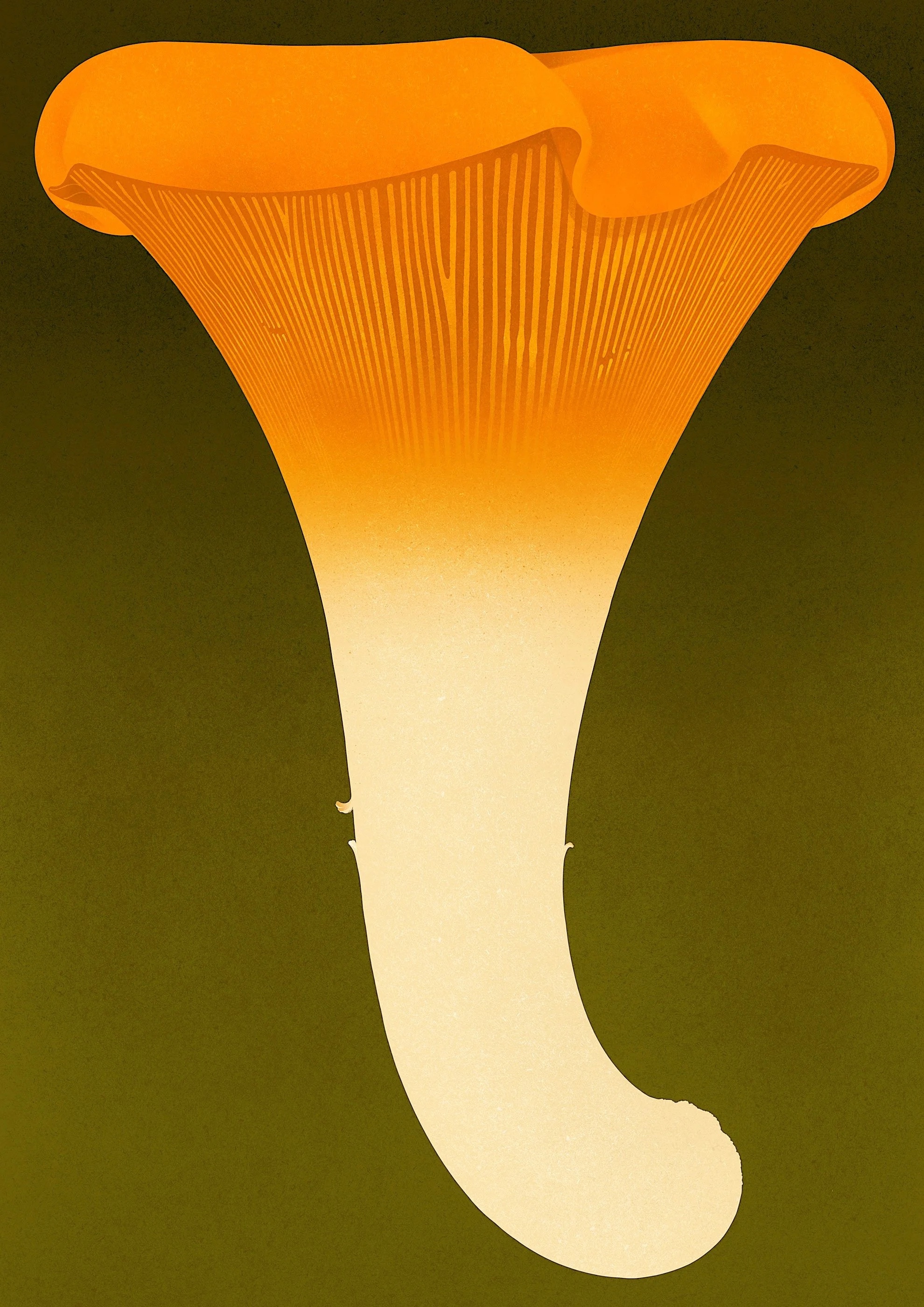
Karolis StrautniekasOne orange, many tints
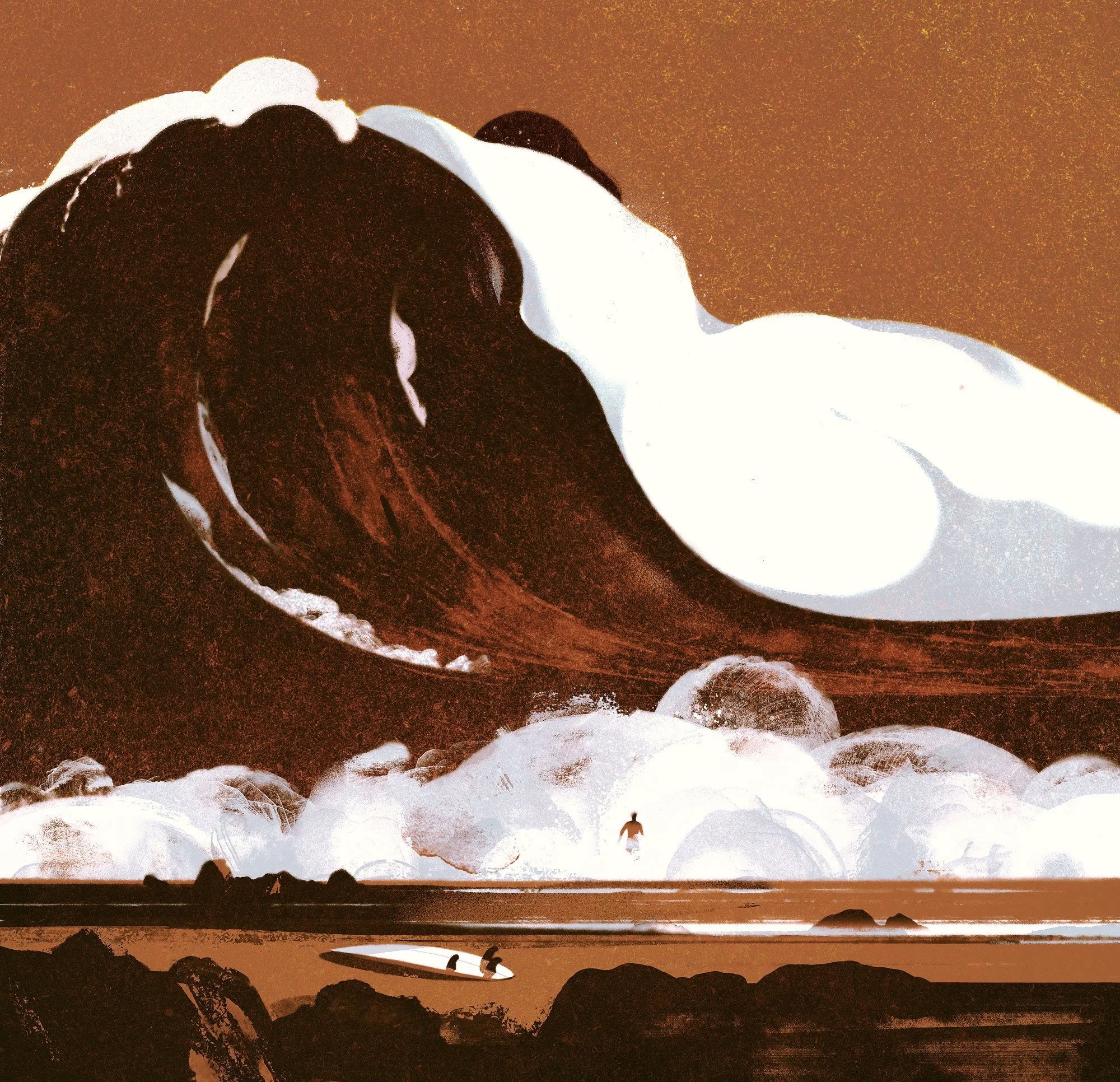
Karolis StrautniekasOne rust, many tints
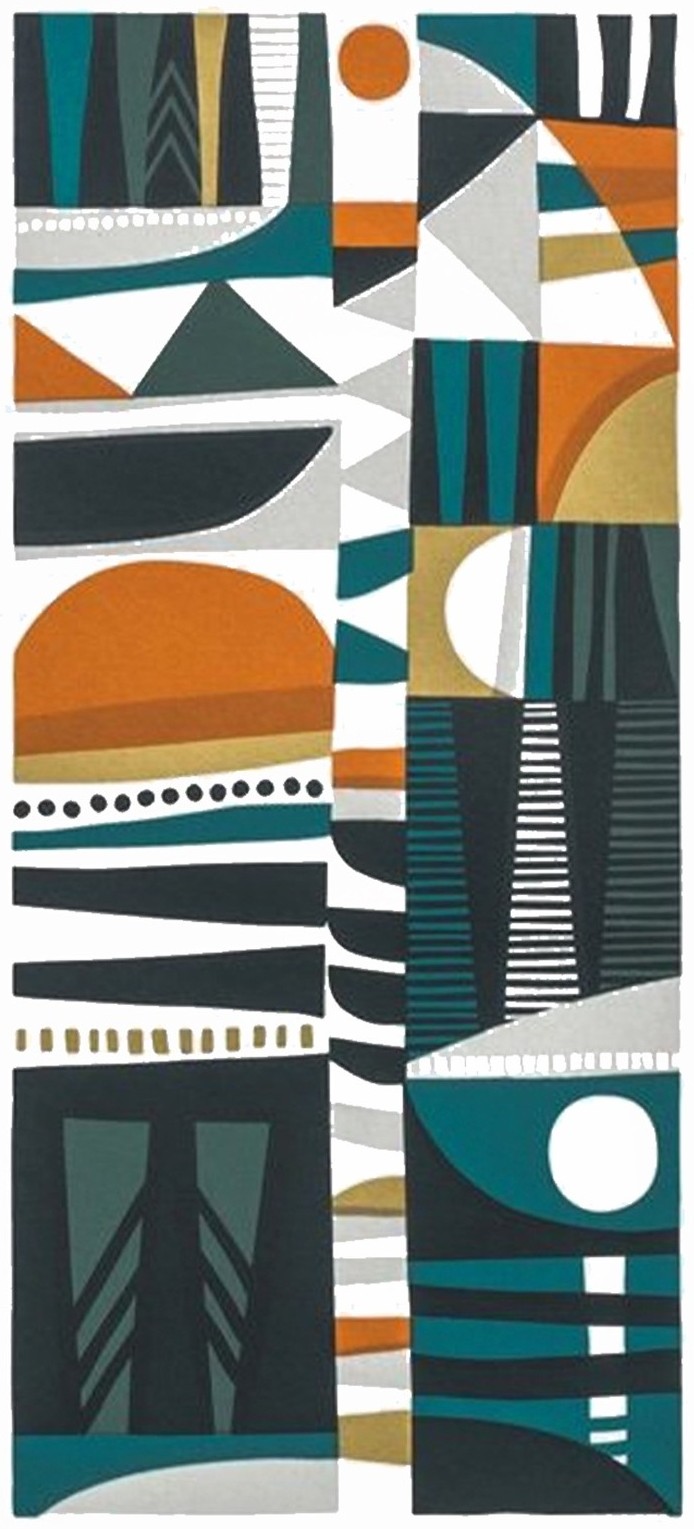
Sanna AnnukkaFive inks, stepped
A mushroom that is one orange from full strength to cream. A wave that is one rust. A screen print where the halftone dots are the tints. Every ribbon here has fewer colors than the picture seems to.
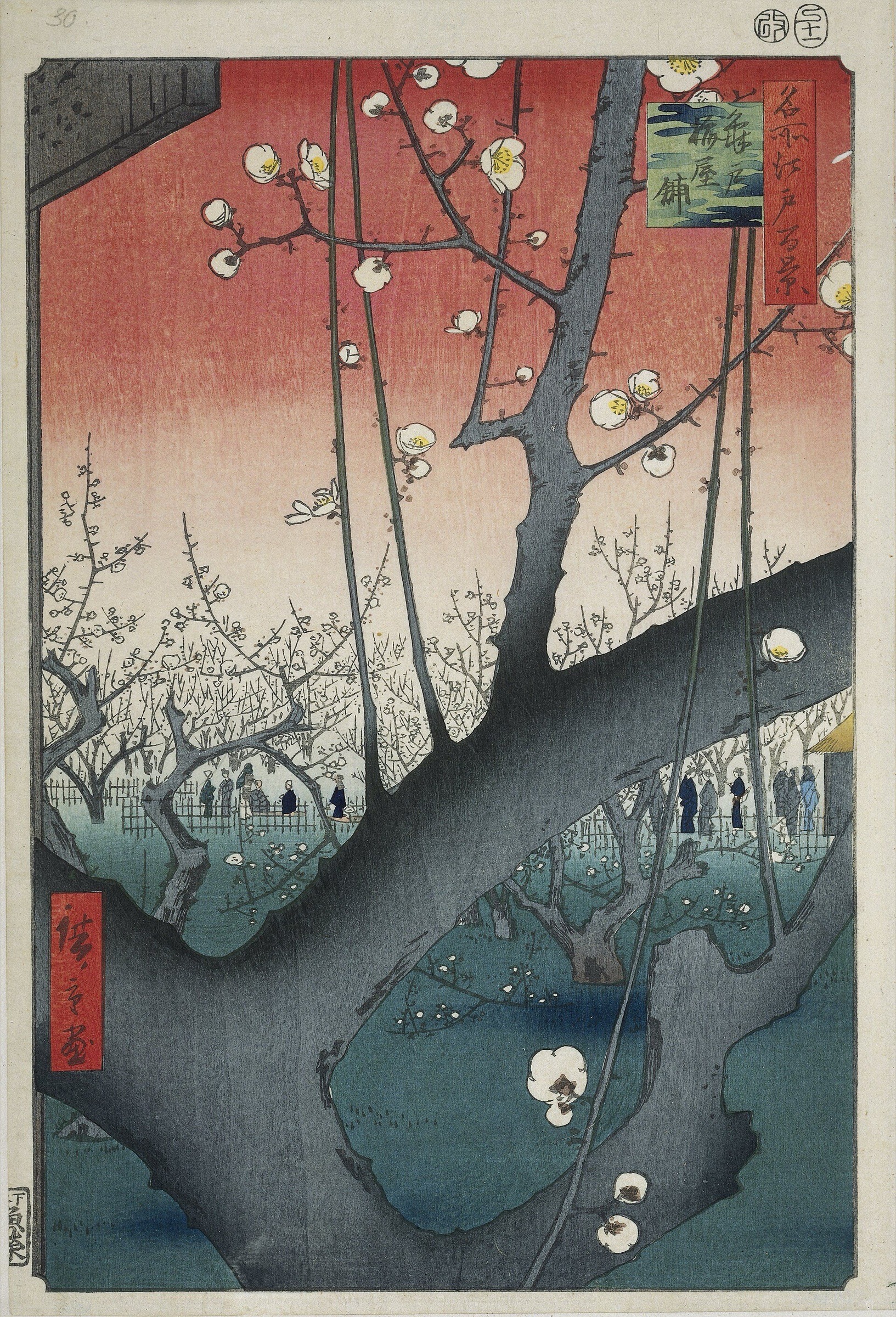
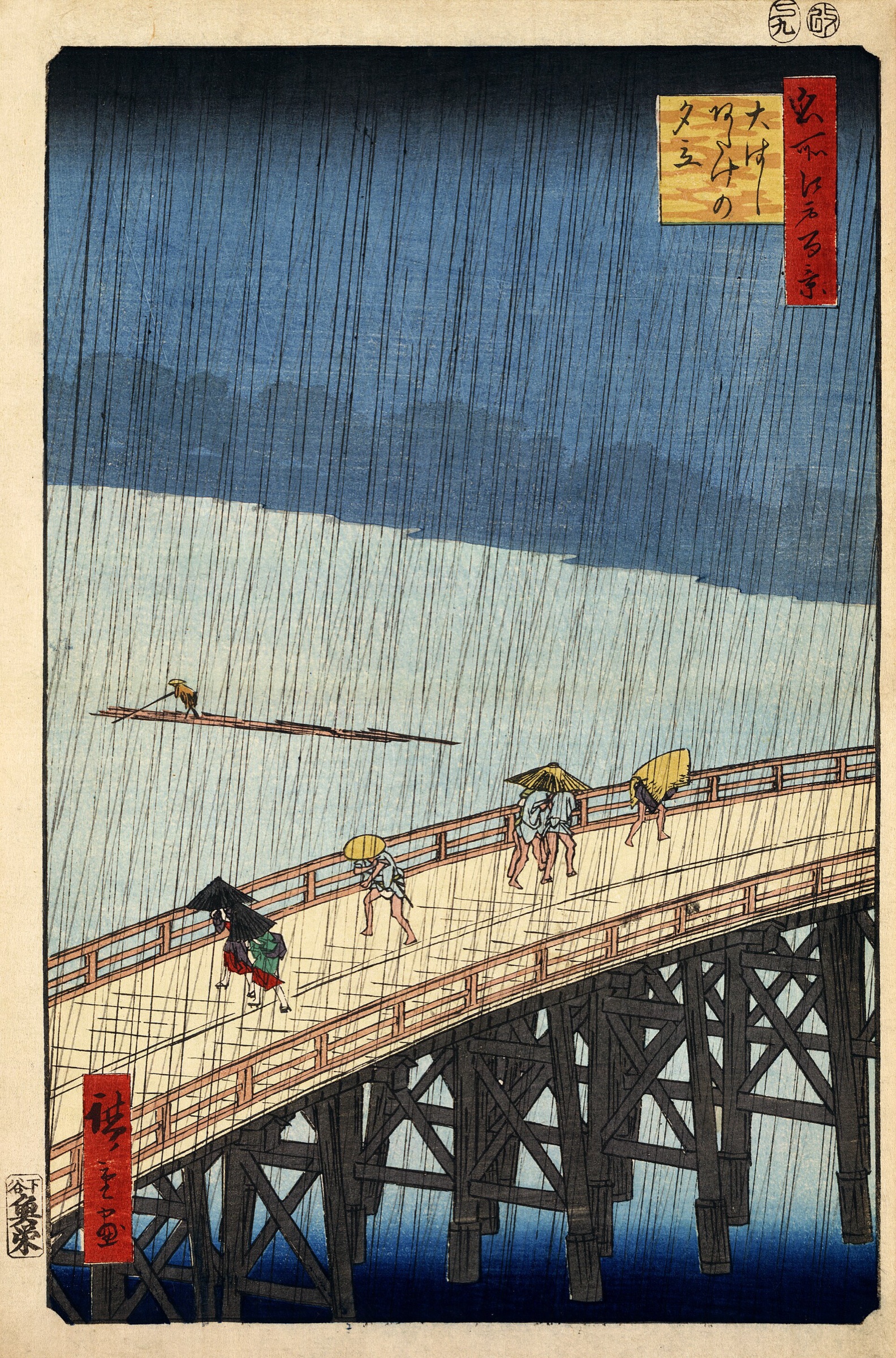
Japanese woodblock prints: one carved block per color, so every color was a decision that cost a day. Flat fills, a black key line, a handful of inks. Everything on the Favre slide is downstream of this.
Hiroshige
1797 to 1858. The Hundred Famous Views of Edo. Look at how a sky is one blue graded to paper, and how few colors a whole landscape needs.
ukiyo-e.org/artist/utagawa-hiroshige
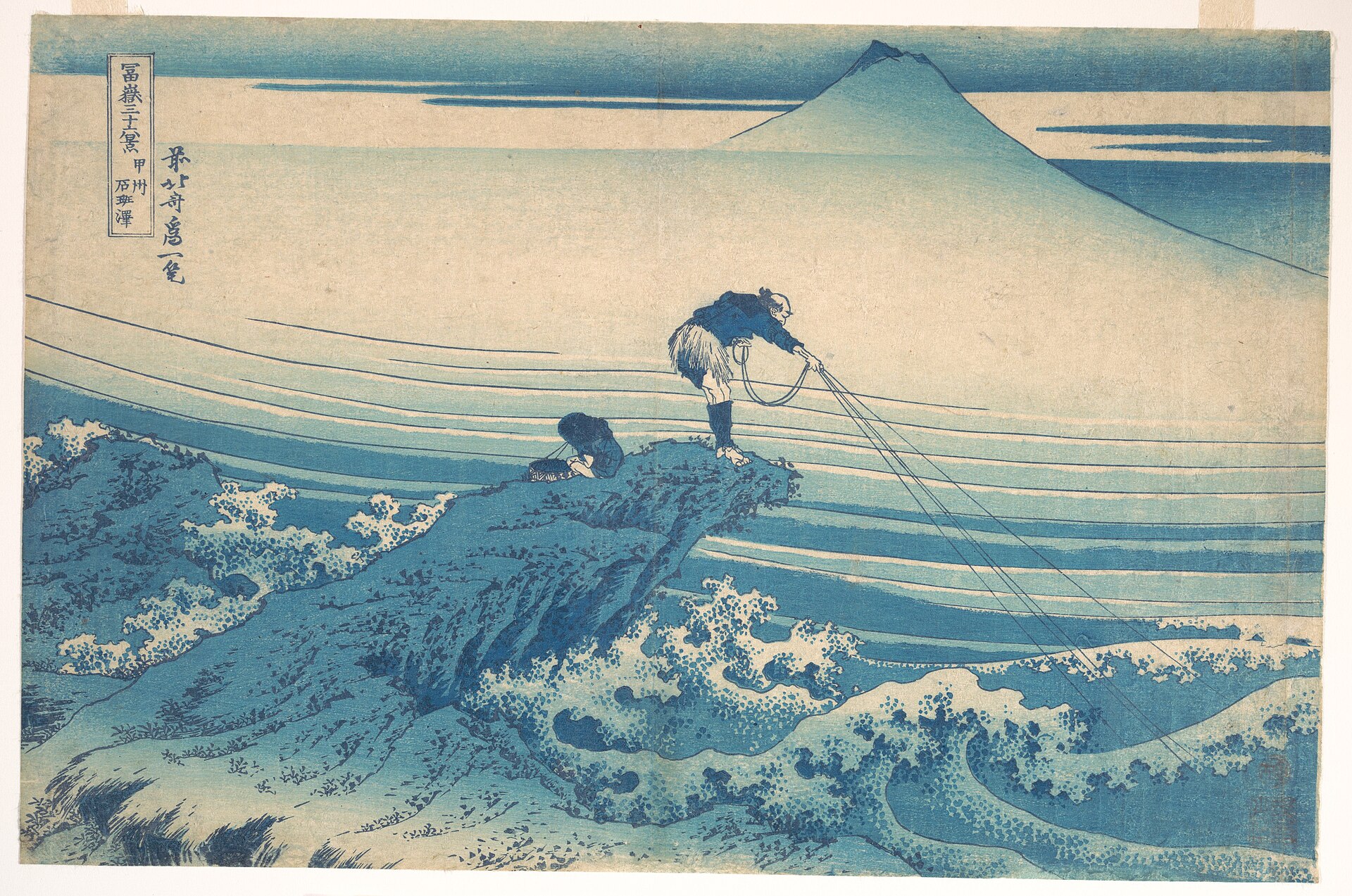
The blue prints
When Prussian blue reached Japan in the 1820s, whole prints were made in blue alone. A monochrome fad, driven by one new pigment.
en.wikipedia.org/wiki/Utagawa_Hiroshige
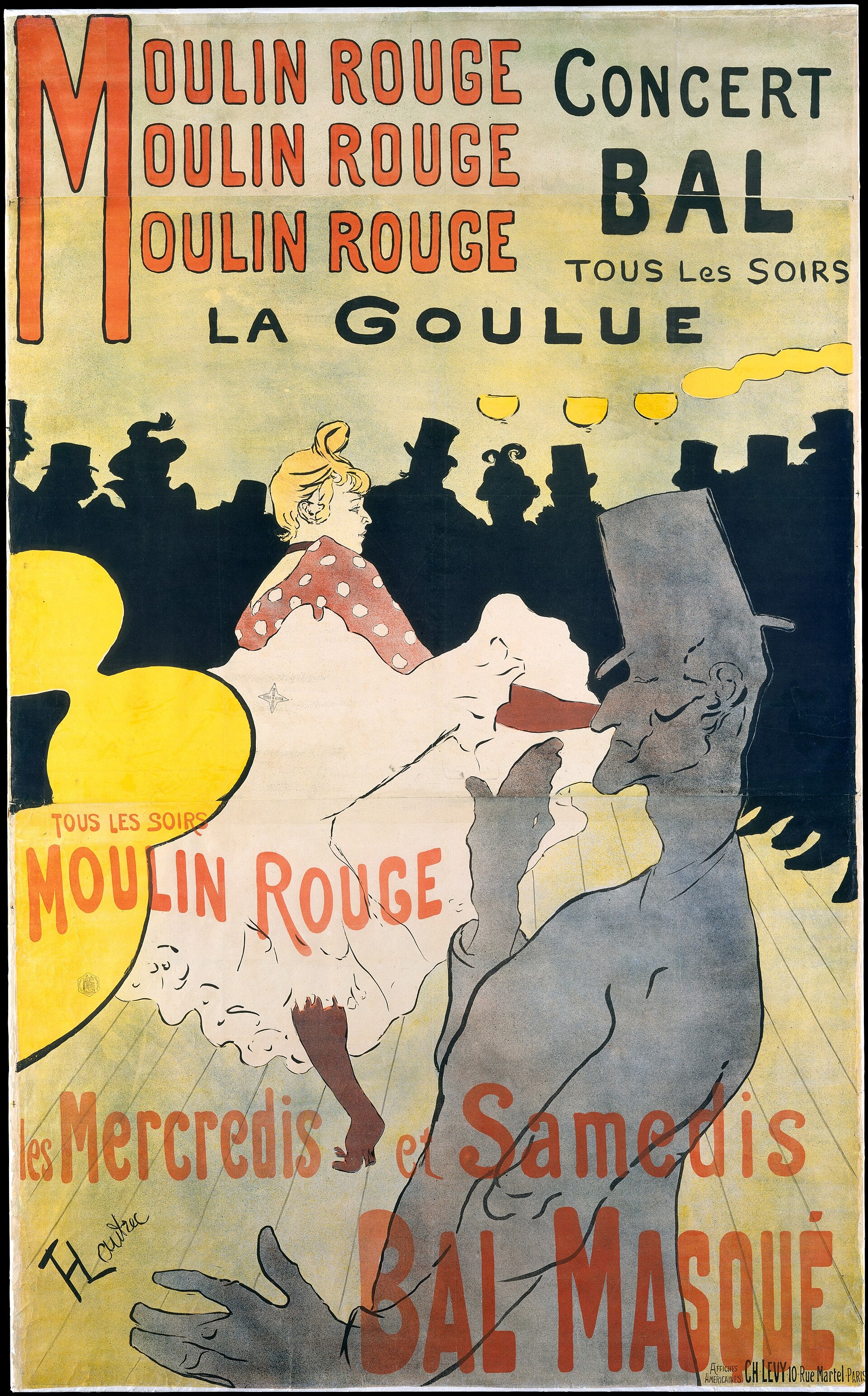
Toulouse-Lautrec
1890s Paris. He collected these prints, and his lithographs carry the flat fill and the key line into the poster: one stone per color, three or four inks.
metmuseum.org
Where flat color comes from
08 · Ukiyo-e
Hiroshige1857
Hiroshige1857
Hokusai, blue alone1830s
Toulouse-Lautrec1891
A plum orchard in four inks, a rainstorm in five, a whole landscape in one blue. Then Lautrec, who collected these prints, doing the same thing on a Paris wall with four stones. Count the ribbons and the Favre slide looks less like a style and more like an inheritance.
Utagawa Hiroshige · One Hundred Famous Views of Edo, 1857 · Rijksmuseum · Katsushika Hokusai · Kajikazawa, aizuri-e impression · Henri de Toulouse-Lautrec · Moulin Rouge: La Goulue, 1891 · both The Met
The Tools
WHERE A PALETTE COMES FROM, AND HOW TO CHECK IT.
Make a palette
01
Adobe Color
The wheel with harmony rules: complementary, triad, analogous. Pull a theme from any photo. The Accessibility tab checks contrast and colorblind safety. Saves into your Libraries, so it shows up in Illustrator.
Gocolor.adobe.com
02
Coolors
Press space, get five colors. Lock the ones you like, press space again. Fast, dumb, useful for getting unstuck. Export an .ase and load it into the Swatches panel.
Gocoolors.co
03
Khroma and Realtime Colors
Khroma learns what you like from fifty picks and generates pairs. Realtime Colors puts a palette on a whole page so you judge it in use, not on squares.
Gokhroma.co realtimecolors.com
A GENERATOR GIVES YOU A START. THE PICTURE DECIDES.
Check a palette
04
oklch.com
A picker where equal steps look equal. HSB lies: a yellow and a blue at the same B are nowhere near the same lightness. Build tints and shades here and they stay the same hue as they lighten.
Gooklch.com
05
Color Oracle and Sim Daltonism
Free. Show your whole screen the way a colorblind viewer sees it. About one man in twelve cannot tell your red from your green. Run it on your set before you hand it in.
The cheapest check of all. Screenshot, desaturate, look. If the picture falls apart, the fix is value, not hue. Do this once an hour for the rest of the project.
GoPreview, or Illustrator's grayscale proof setup
THE PALETTE YOU CHOSE IS NOT THE PALETTE EVERYONE SEES.
Swatches panel, New Swatch, tick Global. Name it something you would say out loud: sky, roof, ground.
The small white triangle in the swatch's corner is the mark. No triangle, no memory: that fill is loose, and editing the swatch changes nothing already painted.
Double-click the swatch, change it, and every object using it follows. That is the whole reason it exists, and it is how Exercise 3 is graded.
02 · Tints
One global, five values, still one swatch.
Select an object filled with a global. The Color panel shows one slider: T, for tint. Drag it and the fill lightens toward white without changing hue.
A tint still points at its parent. Edit the parent and every tint moves with it. Drag a tint into the Swatches panel and it becomes a named tint swatch.
In the exercise, a tint of one of your three counts as that one. It is your escape hatch when two shapes merge and the rule says no fourth color.
03 · Sweep the loose fills
Select, Same, Fill Color, then click a global.
Click one object in a loose color. Select, Same, Fill Color grabs every object painted with it, on every artboard. Click a global swatch and they all move together.
Ten loose colors means ten sweeps. After the last one, the file has no loose fills left. Check with the Swatches panel menu: Select All Unused, then delete.
Strokes have their own version: Select, Same, Stroke Color. Do not forget them; a stray black stroke is a loose color too.
04 · Color Guide
Color Guide is Adobe Color's wheel, inside Illustrator.
Window, Color Guide. Pick a base color and the panel offers harmony rules from it: complementary, triad, analogous, split. Same rules as the website, no browser.
Below the rule, a grid of tints and shades of every color in the harmony. Click one to use it; drag a set into the Swatches panel to keep it.
The button at the bottom left saves the whole harmony as a color group, which is what Recolor Artwork reads next.
05 · Recolor Artwork
Recolor Artwork does the whole sweep at once.
Select everything. Edit, Edit Colors, Recolor Artwork, then Advanced Options. The left column is every color in the selection; the right is what each becomes.
Set Colors to 3. Illustrator groups your loose colors into three rows. Drag colors between rows to decide which shapes share a new one, then pick the new one from your color group.
It is fast and it is blind: it merges by hue, not by what the shapes are. Check the read after, and fix the one pairing it got wrong by hand.
06 · Keep the palette
A palette lives outside the file, so the set can share it.
Swatches panel menu, Save Swatch Library as ASE. Any Illustrator or Photoshop file opens it from Open Swatch Library, Other Library. Coolors and Adobe Color both export this format.
Or drag the color group into your CC Library. A theme saved on color.adobe.com appears there too, and every file on your account can pull from it.
For Project 1: one library for the hero and both spots. The file you hand in on the 17th should open its swatches from the same place.
Photoshop
THE SAME IDEAS, ON PIXELS. ADJUSTMENT LAYERS ARE THE GLOBAL SWATCH.
01 · The Photoshop global
A Solid Color fill layer is a swatch you can edit later.
Never paint a flat color onto a pixel layer. Make a selection, then Layer, New Fill Layer, Solid Color. The selection becomes its mask; double-click the swatch to change the color everywhere it appears.
Hue/Saturation with Colorize ticked does the same to anything under it: one hue, one saturation, one lightness, for the whole stack or a clipped part of it.
Three fill layers is three global swatches. The exercise could be done here the same way, and it will be, when you color a scanned drawing on October 1.
02 · Gradient Map
Gradient Map turns a value drawing into a palette.
Adjustment layer, Gradient Map. The darks of the image get the left end of the gradient, the lights get the right. A grayscale drawing becomes a colored one in one move.
Make the gradient three hard stops and you have the three-color exercise on pixels: every value in the drawing snaps to one of three colors.
This is why value comes first. If the gray drawing reads, the mapped one reads, whatever three colors you pick.
03 · Shift the whole thing
Color Balance and Color Lookup move a finished picture as one.
Color Balance pushes shadows, midtones and highlights toward a hue separately. Warm lights and cool shadows in two sliders; the temperature slide, as an adjustment layer.
Color Lookup applies a whole grade at once from a table. Good for trying a mood on a finished set; dangerous as a substitute for choosing a palette.
Both are non-destructive. Turn the eye off and the original is still there, which is the only way to work on a scan you cannot redraw.
04 · Line over color
Multiply keeps the line. Color keeps the drawing.
A scanned line layer set to Multiply lets its white disappear, so flat color layers underneath show through and the line sits on top. This is how you color a scanned line drawing, on October 1.
A color layer set to Color blend mode tints whatever is under it without touching the values. A pencil drawing keeps every gray and takes on a hue.
Together they are how Project 2 gets colored: scan, line on Multiply, flat color underneath as fill layers, a Color layer for mood. The palette is still three globals.
Exercise 3
YOUR OWN SET. THREE GLOBALS. DO NOT LOSE THE READ.
Color systems · graded today
01
The file
Your Project 1 draft: the hero and both spots in one Illustrator file, three artboards. No vector draft yet? Open Tuesday's shape-kit file instead. Save As lastname-color.ai. Count the loose colors before you touch anything.
Briefmeaninglayer.com/practice/color-set
02
The rule
Re-palette the whole set to exactly three global swatches. When you are done the Swatches panel holds those three plus black and white, and nothing else. Every fill and every stroke points at one of them. A tint of a global counts as that global.
ProofI edit one of your swatches and watch all three artboards follow
03
The grade
2: three globals, every fill mapped, the read intact on all three artboards. 3: all of that with a deliberate light, middle and dark. 1: more than three swatches, loose fills left behind, or a lost read. Scored the same day, 1, 2 or 3, with your lowest exercise dropped.
Hand inlastname-color.ai on Blackboard before you leave
FORTY-FIVE MINUTES. VALUE FIRST, THEN SWEEP, THEN SQUINT.
After the exercise
Now decide whether three was enough.
Most sets are. If yours needs a fourth or fifth, add it as a global and say what it is for. Three to five globals in one library, the same file opening them on every artboard.
Squint. Run Color Oracle. By tonight the family shares one palette, and Tuesday is type and image on top of it.
Thursday the 17th, Project 1 is handed in. Files on Blackboard, the set at final size and at thumbnail size.
See you Tuesday.
VALUE FIRST · COUNT TO THREE · EDIT ONCE. ONE PALETTE ACROSS THE SET BY TONIGHT.
 meaninglayer.com/course/digital-illustration